

4 files
-
v1.2.thumb.png.c75f60d4e5b98fd646920b470a7a78ae.png) (3 reviews)
(3 reviews)0 comments
Submitted
-

Cinema/Hollywood (Chicago Coin 1976) Media Pack
By PEandS1Ws
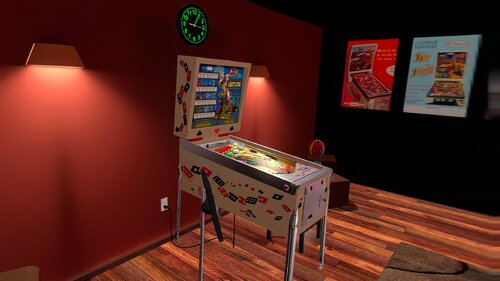
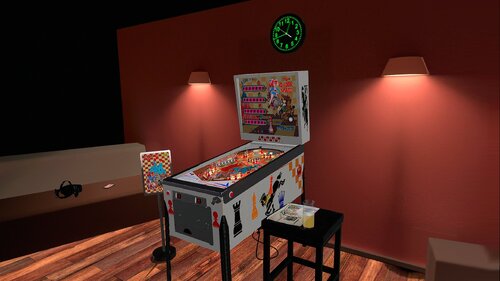
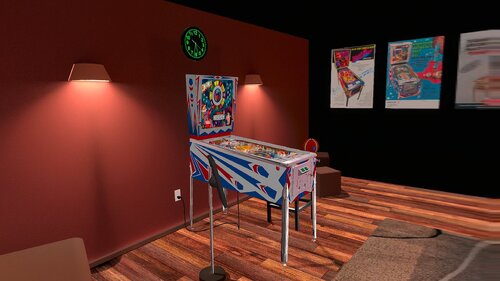
Media Pack for JP Salas' Cinema and Hollywood by Chicago Coin in 1976.
https://www.vpforums.org/index.php?s=f45585e131c83f326676e31d7b63e95c&app=downloads&showfile=19886
https://www.vpforums.org/index.php?s=f45585e131c83f326676e31d7b63e95c&app=downloads&showfile=19887
Includes:
Logo wheel
Wheel
Table Audio
Instruction Card
Flyer
Full DMD or Topper video
58 downloads
- chicago coin
- mediapack
- (and 1 more)
(0 reviews)0 comments
Updated
-
Wheel.thumb.png.d55cc08c672f957df4f83e18a12eee80.png) (2 reviews)
(2 reviews)0 comments
Updated
-
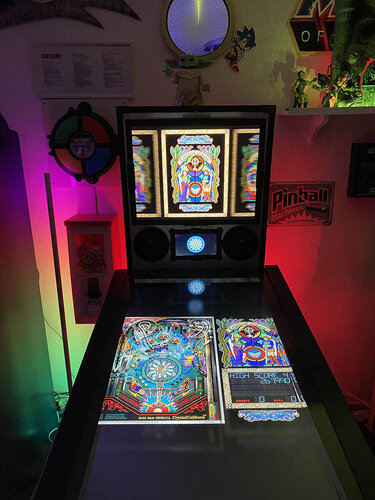
Crystal Caliburn (LittleWing 1993) Media Files & Cabinet Instructions
By SixOfTwelve
Welcome back to another edition of
Let's Put Things On Cabinets That Were Never Meant To Be On Cabinets!
I'm your host, SixOfTwelve, and today's contestant is Crystal Caliburn, a pinball game released in 1993 for Windows and Macintosh by Japanese company LittleWing.
LittleWing had a critically succesful run of desktop computer pinball games for a while, and while this table is more of a historical curiosity along the lines of Space Cadet rather than being super fun to play, the ruleset is deceptively deep.
Since the game's playfield features lots of tiny writing, I decided against running it on the backglass and put it on the playfield.
The included AutoHotKey script rotates the playfield to portrait mode, lowers the resolution to 600x800, hides the game's Windows menu framework as well as possible, fills the backglass and DMD screens with decorative images and maps the keys to standard cabinet buttons.
I've included
the AutoHotKey launch script, fully annotated (please go through it and adapt the variables to your system before running it!) a DMD filler image for in-game purposes a backglass image (also usable for your frontend of choice), in both 4:3 and 16:9 formats
Also, tons of frontend media:
2 flyer images (courtesy of MobyGames) 20 instruction cards (taken from the official PDF guide) table audio (recorded directly from the game) table image (an upscale of the playfield) wheel image (courtesy of the LaunchBox Games Database) company logo (taken from the official PDF guide)
For the backglass and table image, I decided against enhancing the image with AI or softener filters - I find the dithered grainy "stained glass" aesthetic goes well with the whole tone of the game.
For the AHK script, on the other hand, I am indebted to ChatGPT, who came to the rescue with obscure key codes more than once.
Share and enjoy!
SOME MORE NOTES:
Where to get it:
The company's website at www.littlewingpinball.com is still up, and you can download the demo version of the game there. It needs to be be unlocked to full version with a code you could once buy at the website store, but that store has been "out of service due to a maintenance" since 2013. Never fear though, just browse any Archive that's reasonably well Organized, and BOB's your uncle 😉
What not to do:
Crystal Caliburn should run "out of the box" on Windows 10. Please try to resist setting C_CALIBURN.EXE to run in Windows XP compatibility mode, as the script keys won't work anymore, and all kinds of other things in the script will be broken.
What didn't work:
Unfortunately, the game displays a Windows menu bar before you launch it and during pause. In both instances, the screen does quick weird up/down shifting movements. I covered up the menu bar, but I couldn't find a way to get rid of the image jumps.
Also, I tinkered with putting the score display on my DMD screen with DMDExt, but it made the game run pretty choppy (maybe due to the fact that such a large part of the screen was mirrored), so I skipped it. Also, the graphic jumps I mentioned meant that the DMD would continually shift and look weird in the frame. In the end I decided to just place an image of the dragon zodiac from the PDF guide into the DMD screen.
What I like:
I'm a tiny bit proud of the Pause toggle script I came up with. Usually, the game requires you to press the Esc key to pause it, and then press Ctrl+R to resume - two different things to press. I managed to solve it by having the pause button send Ctrl+R, and then send Esc straight afterwards: If the game is currently running, the Ctrl+R will be ignored, since it does nothing, and then the Esc will put it into pause mode. If the game is already paused, Ctrl+R will trigger a 3-second "Resuming..." countdown sequence, during which the Esc press that follows will simply be ignored. I have yet to see if this technique will work on subsequent LittleWing games.
Finally, here's the thing in action:
63 downloads
-
VPU Staff's Top Picks
-
New & Updated Visual Pinball
-
New & Updated Future Pinball
-
New & Updated Backglasses
-
New & Updated DMD Colorizations
-
New & Updated Virtual Reality Enabled Tables
-
VPU Remix & Mods
-
New & Updated Popper Media
-
Updated Files
-
Download Statistics
29759
Files105932
Comments44069
Reviews



JGBMod.thumb.jpg.31636f935b2d3cd9bb24d4b84a750c80.jpg)
.thumb.png.de5c87bfcfd48bcb8bbf046bcfe11c33.png)
FP.thumb.jpg.89b84ca31758150656a13d12b20896d4.jpg)
BG.thumb.jpg.724fc1e2411208bbcb9b6fd302360335.jpg)




.thumb.png.9bc1581a861a04426f0a94b68479125f.png)
.thumb.png.bb378995463054d65cfb4e3f362df376.png)
Illuminated1480x1080.thumb.png.f1c4d6c4c2cd7090020e36d19e1220cb.png)



_ver2.1Illuminated.thumb.jpg.966206f2f9f85596605e78920eb10dd6.jpg)

backglass.thumb.jpg.800b495b2efccfed1b36f7618f947890.jpg)
_screenshot_backglass_Light.thumb.png.80c1cd100169844b3c4216889b35832d.png)
altfulldmd.thumb.jpg.c40865cdca4f5f71125bb254759ea001.jpg)



BG.thumb.png.89ad27d04d41ff7ce8d6462119be04d1.png)









FullDMD.thumb.jpg.8f287e15d4752d287bc30ea9e9f0862f.jpg)
FullDMD.thumb.jpg.43072decb46a3e0f974195bdbb3ef98b.jpg)

FullDMD.thumb.jpg.7572f8acb1ded2553ddaf16f281330a4.jpg)

FullDMD.thumb.jpg.711ea33336b6ada7eb61056ac0acb1bb.jpg)
FullDMD.thumb.jpg.5ed54dbedaf801372cd779d9bc689df4.jpg)
.thumb.jpg.677ad436d4a2ceba8ffc221ddb75bc32.jpg)




.thumb.jpg.ca2e48aaa7e3b0c3f1351c718ae1bd99.jpg)
.thumb.jpg.20dd148ff1405b0ecfdeca60a86b3448.jpg)
.thumb.jpg.2f5fdf5ec81fd7afdd95f5c313e3ec98.jpg)






V2.thumb.jpg.c9ad8800aac74b076b22819d05e87508.jpg)
