Backglass Resources
9 files
-
JBScreen.thumb.png.345d0dda905b313be2d9fd1a452eb3dc.png)
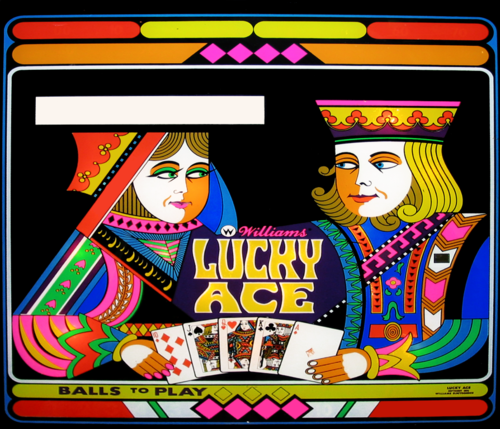
Lucky Ace (Williams, 1974) JB
By Silversurfer
This is very rough(!!) touch up with some vectors. First I didn't want to upload it, since I'm totally unhappy with the quality, but it's still better than most of the pictures of this game you can find in the net. I took the picture at the PHoF in Vegas, but I was not close enough, the resolution was crap and I didn't take any pictures of the details. I also could not remove the complete distortion caused by the camera lens. And, even worse, there are still some parts which are not finished... But you can not totally delete a file here (at least I don't know how). I will not upload a new version, cause I deleted my orignal after uploading (Like I said, I was not happy with the result), so sorry for that.
Please see the original picture attached. The playing cards are just a complete mess in the original picture, so I did what a very bad poker player would do, I changed all 5. I couldn't find cards completely matching the ones on the Back Glass, another point, which makes me feel bad. I promise to make better pictures next time I'll go to Vegas (soon!!) and re-do it as total vector graphic. Original art by Christian Marche.
17 downloads
-
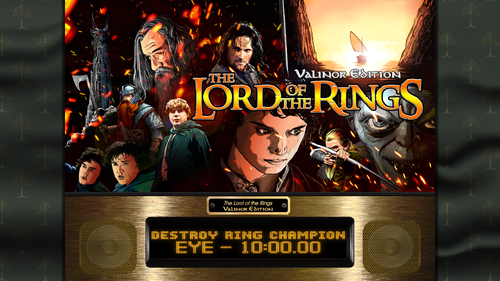
Lord of the Rings (Stern 2003) - 16:9 Background for B2S Backglass
This file is a custom background meant to display behind the B2S backglass. The B2S backglass I'm using is not included but can be found here. I've chosen the Tree of Gondor for this background.
I. Purpose
Most backglass art is meant to be displayed in a 4:3 aspect ratio, while most monitors are 16:9. I dislike stretching the backglass to fit my monitor, but didn't want mere black showing on the left and right. I began creating simple, custom backgrounds to thematically tie into the table while not being too visually distracting. The screenshot shows how the backglass now appears on one of my desktop monitors when the table is loaded.
II. Package
Included in the download:
• Three 1920x1080 background for this table's backglass
• Instructions
III. Instructions
Everyone's setup is different, so these instructions are general.
Put the background .png file in a particular place. I have all my tables in one folder with the backgrounds in another [my structure is: ~/VisualPinball/Tables/VP10/Backgrounds] Rename the file to something you find simple and helpful. All my background files are follow this convention: [tablename]-BG.png If you don't have a .res B2S file already present for this table, then generate one. Follow these steps: Double-click on the B2S file to launch it. When it opens, right-click on it to open the B2S option menu. At the bottom, click the button that says EDIT SCREEN RES. The Screen-Res Editor will now open. In the lower left, make sure GENERATE COMMENTS is checked but ENHANCED RES FILE is unchecked. Click SAVE SETTINGS. A .res file was just generated. Close the Screen-Res Editor by clicking the X in the top right. Open the .res file in a text editor such as Notepad Notepad++ (I prefer this because it has tabs & line numbers). Copy the .res settings I included below and replace the ones in your file. Changes to make: Change line 10 to match whatever the number is of your display that shows the backglass. Change line 29 to match your folder structure and name of the background file. Start the table in VPX. Right-click on the backglass to get the B2S options window. Change BACKGROUND to VISIBLE. Quit and re-launch the table. Your backglass should now show in a 4:3 aspect ration, with the background behind it.
IV. Sample .res Settings
Below are the my .res settings for this table.
# This is a ScreenRes file for the B2SBackglassServer. # From release 1.3.1.1 comment lines like this starting with a '#' are supported. # Playfield Screen resolution width/height 1920 1080 # Backglass width/height 1920 1080 # Define Backglass screen using Display Devicename screen number (\\.\DISPLAY)x or screen coordinates (@x) or screen index (=x) 2 # Backglass x/y position relative to the upper left corner of the screen selected 0 0 # width/height of the B2S (or Full) DMD area 670 346 # x/y position of the B2S (or Full) DMD area - relative to the upper left corner of the backglass window 0 0 # Y-flip, flips the LED display upside down 0 # Background x/y position - relative to the backglass screen - has to be activated in the settings 250 0 # Background width/height 1420 1080 # path to the background image (C:\path\Frame) or black if none selected C:\vPinball\VisualPinball\Tables\VP10\Backgrounds\lotr03-BG.png # This line would turn off B2SWindowPunch if activated #B2SWindowPunch=off
58 downloads
- 4858
- background
- (and 2 more)
(0 reviews)0 comments
Updated
-
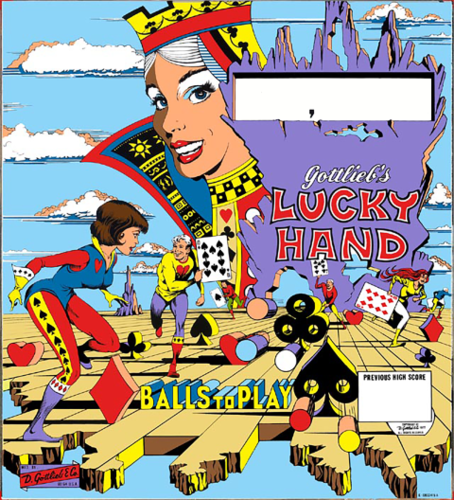
Lucky Hand (Gottlieb 1977)
By Wildman
Lucky Hand (Gottlieb 1977) for making DB2S
82 downloads
- Lucky Hand
- Gottlieb
- (and 3 more)
(1 review)0 comments
Submitted
-
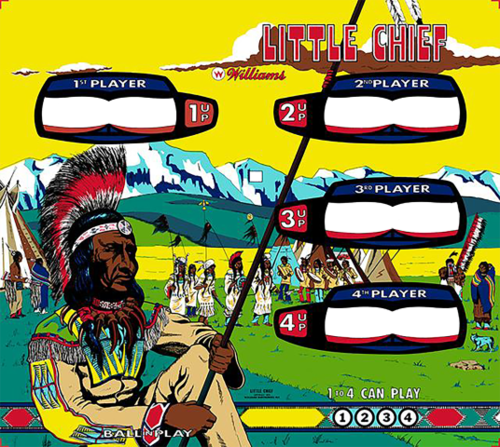
Little Chief (Williams 1975)
By Wildman
Little Chief (Williams 1975) for making DB2S
177 downloads
- Little Chief
- Williams
- (and 3 more)
(1 review)0 comments
Submitted
-
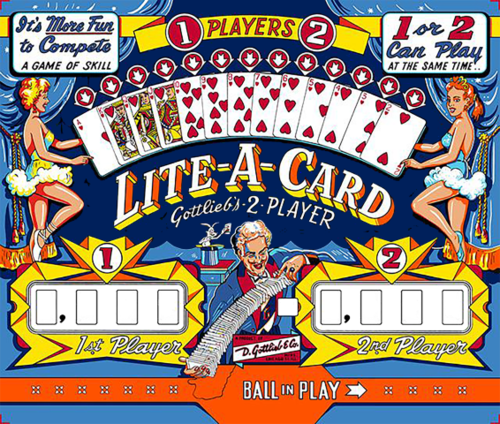
Lite-A-Card (Gottlieb 1960)
By Wildman
Lite-A-Card (Gottlieb 1960) for making DB2S
37 downloads
- Lite-A-Card
- Gottlieb
- (and 3 more)
(1 review)0 comments
Submitted
-
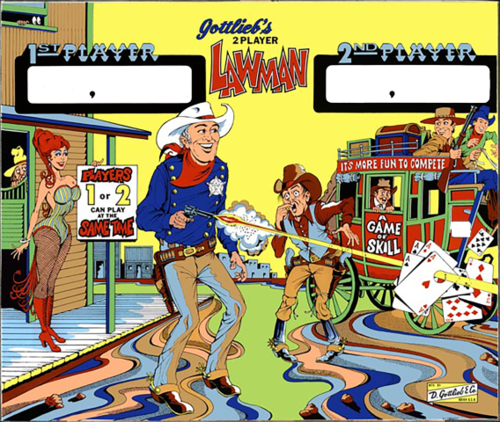 (1 review)
0 comments
Submitted
-
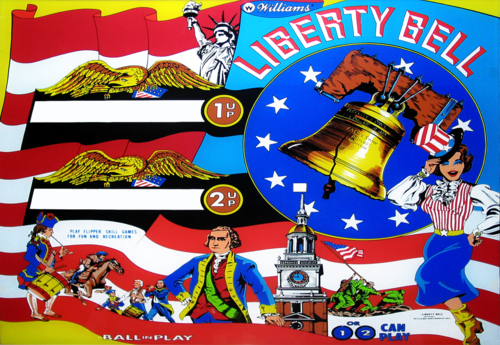
Liberty Bell (Williams 1977)
By Wildman
Liberty Bell (Williams 1977) for making DB2S
130 downloads
- Liberty Bell
- Williams
- (and 3 more)
(1 review)0 comments
Submitted
-
 (1 review)
0 comments
Submitted
-
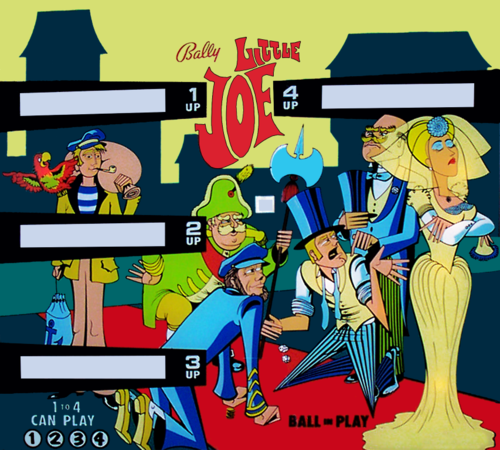
Little Joe (Bally 1971)
By Wildman
Little Joe (Bally 1971) for making DB2S
204 downloads
- Little Joe
- Bally
- (and 3 more)
(1 review)0 comments
Submitted




SeahawksSuperbowlEditionv1_0DT.thumb.PNG.553639cb4f3a47ba36d85146031b077b.PNG)
2.thumb.jpg.157901c34294205c4891caebb57509e9.jpg)
.thumb.png.d01c3d940a1e513270f2fe5430ff0268.png)
.thumb.png.6fcb2ba697c8618ffc3a8483f63e0b74.png)
.thumb.jpg.acc1bcb306984f94b639dbf2975dd62f.jpg)
b2s.thumb.png.3101489baae9c1450dd44e5a01473a6c.png)


.thumb.png.6b031473a92a6f7cec3a0b5b1349c842.png)

.thumb.png.185a142d5aa61fcdf860a7ff1efa5d1b.png)
.thumb.png.0649db01d8274a14782a3f496fa7c08f.png)


BG.thumb.jpg.724fc1e2411208bbcb9b6fd302360335.jpg)
BG.thumb.jpg.210cea41a5d8ac8a48785467264a7a8f.jpg)
Screenshot.thumb.jpg.e437105706534ba688895b0d67ff1097.jpg)
AltB2SwithFullDMDss.thumb.png.2c40717e6bdbbccab69ec7a207568de9.png)
BG.thumb.jpg.995fda378a6992a25dde673780d8ffbf.jpg)
.thumb.png.5ed1bf5d422b34f5840444155482629c.png)
BG.thumb.jpg.ddcd19ccd873118399897dbed21598b3.jpg)
BG.thumb.jpg.8b11216f592066a6d57f75f8e8d108c5.jpg)






JGBMod.thumb.jpg.31636f935b2d3cd9bb24d4b84a750c80.jpg)
FullDMD.thumb.jpg.b00a0f52c9de3d5f472ba9b78ac04be9.jpg)

FullDMD.thumb.jpg.4b383074a895b40c044412d571ab614b.jpg)
FullDMD.thumb.jpg.e0f5bcd686d8c8dc2e8e07de47a21928.jpg)



8.0.thumb.png.839cd2311e092f76a46d0ce2abd1d25f.png)

V2.thumb.jpg.6487c50f632fcfbbfa69c5df32f450d1.jpg)

V2.thumb.jpg.98b0d163696125c94d4538ef1866e7f4.jpg)