
About This File
Hi everyone,
I'd like to share a small free tool I built — StartVPX — plus the frontend I use it with.
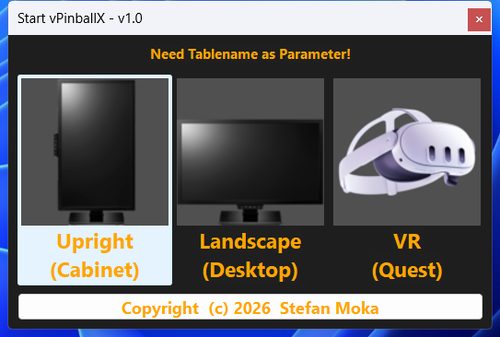
StartVPX (free) is a tiny helper that starts a Visual Pinball table the right way, every time. When you launch a table it pops up a clean chooser with three buttons — Cabinet, Desktop, or VR — and then takes care of everything else:
▶️ Correct mode per table: Cabinet (fullscreen), Desktop (angled playfield view), or VR (OpenGL build) — your choice at launch.
🖥️ Multi-monitor aware: positions the window where it belongs and brings VPX reliably to the front.
🎛️ Sets BGSet automatically (Cabinet vs Desktop) and handles the VPinMAME DMD window — no manual fiddling.
🎮 Built-in controller → keyboard mapping that replaces JoyToKey. It supports Xbox/XInput pads (analog triggers work as flippers, and yes — even the Guide button) and DirectInput arcade encoders. It only runs while VPX is running, and it's fully configurable. No third-party tools to install.
🪶 Lightweight and clean: a single small Windows app, free, with nothing proprietary bundled. Settings live in a simple INI file.
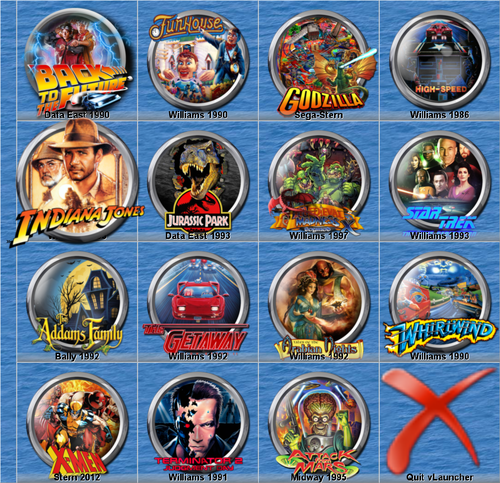
The Launcher is the frontend in the screenshots. It shows your tables as round wheel-art icons if you replace the default icon; one click launches the table through StartVPX. A few highlights:
Organize tables across multiple pages, each with its own skin.
It's also a full Windows app launcher — programs, folders, websites — with handy extras (clock, weather, GPU temperature, clipboard manager, screen magnifier, monitor brightness). So it's useful far beyond pinball.
Free to use for the first 16 buttons. More info on my homepage: https://www.launcher-online.de
How it works: Launcher icon → StartVPX.exe "Table.vpx" → pick Cabinet/Desktop/VR → VPX starts. StartVPX also works standalone with any frontend that can pass a table name on the command line, even a shortcut will do.
Requirements: Windows 7 or newer, Visual Pinball 10.8 (the OpenGL build for VR), optional VPinMAME for ROM-based tables.
Good to know: StartVPX doesn't touch your VPinMAME/DMD settings by default. If your DMD doesn't show up, set SetShowWinDMD=1 in the INI once, launch a table in Desktop mode, then set it back to 0.
This is an early release — I'd love to hear how it works on your setups, and I'm happy to take feature requests. Thanks for taking a look! 🎯
Rgds. SittingDuck

User Feedback
Create an account or sign in to leave a review
You need to be a member in order to leave a review
Create an account
Sign up for a new account in our community. It's easy!
Register a new accountSign in
Already have an account? Sign in here.
Sign In NowThere are no reviews to display.