
390 files
-
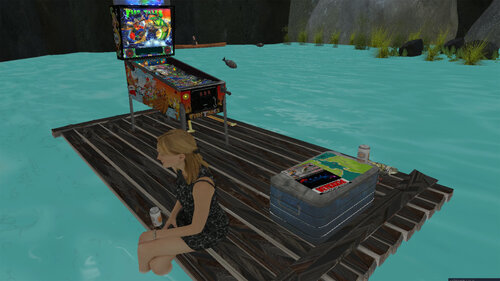
Fish Tales (Williams 1992) VR ROOM
By Rawd
Update Version 1.2.3!
Set your VR Far Plane to like 20,000!
Thanks to pinball58, melon, Loaded Weapon, Bigus1 for this superb VPX version of Fish Tales. I have not touched the physics, graphics, or gameplay from the original authors VPX version. Most of the VR code is at the bottom of the script.
Thanks goes to..
VPX table: pinball58, melon, Loaded Weapon, Bigus1
Some VR models from: 3RDAXIS
Bass model and cast plunger model: STEELY
Autolaunch bug fix and new programmed reel: ma1299
Bubble level: Rascal
Thanks always to Randy Davis, The VP development team, and Caligula for bringing us VPVR
Options:
Use Left and Right Magnasave to toggle VR Room components on or off.
There are some other VR room options on lines 49-53 of the script.
Enjoy!
Update 1.2.0:
3rdAxis coin door, working rom buttons and manual
All new backglass with working backglass flashers and GI.
Fish Topper now animated and hooked to the rom.
Sixtoe minimal room (added by psiomicron, thanks to both of you!)
New sharper playfield image (from latest desktop release)
Fish in the room now better animated
Fixed textures and materials, reduced file size
tweaked ball shadows.
other room enhancements and small bug fixes.
Update 1.0.3 - Fixed odd shiny normalmaps on some of the objects caused by newer version of VPVR.
Update 1.0.2 - All new lighting and shadows. Sun added. Fixed ball getting stuck near the 'L' lane. Added ambient water sounds (can be turned off in script).
Update 1.0.1 - Fixed skybox glitch that would occur after 20 min of play. Fixed flying fish reset glitch.
Initial Release. Version 1.0.0
850 downloads
-
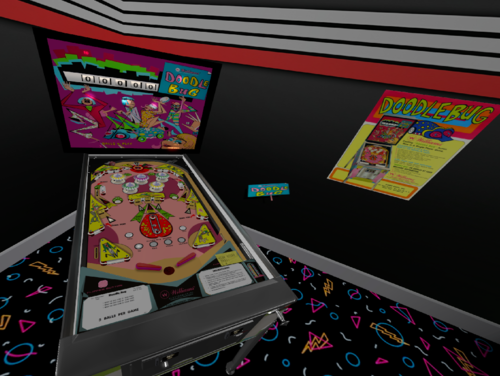
VR ROOM Doodle love Bug (Williams 1971)
By drinkcristal
Get ready to go Over The Top!!!!!
A big thanks to Loserman76, Thalamus , Wildman and Osprey101 for permission to mod their Doodle Bug and Love Bug tables. I could not get a hold of Tom (too many Tom's) and Rosve so if you have any issues with this mod, please let me know and I will rectify or remove.
Original authors and contributors are:
Source Images: Rosve & Osprey101
Image work and initial table layout: Tom
Table mesh redo & new sounds: Thalamus
Coding: Loserman76
Backglass: Wildman
Brought to VR - drinkcristal
Now about the game.
Doodle Bug is a Replay version of Love Bug which is an Add a Ball version of this table.
I have merged the tables since the graphics and coding is very similar. Not sure if this is a first but the player can decide the table they want to play before starting the game.
Left Magnasave toggles between game types (tables) - initial load is Doodle Bug
Holding Left Flipper allows the player to modify some parameters (3/5 ball play). High Score targets and normal game vs Novelty .
For love bug, I have added another feature on start. If you have a credit available before the game starts, you can buy an additional set of balls.
scoring 100,000 clocks the reels and lights the "1" next to the 10,000 reel.
scoring 200,000 clocks the reels and lights Over The Top..
I hope you enjoy this table.
Comments and feedback welcome.
213 downloads
(3 reviews)0 comments
Submitted
-
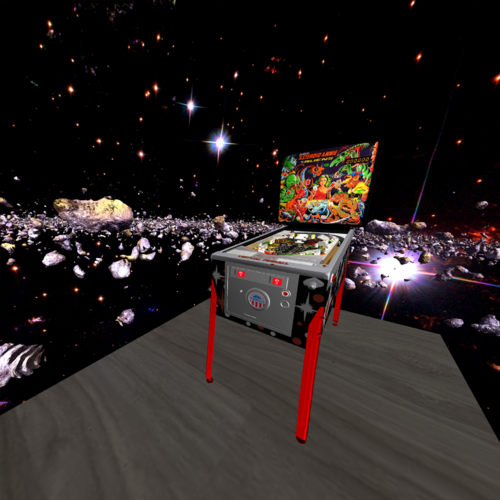
VR Room Asteroid Annie and the Aliens (Gottlieb 1980) 1.0.0
By RajoJoey
Table made by EBisLit.
I would like to thank the following people:
EBisLit for the permission to put the table in a vr-room; also BorgDog and Hauntfreaks for the table.
Sixtoe for his templates of vr-rooms and cabinets.
Rawd for the analog clock from his toyroom (this was originally taken from Rascal VP9 clock table).
And everyone I have forgotten.
I hope, you have as much fun playing, as I had creating the room.
Info
There are three vr-rooms: the minimal room and two spheres.
You can easily switch rooms by pressing the magna save-buttons.
There are 16 LUT-files in the table. So you can change the lightning.
Hold the left magna save-button and click the right magna save-button to change the LUT-file.
You can change the DIP-settings by pressing F6 after starting the table.
323 downloads
-
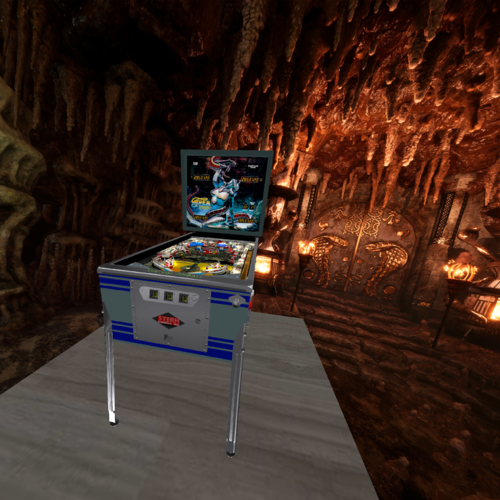
VR Room Viper (Stern 1981) 1.0.0
By RajoJoey
Table made by jpsalas.
I would like to thank the following people:
jpsalas for the permission to put the table in a vr-room.
Sixtoe for his templates of vr-rooms and cabinets.
Rawd for the analog clock from his toyroom (this was originally taken from Rascal VP9 clock table).
And everyone I have forgotten.
I hope, you have as much fun playing, as I had creating the room.
Info
There are two vr-rooms: the minimal room and a sphere.
❗ You have to set the room in the script line 49; not with the magna save-buttons.
❗ There is a round turret located in the center of the playfield. Normally stationary, the turret begins to revolve when a ball enters it.
You can move the turret with the left magna save-button backwards and shoot the ball with the right magna save-button.
There are 16 LUT-files in the table. So you can change the lightning.
Hold the left magna save-button and click the right magna save-button to change the LUT-file.
You can change the DIP-settings by pressing F6 after starting the table.
266 downloads
-
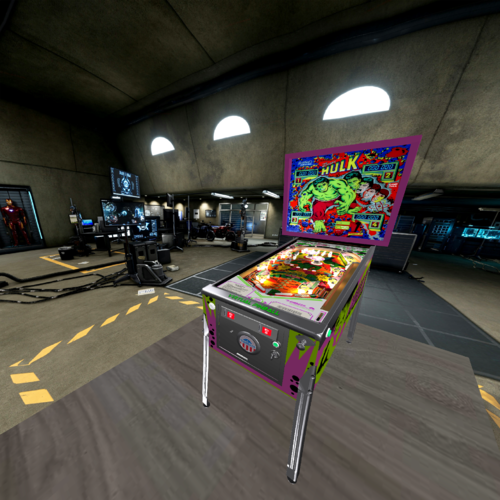
VR Room The Incredible Hulk (Gottlieb 1979) 1.0.0
By RajoJoey
Table made by Schreibi34.
I would like to thank the following people:
Schreibi34 for the permission to put the table in a vr-room.
Sixtoe for his templates of vr-rooms and cabinets.
Rawd for the analog clock from his toyroom (this was originally taken from Rascal VP9 clock table).
And everyone I have forgotten.
I hope, you have as much fun playing, as I had creating the room.
Info
There are two vr-rooms: the minimal room and a sphere.
You can easily switch rooms by pressing the magna save-buttons.
There are 16 LUT-files in the table. So you can change the lightning.
Hold the left magna save-button and click the right magna save-button to change the LUT-file.
You can change the DIP-settings by pressing F6 after starting the table.
423 downloads
-
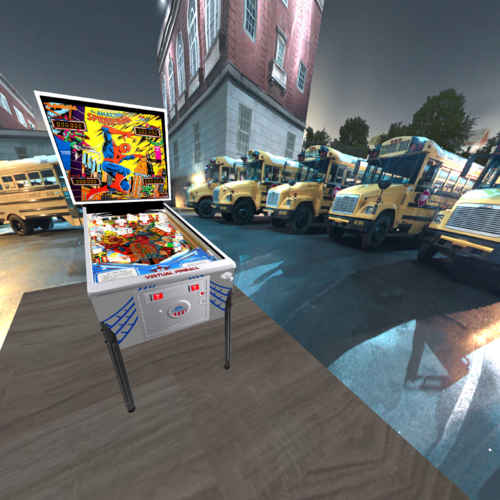
VR Room The Amazing Spider-Man (Gottlieb 1980) 1.0.0
By RajoJoey
Table made by BorgDog.
I would like to thank the following people:
BorgDog for the permission to put the table in a vr-room.
Sixtoe for his templates of vr-rooms and cabinets.
Rawd for the analog clock from his toyroom (this was originally taken from Rascal VP9 clock table).
And everyone I have forgotten.
I hope, you have as much fun playing, as I had creating the room.
Info
There are two vr-rooms: the minimal room and a sphere.
You can easily switch rooms by pressing the magna save-buttons.
There are 16 LUT-files in the table. So you can change the lightning.
Hold the left magna save-button and click the right magna save-button to change the LUT-file.
You can change the DIP-settings by pressing F6 after starting the table.
325 downloads
(0 reviews)0 comments
Submitted
-
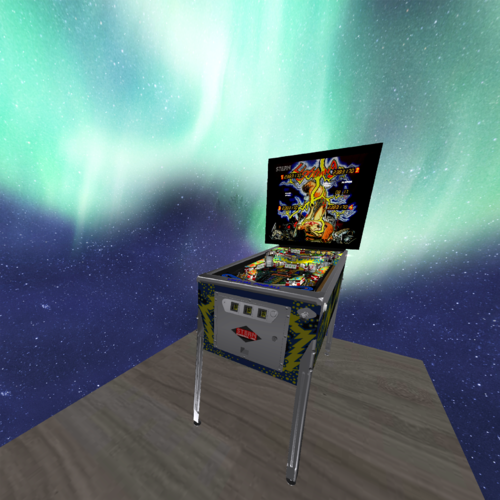
VR Room Lightning (Stern 1981) 1.0.0
By RajoJoey
Table made by jpsalas.
I would like to thank the following people:
jpsalas for the permission to put the table in a vr-room.
Sixtoe for his templates of vr-rooms and cabinets.
Rawd for the analog clock from his toyroom (this was originally taken from Rascal VP9 clock table).
And everyone I have forgotten.
I hope, you have as much fun playing, as I had creating the room.
Info
There are two vr-rooms: the minimal room and a sphere.
You can easily switch rooms by pressing the magna save-buttons.
There are 16 LUT-files in the table. So you can change the lightning.
Hold the left magna save-button and click the right magna save-button to change the LUT-file.
You can change the DIP-settings by pressing F6 after starting the table.
214 downloads
-
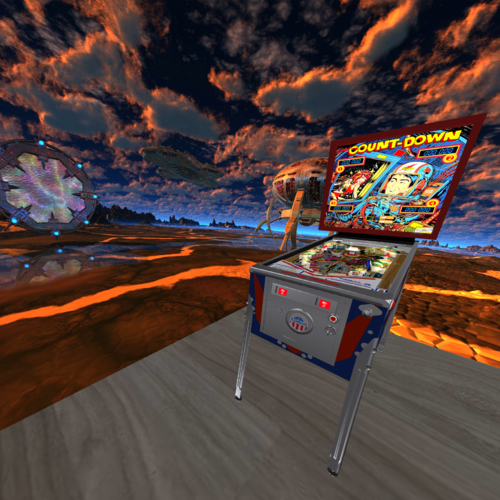
VR Room Count-Down (Gottlieb 1979) 1.0.0
By RajoJoey
Table made by jpsalas.
I would like to thank the following people:
jpsalas for the permission to put the table in a vr-room.
Sixtoe for his templates of vr-rooms and cabinets.
Rawd for the analog clock from his toyroom (this was originally taken from Rascal VP9 clock table).
And everyone I have forgotten.
I hope, you have as much fun playing, as I had creating the room.
Info
There are two vr-rooms: the minimal room and a sphere.
You can easily switch rooms by pressing the magna save-buttons.
There are 16 LUT-files in the table. So you can change the lightning.
Hold the left magna save-button and click the right magna save-button to change the LUT-file.
You can change the DIP-settings by pressing F6 after starting the table.
298 downloads
-
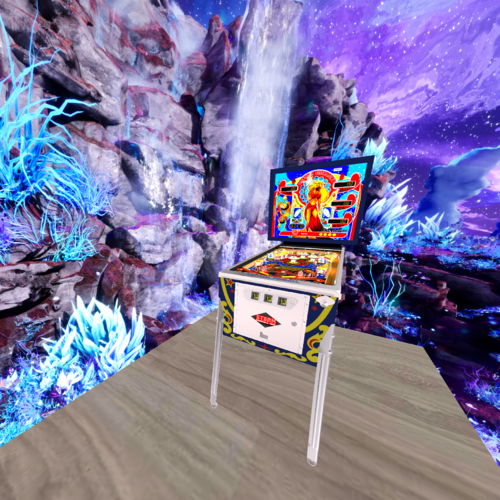
VR Room Cosmic Princess (Stern 1979) 1.0.0
By RajoJoey
Table made by jpsalas.
I would like to thank the following people:
jpsalas for the permission to put the table in a vr-room.
Sixtoe for his templates of vr-rooms and cabinets.
Rawd for the analog clock from his toyroom (this was originally taken from Rascal VP9 clock table).
And everyone I have forgotten.
I hope, you have as much fun playing, as I had creating the room.
Info
There are two vr-rooms: the minimal room and a sphere.
You can easily switch rooms by pressing the magna save-buttons.
There are 16 LUT-files in the table. So you can change the lightning.
Hold the left magna save-button and click the right magna save-button to change the LUT-file.
You can change the DIP-settings by pressing F6 after starting the table.
239 downloads
(0 reviews)0 comments
Submitted
-
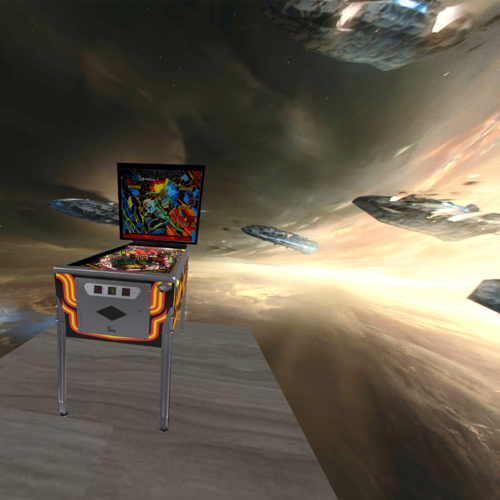
VR Room Blackout (Williams 1980) 1.0.0
By RajoJoey
Table made by Schreibi34.
I would like to thank the following people:
Schreibi34 for the permission to put the table in a vr-room.
Sixtoe for his templates of vr-rooms and cabinets.
Rawd for the analog clock from his toyroom (this was originally taken from Rascal VP9 clock table).
And everyone I have forgotten.
I hope, you have as much fun playing, as I had creating the room.
Info
There are two vr-rooms: the minimal room and a sphere.
You can easily switch rooms by pressing the magna save-buttons.
There are 16 LUT-files in the table. So you can change the lightning.
Hold the left magna save-button and click the right magna save-button to change the LUT-file.
You can change the DIP-settings by pressing F6 after starting the table. There is no discription for the DIPs.
232 downloads
-
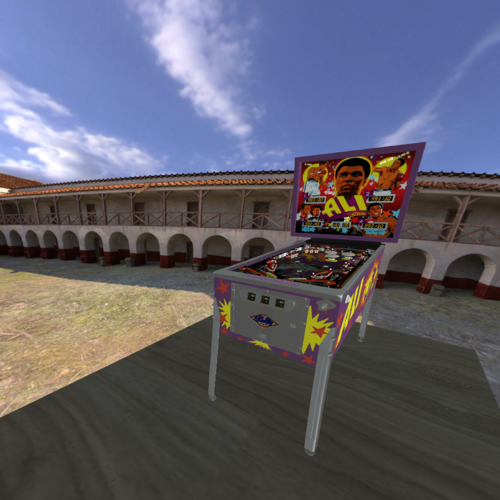
VR Room Ali (Stern 1980) 1.0.0
By RajoJoey
Table made by jpsalas.
I would like to thank the following people:
jpsalas for the permission to put the table in a vr-room.
Sixtoe for his templates of vr-rooms and cabinets.
Rawd for the analog clock from his toyroom (this was originally taken from Rascal VP9 clock table).
And everyone I have forgotten.
I hope, you have as much fun playing, as I had creating the room.
Info
There are two vr-rooms: the minimal room and a sphere.
You can easily switch rooms by pressing the magna save-buttons.
There are 16 LUT-files in the table. So you can change the lightning.
Hold the left magna save-button and click the right magna save-button to change the LUT-file.
You can change the DIP-settings by pressing F6 after starting the table. There is no discription for the DIPs.
273 downloads
(0 reviews)0 comments
Submitted
-
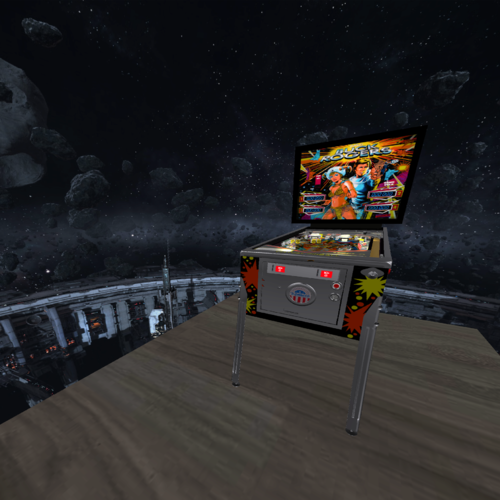
VR Room Buck Rogers (Gottlieb 1980) 1.0.0
By RajoJoey
Original table made by BorgDog.
I would like to thank the following people:
BorgDog for the permission to use his table in a vr-room.
Sixtoe for his templates of vr-rooms and cabinets.
Rawd for the analog clock from his toyroom (this was originally taken from Rascal VP9 clock table).
And everyone I have forgotten.
I hope you have as much fun playing, as I had creating the room.
Info
There are 16 LUT-files in the table. So you can change the lightning.
Hold the left magna save-button and click the right magna save-button to change the LUT-file.
You can change the DIP-settings by pressing F6 after starting the table.
Backglass inserted. No external backglass needed anymore.
535 downloads
(0 reviews)0 comments
Updated
-
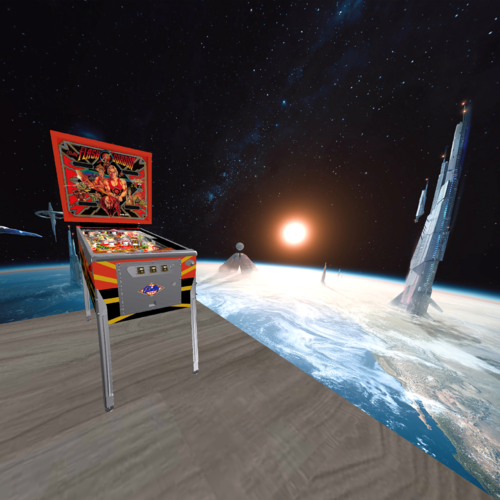
VR Room Flash Gordon (Bally 1981) 1.0.0
By RajoJoey
Table made by EBisLit, based on table made by rothbauerw.
I would like to thank the following people:
EBisLit and rothbauerw for the permission to use the table in a vr-room.
Sixtoe for his templates of vr-rooms and cabinets.
Rawd for the analog clock from his toyroom (this was originally taken from Rascal VP9 clock table).
And everyone I have forgotten.
I hope, you have as much fun playing, as I had creating the room.
Info
There are 16 LUT-files in the table. So you can change the lightning.
Hold the left magna save-button and click the right magna save-button to change the LUT-file.
You can change the DIP-settings by pressing F6 after starting the table.
Backglass inserted. No external backglass needed anymore.
371 downloads
-
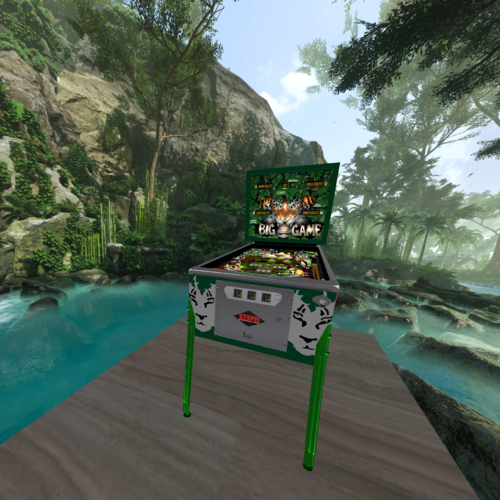
VR Room Big Game (Stern 1980) 1.0.0
By RajoJoey
Original table made by jpsalas.
I would like to thank the following people:
jpsalas for the permission to use his table in a vr-room.
Sixtoe for his templates of vr-rooms and cabinets.
Rawd for the analog clock from his toyroom (this was originally taken from Rascal VP9 clock table).
And everyone I have forgotten.
I hope you have as much fun playing, as I had creating the room.
Info
There are 16 LUT-files in the table. So you can change the lightning.
Hold the left magna save-button and click the right magna save-button to change the LUT-file.
You can change the DIP-settings by pressing F6 after starting the table.
Backglass inserted. No external backglass needed anymore.
258 downloads
(0 reviews)0 comments
Updated
-
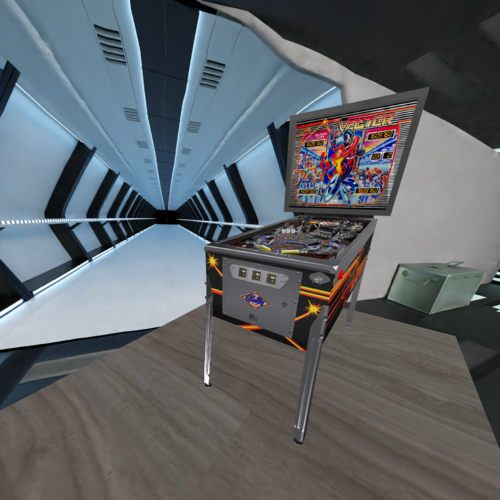
VR Room Vector (Bally 1982) 1.0.0
By RajoJoey
Original table made by Schreibi34.
I would like to thank the following people:
Schreibi34 for the permission to use his table in a vr-room.
Sixtoe for his templates of vr-rooms and cabinets.
Rawd for the analog clock from his toyroom (this was originally taken from Rascal VP9 clock table).
And everyone I have forgotten.
1.1.0 - Thanks to UnclePaulie for the code of the different colors for the LED on the field in v1.1.0
I hope you have as much fun playing, as I had creating the room.
Info
There are 16 LUT-files in the table. So you can change the lightning.
Hold the left magna save-button and click the right magna save-button to change the LUT-file.
You can change the DIP-settings by pressing F6 after starting the table.
Backglass inserted. No external backglass needed anymore.
341 downloads
-
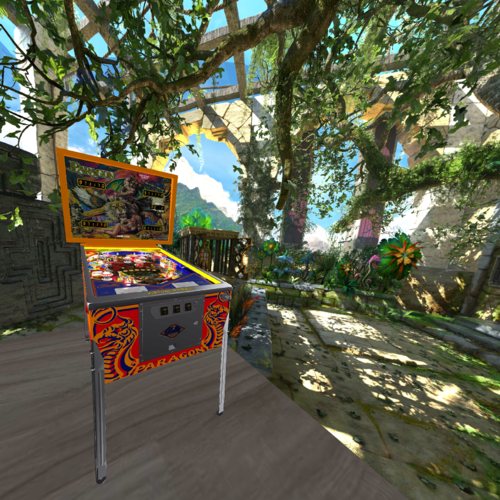
VR Room Paragon (Bally 1979) 1.0.0
By RajoJoey
Original table made by Bord.
I would like to thank the following people:
Bord for the permission to use his table in a vr-room.
Sixtoe for his templates of vr-rooms and cabinets.
Rawd for the analog clock from his toyroom (this was originally taken from Rascal VP9 clock table).
And everyone I have forgotten.
I hope you have as much fun playing, as I had creating the room.
Info
There are 16 LUT-files in the table. So you can change the lightning.
Hold the left magna save-button and click the right magna save-button to change the LUT-file.
You can change the DIP-settings by pressing F6 after starting the table.
Backglass inserted. No external backglass needed anymore.
462 downloads
(2 reviews)0 comments
Updated
-
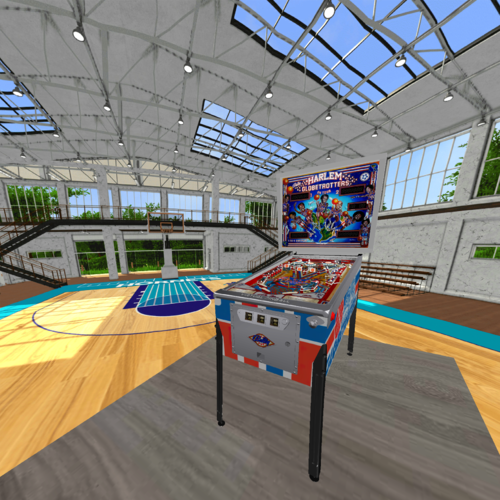
VR Room Harlem Globetrotters On Tour (Bally 1979) 1.0.1
By RajoJoey
Original table made by jpsalas.
I would like to thank the following people:
jpsalas for the permission to use his table in a vr-room.
Sixtoe for his templates of vr-rooms and cabinets.
Rawd for the analog clock from his toyroom (this was originally taken from Rascal VP9 clock table).
And everyone I have forgotten.
I hope you have as much fun playing, as I had creating the room.
Info
There are 16 LUT-files in the table. So you can change the lightning.
Hold the left magna save-button and click the right magna save-button to change the LUT-file.
You can change the DIP-settings by pressing F6 after starting the table.
Backglass inserted. No external backglass needed anymore.
432 downloads
- vpxvr
- vr-cabinet
- (and 2 more)
-
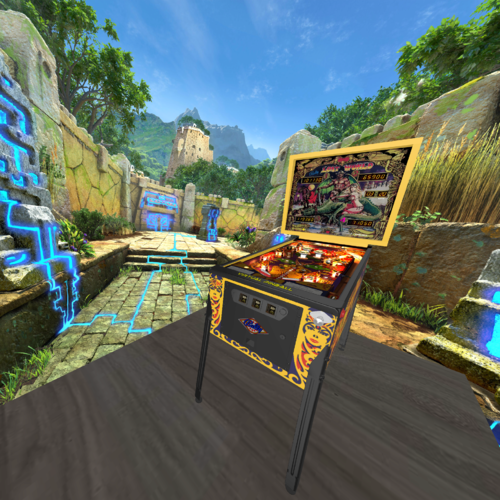
VR Room Lost World (Bally 1978) 1.0.0
By RajoJoey
Original table made by Bord.
I would like to thank the following people:
Bord for the permission to use his table in a vr-room.
Sixtoe for his templates of vr-rooms and cabinets.
Rawd for the analog clock from his toyroom (this was originally taken from Rascal VP9 clock table).
And everyone I have forgotten.
I hope you have as much fun playing, as I had creating the room.
Info
There are 16 LUT-files in the table. So you can change the lightning.
Hold the left magna save-button and click the right magna save-button to change the LUT-file.
You can change the DIP-settings by pressing F6 after starting the table.
Backglass inserted. No external backglass needed anymore.
426 downloads
-
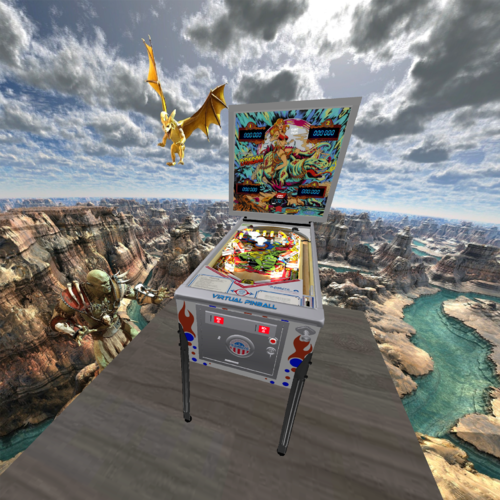
VR Room Dragon (Gottlieb 1978) 1.0.0
By RajoJoey
Table made by BorgDog.
I would like to thank the following people:
BorgDog for the permission to use the table in a vr-room.
Sixtoe for his templates of vr-rooms and cabinets.
Rawd for the analog clock from his toyroom (this was originally taken from Rascal VP9 clock table).
And everyone I have forgotten.
I hope, you have as much fun playing, as I had creating the room.
Info
There are 16 LUT-files in the table. So you can change the lightning.
Hold the left magna save-button and click the right magna save-button to change the LUT-file.
You can change the DIP-settings by pressing F6 after starting the table.
Backglass inserted. No external backglass needed anymore.
408 downloads
-
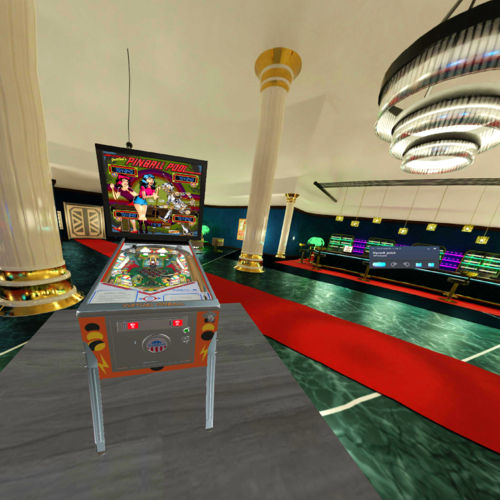
VR Room Pinball Pool (Gottlieb 1979) 1.0.0
By RajoJoey
Table made by BorgDog.
I would like to thank the following people:
BorgDog for the permission to use the table in a vr-room.
Sixtoe for his templates of vr-rooms and cabinets.
Rawd for the analog clock from his toyroom (this was originally taken from Rascal VP9 clock table).
And everyone I have forgotten.
I hope, you have as much fun playing, as I had creating the room.
Info
There are 16 LUT-files in the table. So you can change the lightning.
Hold the left magna save-button and click the right magna save-button to change the LUT-file.
You can change the DIP-settings by pressing F6 after starting the table.
Backglass inserted. No external backglass needed anymore
291 downloads
(0 reviews)0 comments
Updated
-
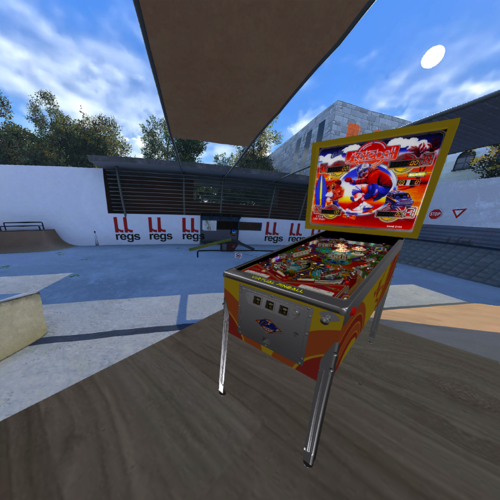
VR Room Skateball (Bally 1980) 1.0.0
By RajoJoey
Table made by hauntfreaks based on the table made by jpsalas.
I would like to thank the following people:
hauntfreaks for the permission to use the table in a vr-room.
Sixtoe for his templates of vr-rooms and cabinets.
Rawd for the analog clock from his toyroom (this was originally taken from Rascal VP9 clock table).
And everyone I have forgotten.
I hope, you have as much fun playing, as I had creating the room.
Info
There are 16 LUT-files in the table. So you can change the lightning.
Hold the left magna save-button and click the right magna save-button to change the LUT-file.
You can change the DIP-settings by pressing F6 after starting the table.
269 downloads
-
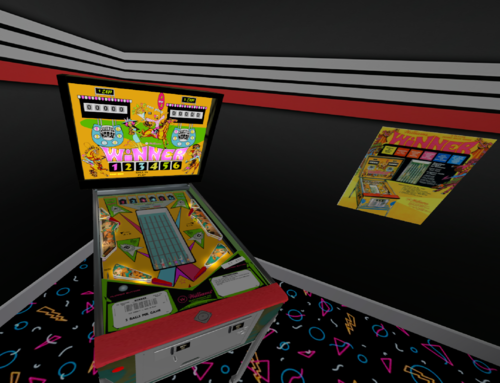
VR ROOM Winner (Williams 1971)
By drinkcristal
A big thank you to CactusDude / Warbler33 for letting me plagerise his table to bring it to VR.
This is a major re-build of his table but sadly lacking good cabinet decals (I just can't find them).
It's an integrated table so no B2S needed and it is optimised for VR (so no desktop components - although not hard to add back).
I would welcome feedback in particular on the physics of the game play.
If you have this real life table, can you please message me. I would like to mod it further to:
1) have a more accurate representation of scoring per target etc
2) higher quality images for the cabinet artwork
3) greater knowledge of where the lights on the backglass go (eg tilt and extra ball if applicable)
enjoy
235 downloads
-
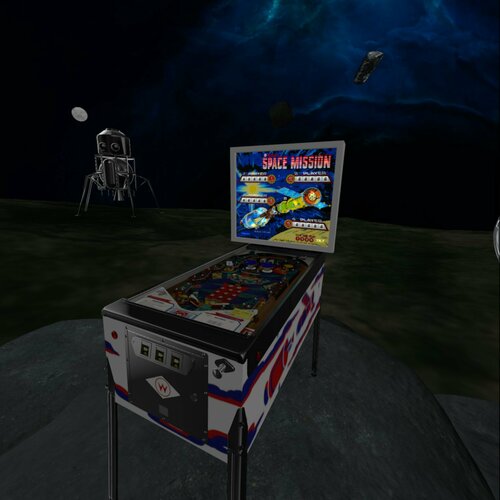
Space Mission VR Room (Williams 1976)
By leojreimroc
This is the VR Room conversion of Loserman76's Space Mission.
V1.1 Changes
-Fully integrated backglass/reels/flashers - B2S is no longer required. (Reel code by Arconovum)
-3 VR rooms, changeable with magnasaves:
*Space room (stolen -with permission- from Rawd's Space Station conversion)
*Original Living room
*Minimal Room
-Flipper sounds were not working, fixed
-Reduced the size of many room textures
Special thanks to:
Loserman76 for the great table
Rawd for testing and feedback
Arconovum for the Reel code and elements
Everyone else who's answered all my questions over the months!
362 downloads
- vpx tables
- vpx
- (and 3 more)
-
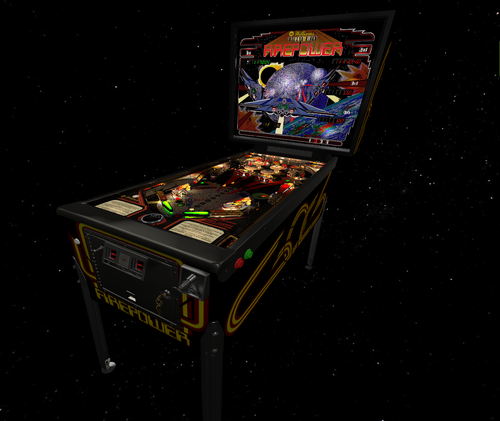
VR Room FirePower Vs A.I. (Williams 1980)
By 3rdaxis
Welcome to VR Room Firepower (Vs A.I.) VPX 10.6.0 Final (Revision. 3788)
A first of it's kind pinball game that you can actually play and challenge a fully capable A.I. computer. (Hal-9000)
This release is both graphically and physically identical to the original Firepower and can also still be played in a vanilla state like the original.
By default the computer's level of skill is set to "Legendary" . Player 2, 3 and 4 are the computer. There are five levels of difficulty to choose from. Easy, Normal, Hard, Expert and Legendary.
You can pick and choose which player is human or computer and even have all four players computer if you wish (lots of fun to watch and even bet on games).
*Attention!!! (Nudging) Some accelerometers will cause the A.I.to TILT when it is attempting to nudge in which case set myPrefs_AInudge=0 in the script.
If myPrefs_AInudge=0 the A.I. will move the right outlane post to the easy position during the it's turn in order to give him a fighting chance.
*Attention!!! (Custom Displays) Slower graphic cards may have some minor issues when set to (On) This can cause some segments in the displays to not function properly.
In which case set myPrefs_CustomDisplays = 0 in the script.
VR Options:
myPrefs_Space = 1 '0= Minimal Room. 1=Space.
myPrefs_CustomDisplays = 1 '0=Off, 1=On
myPrefs_Glass = 1 '0=Off, 1=On Shows scratched glass.
myPrefs_Nausea = 1 '0=no Star Spinning, 1-5=Slow <<>> Fast. Can be adjusted with Magna-save buttons after game is started and before shooting the ball.
myPrefs_itsfullofstars = 0 'Confidential...
INSTRUCTIONS:
(In Game)
'*Brightness can be change using the Magna-save buttons only after ball is launched.
'*Star rotational speed can be changed using the Magna-save buttons only after the game is started.
'*Use Flipper Buttons to setup human and or computer players before starting game. (Green Human, Red Computer).
'*Use Magna Save buttons to select flipper bat type.
'*While pressing and holding both flipper buttons use the Magna save buttons to select difficulty. (Easy, Medium, Hard, Expert and Legendary.
'*Press and hold the Right Flipper Button (8 seconds) to display player and difficulty status during game play.
'*Once game is started no selections can be made or changed until game is over.
'*The A.I. can be shutdown during the A.I. turn by pressing and holding both Magna Save buttons. The player can then take control.
'*Use the "L" key on keyboard to select language. English, German, Italian.
'*All options can be hard set in the script under Table Options as desired.
A very very special thank you to Noah Fentz for his plunger/accelerometer kit. (Works perfectly right out of the box) Without this testing and tweaking would have been impossible.
Also Slydog43 for additional coding help (Thanks buddy) and everyone else in the community and the VR groups as well.
This is something that I hope you will all enjoy as much as I have enjoyed making it.
Same as before I recommend turning off AO (Ambient Occlusion) in video preferences and turning off ScSp. These have been hard baked into the graphics and are not needed to be processed on the fly.
Anything else (Anti-Aliasing, Post-proc AA) will depend on your set-up.
PROVIDED STRICTLY FOR PERSONAL USE AND NOT FOR COMMERCIAL SALE OR DISTRIBUTION. PLEASE DO NOT MASS RE-DISTRIBUTE ROMS OR TABLES. Any unauthorized distribution may result in legal action taken against the party(s) in question.
574 downloads
-
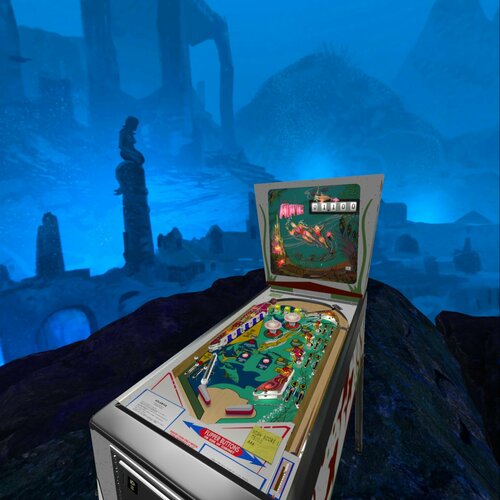
Atlantis VR Room (Gottlieb 1975)
By leojreimroc
This is the VR Room conversion of Loserman76's Atlantis table.
I lost my notes for V1.0 when vpinball went down but the notes for v1.1 are below.
V1.1
-Fully integrated Backglass, Reels and Flashers. B2S file is no longer required.
-Replaced backbox with proper wedge backbox and resized the cabinet slighly
-Slightly adjusted inlane metal (Ramp1). The ball was not going on the flipper smoothly.
-Animated Flipper buttons
-Added two 360 rooms and Minimal room (use magnasaves to change rooms)
Special thanks to:
-Loserman76 for the great table
-Arconovum for the reel code
-3rdaxis for the rock assets
-UnclePaulie for the backglass flasher guide
-Arvid for the 360 sphere and guide
390 downloads
- vpx tables
- vpx
- (and 3 more)
.thumb.png.ac04e4a6068190ce79a059e8504448a9.png)
![More information about "[VPURemix] The Flintstones Cartoon SE [Mod of G5K's v1.26]"](https://vpuniverse.com/screenshots/monthly_2026_01/CAB.thumb.jpg.5a44c6212978c094688bc3b71aa25ba0.jpg)

_DT.thumb.PNG.4147e760691bb9c1cc0c904920187c9b.PNG)
.thumb.png.61a9f15ce44df490c31bcd033021a692.png)
.thumb.png.a3e173f17d69fe94bca47c27225ef4bf.png)
PF.thumb.jpg.8d256e353dcb4f1d053882a168af604d.jpg)


.thumb.png.bc3a36bae9b433514466c6ec5c062b7d.png)
.thumb.png.774905642edf34ec8beff9aa9e4999f5.png)
Illuminated.thumb.png.d99122f5c47a6956c965150304292ca3.png)
.thumb.png.685cbe0fb8008289e9cfcb22a208d172.png)

.thumb.png.41e148144bc1e5f13b2addda83185ccc.png)
screenshot.thumb.png.cae64fa1842b639b8527ddbb93ebc804.png)
![More information about "[ZEN] BioLab Colorization - Serum v2"](https://vpuniverse.com/screenshots/monthly_2025_03/biolab.thumb.gif.fa5b38df28b153a7653705f666d6033a.gif)
![More information about "[ZEN] Sorcerer's Lair Colorization - Serum v2"](https://vpuniverse.com/screenshots/monthly_2024_12/sorc.thumb.jpg.d2ef9e80d43523c642d44b6b3837eb30.jpg)
.thumb.jpg.d234cf4193065c4688cbf8f1159368b7.jpg)
FullDMD.thumb.jpg.a93b22e1416f870884f260d9aa7a6bca.jpg)
.thumb.jpg.8b511086d43a59aa28bae763b02787d3.jpg)
![More information about "[Deutsch] Pup-Pack Bud Spencer and Terence Hill"](https://vpuniverse.com/screenshots/monthly_2024_09/Backglass.png.af543d1180649af04a73adb241139fea.thumb.jpg.9b6345cb6c3c1e7ef0e26a3998c0ea95.jpg)



Decorative.thumb.png.018c8ca4df4e7d9cd2e3d4518c9f10de.png)
Decorative.thumb.png.578420b643ec4299172b34bac670b5bc.png)

VPX08(DT-FS-FSS-VR)v.2.1.thumb.png.387f582729ac93b8be4f1d3fe8a41968.png)
1.3.1.thumb.png.740ab72d714334dda65c0270d55c94b1.png)
1.0.thumb.png.dd74c770c0b341df17f4fb4ff71183f8.png)

ComfyUI.thumb.jpg.e0f8d4f0908530a69543fd30502d6abd.jpg)





-BAM_4k_4k.thumb.jpg.d6b95fe53e7da24e18750edcd43762cb.jpg)
-v55_VPX8_4k_4k.thumb.jpg.29fcc84322e9314b347c6c71c5c77ec1.jpg)
.thumb.jpg.f1cfbd58b3f460fa3b26df9197047060.jpg)
_4k.thumb.jpg.ca499dee34764a1c7853668a3791e8d9.jpg)
-v55_VPX8_4k.thumb.jpg.3cf91ab1246855d7e471053babe958d2.jpg)


