Pinup Popper Themes
68 files
-
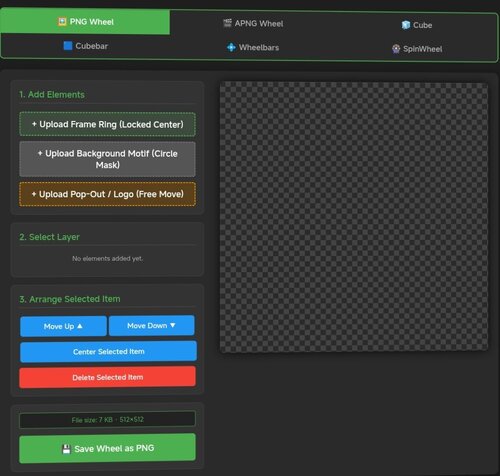
apng Pinup Popper Media Creator
By Solters
# Pinup Popper Media Creator
A free, browser-based tool to create wheel art, animated wheels, 3D cube animations, wheelbars, spinning wheel animations and animated full-screen media (loading / attract screens) for Pinup Popper / virtual pinball frontends. Runs entirely offline in your browser — nothing is uploaded, no install needed. Just open the HTML file.
**Seven tools in one:**
🖼️ **PNG Tab** — Design static wheel images with frame rings, motifs, pop-out effects, curved/straight text overlays, glow, scaling and masking. The background motif is freely positionable — drag and scale it under the fixed circular window to frame the image exactly how you want. Shows the exact file size before you save.
🎞️ **APNG Tab** — Build animated wheels. Add animated layers (GIF/MP4), per-layer speed and boomerang, plus ready-made animation presets (spin, pulse, glitch, hue-shift and more). Animated layers can be masked to the wheel circle, so portrait clips stay neatly inside the wheel instead of poking out.
🧊 **Cube Tab** — Create a rotating 3D cube. Put text, images, GIFs or MP4s on each of the 6 faces with Fill / Fit / Stretch options, set a custom rotation sequence, adjust speed/hold/easing, choose edge color & thickness, metallic/gloss finish, and pick from multiple presets.
🟦 **Cubebar Tab and Wheelbar Tab** — Design Pinup Popper cubebars. Choose a T-Bar (straight) or T-Arc (curved) shape, set the fill color, and add an upper and a lower image — each freely positionable with scale, opacity and rotation. Add straight or curved text labels (curved text bends along the arc) with engrave / emboss / glow effects. Exports a transparent 32-bit PNG at 1080×2160 — exactly what Popper's wheelbar accepts.
🎡 **SpinWheel Tab** — Animate the base wheel as a spinning coin or medal. Compose each side (front/back) from multiple image layers (GIF/MP4 supported, with per-layer opacity, frame range and boomerang ping-pong) and multiple text layers (curved or straight, engrave/emboss effects). Layers can sit inside the chrome ring or on top of it. Adjust spin tempo, hold time per side, axis and direction. Export as animated APNG or GIF — transparency preserved in both.
✂️ **Cutout Tab** — Cut a subject out of an image and remove its background to a transparent PNG — handy for prepping motifs, logos or character art for the other tabs. Erase areas by clicking with the Magic Wand or Chroma Key (adjustable tolerance), or draw a selection with Lasso / Polygon / Rectangle / Ellipse and choose to keep or remove what's inside. Fine-tune with an eraser brush, feathered/soft edges and edge smoothing; restore, pan and zoom as you work. Optionally trims empty borders on export. Saves a transparent PNG.
🖥️ **Screen Creator Tab** — Build animated full-screen media for any Pinup Popper display — loading screens, attract videos, backglass / DMD / topper graphics. Layer a background freely: a base color or gradient, a still image, an MP4 video and one of several animated presets (starfield, aurora, synthwave grid, rain, bokeh, rings, glitch and more) — all combinable. On top, add text, image and video layers, each freely positioned, scaled, rotated and individually animated (fade, slide, zoom, pulse, float, spin…). Edit straight on the canvas — drag to move, corner handles to scale, top handle to rotate, tap to select. Add a progress bar and a spinner (each positionable in X/Y and rotatable in 90° steps), plus scanline / vignette / glow / grain overlays and an audio track. Pick any output resolution (HD / 2K / 4K or custom), rotate the whole output 90° for portrait/rotated displays, key out a green screen on image/video layers (chroma key), and save / load your setups with full undo / redo. Exports an MP4 with audio.
**Export & convert:**
- Save wheels, cubes and SpinWheels as APNG (full quality) or GIF (with dithering for smooth gradients)
- All exports are transparent at original dimensions
- Tap "Calculate exact size" to see the real file size for both formats before exporting
- Built-in converter: load any existing APNG or GIF and turn it into the other format — shows both output sizes first
- Screen Creator exports an MP4 (with audio) at your chosen resolution
289 downloads
(4 reviews)0 comments
Updated
-
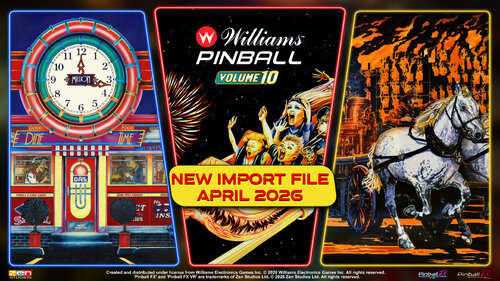
PL_Pinball FX (Media Files for PinUP including Import Tables)
By brewedVFX
UPDATED for Williams Pinball Vol 10
Comet – 199
Fire – 200
Diner - 201
Added Backglass for Scared Stiff
Seamless looping animations for Zen Studios Pinball FX (2023)
3 Versions HD, HD with Zen Logo and 4K
Files included
PinUP Media for Pinball FX Playlist Backglass: 1920x1080 FullDMD: 1920x1080 Playfield: HD 1920x1080 4K 3840 x2160 Topper 1920 x 360 Wheel Audio (Main Theme) Import file: Pupgames file to add Tables to Pinup Popper Frontend (Dec 2024 with more details) Williams Pack 8
THIS IS A PINUP POPPER MEDIA PACK
To use a MediaPack on a playlist do the following:
Select a playlist (PL_Pinball FX). Drag and Drop the Media Pack file on the Playfield box or any of the other boxes. Confirm by clicking ‘Yes’. It will basically extract the mediapack, take all the media and rename them so they match your playlist.
Game Modes for FX Launch from PinUP into any mode including challenges
Looking for Pinball M?
https://vpuniverse.com/files/file/17309-pl_pinball-m-media-files-for-pinup-including-import-tables/
9842 downloads
-
Pinup Popper | Game Modes V2
By brewedVFX
WHAT'S NEW
Game Modes V2 adds full support for:
Pinball FX Pinball FX Midnight (Formerly known as Pinball M) Zaccaria Pinball
This update includes launch scripts, custom game mode wheels, and an installer to help set up the required wheel media for PinUp Popper.
Three wheel theme styles are included:
Classic Retrowave Themed Neon style for Pinball FX Horror style for Pinball FX Midnight Each theme includes:
With badge version No badge version
You can now launch supported game modes directly from PinUp Popper using alternate run modes and custom wheels.
So now you can launch all game modes for both FX and FX Midnight from the Pinup-Popper!
ABOUT THESE FILES
This package allows you to launch Pinball FX and Pinball FX Midnight game modes directly from the PinUp Popper front-end using custom wheels and launch parameters.
Custom launch scripts are included for both titles, allowing each table to boot directly into the selected game mode from within PinUp Popper.
Supported Game Modes
Standard Modes
Classic (Default) Practice Hotseat 2 Player Hotseat 3 Player Hotseat 4 Player
Shared Challenge Modes (Both titles)
1 Ball Challenge Distance Challenge Flips Challenge Time Challenge
FX Exclusive Modes
Pro Bally/Williams Tables Only
Pinball FX Midnight Exclusive Modes
Challenge Dread Challenge Survival Challenge Rescue Challenge Madness Challenge Shiver
INSTALLATION - SIMPLE SETUP
1. Copy the entire GameModesV2 folder into your PinUPSystem folder. So, you have the folder GameModesV2.
2. Open the GameModesV2 folder.
3. Copy InstallGameModesV2.bat into your main PinUPSystem folder.
4. Run InstallGameModesV2.bat from inside PinUPSystem.
5. Follow the on-screen instructions.
The installer will:
• Check that it is being run from the correct location
• Back up existing game mode wheels
• Back up PuPDatabase.db
• Ask which wheel theme you want to install
• Copy the selected wheels into the correct Popper media folder
• Enable useAltWheels=1 if needed
• Delete thumbnail cache
• Open the Readme guide for the remaining setup steps
Advanced
1 - Install Wheel Media
Step 1
Download and extract the package.
Step 2
Open the folder:
Wheels
Step 3
Choose your preferred wheel theme:
Classic Retrowave Themed Then select:
With Badge Without Badge
IMPORTANT:
Only install ONE wheel theme at a time.
Step 4
Copy all files to:
C:\vPinball\PinUPSystem\POPMedia\Default\System
Step 5
Replace files when prompted.
Step 6
Delete:
C:\vPinball\PinUPSystem\POPMedia\Default\System\pthumbs This forces PinUp Popper to regenerate thumbnails.
2 - IMPORT UPDATED TABLE FILES
Included in the download are updated .pupgames files. (currently on April 2026 for FX and Feb 2026 for FX Midnight)
These contain:
Updated table data Alternate Run Modes Game Mode support for compatible tables
Step 1
Place these files anywhere convenient:
• Export_Pinball_FX_DATE.pupgames
• Export_Pinball_FX_Midnight_DATE.pupgames
Import Pinball FX Tables
Step 2
Open:
PinUp Popper Setup
Step 3
Click:
Games Manager
Step 4
Select:
Pinball FX
Located top-right under Emulators.
Step 5
Right-click any table in the left panel.
Step 6
Choose:
Update Games from File (won't add new)
Step 7
Select:
Export_Pinball_FX_DATE.pupgames
Step 8
When prompted:
"Are you sure you want to Update all game info from import file?"
Click:
Yes
Step 9
Click OK.
3 - Import Pinball FX Midnight Tables
Repeat the same process for FX Midnight like above
NOTE: If your emulator still shows as "Pinball M" you do not need to rename it. The launcher still works correctly.
Select:
Export_Pinball_FX_Midnight_DATE.pupgames
4 - Enable Alternate Wheels
Step 1
Select Popper Setup and click GlobalConfig:
Step 2
Open the tab:
Script
Step 3
Add the following line:
useAltWheels=1 IMPORTANT: This is case sensitive.
Step 4
Click Save.
5 - Pinball FX Launch Script
Step 1
Open:
Popper Setup > Emulators
Step 2
Select:
Pinball FX
Step 3
Open the tab:
Launch Setup
Step 4
Paste the provided script into:
• Launch Script
• Close Script
6 - Pinball FX Midnight Launch Script
Step 1
Select:
Pinball FX Midnight
(or Pinball M if still using the older emulator name)
Step 2
Paste the provided script into:
• Launch Script
• Close Script
IMPORTANT:
The executable name changed from:
Pinball M.exe
to:
Pinball FX Midnight.exe
BELOW IS OLD - will be Deleted after I finish the Install steps
Step 3: Delete pthumbs (Thumbnails) from PinUP\POPMedia\Default\System folder
Step 4: Add PFX and FX3 to Games Setup form in the lookups tab
Step 5: For tables that support both physic models, add your desired physics to Custom launch param.
Note at this time only these tables support the alternative physics.
Free Tables and the recently released as of Dec 2023
Wild West Rampage - FREE
Sorcerer's Lair - FREE
Fish Tales - FREE (PRO MODE)
Star Trek Pinball: Kelvin Timeline
Star Trek Pinball: Discovery
Star Trek Pinball: Deep Space Nine
Terraforming Mars Pinball
Exploding Kittens: A Pinball Cat-astrophe
Gloomhaven Pinball
A Charlie Brown Christmas Pinball
Excalibur
Epic Quest
Step 6: Adding the Alternate Run Modes (PRO for Williams Tables)
Williams Tables use "Pro,Hotseat2,Hotseat3,Hotseat4,Classic,Practice,Challenge_1Ball,Challenge_Distance,Challenge_Flips,Challenge_Time
All other tables use "Hotseat2,Hotseat3,Hotseat4,Classic,Practice,Challenge_1Ball,Challenge_Distance,Challenge_Flips,Challenge_Time"
Step 7: Pinup Popper Setup > Emulators > PinballFX
FX PINUP Popper Launch Script:
@echo off
SET ALTPARAM=
if "[ALTMODE]"=="Arcade" (SET ALTPARAM=Arcade)
if "[ALTMODE]"=="Pro" (SET ALTPARAM=Pro)
if "[ALTMODE]"=="Classic" (SET ALTPARAM=Classic)
if "[ALTMODE]"=="Hotseat2" (SET ALTPARAM=Hotseat_2)
if "[ALTMODE]"=="Hotseat3" (SET ALTPARAM=Hotseat_3)
if "[ALTMODE]"=="Hotseat4" (SET ALTPARAM=Hotseat_4)
if "[ALTMODE]"=="Challenge_Distance" (SET ALTPARAM=Challenge_DistanceLimited)
if "[ALTMODE]"=="Challenge_Time" (SET ALTPARAM=Challenge_TimeLimited)
if "[ALTMODE]"=="Challenge_1Ball" (SET ALTPARAM=Challenge_BallLimited)
if "[ALTMODE]"=="Challenge_Flips" (SET ALTPARAM=Challenge_FlipLimited)
if "[ALTMODE]"=="Practice" (SET ALTPARAM=Practice)
SET CUSTOM1=
if "[custom1]"=="PFX" (SET CUSTOM1=Challenging)
if "[custom1]"=="FX3" (SET CUSTOM1=Normal)
START "" "[STARTDIR]Launch\VPXSTARTER.exe" 5 5 20 "PinballFX"
cd /d "[DIREMU]"
START "" "steam.exe" -applaunch 2328760 -Table [?ROM?] -GameMode %ALTPARAM% -Physics %CUSTOM1%
Physics
Normal Mode (All Tables) Challenging (Tables listed below) Fish Tales Wild West Rampage Sorcerer's Lair Star Trek Pinball: Kelvin Timeline
Star Trek Pinball: Discovery
Star Trek Pinball: Deep Space Nine
Terraforming Mars Pinball
Exploding Kittens: A Pinball Cat-astrophe
Gloomhaven Pinball
A Charlie Brown Christmas Pinball
Excalibur
Epic Quest
Support me - Buy me a coffee
1073 downloads
-
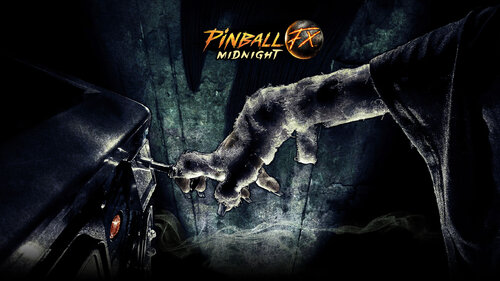
PL_Pinball FX Midnight (Media Files for PinUP including Import Tables)
By brewedVFX
WORK IN PROGRESS
Selection of wheels (Classic, Horror, Neon and others) For all Name Change M > FX Midnight for most the media Retrowave with Name change Script for Game Modes Audio Table Audio Launch Audio for all
Newly Added
4k Backglass (For both Pinup and In Game)
All Branding removed Pinball FX Midnight Logo only on main backglass other improvements
New Front-End Media (Retrowave) with topper!
Backglass: 1920x1080 FullDMD: 1920x1080 Playfield: 1920x1080 Wheel x2 Topper 1920x1080 or 960x540 Audio (Main Theme Edited)
Now you can download an all in one pack or choose which files you want.
PinUP Media for M Playlist Backglass: 1920x1080 FullDMD: 1920x1080 Playfield: 1920x1080 Wheel Audio (Main Theme) Pupgames file to add Tables to Pinup Popper Frontend Cabinet Backglass PNGs for M (Removed copyright text, Includes all released tables plus Main Menu) DMDext Frame for external DMD and Instructions Complete Media for System Shock Table (PF, BG, Launch Audio, Audio, DMD, Flyer and Wheel) Basic Media for Texas Chainsaw Table (BG, Launch Audio, Audio, and Wheel)
Launch Audio Previews
We Do Not Welcome You - Hybrid Sounds .mp3 Launch Audio Duke Nukem 3D Wants.mp3 Launch Audio Chucky It's time to play.mp3 Launch Audio Welcome to dead by daylight.mp3
Launch Audio Chucky's laugh 2.mp3 In My Talons, I Shape Clay.mp3 come on.mp3 Your So Dead.mp3
Buy me a coffee
THIS IS A PINUP POPPER MEDIA PACK
To use a MediaPack on a playlist do the following:
Select a playlist (PL_Pinball M). Drag and Drop the Media Pack file on the Playfield box or any of the other boxes. Confirm by clicking ‘Yes’. It will basically extract the mediapack, take all the media and rename them so they match your playlist.
Other2 Playlist Badge - is a feature part of collection, it uses the other2 media placed below the clock/year.
These I will release as a full standalone pack with instructions.
Other Game Table Media Not included in this, get from link below.
Pinup Popper Launch Script:
@echo off
START "" "[STARTDIR]Launch\VPXSTARTER.exe" 5 5 20 "PinballM"
cd /d "[DIREMU]"
START "" "steam.exe" -applaunch 2337640 -Table [?ROM?]
Close Script:
"[STARTDIR]LAUNCH\PUPCLOSER.EXE" WINTIT "PinballM" 4 1
Cabinet Settings
[DotMatrixWindow]
Enabled=True
Priority=2
PositionX=7920
PositionY=0
Width=1920
Height=1200
DotMatrixSize=LARGE
MonitorNumber=0
ExternalDevice=True
Rotated=False
[BackglassWindow]
Enabled=true
Priority=1
PositionX=2560
PositionY=0
Width=1920
Height=1080
MonitorNumber=1
ExternalDevice=False
[General]
CabinetEnabled=True
===================================================
Update Coming Soon.
4K Playfield Alternative Playfield
10225 downloads
-

Pinup Popper Horror Playlist Theme
By CoPinFan
Just in time for Holloween! I just threw together a few files and made a fun theme for your Horror themed pinball tables. One of the backglass files contains some scenes that sensitive viewers might find frightening, so I've included a backglass file without the scenes if you prefer. Happy Holloween everyone!
1021 downloads
-
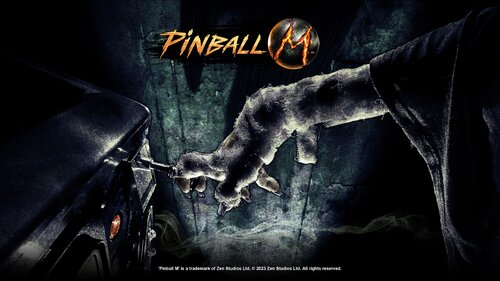
Pinball M PupGame and Updated Script ALL Challenge Modes
By minimvp61
Pupgame updated with Feb 2026 Tables. I have fixed all the table Alt Run Modes.
I have included a text document that includes all the scripts for all the Alt Run Modes. It also includes the line for the Alt Run Mode in the table info.
226 downloads
-
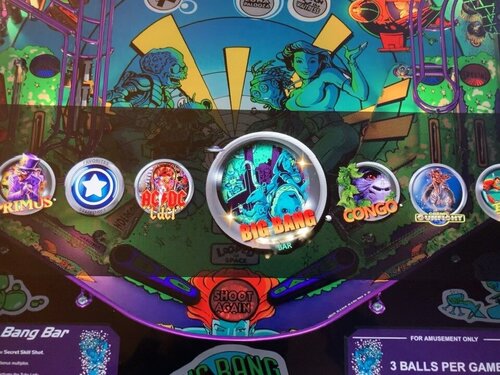
PopperThemeTransparent.zip
By PaulDrummond
Pinup Popper Transparent Wheel Bar... Clean and simple. Enjoy.
Put extracted folder "PopperThemeTransparent" in PinupSystem folder and run the InstallTheme.bat file.
Im running on a 4K, you may have to adjust PUPpackScreenSettings to your liking to position vertically.
Credits to TerryRed and Nailbuster as its based on their 4K Horizontal Bar and install package.
82 downloads
(0 reviews)0 comments
Updated
-

pl_2000
By Solters
These are AI-generated videos that I use myself.
I hope you like them. If you don't, just move on.
The videos have a small watermark. Personally, it doesn't bother me.
The playfield is always 9:16.
Just swap the backglass and DMD video as you prefer.
In the gif, you only see the playfield. Hopefully, the other two are suitable
61 downloads
(0 reviews)0 comments
Submitted
-
pl_1990
By Solters
These are AI-generated videos that I use myself.
I hope you like them. If you don't, just move on.
The videos have a small watermark. Personally, it doesn't bother me.
The playfield is always 9:16.
Just swap the backglass and DMD video as you prefer.
In the gif, you only see the playfield. Hopefully, the other two are suitable
63 downloads
(0 reviews)0 comments
Submitted
-
pl_1980
By Solters
These are AI-generated videos that I use myself.
I hope you like them. If you don't, just move on.
The videos have a small watermark. Personally, it doesn't bother me.
The playfield is always 9:16.
Just swap the backglass and DMD video as you prefer.
In the gif, you only see the playfield. Hopefully, the other two are suitable
63 downloads
(0 reviews)0 comments
Submitted
-
pl_decades
By Solters
These are AI-generated videos that I use myself.
I hope you like them. If you don't, just move on.
The videos have a small watermark. Personally, it doesn't bother me.
The playfield is always 9:16.
Just swap the backglass and DMD video as you prefer.
In the gif, you only see the playfield. Hopefully, the other two are suitable
35 downloads
(0 reviews)0 comments
Submitted
-
pl_FuturePinball
By Solters
These are AI-generated videos that I use myself.
I hope you like them. If you don't, just move on.
The videos have a small watermark. Personally, it doesn't bother me.
The playfield is always 9:16.
Just swap the backglass and DMD video as you prefer.
In the gif, you only see the playfield. Hopefully, the other two are suitable
61 downloads
(0 reviews)0 comments
Submitted
-

pl_Visual Pinball
By Solters
These are AI-generated videos that I use myself.
I hope you like them. If you don't, just move on.
The videos have a small watermark. Personally, it doesn't bother me.
The playfield is always 9:16.
Just swap the backglass and DMD video as you prefer.
In the gif, you only see the playfield. Hopefully, the other two are suitable
152 downloads
(0 reviews)0 comments
Submitted
-

pl_1970
By Solters
These are AI-generated videos that I use myself.
I hope you like them. If you don't, just move on.
The videos have a small watermark. Personally, it doesn't bother me.
The playfield is always 9:16.
Just swap the backglass and DMD video as you prefer.
In the gif, you only see the playfield. Hopefully, the other two are suitable
53 downloads
(0 reviews)0 comments
Submitted
-
PL_Zaccaria (Retrowave including Import Tables)
By brewedVFX
Zaccaria Pinball (Emulator Playlist)
All major Pinball Emulators have been done in this style, to give a comprehensive look. This will include VPX, VP9, FP, FX, FX2, FX3, M, and Pro Pinball
Files Included:
Playfield 1920x1080 Full DMD 1920x1080 Backglass 1920x1080 Wheel Wheel Alt Topper 1920x540 Topper 1920x1080 Audio
Pinup Playlists
PL_0-9 (Retrowave Theme) PL_A-Z (Retrowave Theme) PL_Adult Tables (Retrowave Theme) PL_All Tables (Retrowave Theme) PL_ALT DMD (Retrowave Theme) Now with Topper PL_ALT Sounds/Pinsounds (Retrowave Theme) PL_Arcade Games (Retrowave Theme) PL_Favorite Tables (Retrowave Theme) PL_Favourite Tables (Retrowave Theme) PL_Features (Retrowave Theme) Now with Topper PL_Gold Standard (Retrowave Theme) PL_Kids Tables (Retrowave Theme) PL_Least Played (Retrowave Theme) Now with Topper PL_Most Played (Retrowave Theme) PL_Random Tables (Retrowave Theme) PL_Recently Added (Retrowave Theme) PL_Recently Played (Retrowave Theme) PL_Sport Tables (Retrowave Theme) PL_FX3 Valve (Retrowave Theme) PL_The Classics (Retrowave Theme)
Emulator Playlists
PL_Pro Pinball (Standard Theme) PL_Pinball FX (Includes Import File) PL_Pinball M (Includes Import File) PL_VPX (Retrowave Theme) PL_VP9 (Retrowave Theme) PL_Zaccaria (Retrowave Theme)
FX3 Specific Playlists
PL_FX3 Williams (Retrowave Theme) PL_FX3 Valve Table Authors
PL_Team TUGA (Retrowave Theme) PL_OrbitalPin (Scottywic) PL_Bigus1
Support appreciated and open to requests (message me on here).
https://buymeacoffee.com/brewedvfx
252 downloads
-
PL_Recently Updated
By brewedVFX
Recently Updated (Playlist)
Files Included:
Playfield 1920x1080 Full DMD 1920x1080 Backglass 1920x1080 Topper 920x540 Wheel
SQL
Select * from Games
where visible=1
order by DateFileUpdated DESC LIMIT(20)
Emulator Playlists
PL_Future Pinball (Retrowave) PL_Pro Pinball (Standard Theme) PL_Pinball FX2 In Retrowave and Standard PL_Pinball FX3 In Retrowave and Standard PL_Pinball FX (Includes Import File) PL_Pinball M (Includes Import File) In Retrowave and Standard PL_VPX (Retrowave Theme) PL_VP9 (Retrowave Theme) PL_Zaccaria (Retrowave Theme)
Pinup Playlists
PL_0-9 (Retrowave Theme) PL_A-Z (Retrowave Theme) PL_Adult Tables (Retrowave Theme) PL_All Tables (Retrowave Theme) PL_ALT DMD (Retrowave Theme) Now with Topper PL_ALT Sounds/Pinsounds (Retrowave Theme) PL_Arcade Games (Retrowave Theme) PL_Favorite Tables (Retrowave Theme) PL_Favourite Tables (Retrowave Theme) PL_Features (Retrowave Theme) Now with Topper PL_Gold Standard (Retrowave Theme) PL_Kids Tables (Retrowave Theme) PL_Least Played (Retrowave Theme) Now with Topper PL_Most Played (Retrowave Theme) PL_Random Tables (Retrowave Theme) PL_Recently Added (Retrowave Theme) PL_Recently Played (Retrowave Theme) PL_Sport Tables (Retrowave Theme) PL_FX3 Valve (Retrowave Theme) PL_The Classics (Retrowave Theme)
FX3 Specific Playlists
PL_FX3 Williams (Retrowave Theme) PL_FX3 Valve Table Authors
PL_Team TUGA (Retrowave Theme) PL_OrbitalPin (Scottywic) PL_Bigus1
Support appreciated and open to requests (message me on here).
https://buymeacoffee.com/brewedvfx
115 downloads
-
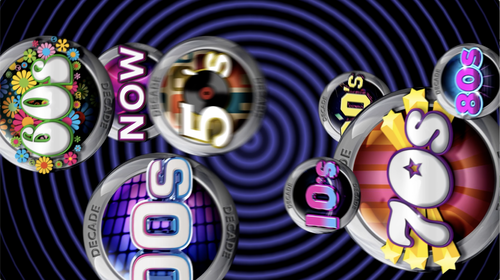
Playfield video using Rickochet's Decades Wheels
By ejvfx
I was craving a more interesting Decades playfield video so I made this using Rickochet's Decades Themes/Playlists wheels and mixed in a variety of sounds from different era games.
90 downloads
- decades
- playfield video
- (and 1 more)
(1 review)0 comments
Submitted
-
PL_Future Pinball (Retrowave)
By brewedVFX
Future Pinball (Emulator Playlist)
All major Pinball Emulators have been done in this style, to give a comprehensive look. This will include VPX, FP, FX, FX2, FX3, M, Pro Pinball, and Zacaria
Files Included: Retrowave
Playfield 1920x1080 Full DMD 1920x1080 Backglass 1920x1080 Wheel Topper 1920x540 Topper 1920x1080
Emulator Playlists
PL_Future Pinball (Retrowave) PL_Pro Pinball (Standard Theme) PL_Pinball FX2 In Retrowave and Standard PL_Pinball FX3 In Retrowave and Standard PL_Pinball FX (Includes Import File) PL_Pinball M (Includes Import File) In Retrowave and Standard PL_VPX (Retrowave Theme) PL_VP9 (Retrowave Theme) PL_Zaccaria (Retrowave Theme)
Pinup Playlists
PL_0-9 (Retrowave Theme) PL_A-Z (Retrowave Theme) PL_Adult Tables (Retrowave Theme) PL_All Tables (Retrowave Theme) PL_ALT DMD (Retrowave Theme) Now with Topper PL_ALT Sounds/Pinsounds (Retrowave Theme) PL_Arcade Games (Retrowave Theme) PL_Favorite Tables (Retrowave Theme) PL_Favourite Tables (Retrowave Theme) PL_Features (Retrowave Theme) Now with Topper PL_Gold Standard (Retrowave Theme) PL_Kids Tables (Retrowave Theme) PL_Least Played (Retrowave Theme) Now with Topper PL_Most Played (Retrowave Theme) PL_Random Tables (Retrowave Theme) PL_Recently Added (Retrowave Theme) PL_Recently Played (Retrowave Theme) PL_Sport Tables (Retrowave Theme) PL_FX3 Valve (Retrowave Theme) PL_The Classics (Retrowave Theme)
FX3 Specific Playlists
PL_FX3 Williams (Retrowave Theme) PL_FX3 Valve Table Authors
PL_Team TUGA (Retrowave Theme) PL_OrbitalPin (Scottywic) PL_Bigus1
Support appreciated and open to requests (message me on here).
https://buymeacoffee.com/brewedvfx
198 downloads
-
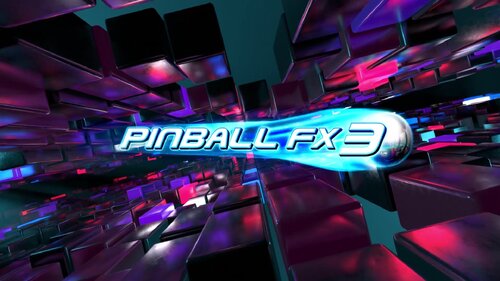
PL_Pinball FX 3 (Retrowave) & Standard
By brewedVFX
Pinball FX 3 (Emulator Playlist)
All major Pinball Emulators have been done in this style, to give a comprehensive look. This will include VPX, FP, FX, FX2, FX3, M, Pro Pinball, and Zacaria
Massive thanks to @tbone1007 - not just for the support, but for giving me the nudge to finally get these done.
Files Included: Retrowave & with FX3 logo
Playfield 1920x1080 Full DMD 1920x1080 Backglass 1920x1080 Wheel Wheel Alt Topper 1920x540 Topper 1920x1080
Pinup Playlists
PL_0-9 (Retrowave Theme) PL_A-Z (Retrowave Theme) PL_Adult Tables (Retrowave Theme) PL_All Tables (Retrowave Theme) PL_ALT DMD (Retrowave Theme) Now with Topper PL_ALT Sounds/Pinsounds (Retrowave Theme) PL_Arcade Games (Retrowave Theme) PL_Favorite Tables (Retrowave Theme) PL_Favourite Tables (Retrowave Theme) PL_Features (Retrowave Theme) Now with Topper PL_Gold Standard (Retrowave Theme) PL_Kids Tables (Retrowave Theme) PL_Least Played (Retrowave Theme) Now with Topper PL_Most Played (Retrowave Theme) PL_Random Tables (Retrowave Theme) PL_Recently Added (Retrowave Theme) PL_Recently Played (Retrowave Theme) PL_Sport Tables (Retrowave Theme) PL_FX3 Valve (Retrowave Theme) PL_The Classics (Retrowave Theme)
Emulator Playlists
PL_Pro Pinball (Standard Theme) PL_Pinball FX (Includes Import File) PL_Pinball M (Includes Import File) In Retrowave and Standard PL_VPX (Retrowave Theme) PL_VP9 (Retrowave Theme) PL_Zaccaria (Retrowave Theme) FX3 Specific Playlists
PL_FX3 Williams (Retrowave Theme) PL_FX3 Valve Table Authors
PL_Team TUGA (Retrowave Theme) PL_OrbitalPin (Scottywic) PL_Bigus1
Support appreciated and open to requests (message me on here).
https://buymeacoffee.com/brewedvfx
206 downloads
-

PL_Pinball FX 2 (retrowave) & Standard
By brewedVFX
Pinball FX 2 (Emulator Playlist)
All major Pinball Emulators have been done in this style, to give a comprehensive look. This will include VPX, FP, FX, FX2, FX3, M, Pro Pinball, and Zacaria
Files Included: Retrowave & with FX2 logo
Playfield 1920x1080 Full DMD 1920x1080 Backglass 1920x1080 Wheel Topper 1920x540 Topper 1920x1080
Emulator Playlists
PL_Pro Pinball (Standard Theme) PL_Pinball FX2 In Retrowave and Standard PL_Pinball FX3 In Retrowave and Standard PL_Pinball FX (Includes Import File) PL_Pinball M (Includes Import File) In Retrowave and Standard PL_VPX (Retrowave Theme) PL_VP9 (Retrowave Theme) PL_Zaccaria (Retrowave Theme)
Pinup Playlists
PL_0-9 (Retrowave Theme) PL_A-Z (Retrowave Theme) PL_Adult Tables (Retrowave Theme) PL_All Tables (Retrowave Theme) PL_ALT DMD (Retrowave Theme) Now with Topper PL_ALT Sounds/Pinsounds (Retrowave Theme) PL_Arcade Games (Retrowave Theme) PL_Favorite Tables (Retrowave Theme) PL_Favourite Tables (Retrowave Theme) PL_Features (Retrowave Theme) Now with Topper PL_Gold Standard (Retrowave Theme) PL_Kids Tables (Retrowave Theme) PL_Least Played (Retrowave Theme) Now with Topper PL_Most Played (Retrowave Theme) PL_Random Tables (Retrowave Theme) PL_Recently Added (Retrowave Theme) PL_Recently Played (Retrowave Theme) PL_Sport Tables (Retrowave Theme) PL_FX3 Valve (Retrowave Theme) PL_The Classics (Retrowave Theme)
FX3 Specific Playlists
PL_FX3 Williams (Retrowave Theme) PL_FX3 Valve Table Authors
PL_Team TUGA (Retrowave Theme) PL_OrbitalPin (Scottywic) PL_Bigus1
Support appreciated and open to requests (message me on here).
https://buymeacoffee.com/brewedvfx
95 downloads
(0 reviews)0 comments
Updated
-
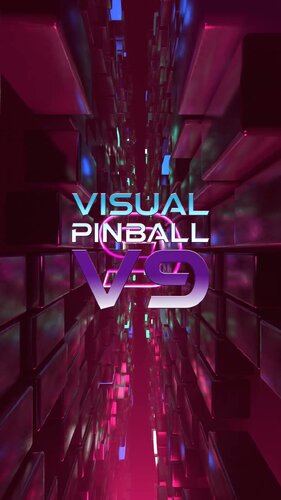
PL_VP9 (Retrowave)
By brewedVFX
Visual Pinball 9 (Emulator Playlist)
All major Pinball Emulators have been done in this style, to give a comprehensive look. This will include VPX, FP, FX, FX2, FX3, M, Pro Pinball, and Zacaria
Massive thanks to @tbone1007 - not just for the support, but for giving me the nudge to finally get these done.
Files Included:
Playfield 1920x1080 Full DMD 1920x1080 Backglass 1920x1080 Wheel Wheel Alt Topper 1920x540 Topper 1920x1080
Pinup Playlists
PL_0-9 (Retrowave Theme) PL_A-Z (Retrowave Theme) PL_Adult Tables (Retrowave Theme) PL_All Tables (Retrowave Theme) PL_ALT DMD (Retrowave Theme) Now with Topper PL_ALT Sounds/Pinsounds (Retrowave Theme) PL_Arcade Games (Retrowave Theme) PL_Favorite Tables (Retrowave Theme) PL_Favourite Tables (Retrowave Theme) PL_Features (Retrowave Theme) Now with Topper PL_Gold Standard (Retrowave Theme) PL_Kids Tables (Retrowave Theme) PL_Least Played (Retrowave Theme) Now with Topper PL_Most Played (Retrowave Theme) PL_Random Tables (Retrowave Theme) PL_Recently Added (Retrowave Theme) PL_Recently Played (Retrowave Theme) PL_Sport Tables (Retrowave Theme) PL_FX3 Valve (Retrowave Theme) PL_The Classics (Retrowave Theme)
Emulator Playlists
PL_Pro Pinball (Standard Theme) PL_Pinball FX (Includes Import File) PL_Pinball M (Includes Import File) PL_VPX (Retrowave Theme) PL_VP9 (Retrowave Theme) FX3 Specific Playlists
PL_FX3 Williams (Retrowave Theme) PL_FX3 Valve Table Authors
PL_Team TUGA (Retrowave Theme) PL_OrbitalPin (Scottywic) PL_Bigus1
Support appreciated and open to requests (message me on here).
https://buymeacoffee.com/brewedvfx
42 downloads
(2 reviews)0 comments
Updated
-
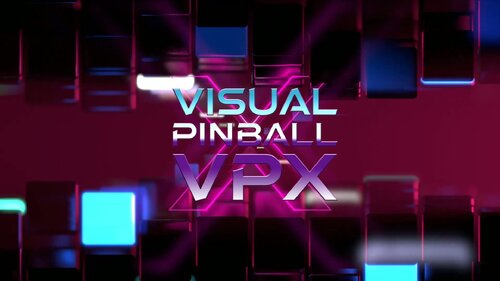
PL_VPX (Retrowave)
By brewedVFX
Visual Pinball X (Emulator Playlist)
All major Pinball Emulators have been done in this style, to give a comprehensive look. This will include VP9, FP, FX, FX2, FX3, M, Pro Pinball, and Zacaria
Massive thanks to @tbone1007 - not just for the support, but for giving me the nudge to finally get these done.
Files Included:
Playfield 1920x1080 Full DMD 1920x1080 Backglass 1920x1080 Wheel Wheel Alt Topper 1920x540 Topper 1920x1080
These videos are designed with a Retrowave theme, embracing the visual style reminiscent of the 1980s.
Part of a full collection, that will be available when complete.
Pinup Playlists
PL_0-9 (Retrowave Theme) PL_A-Z (Retrowave Theme) PL_Adult Tables (Retrowave Theme) This Pack PL_All Tables (Retrowave Theme) PL_ALT DMD (Retrowave Theme) Now with Topper PL_ALT Sounds/Pinsounds (Retrowave Theme) PL_Arcade Games (Retrowave Theme) PL_Favorite Tables (Retrowave Theme) PL_Favourite Tables (Retrowave Theme) PL_Features (Retrowave Theme) Now with Topper PL_Gold Standard (Retrowave Theme) PL_Kids Tables (Retrowave Theme) PL_Least Played (Retrowave Theme) Now with Topper PL_Most Played (Retrowave Theme) PL_Random Tables (Retrowave Theme) PL_Recently Added (Retrowave Theme) PL_Recently Played (Retrowave Theme) PL_Sport Tables (Retrowave Theme) PL_FX3 Valve (Retrowave Theme) PL_The Classics (Retrowave Theme)
Emulator Playlists
PL_Pro Pinball PL_Pinball FX (Includes Import File) PL_Pinball M (Includes Import File) FX3 Specific Playlists
PL_FX3 Williams (Retrowave Theme) PL_FX3 Valve Table Authors
PL_Team TUGA (Retrowave Theme) PL_OrbitalPin (Scottywic) PL_Bigus1
Support appreciated and open to requests (message me on here).
https://buymeacoffee.com/brewedvfx
255 downloads
-

PL_Sport Tables
By brewedVFX
Sport_Tables (Playlist)
Files Included:
Playfield 1920x1080 Full DMD 1920x1080 Backglass 1920x1080 Wheel
Need SQL or what playlist media is available check HERE?
These videos are designed with a Retrowave theme, embracing the visual style reminiscent of the 1980s.
Part of a full collection, that will be available when complete.
Video Media Packs Released
Emulator Playlists
PL_Pinball M PL_Pinball FX PL_Pro Pinball Pinup Playlists
PL_ALT DMD PL_0-9 (Retrowave Theme)
PL_A-Z (Retrowave Theme) PL_All Tables (Retrowave Theme) PL_ALT Sounds/Pinsounds PL_Arcade Games PL_Features PL_Favorite PL_Favourite PL_Most Played PL_Least Played PL_Adult Tables PL_Kids Tables PL_Recently Added PL_Recently Played PL_Random Tables PL_Gold Standard PL_Playlists FX3 Specific Playlists PL_FX3 Valve PL_FX3 Williams Tables Table Authors
PL_OrbitalPin (Scottywic) PL_Bigus1
Tips welcome - Buy me a coffee
77 downloads
(0 reviews)0 comments
Updated
-
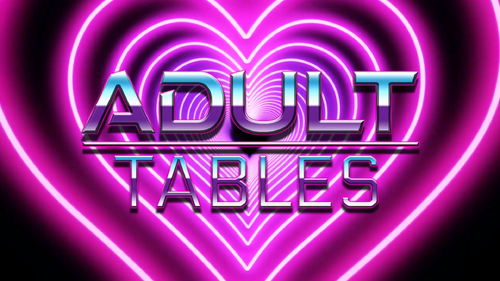
PL_Adult Tables (Retrowave Theme) with Topper
By brewedVFX
Adult Tables (Playlist)
Files Included:
Playfield 1920x1080 Full DMD 1920x1080 Backglass 1920x1080 Wheel Other2 Playlist Badge Topper 1920x360 (Separate download)
These videos are designed with a Retrowave theme, embracing the visual style reminiscent of the 1980s.
Part of a full collection, that will be available when complete.
Video Media Packs Released
Pinup Playlists
PL_0-9 (Retrowave Theme) PL_A-Z (Retrowave Theme) PL_Adult Tables (Retrowave Theme) This Pack PL_All Tables (Retrowave Theme) PL_ALT DMD (Retrowave Theme) Now with Topper PL_ALT Sounds/Pinsounds (Retrowave Theme) PL_Arcade Games (Retrowave Theme) PL_Favorite Tables (Retrowave Theme) PL_Favourite Tables (Retrowave Theme) PL_Features (Retrowave Theme) Now with Topper PL_Gold Standard (Retrowave Theme) PL_Kids Tables (Retrowave Theme) PL_Least Played (Retrowave Theme) Now with Topper PL_Most Played (Retrowave Theme) PL_Random Tables (Retrowave Theme) PL_Recently Added (Retrowave Theme) PL_Recently Played (Retrowave Theme) PL_Sport Tables (Retrowave Theme) PL_FX3 Valve (Retrowave Theme) PL_The Classics (Retrowave Theme)
Emulator Playlists
PL_Pro Pinball PL_Pinball FX (Includes Import File) PL_Pinball M (Includes Import File) FX3 Specific Playlists
PL_FX3 Williams (Retrowave Theme) PL_FX3 Valve Table Authors
PL_Team TUGA (Retrowave Theme) PL_OrbitalPin (Scottywic)
PL_Bigus1
THIS IS A PINUP POPPER MEDIA PACK
To use a MediaPack on a playlist do the following:
Select a playlist (Alt DMD). Drag and Drop the Media Pack file on the Playfield box or any of the other boxes. Confirm by clicking ‘Yes’. It will basically extract the mediapack, take all the media and rename them so they match your playlist.
System Wheels
T-Arc
Other2 Playlist Badge - is a feature part of collection, it uses the other2 media placed below the clock/year.
These I will release as a full standalone pack with instructions.
495 downloads
(1 review)0 comments
Updated
-
PL_A-Z
By brewedVFX
Seamless Looping Animations for A-Z
The playlist how I personally laid it out is.
All Tables > 0-9 | A-Z > then they have the letters.
Files Included:
Backglass :1920 x 1080 FullDMD: 1920x1080 Playfield: 1920 x 1080 Wheel Other2 Badge
SQL for letters (change the letter for each letter) "A%" to "B%" and so on
SELECT * FROM Games
WHERE GameDisplay Like "A%"
AND (visible=1)
ORDER BY GameDisplay
Video Media Packs Released
Emulator Playlists
PL_Pinball M PL_Pinball FX PL_Pro Pinball Pinup Playlists PL_ALT DMD PL_ALT Sounds/Pinsounds PL_Arcade Games PL_Features PL_Favorite Tables PL_Favourite Tables PL_Most Played PL_Least Played PL_Adult Tables PL_Kids Tables PL_Recently Played PL_Recently Added PL_Gold Standard PL_Playlists PL_Random Tables PL_The Classics PL_Sport Tables FX3 Specific Playlists
PL_FX3 Valve PL_FX3 Williams Tables Table Authors
PL_OrbitalPin (Scottywic) PL_Bigus1
ALL packs support Pinup Media, Drag and drop the Zip file.
To use a MediaPack on a playlist do the following:
Select a playlist (Classics). Drag and Drop the Media Pack file on the Playfield box or any of the other boxes. Confirm by clicking ‘Yes’. It will basically extract the mediapack, take all the media and rename them so they match your playlist.
236 downloads
(2 reviews)0 comments
Updated
-
VPU Staff's Top Picks
-
New & Updated Visual Pinball
-
New & Updated Future Pinball
-
New & Updated Backglasses
-
New & Updated DMD Colorizations
-
New & Updated Virtual Reality Enabled Tables
-
VPU Remix & Mods
-
New & Updated Popper Media
-
Updated Files
-
Download Statistics
29349
Files104514
Comments43195
Reviews



SeahawksSuperbowlEditionv1_0DT.thumb.PNG.553639cb4f3a47ba36d85146031b077b.PNG)
2.thumb.jpg.157901c34294205c4891caebb57509e9.jpg)
.thumb.png.d01c3d940a1e513270f2fe5430ff0268.png)
.thumb.png.6fcb2ba697c8618ffc3a8483f63e0b74.png)
.thumb.jpg.acc1bcb306984f94b639dbf2975dd62f.jpg)




3.thumb.jpg.89c9e2375215f2d333b4a2912aa53adc.jpg)
-B2S.thumb.png.5801f24a5ffb4099ba2f8f8cbc44f01f.png)
.thumb.png.19d52478df432badfe6f736aa396595d.png)

BorgDog1.2.thumb.png.76e1494157fa2b7d9b558a2511cdeb56.png)
.thumb.png.b0806cda01c295c032bd846d6d7178e9.png)
.thumb.png.1155ef0e11162d4ba1d625ce7430dcb6.png)
Dark.thumb.png.5bf497f6ae18b4eec7164ce84c6159c1.png)


.thumb.png.cb1c9b2b7401519583aed898d2e4b0e7.png)
.thumb.png.ba90a34949ce509b954f8e4cb6c59a6d.png)
FullDMD.thumb.jpg.711ea33336b6ada7eb61056ac0acb1bb.jpg)
FullDMD.thumb.jpg.5ed54dbedaf801372cd779d9bc689df4.jpg)
FullDMD.thumb.jpg.e2497ef780e5fd06303515b9796d3987.jpg)

.thumb.jpg.6cbec5e31b40eb04e540030e38075882.jpg)
FullDMD.thumb.jpg.449b0953dda8b2b8557c344ed3b8deb6.jpg)
.thumb.jpg.0044aa5ba8f76cf71d13e5e8bab1b68c.jpg)



DiagonalWheel.thumb.jpg.aaf24e0af90f5555a866a8db7c1e35fe.jpg)
DiagonalWheel.thumb.jpg.348bb6c1a061e1022cd351db4d3f6199.jpg)
DiagonalWheel.thumb.jpg.e7cd0b56e7a108ce6b40e192a4b433f8.jpg)



.thumb.png.b8c09278a52aba804307ebbddb799747.png)