
-
SYSTEM SEARCH
System Scanners Online:
Username: Guest
>> System Scan?
>> The Universe >
Incoming Message:
Due to system limitations searching with words of 3 or less characters will not return results. For instance; Doctor Who. This will not return results as the system is trying to search for both Doctor AND Who in which Who will not be found as it's a 3 character word. To find Doctor Who; you'd search for either Doctor or "Doctor Who".
Search Tips:
For specific searches; enclose your search with quotes. Example: "Doctor Who" or "Addams Family".
Search the Community
Showing results for tags 'apng'.
-
Version 129
364 downloads
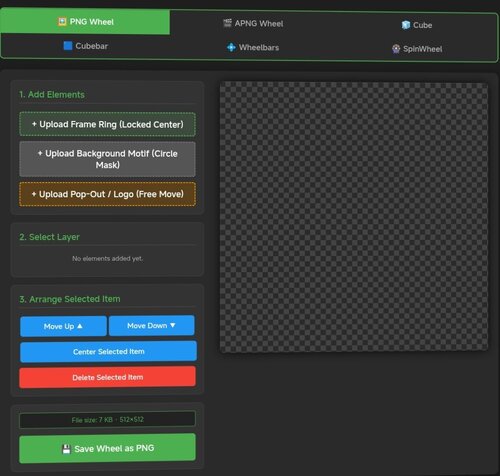
# Pinup Popper Media Creator A free, browser-based tool to create wheel art, animated wheels, 3D cube animations, wheelbars, spinning wheel animations and animated full-screen media (loading / attract screens) for Pinup Popper / virtual pinball frontends. Runs entirely offline in your browser — nothing is uploaded, no install needed. Just open the HTML file. **Seven tools in one:** 🖼️ **PNG Tab** — Design static wheel images with frame rings, motifs, pop-out effects, curved/straight text overlays, glow, scaling and masking. The background motif is freely positionable — drag and scale it under the fixed circular window to frame the image exactly how you want. Shows the exact file size before you save. 🎞️ **APNG Tab** — Build animated wheels. Add animated layers (GIF/MP4), per-layer speed and boomerang, plus ready-made animation presets (spin, pulse, glitch, hue-shift and more). Animated layers can be masked to the wheel circle, so portrait clips stay neatly inside the wheel instead of poking out. 🧊 **Cube Tab** — Create a rotating 3D cube. Put text, images, GIFs or MP4s on each of the 6 faces with Fill / Fit / Stretch options, set a custom rotation sequence, adjust speed/hold/easing, choose edge color & thickness, metallic/gloss finish, and pick from multiple presets. 🟦 **Cubebar Tab and Wheelbar Tab** — Design Pinup Popper cubebars. Choose a T-Bar (straight) or T-Arc (curved) shape, set the fill color, and add an upper and a lower image — each freely positionable with scale, opacity and rotation. Add straight or curved text labels (curved text bends along the arc) with engrave / emboss / glow effects. Exports a transparent 32-bit PNG at 1080×2160 — exactly what Popper's wheelbar accepts. 🎡 **SpinWheel Tab** — Animate the base wheel as a spinning coin or medal. Compose each side (front/back) from multiple image layers (GIF/MP4 supported, with per-layer opacity, frame range and boomerang ping-pong) and multiple text layers (curved or straight, engrave/emboss effects). Layers can sit inside the chrome ring or on top of it. Adjust spin tempo, hold time per side, axis and direction. Export as animated APNG or GIF — transparency preserved in both. ✂️ **Cutout Tab** — Cut a subject out of an image and remove its background to a transparent PNG — handy for prepping motifs, logos or character art for the other tabs. Erase areas by clicking with the Magic Wand or Chroma Key (adjustable tolerance), or draw a selection with Lasso / Polygon / Rectangle / Ellipse and choose to keep or remove what's inside. Fine-tune with an eraser brush, feathered/soft edges and edge smoothing; restore, pan and zoom as you work. Optionally trims empty borders on export. Saves a transparent PNG. 🖥️ **Screen Creator Tab** — Build animated full-screen media for any Pinup Popper display — loading screens, attract videos, backglass / DMD / topper graphics. Layer a background freely: a base color or gradient, a still image, an MP4 video and one of several animated presets (starfield, aurora, synthwave grid, rain, bokeh, rings, glitch and more) — all combinable. On top, add text, image and video layers, each freely positioned, scaled, rotated and individually animated (fade, slide, zoom, pulse, float, spin…). Edit straight on the canvas — drag to move, corner handles to scale, top handle to rotate, tap to select. Add a progress bar and a spinner (each positionable in X/Y and rotatable in 90° steps), plus scanline / vignette / glow / grain overlays and an audio track. Pick any output resolution (HD / 2K / 4K or custom), rotate the whole output 90° for portrait/rotated displays, key out a green screen on image/video layers (chroma key), and save / load your setups with full undo / redo. Exports an MP4 with audio. **Export & convert:** - Save wheels, cubes and SpinWheels as APNG (full quality) or GIF (with dithering for smooth gradients) - All exports are transparent at original dimensions - Tap "Calculate exact size" to see the real file size for both formats before exporting - Built-in converter: load any existing APNG or GIF and turn it into the other format — shows both output sizes first - Screen Creator exports an MP4 (with audio) at your chosen resolution -
Version 4
26 downloads
AC-DC(Stern 2013) cube.apng -

Version 1.0.0
53 downloads
Willow Kael Animated Wheel Thought Id try remember how do an apng. Enjoy -

Version 2.0.0
35 downloads
shutdown.apng- 1 review
-
- 2
-

-
Version 2.0.0
26 downloads
pl_90s.apng- 1 review
-
- 1
-
-

Version 2.0.0
25 downloads
Recently Updated.apng- 1 review
-
- 1
-
-

Version 2.0.0
38 downloads
pl_Random.apng- 1 review
-
- 2
-
-

Version 1.0.0
14 downloads
pl_VPW4K -
Version 1.0.0
44 downloads
Short story. Wheels in 4K -

Version 2.0.0
26 downloads
Least Played.apng -

Version 2.0.0
21 downloads
pl_00s.apng -
Version 2.0.0
27 downloads
pl_70s.apng -
Version 2.0.0
39 downloads
vpxalt1.apng -
Version 2.0.0
50 downloads
vpxalt2.apng- 1 review
-
- 4
-
-
Version 2.0.0
63 downloads
Future Pinball.apng- 1 review
-
- 1
-
-
Version 2.0.0
29 downloads
pl_Decades.apng -
Version 2.0.0
38 downloads
vpx.apng- 1 review
-
- 1
-
-
Version 1.1.0
81 downloads
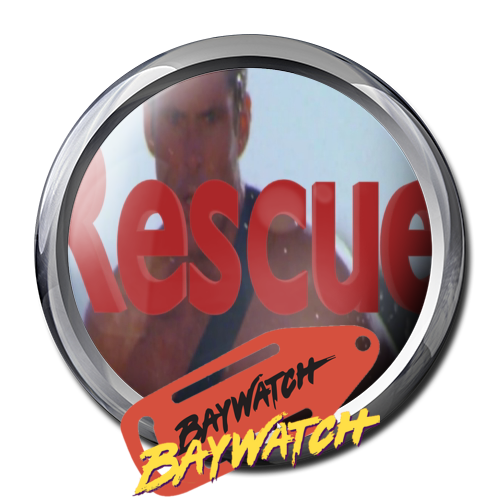
Baywatch Rescue Wheel with Animation for your Baywatch Table It is one of my favorite tables and for many I hope so too. Marketing Slogans for table were: ""Baywatch! It's Summer year round when this pinball's in town!" "Bigger than the Rest!" "A machine that's gonna resuscitate your pinball collections!" "We've got something that's gonna make some waves... Baywatch" https://www.ipdb.org/machine.cgi?id=2848 Thanks God Bless. Sister .png wheel available here: -


Version 1.0.0
97 downloads
I had a blast playing Marty32's brilliant Godfather table and decided to continue my wheel-making journey with these clips of Brando and Pacino from the first epic film. The files are 500x500 apngs Used Nailbuster's apng toolbox and Frame Ouput batch file set to 30fps Hope you enjoy! Thank you Marty32 for the amazing work on the table!- 2 reviews
-
- 7
-
-
- animated wheel
- animated wheels
- (and 2 more)
-
Update 5/31/2025: I solved the issue after a bunch of trial and error. -Used Dave and Nailbuster's video instructions and toolbox. -Followed every step exactly as he lays out, making sure to use the Frame Output batch file (though I set it to 30fps for smoother playback) on my source mp4 as my first key step. -But the big difference was that I used the FFMPEG encoder in Screen>Gif and not the "Screen>Gif" encoder as indicated in the original video. -For some reason that change made everything work and eliminated an additional issue I was having, which was one frame that would flash as non-transparent. So if you run into that issue with the regular encoder, try using he FFMPEG setting instead of the Screen>Gif encoder as indicated in the video. -I attached my 30fps variation of Nailbuster's original Frame Output batch file if anyone wants to use that without editing the original. -Oh, and DON'T FORGET to rename your source video in the toolbox folder that gets masked and cut into frames by the Frame Output batch file "wheelvideo.mp4" or your video won't get recognized by FFMPEG. Thanks again to the community for helping get to the bottom of this! --- Hi Friends - I've been trying to make an animated wheel for the new Aliens Legendary table based on the static png wheels I created with the playable characters. The problem: -When I preview the APNG in Chrome or Firefox (see attached video), the frames progress at the rate I set in "Screen > Gif" which is 1500 (1.5 seconds) -When I view the APNG in popper, popper seems to ignore the delay rate I set and moves through the frames at super speed (see other attached video) -I've tried creating the APNGs with multiple different programs and different frame delays and popper continues to speed through the frames -I have used Dave (Nailbuster)'s video and software package and still no luck (https://www.nailbuster.com/pup/PopperAPNG_TOOLbox.zip) Does anyone have any advice on how to ensure the APNG work as designed in popper? Is there a setting or step I might be missing? Thanks friends! APNG super speed in popper.mov APNG normal speed in Chrome.MOV Frames_Output 30 Frames 500.bat
-
Version 1.0.0
83 downloads
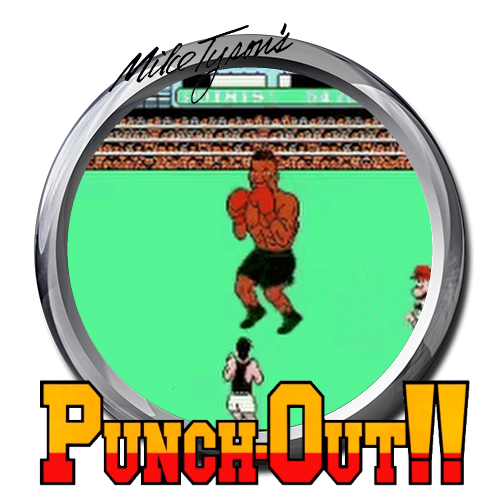
PunchOut (Animated). Please ignore the pixelated GIF image. Just low quality so people can see what it looks like. Wheels seem fine when previewed in Google Chrome.-
- 5
-
-
- animatedwheel
- animated wheel
- (and 2 more)
-

Version 1.0.0
62 downloads
Terrifier Animated Wheel Clip taken from the first movie. Before this awesome table began Joey told me to watch this movie. He said after 30 minutes you will applause the TV I shook my head instead of clapping 😂 I love The Terrifier table, go and download the table of the year!



.thumb.jpg.9aa858d95e76ed203719a9a635ac166b.jpg)
