No files in this category yet.
Files From Subcategories
-
Momonga Pinball Adventures (Paladin Studios 2016) Media Files & Cabinet Instructions
By SixOfTwelve
Just when you thought it was safe to go back into the mancave, here's yet another episode of
Let's Put Things On Cabinets That Were Never Meant To Be On Cabinets!
Today it's fun for all ages as we launch a small furry creature against hard objects in Momonga Pinball Adventures, released by Paladin Studios in 2016. As Momo the flying squirrel traverses the world in search of the evil owl soldiers who kidnapped his family, he meets a bunch of quirky characters and has to overcome many obstacles - mainly by curling up into a ball and smashing them to bits.
Momonga Pinball Adventures can't deny its origins as a casual game originally created for mobile devices. You will make many shots due more to luck than skill, but what the game lacks in accurate pinball physics, it more than makes up for in the charm department. The graphics are lush and colorful, the character designs are excellent, and the overall presentation is top-notch. Unfortunately, the game is rather short and ends on a cliffhanger that was never resolved, since the design studio closed its doors in 2024.
The included AutoHotKey script moves the game to the backglass, covers the playfield and DMD screen with filler images, and maps your cabinet's buttons to the game's keys.
I've included a ton of media:
4 frontend backglasses (two in 4:3 and two in 16:9 format) a company logo 2 DMD images, one for the frontend and a filler image used by the script 7 flyer images (collages of character concept art from Paladin Studio's production blog) 2 instruction cards a promo video (the launch trailer for the iOS version) table audio 2 table images, one for the frontend and a filler image used by the script a table video a wheel image
Image sources include Paladin Studio's website, the game's Steam page, MobyGames and the Launchbox Games Database
As usual, the launch script needs to be adapted to your system, but no fear - it's extensively annotated. Please take a good long look through it before asking for help in the comments section.
I'll gladly try to help, but please do make an effort first.
Share and enjoy!
SOME MORE NOTES:
Where to get it:
Momonga Pinball Adventures is available on Steam. At the time of this posting, it's on sale for less than a buck, but in my opinion the game is worth it even at the full Steam price (around $6).
How to run it:
The game should run "out of the box" on modern systems, but being a Steam game, the Steam client will launch along with it and hang around in the background. If you don't mind that, fine.
However, if you have an offline cabinet and want to run the game without the Steam client popping up:
Download the Goldberg Emulator and extract the steam_api.dll. Go to your game folder and rename or backup the original steam_api.dll and replace it with the one from step 1. Create a simple Notepad text file in the same folder, name it steam_appid.txt and paste the game's Steam ID into it. You can find the ID number in the URL of the game's Steam Store website. Running the game's EXE file should now work without Steam. It should be noted that use of a Steam emulator can be a legally gray area. Check your local jurisdiction and make sure you own a legal copy of the game.
The Phantom Input Menace:
If your cabinet has an analog device such as a VirtuaPin Controller that registers in Windows as a joystick, you may find that the game reads one of the joystick's axes as active, which can result in the "up" or "down" direction being pushed constantly - most visible during the main menu screen. This will either prevent you from quitting the game (if the "up-push" is active, since you can never move down to "Quit game") or from starting it (if the "down-push" is active, since you can never move up to "Start").
My solution for this was to install HIDHide, an insanely useful little tool which lets you create a white- or blacklist of software which is allowed (or not allowed) to "see" your gaming input devices.
Here is a quick rundown:
(Since I use my VirtuaPin Controller for many games on my cab in addition to Visual Pinball, a blacklist of "forbidden" games made more sense.)
1. In the "Devices" tab of HIDHide, select your gaming device and make sure to tick "Enable device hiding".
2. Then in the "Applications" tab, tick "Inverse application cloak" (which makes the selection a blacklist), and add the game's EXE file by clicking the plus button.
3. Unplug and replug your gaming device or (if, like me, you don't feel like opening up your cab and pulling out stuff) simply reboot your PC.
4. The next time you run Momonga Pinball Adventures, it won't see your device and the menus should work normally. You can use the flipper buttons (Shift) to move left and right and the magnasave buttons (Control) to move up and down.
Special thanks to:
@iwantpinball for testing the script on his cabinet and providing the alternate backglass images
8 downloads
(0 reviews)0 comments
Updated
-
Lawman (Gottlieb 1971) clear wheel logo 4K
Logo taken from backglass, upscaled and restored for high resolution and cleaned up, optimized for 2K/4K frontends
Providing files optimized for 1440p cabinet mode in PinballX and maximum available resolution.
PinballX is using 70% of the respective screen width for the logo display at a 1.66 aspect ratio, so the provided optimized version is set at 1008px max width / 605px max height to avoid internal downscaling/upscaling of the frontend that might introduce unwanted artifacts, moiree or aliasing effects.
DOWNLOAD ALL LOGOS (2000+) at this link: https://mega.nz/folder/22pRyY6K#t9cVLDbWaIlyDflG_QVTjw
11 downloads
(0 reviews)0 comments
Submitted
-
Laser Ball (Williams 1979) clear wheel logos 4K
Logo taken from backglass/flyer, upscaled and restored for high resolution and cleaned up, optimized for 2K/4K frontends
Providing files optimized for 1440p cabinet mode in PinballX and maximum available resolution.
PinballX is using 70% of the respective screen width for the logo display at a 1.66 aspect ratio, so the provided optimized version is set at 1008px max width / 605px max height to avoid internal downscaling/upscaling of the frontend that might introduce unwanted artifacts, moiree or aliasing effects.
DOWNLOAD ALL LOGOS (2000+) at this link: https://mega.nz/folder/22pRyY6K#t9cVLDbWaIlyDflG_QVTjw
23 downloads
(0 reviews)0 comments
Submitted
-
Lady Luck (Taito do Brasil 1978) clear wheel logo 4K
Logo taken from backglass, upscaled and restored for high resolution and cleaned up, optimized for 2K/4K frontends
Providing files optimized for 1440p cabinet mode in PinballX and maximum available resolution.
PinballX is using 70% of the respective screen width for the logo display at a 1.66 aspect ratio, so the provided optimized version is set at 1008px max width / 605px max height to avoid internal downscaling/upscaling of the frontend that might introduce unwanted artifacts, moiree or aliasing effects.
DOWNLOAD ALL LOGOS (2000+) at this link: https://mega.nz/folder/22pRyY6K#t9cVLDbWaIlyDflG_QVTjw
14 downloads
(0 reviews)0 comments
Submitted
-
Lady Luck (Bally 1986) clear wheel logos 4K
Logo taken from backglass/flyer, upscaled and restored for high resolution and cleaned up, optimized for 2K/4K frontends
Providing files optimized for 1440p cabinet mode in PinballX and maximum available resolution.
PinballX is using 70% of the respective screen width for the logo display at a 1.66 aspect ratio, so the provided optimized version is set at 1008px max width / 605px max height to avoid internal downscaling/upscaling of the frontend that might introduce unwanted artifacts, moiree or aliasing effects.
DOWNLOAD ALL LOGOS (2000+) at this link: https://mega.nz/folder/22pRyY6K#t9cVLDbWaIlyDflG_QVTjw
19 downloads
(0 reviews)0 comments
Submitted
-
Monopoly Full Instructions
By thrillride11
Complete Rule set for Monoply Sterns 2001 Table. I have created 7 rule cards to fit them all on.
In Pinup Frontend I have my info screen set to my backglass and then use flippers to navigate through each card. If anyone is unsure how this is done here is a link to nailbusters page explaining this exact process:
https://www.nailbuster.com/wikipinup/doku.php?id=other_settings
But it is really quite simple, you just add each one to the popper media and instead of overwriting each one you add to list (so each one is named for example rulecard01, rulecard02 etc.
You can have tutorial videos as well as images like these and just keep cycling through. I like to have a tutorial video as well as rule cards, because - why not!
Hope you enjoy them as much as I had fun creating them. Enjoy and hope they come in handy as much as they do for me.
42 downloads
(0 reviews)0 comments
Submitted
-
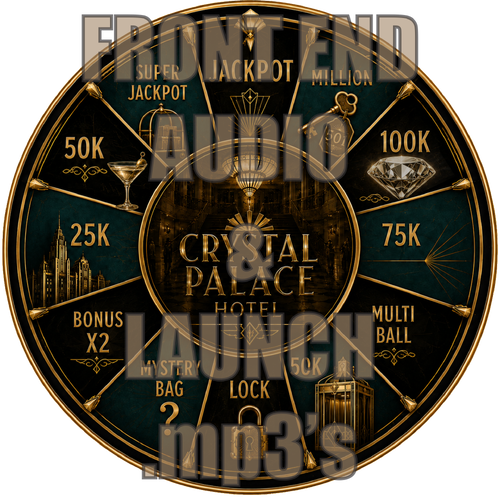
Deadpool Full Instructions
By thrillride11
Complete Rule set for Deadpool JP Salas Table. I have created 5 rule cards to fit them all on.
In Pinup Frontend I have my info screen set to my backglass and then use flippers to navigate through each card. If anyone is unsure how this is done here is a link to nailbusters page explaining this exact process:
https://www.nailbuster.com/wikipinup/doku.php?id=other_settings
But it is really quite simple, you just add each one to the popper media and instead of overwriting each one you add to list (so each one is named for example rulecard01, rulecard02 etc.
You can have tutorial videos as well as images like these and just keep cycling through. I like to have a tutorial video as well as rule cards, because - why not!
Hope you enjoy them as much as I had fun creating them. Enjoy and hope they come in handy as much as they do for me.
47 downloads
(0 reviews)0 comments
Submitted
-
(0 reviews)
0 comments
Submitted
-
Darkest Dungeon Full Instructions
By thrillride11
Complete Rule set for Darkest Dungeon Original Table. The rules are taken straight from the original PDF Document included with the table and I have created 9 rule cards to fit them all on.
In Pinup Frontend I have my info screen set to my backglass and then use flippers to navigate through each card. If anyone is unsure how this is done here is a link to nailbusters page explaining this exact process:
https://www.nailbuster.com/wikipinup/doku.php?id=other_settings
But it is really quite simple, you just add each one to the popper media and instead of overwriting each one you add to list (so each one is named for example rulecard01, rulecard02 etc.
You can have tutorial videos as well as images like these and just keep cycling through. I like to have a tutorial video as well as rule cards, because - why not!
Hope you enjoy them as much as I had fun creating them. Enjoy and hope they come in handy as much as they do for me.
64 downloads
(1 review)0 comments
Submitted
-
Artur's Pinball (Proativ Games 2023) Media Files & Cabinet Instructions
By SixOfTwelve
Well, your test results are back and everything looks great. Looks like you've been taking your daily dose of
Let's Put Things On Cabinets That Were Never Meant To Be On Cabinets!
Today we're going down to the bargain basement to take a peek at Artur's Pinball, a 2023 indie game. Thanks to @iwantpinball for bringing it to my attention!
The game stakes its claim firmly on the casual side of pinball sims, with a few interesting features that make it stand out from the masses of shovelware: The ball seems to have its own momentum, so trapping it on a flipper will not work since it'll keep moving, which inevitably leads to faster-paced gameplay. Breakable targets with a visible countdown number (hit them X amount of times and they disappear) will open up the larger playfield where spinning wheels, launchpads and other tricks await you.
While the game can be played in portrait mode, the field of view becomes so narrow that planning shots and reacting in time becomes next to impossible.
That's why the included AutoHotKey script moves the game to the backglass, covers the playfield and DMD screen with filler images, and maps your cabinet's buttons to the game's keys.
There is also an option in the script to use JoyToKey for your cab's analog device, so if you prefer, you can nudge by hitting the cab instead of hitting a button.
There's some media included (unfortunately not much was available):
a backglass frontend video (in 4:3 format - if you have a 16:9 backglass screen you'll have to record your own) a company logo 2 DMD images, one for the frontend and a filler image used by the script (taken from the game's Steam page) 2 instruction cards, depending on how you set up your nudging table audio (recorded from the game) 2 table images (one for the frontend, one for use in the script - they're the same image, but for some reason the two need different rotation directions) a wheel images (taken from the game title screen)
As usual, the script needs to be adapted to your system, but no fear - it's extensively annotated. Please take a good long look through it before asking for help in the comments section right away.
I'll gladly try to to help, but please do make an effort first.
Share and enjoy!
SOME MORE NOTES:
Where to get it:
Artur's Pinball is available on Steam. At the time of this posting, it's on sale for less than a dollar, so you're not going to break the bank if you want to give it a try.
How to run it:
Being from 2023, the game should run "out of the box" on modern systems, but being a Steam game, the Steam client will launch along with it and hang around in the background. If you don't mind that, fine.
However, if you have an offline cabinet and want to run the game without the Steam client popping up:
Download the Goldberg Emulator and extract the steam_api64.dll. Go to your game folder and navigate to the \ARTURS PINBALL_Data\Plugins\x86_64 folder. Rename or backup the original steam_api64.dll and replace it with the one from step 1. Create a simple Notepad text file in the same folder, name it steam_appid.txt and paste the game's Steam ID into it. You can find the ID number in the URL of the game's Steam website. Running the game's EXE file should now work without Steam. It should be noted that use of a Steam emulator can be a legally gray area. Check your local jurisdiction and make sure you own a legal copy of the game.
AI use disclaimer:
The "nudge" hand in the instruction card was created with ChatGPT, and the DMD filler image was upscaled and extended with Freepik.
6 downloads
(0 reviews)0 comments
Submitted
-
Snowball! (PixelJAM 2016) Media Files & Cabinet Instructions
By SixOfTwelve
Baby, it's cold outside! Come on in, warm yourself by the fire and
Let's Put Things On Cabinets That Were Never Meant To Be On Cabinets!
This time, thanks to my stupidity, you get two scripts for the price of one as we tackle Snowball!, a 2016 indie game by PixelJAM.
Snowball! is a cute and, honestly, pretty relaxing pinball game full of neat detailed pixel art. You shoot snowballs around a wintery slope, trying to avoid a fire at the bottom. The game is full of clever details: Ocasionally you hit a tree or some other obstacle, and another little snowball will form, creating a spontaneous multiball. Then there's a section of the playfield that suddenly turns your game into a Breakout variant. Two huge electromagnets act as stationary magnasaves that can also slingshot your ball into different directions if you handle them with the right timing. It's really imaginative stuff.
The game can be played in portrait mode, giving you a complete view of the playfield - which makes it ideal for use on a cabinet.
However, on my screen (resolution 1080x1920 when upright), the game would always start flickering like crazy after a few seconds, making it effectively unplayable.
So I decided to write a script to move the game window to the backglass and have it play there, with the game's field of view scrolling up and down. I had the whole script ready and finished, when I suddenly had a thought:
Snowball! was a ten-year-old game. What if my playfield's resolution was simply too high?
And indeed, once I reduced the resolution to 900x1600 - no more flickering, and the game behaved as it should.
So rather than scrap my first script, I decided to include it here as a bonus. Who knows, maybe on someone else's setup the playfield variation may not work for whatever reason - it's nice to have options.
The second (newer) script
rotates the playfield to portrait mode lowers the resolution to 900x1600 puts filler images on the backglass and dmd screens maps the game's keys and functions to standard cabinet buttons restores rotation and original resolution on exit
The original first script
moves the game window to the backglass puts filler images on the playfield and dmd screens maps the game's keys and functions to standard cabinet buttons
There's a bunch of media included:
2 backglass images (in 4:3 and 16:9 formats) a backglass video for your frontend for the "play on the backglass" variation a company logo 2 DMD images, one for the frontend and a filler image used by the script (taken from the game's press kit on PixelJAM's website) 3 instruction cards, depending on how you set up your nudging (more on that further below) a promo video from YouTube (the Steam launch trailer for the game) table audio (recorded from the game) 2 table images (one for the frontend, one for use in the script - they're the same image, but for some reason the two need different rotation directions) a frontend table video for the "play on the playfield" variation 2 wheel images (one taken from the game title screen, one from the game's press kit on PixelJam's website)
As usual, the scripts need to be adapted to your systems, but no fear - they are extensively annotated. Please take a good long look through them before asking for help in the comments section right away.
I'll gladly try to to help, but please do make an effort first.
Share and enjoy!
SOME MORE NOTES:
Where to get it:
Snowball! is available on Steam. At the time of this posting, you can get it for under 3€. You can run the game's .EXE without Steam, wich is always nice.
Annoying stuff about the game:
Apart from the "needs a low resolution to run" issue, there were two more problems:
Firstly, all the menus can only be navigated by clicking on buttons. There is no "move up/down" or "move left/right" that could be mapped to flipper buttons. Instead, I had to program the keys to position the mouse at a certain spot and click there. Which would be fine if the damn menu buttons were always in the same spot. But no: The button to (re)start a game is in three different locations, depending on whether you're in the start menu, in the pause menu, or on the "Game Over" screen. So when you press "Start", the game now rapidly clicks three different locations each time for it to work in each case. That was fun to figure out.
In the "play on the playfield" version of the script, you probably won't have to change any of these coordinates, since 900x1600 is the fixed resolution.
Should you want to use the "play on the backglass" version, you'll probably have to do a bit of work on the coordinates (unless your backglass has a resolution of 1600x1200 like mine).
Secondly, the game uses the Space bar to activate the magnasave pylons, but if you press Space along with a direction key, you nudge the ball.
No problem, so I simply map the magnasave buttons to perform both functions. Which would be fine if nudging didn't incure a score penalty in the game.
Since I didn't want to punish the player for using the magnasave (which would also count as a nudge, lowering your score), I came up with two alternate solutions:
My cabinet has extra buttons on the top left and right. I simply mapped the magnets (Space) to these and mapped the nudge function (Space+direction) to my magnasave buttons. But not everyone's cab has extra buttons, so... If you have an analog input (like a VirtuaPin controller) that registers as a joystick, you can also use JoyToKey to map the nudge function to [Space+direction], freeing up the magnasave buttons for [Space]. The JoyToKey option can be disabled in the script. The default is set to enabled.
AI use disclaimer:
The "nudge" hand in the instruction card was created with ChatGPT, the rest is all good old-fashioned Photoshop.
I also used ChatGPT to help with some script functions (like reading monitor resolutions automatically without having to hardcode them) that probably would've taken me ages to figure out otherwise.
Special thanks:
iwantpinball for pointing me in the direction of displaying images directly in AutoHotKey instead of using an external tool, as I did in my previous scripts.
12 downloads
-
Kings and Queens (Gottlieb 1965) clear wheel logo 4K
Logo taken from backglass, upscaled and restored for high resolution and cleaned up, optimized for 4K/2K frontends
Download the 4K version if you use a frontend like PinballX or Pinup Popper on a 4K monitor, or the regular version if you have a 1440p resolution or less. The logos are optimized for each resolution since the internal downscaling/upscaling of the frontends might introduce unwanted artifacts, moiree or aliasing effects.
33 downloads
(0 reviews)0 comments
Updated
-
Kings Of Steel (Bally 1984) clear wheel logo 4K
Logo taken from backglass, upscaled and restored for high resolution and cleaned up, optimized for 2K/4K frontends
Providing files optimized for 1440p cabinet mode in PinballX and maximum available resolution.
PinballX is using 70% of the respective screen width for the logo display at a 1.66 aspect ratio, so the provided optimized version is set at 1008px max width / 605px max height to avoid internal downscaling/upscaling of the frontend that might introduce unwanted artifacts, moiree or aliasing effects.
DOWNLOAD ALL LOGOS (2000+) at this link: https://mega.nz/folder/22pRyY6K#t9cVLDbWaIlyDflG_QVTjw
15 downloads
(0 reviews)0 comments
Submitted
-
King Pin (Gottlieb 1973) clear wheel logo 4K
Logo taken from backglass, upscaled and restored for high resolution and cleaned up, optimized for 2K/4K frontends
Providing files optimized for 1440p cabinet mode in PinballX and maximum available resolution.
PinballX is using 70% of the respective screen width for the logo display at a 1.66 aspect ratio, so the provided optimized version is set at 1008px max width / 605px max height to avoid internal downscaling/upscaling of the frontend that might introduce unwanted artifacts, moiree or aliasing effects.
DOWNLOAD ALL LOGOS (2000+) at this link: https://mega.nz/folder/22pRyY6K#t9cVLDbWaIlyDflG_QVTjw
11 downloads
(0 reviews)0 comments
Submitted
-
King Kong (LTD do Brasil 1978) clear wheel logo 4K
Logo taken from backglass, upscaled and restored for high resolution and cleaned up, optimized for 2K/4K frontends
Providing files optimized for 1440p cabinet mode in PinballX and maximum available resolution.
PinballX is using 70% of the respective screen width for the logo display at a 1.66 aspect ratio, so the provided optimized version is set at 1008px max width / 605px max height to avoid internal downscaling/upscaling of the frontend that might introduce unwanted artifacts, moiree or aliasing effects.
DOWNLOAD ALL LOGOS (2000+) at this link: https://mega.nz/folder/22pRyY6K#t9cVLDbWaIlyDflG_QVTjw
9 downloads
(0 reviews)0 comments
Submitted
-
Knock Out (Gottlieb 1950) clear wheel logo 4K
Logo taken from backglass, upscaled and restored for high resolution and cleaned up, optimized for 2K/4K frontends
Providing files optimized for 1440p cabinet mode in PinballX and maximum available resolution.
PinballX is using 70% of the respective screen width for the logo display at a 1.66 aspect ratio, so the provided optimized version is set at 1008px max width / 605px max height to avoid internal downscaling/upscaling of the frontend that might introduce unwanted artifacts, moiree or aliasing effects.
DOWNLOAD ALL LOGOS (2000+) at this link: https://mega.nz/folder/22pRyY6K#t9cVLDbWaIlyDflG_QVTjw
17 downloads
(0 reviews)0 comments
Submitted
-
Gargamel Park (Original 2016) Instruction Card
By Autobott
Instruction card for Gargamel Park by JPSalas
33 downloads
(0 reviews)0 comments
Submitted
-
Scared Stiff (Bally 1996) - Vpx Video Instruction (French audio)
By pat852
Bonjour à tous
Voici une nouvelle traduction audio française des instructions vidéo de KONGEDAM du groupe (LAURENT EGAPEL, GARGA SURQUES, THIERRY DELOMIER et PATRICE SALERNO).
La Vingt-et-unième publication est « Scared Stiff (Bally 1996) ».
Aux vues du nombre de vidéo on a besoin de renfort !!
Si vous souhaiter nous aider pour les traductions contacter moi en Message privé
Le process est assez simple je génère un fichier texte de la traduction française « brute » de la vidéo.
Vous corrigez dans le fichier texte les anomalies de traduction de l’I.A et je renvois la traduction corrigée dans Clidéo pour génération de la vidéo traduite.
En plus cela vous permet d’avoir la vidéo traduite d’une table que vous affectionné non encore traitée.
Hello everyone
Here is a new French audio translation of the KONGEDAM video instructions from the group (LAURENT EGAPEL, GARGA SURQUES, THIERRY DELOMIER, and PATRICE SALERNO).
The Twenty-first release is « Scared Stiff (Bally 1996) ».
Given the number of videos, we need reinforcements!
If you'd like to help with translations, contact me via private message.
The process is quite simple: I generate a text file of the "raw" French translation of the video.
You correct any AI translation errors in the text file, and I send the corrected translation back to Clideo to generate the translated video.
In addition, this allows you to have a translated video of a table you like that hasn't been processed yet.
25 downloads
(0 reviews)0 comments
Submitted
-
Viper Night Drivin (SEGA 1998) backglass topper video FHD
By kilazz
Viper Night Drivin (SEGA 1998) backglass topper video FHD
32 downloads
(0 reviews)0 comments
Submitted
-
Grease (Original 2023) Instruction Card
By Autobott
Instruction Card for Grease (mod of Stern's Elvis) by judremy, JPSalas, et al.
39 downloads
(0 reviews)0 comments
Submitted
-
Volcano (Gottlieb 1981) Instruction Card
By Autobott
Instruction card for Volcano by Burger, Allknowing2012, et al
48 downloads
(2 reviews)0 comments
Submitted
-
Jack In The Box (Gottlieb 1973) clear wheel logos 4K
Logo taken from flyer/backglass, upscaled and restored for high resolution and cleaned up, optimized for 4K/2K frontends
Download the 4K version if you use a frontend like PinballX or Pinup Popper on a 4K monitor, or the regular version if you have a 1440p resolution or less. Logos are optimized for each resolution since the internal downscaling/upscaling of the frontends might introduce unwanted artifacts, moiree or aliasing effects.
43 downloads
(0 reviews)0 comments
Updated
-
Joker Poker (Gottlieb 1978) clear wheel logos 4K
Logo taken from backglass/flyer, upscaled and restored for high resolution and cleaned up, optimized for 4K/2K frontends
Download the 4K version if you use a frontend like PinballX or Pinup Popper on a 4K monitor, or the regular version if you have a 1440p resolution or less. Logos are optimized for each resolution since the internal downscaling/upscaling of the frontends might introduce unwanted artifacts, moiree or aliasing effects.
61 downloads
(0 reviews)0 comments
Updated
-
JP's Wrath of Olympus (Original 2022) clear wheel logo 4K
Logo taken from backglass, upscaled and restored for high resolution and cleaned up, optimized for 4K/2K frontends
Download the 4K version if you use a frontend like PinballX or Pinup Popper on a 4K monitor, or the regular version if you have a 1440p resolution or less. Logos are optimized for each resolution since the internal downscaling/upscaling of the frontends might introduce unwanted artifacts, moiree or aliasing effects.
36 downloads
(0 reviews)0 comments
Updated
-
Jungle Princess (Gottlieb 1977) clear wheel logos 4K
Logo taken from backglass, upscaled and restored for high resolution and cleaned up, optimized for 4K/2K frontends
Download the 4K version if you use a frontend like PinballX or Pinup Popper on a 4K monitor, or the regular version if you have a 1440p resolution or less. Logos are optimized for each resolution since the internal downscaling/upscaling of the frontends might introduce unwanted artifacts, moiree or aliasing effects.
52 downloads
(0 reviews)0 comments
Updated
-
VPU Staff's Top Picks
-
New & Updated Visual Pinball
-
New & Updated Future Pinball
-
New & Updated Backglasses
-
New & Updated DMD Colorizations
-
New & Updated Virtual Reality Enabled Tables
-
VPU Remix & Mods
-
New & Updated Popper Media
-
Updated Files
-
Download Statistics
29426
Files104882
Comments43384
Reviews