
Jump to content

Alien Star (Gottlieb 1984)

  • Get Support
  • Create an account or sign in to download this
download_no_perm
29768 Views
7304 Downloads
5 From 44 reviews
155.62 MB File Size
alienstr.zip ROM Name
UnclePaulie Created by
Gottlieb Manufacturer
1984 Year

5 Screenshots

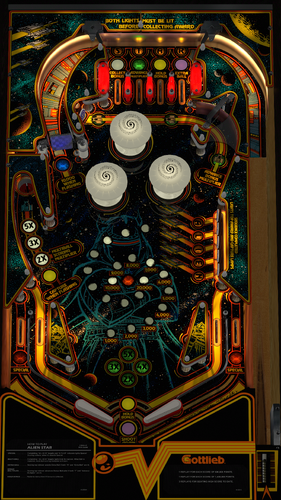
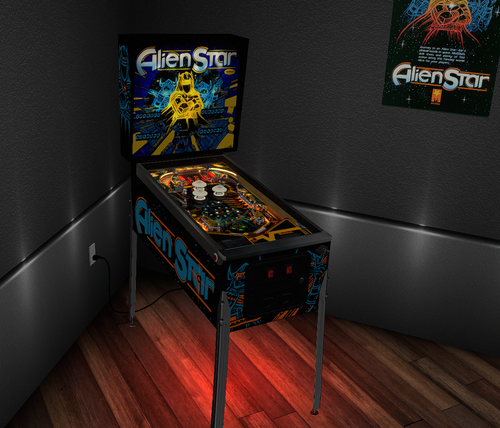
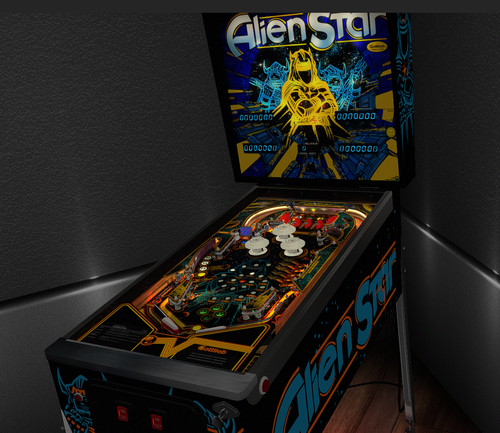
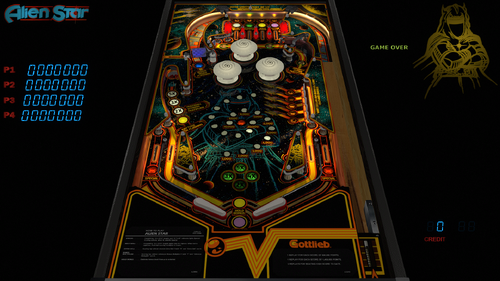
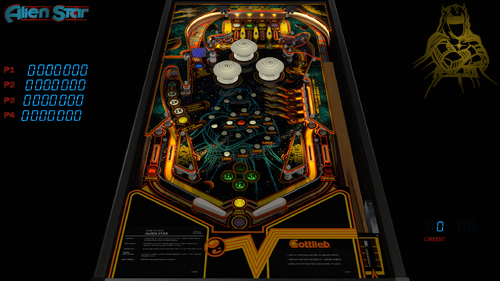
Gottlieb's 1984 Alien Star!  Journey to an Alien Star for a pinball battle in space!  Multiball, skill shots, and plenty of fast action!  So much fun to play!  Thanks to Borgdog for providing original playfield and plastic scans, cabinet stencils, and physical measurements of his actual table.  He also had lots of authentic Gottlieb primitives to use, and did a tremendous amount of testing!


Thanks also to @redbone who took those scans of the playfield and plastics and did a tremendous amount of work to get them to look so good!  He also spent a ton of time with all the other graphics on the table as well as a ton of testing!  Hauntfreaks provided the higher resolution VR backglass.  DarthVito did the VR wall environment.  


In Version 3.0.0 (May 2025), I started the table over completely from scratch, as the prior version had incorrect table dimensions, wrong VR cab size, and lots of other things that needed updating.  I updated to the latest VPW (2025) standards, physics, alllamps and 3D inserts, backglass for desktop, roth standup targets, standalone compatibility, sling corrections, optional DIP adjustments, updated flipper physics, VR and fully hybrid, Flupper style bumpers and lighting.  I baked the GI, AND the metal walls, interior wood walls, spinner, plastic posts, and the reflections on them.  Redbone further updated the playfield, the plastics, apron, and other images.  Thanks to Borgdog for original playfield scans, image assets, and cab stencils. 


Dozens and dozens of hours were spent studying gameplay videos, many of which were done by Borgdog, to match the table skill shots and action.  


This table is loaded with options in the F12; including various balls, room brightness, flippers, tents, screw caps, plastic edge colors, LUTs, Dip settings, side wall colors, special Mother of Pearl solid inserts, and plenty of other VR stuff, including LED undercab lighting. 


The ROM can be found at pinballnirvana.com... alienstr.zip).  Please NOTE there are several items to consider on the ROM settings:  The default settings for the ROM options are hard coded into the script and are based on the recommended values from Gottlieb for 3 balls.  If you want to change the ROM settings themselves, you need to change the "SetDIPSwitches to 1" in the script, and then use the F6 menu to change. However... I am not able to hard code the ROM menu options.  Typically, there are levels of score achievements that award a free play.  The default ROM has that set to off.  I've included an nvram file you can use that sets that to match the instruction/score cards and Gottlieb's recommendation (600,000 and 1,400,000).  Also, there are settings in the menu to set replays, sound, and HSTD. All this has been done for you in the included nvram file.  I also have instructions in the script on how to change that if you wish to do yourself.


There's also an option for "Tourney Mode".  In that mode it'll play a little harder with different DIP settings, which excludes extra ball... and only allows for points on 3 balls.  Tourney mode also sets colors and rainbow'ed LEDs on plastics.  NOTE:  you'll have to start and restart the first time in that mode for the DIP changes to take effect.


If you want to change the DIPs... you will need to go into the script options and change SetDIPSwitches to 1, then open the table, hit F6 (that'll load the default DIPS and display them). You can then select various ROM options.  Once entered, you can exit out, and restart.  That will then set the new ROM settings.  


These are the default DIPS that are and set at original table launch:
    1=Coin Chute same
    0=3rd coin chute no effect
    0=Game mode of replay for hitting threshold
    1=Number of balls = 3
    0=Unlimited number of replays can be earned per game
    1=Playfield Special of extra ball  (Tourney mode this is zero)
    0=Novelty of normal game mode        (Tourney mode this set to 1)
    1=Match feature
    1=Background Sound


Thanks again to Borgdog and Redbone for the playfield and plastic images, the stencils, the testing, and all the feedback!  Also thanks to Hauntfreaks for the updated Backglass images.  Also thanks to everyone else from the VPW team that provided testing and feedback!


Required Software (64-bit versions):

VPX 10.8.0 final release or later: https://github.com/vpinball/vpinball/releases
VPinMame v3.6.0-1227 or later: https://github.com/vpinball/pinmame/releases
B2S Server 2.1.3 or later (if B2S used): https://github.com/vpinball/b2s-backglass/releases


Permission from ORIGINAL Author(s)?

This is my own creation.

Allow file to be included on a VPUniverse downloader app?

Yes

VPX Standalone

Yes
https://www.ipdb.org/machine.cgi?id=49
https://vpuniverse.com/files/file/13215-alien-star-gottlieb-1984/
Yes
10.8 required
Yes

What's New in Version 3.0.2   See changelog

Released

There were some reports of a ball getting stuck near the top edges of flippers.  Very intermittent, but could happen.  A simple nudge will get the ball to go.  However I've attempted to correct.  


- Adjusted the rail guide physics and base locations slightly

- Updated the physics material of right under the flippers (can happen when using a playfield_mesh object)

User Feedback

Recommended Comments


naeromagus

Posted

You spoil us all Thank you very much UnclePaulie , 

I love these period of Gottlieb's My favorite 

mikepmcs

Posted

This is one of the best machines ever. Tourney staple.  What a great surprise.  THANK YOU, @UnclePaulieso much for all your time and efforts bringing these amazing games to our doorstep. Fantastic!!!!

MauiPunter

Posted

Nice work on this.  One thing I am noticing is that the three pop bumpers in the center are not firing the selenoids in DOF.  The other elements are firing correctly, but the pop bumpers aren't working.

ddwall

Posted

This looks a lot better to me then the older version I had.

Thank you

RepairDan57

Posted

Beautiful table. Last version didn't have match working.

This plays perfect.


Thank you UnclePaulie! 

  • Content Provider
UnclePaulie

Posted (edited)

1 hour ago, RepairDan57 said:

Beautiful table. Last version didn't have match working.

This plays perfect.


Thank you UnclePaulie! 

Match is a setting in the ROM Dip settings, and you also need a couple other DIP settings to be set as well.  For instance you need novelty off, and I think game replay on... some combo like that.  It did work in the other versions (I just verified), it's just you didn't modify the Dip switches in the ROM from the default settings... pressing F6 and changing the DIPS is how you would have corrected that.  In my version, I set the DIP switches automatically in the script (per the table description) (with an option to turn that automatic off, and change yourself.)

Edited by UnclePaulie
  • Content Provider
UnclePaulie

Posted

3 hours ago, MauiPunter said:

Nice work on this.  One thing I am noticing is that the three pop bumpers in the center are not firing the selenoids in DOF.  The other elements are firing correctly, but the pop bumpers aren't working.


So, found out this table isn't sending a solenoid call for the bumpers, and the DOF config utility is calling alternate numbers, "E101, E102, and E103".  To fix this... a Band-Aid would need to be done in the script... simply adding a DOF call when bumpers are hit.  Essentially... "DOF 10X, DOFPulse" to each of the bumper_hit subs to get it to work.  


I will add that to the script calls, and update the table.

Cliffy

Posted

One of the most highly lauded Trudeau system 80's and a true shooters game. @UnclePaulie has done this table proud, along with his VPW helpers @redbone, @BorgDog, @rothbauerw and @hauntfreaks for his amazing sharpened up b2s. You guys would have made my buddy Steve C. very proud.

I'm happy to see unclepaulie has my period correct siderails but for some reason he didn't use my system 80 lockdown bar. I added it myself in the pic attached. Super thanks for bringing back great memories of a great table, unclepaulie! 

alienstar-201.haunt.jpg

ryesteve

Posted

Love this table, but I'm having a really frustrating time with it.  80% of the time I start a multi-ball, the ball ejects from the saucer and bounces right into the left outlane.

  • Content Provider
BorgDog

Posted

20 minutes ago, ryesteve said:

Love this table, but I'm having a really frustrating time with it.  80% of the time I start a multi-ball, the ball ejects from the saucer and bounces right into the left outlane.

you must nudge it, nudge it good


ryesteve

Posted (edited)

Yeah, the issue is my solenoids.  The ball reacts too much to them, and the timing on the eject is such that the ball exits the bottom of the lane just as the second ball is hitting the poppers and firing the solenoids, which knock the ball the wrong way.  Maybe this is a good time to ask this question... I feel like I've often lowered the gains in the VPX nudge menu to try to reduce how much the ball is affected by the solenoids, but every time I look in that menu, it's back to 150%.  Any ideas why my changes aren't persisting?

Edited by ryesteve
GordonJames

Posted (edited)

Thanks for another great table update Uncle Paulie and crew. I love this period in pinball and the simplicity of the tables. It plays beautifully.


Only one small nit pick on my end... when i lower the brightness of the playfield and keep my ball bright and make the table look like it's in a dim environment, the pop bumpers stay super bright white along with the flippers. They look great with a bright table but not so great when I lower the brightness of everything except the table lights. I suppose i could try messing around with any images for them in photoshop and re importing them?


Everything else looks pretty spiffy and i really like the select-able colored plastics. Really nice. 


Again, thanks so much!

Edited by GordonJames
  • Content Provider
UnclePaulie

Posted

8 hours ago, GordonJames said:

Thanks for another great table update Uncle Paulie and crew. I love this period in pinball and the simplicity of the tables. It plays beautifully.


Only one small nit pick on my end... when i lower the brightness of the playfield and keep my ball bright and make the table look like it's in a dim environment, the pop bumpers stay super bright white along with the flippers. They look great with a bright table but not so great when I lower the brightness of everything except the table lights. I suppose i could try messing around with any images for them in photoshop and re importing them?


Everything else looks pretty spiffy and i really like the select-able colored plastics. Really nice. 


Again, thanks so much!

I try my best to balance all the elements and lighting at a certain level.  I guess I don't dim or change that level when balancing... however in the GI fading routines, you can adjust if you like.  Once you find a dim light setting that you like... you can go into the script, and change the  FlBumperFadeTarget values.  They are in two sections... at the table start (currently at a value of 0.3)... Look at lines 305-307.   Then in the GI updates section... on lines 4448 - 4450.... that's how it controls the fading.  you'll need to match the one number to the start (low value... right now it's 0.3).  Then lower the high value to something else that you like.  (Currently it's at 0.5).  Maybe change those values to 0.3 and 0.1 or something that you like. 


The flipper brightness values are on line 4378.  It's set at 0.2 and 0.1.   You can lower those to your liking as well.  (try 0.1 and 0.05 or something like that.)

GordonJames

Posted

38 minutes ago, UnclePaulie said:

I try my best to balance all the elements and lighting at a certain level.  I guess I don't dim or change that level when balancing... however in the GI fading routines, you can adjust if you like.  Once you find a dim light setting that you like... you can go into the script, and change the  FlBumperFadeTarget values.  They are in two sections... at the table start (currently at a value of 0.3)... Look at lines 305-307.   Then in the GI updates section... on lines 4448 - 4450.... that's how it controls the fading.  you'll need to match the one number to the start (low value... right now it's 0.3).  Then lower the high value to something else that you like.  (Currently it's at 0.5).  Maybe change those values to 0.3 and 0.1 or something that you like. 


The flipper brightness values are on line 4378.  It's set at 0.2 and 0.1.   You can lower those to your liking as well.  (try 0.1 and 0.05 or something like that.)

Cool beans. I'll give that a shot tomorrow and see how it goes. Thanks for the info!!

ricotero29

Posted

Quedó genial, muchas gracias por el gran trabajo. :)

marie

Posted

Amazing lift off! Thanks UnclePaulie. Preview looks insane.

Drybonz

Posted

I set this up last night.  This is some very nice polish on the old BorgDog/Hauntfreaks classic.  Thanks very much for the update.

JFR1

Posted

And don't forget to track down the t-shirt @BorgDog has available.  


tmpc

Posted

Thank you.

S0L1DxSNAKE

Posted

Looks and plays great.  Really impressive work on this.  Thanks!

Jaxpin

Posted

You cannot get the ROM from the linked site. Gottlieb has banned it.

CheesyMoon

Posted

Plays great.  Thankyou.

  • Content Provider
UnclePaulie

Posted

2 hours ago, Jaxpin said:

You cannot get the ROM from the linked site. Gottlieb has banned it.

Yes you can.  I just downloaded again from that site, no issues.  You need to be logged in with an account.  Then search for alienstr.  Then you can download it.

Jaxpin

Posted

Ok thanks. I didn't see the download button in the upper right of the page. I was looking in the notes area which was empty. Thanks!


Create an account or sign in to comment

You need to be a member in order to leave a comment

Create an account

Sign up for a new account in our community. It's easy!

Register a new account

Sign in

Already have an account? Sign in here.

Sign In Now
×
  • Create New...