
4 files
-
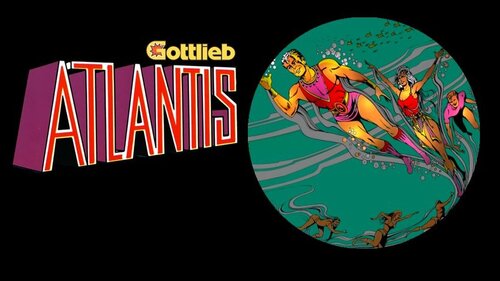
Atlantis tutorial HD.mp4
By Rumbaabaa
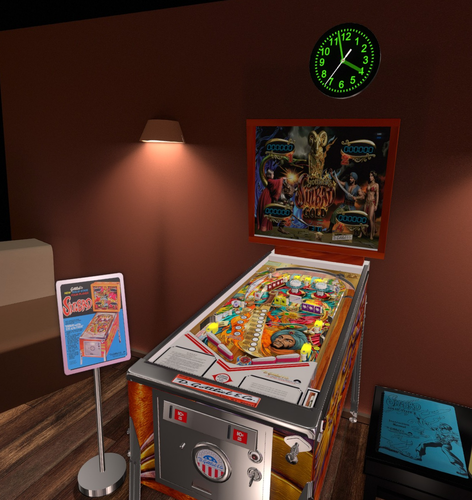
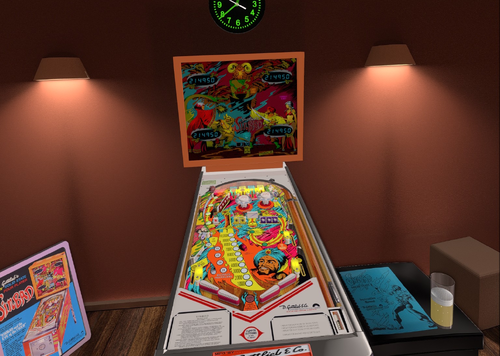
This video is an in-depth tutorial for Atlantis (Gottlieb 1975), breaking down the table elements, scoring and key shots. It’s designed to fit a cabinet backglass or widescreen monitor.
The video can be found on YouTube at: www.youtube.com/@RumbaabaaPinVids.
Massive thanks to the incredible creators who make the virtual tables. This is a small thank-you, and hopefully a help to players.
14 downloads
(0 reviews)0 comments
Submitted
-
.thumb.jpg.8faa27baad5a404ecdd9e249ca66412d.jpg)
Adventure Pinball: Forgotten Island (Electronic Arts 2001) Media Files & Cabinet Instructions
By SixOfTwelve
Oh good, you're here. Have a seat, you almost missed the latest episode of
Let's Put Things On Cabinets That Were Never Meant To Be On Cabinets!
Today we open the door, get on the floor, and walk the dinosaur as we journey to Adventure Pinball: Forgotten Island, published in 2001 by Electronic Arts. Set on a remote prehistoric island, the game is famous for bending the Unreal engine, generally used for first-person shooters, to create a pinball simulation instead. The playfield layouts are varied (if a tad confusing sometimes) and make great use of the 3D environment. While the ball physics aren't all up to scratch, the game holds a certain early-2000s charm and flows very well.
The included AutoHotKey script rotates the playfield to portrait mode, covers the backglass and DMD screen with filler images, mounts the game's CD-ROM image (the game plays audio tracks from CD) and maps your cabinet's buttons to the game's keys.
There is also an option in the script to use JoyToKey for your cab's analog device, so if you prefer, you can nudge by hitting the cab instead of hitting buttons, and use the plunger to launch the ball.
Included media:
2 backglass images (one in 4:3 and one in 16:9 format) a company logo 2 DMD images, one for the frontend and a filler image used by the script (taken from the game's CD inlay) 2 flyer images (the game back and front cover, courtesy of MobyGames) 21 instruction cards (taken from the game's PDF manual) table audio (recorded from the game) a table video 2 wheel images (large and smaller)
As usual, the script needs to be adapted to your system, but no fear - it's extensively annotated. Please take a good long look through it before asking for help in the comments section.
I'll gladly try to help, but please do make an effort first.
Share and enjoy!
SOME MORE NOTES:
Where to get it:
Unfortunately, at the time of this posting, Adventure Pinball: Forgotten Island is not available on GOG or other sales platforms, so eBay may be your best legal option.
How to run it:
OK, this will require a bit of work.
Start the Setup.exe from the CD-ROM and install the game into a directory of your choice. Make sure to also install the DirectX files it offers. When you first start up the game, it will ask you which graphics mode to use: I found that for me, the "3dfx Glide for Windows" option worked best. Your mileage may vary. Make sure to set the graphics resolution to 800x600, which is the highest it will allow. Your game CD then needs to be converted into the .BIN/.CUE image format (since an .ISO image won't save the audio tracks). There are several tools available to do this for you, but that's beyond the scope of this post. To mount the CD image, I use the free version of Alcohol 52% on my cab. If you're using something else to mount .BIN/.CUE images, you need to change the command line at the appropriate place in the script. Even with all that, there is a possibility the game won't launch since it won't recognize the mounted CD image as a true CD-ROM. My advice is not to Abandon hope, but to look Ware you can find a patch. It should be noted that use of these kinds of patches can be a legally gray area. Check your local jurisdiction and make sure you own a legal copy of the game. I've read some comments where people said the PB.exe that starts the game needs to be run as administrator or in compatibility mode with Windows XP, but it actually ran without problems for me in normal mode. For a quicker game start, rename or delete the intro1.mpg file in the game's "System" folder.
AI use disclaimer:
The game's packaging cover image was upscaled and expanded in FreePik, and then further edited in Photoshop to create the backglasses.
The images for the wheel and DMD were also upscaled in FreePik, and then further edited in Photoshop.
14 downloads
-
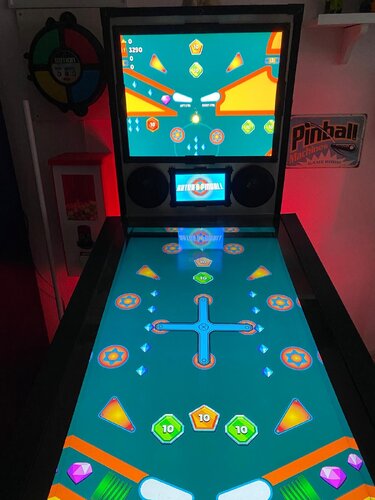
Artur's Pinball (Proativ Games 2023) Media Files & Cabinet Instructions
By SixOfTwelve
Well, your test results are back and everything looks great. Looks like you've been taking your daily dose of
Let's Put Things On Cabinets That Were Never Meant To Be On Cabinets!
Today we're going down to the bargain basement to take a peek at Artur's Pinball, a 2023 indie game. Thanks to @iwantpinball for bringing it to my attention!
The game stakes its claim firmly on the casual side of pinball sims, with a few interesting features that make it stand out from the masses of shovelware: The ball seems to have its own momentum, so trapping it on a flipper will not work since it'll keep moving, which inevitably leads to faster-paced gameplay. Breakable targets with a visible countdown number (hit them X amount of times and they disappear) will open up the larger playfield where spinning wheels, launchpads and other tricks await you.
While the game can be played in portrait mode, the field of view becomes so narrow that planning shots and reacting in time becomes next to impossible.
That's why the included AutoHotKey script moves the game to the backglass, covers the playfield and DMD screen with filler images, and maps your cabinet's buttons to the game's keys.
There is also an option in the script to use JoyToKey for your cab's analog device, so if you prefer, you can nudge by hitting the cab instead of hitting a button.
There's some media included (unfortunately not much was available):
a backglass frontend video (in 4:3 format - if you have a 16:9 backglass screen you'll have to record your own) a company logo 2 DMD images, one for the frontend and a filler image used by the script (taken from the game's Steam page) 2 instruction cards, depending on how you set up your nudging table audio (recorded from the game) 2 table images (one for the frontend, one for use in the script - they're the same image, but for some reason the two need different rotation directions) a wheel images (taken from the game title screen)
As usual, the script needs to be adapted to your system, but no fear - it's extensively annotated. Please take a good long look through it before asking for help in the comments section right away.
I'll gladly try to to help, but please do make an effort first.
Share and enjoy!
SOME MORE NOTES:
Where to get it:
Artur's Pinball is available on Steam. At the time of this posting, it's on sale for less than a dollar, so you're not going to break the bank if you want to give it a try.
How to run it:
Being from 2023, the game should run "out of the box" on modern systems, but being a Steam game, the Steam client will launch along with it and hang around in the background. If you don't mind that, fine.
However, if you have an offline cabinet and want to run the game without the Steam client popping up:
Download the Goldberg Emulator and extract the steam_api64.dll. Go to your game folder and navigate to the \ARTURS PINBALL_Data\Plugins\x86_64 folder. Rename or backup the original steam_api64.dll and replace it with the one from step 1. Create a simple Notepad text file in the same folder, name it steam_appid.txt and paste the game's Steam ID into it. You can find the ID number in the URL of the game's Steam website. Running the game's EXE file should now work without Steam. It should be noted that use of a Steam emulator can be a legally gray area. Check your local jurisdiction and make sure you own a legal copy of the game.
AI use disclaimer:
The "nudge" hand in the instruction card was created with ChatGPT, and the DMD filler image was upscaled and extended with Freepik.
6 downloads
(0 reviews)0 comments
Submitted
-
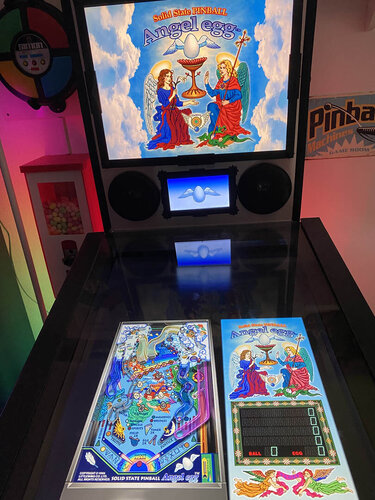
Angel Egg (LittleWing 1996) Media Files & Cabinet Instructions
By SixOfTwelve
In today's edition of
Let's Put Things On Cabinets That Were Never Meant To Be On Cabinets!
we're working our way up the catalogue of Japanese studio LittleWing with Angel Egg, released in 1996 for Windows and Macintosh.
The included AutoHotKey script rotates the playfield to portrait mode, lowers the resolution to 1024x1080, fills the backglass and DMD screens with decorative images, launches the game and maps the keys to standard cabinet buttons.
I've included
the AutoHotKey launch script, fully annotated (please go through it and adapt the variables to your system before running it!) a DDrawCompat INI file for the resolution - see further below under "How to run it" a DMD filler images for in-game purposes a backglass image (also usable for your frontend of choice), in both 4:3 and 16:9 formats
Also, tons of frontend media:
2 flyer images (images of the only packaging that I could find, courtesy of Japanese marketplace site Mercari) 22 instruction cards (taken from the official PDF guide) table audio (recorded directly from the game) table image (an upscale of the playfield) company logo (taken from Crystal Caliburn's official PDF guide) a wheel logo
Share and enjoy!
SOME MORE NOTES:
Where to get it:
The company's website at www.littlewingpinball.com is still up, and you can download the demo version of the game there. It needs to be be unlocked to full version with a code you could once buy at the website store, but that store has been "out of service due to a maintenance" since 2013. Never fear though, just browse any Archive that's reasonably well Organized, and put a Pin in it 😉
How to run it:
Angel Egg will crash on modern systems since it uses an obsolete DirectX version. Go to https://github.com/narzoul/DDrawCompat/releases and download the latest version (expand the "Assets" tab under the latest post and get the ZIP file). Unzip and put the ddraw.dll file into your Angel Egg game directory. This Media Pack includes a file called DDrawCompatOverlay-A_EGG.ini that needs to be dropped into the same folder, as it will tell DDrawCompat what resolution to use.
AI use disclaimer:
The backglass image is based on an in-game screenshot, upscaled and enhanced with FreePik. I added clouds and tweaked it further in Photoshop. The wheel logo and the winged egg image for the DMD are also based on the AI upscale and were isolated with the help of ChatGPT.
45 downloads
(0 reviews)0 comments
Updated

CabCapture.thumb.png.a2c00b61a6b7043444898e3394166c93.png)
FS-DT-VRSoundMODv1_0DT.thumb.PNG.2a85890970d2bfab35d2d7a79c1e7838.PNG)
SoundMODv1_0a.thumb.PNG.564dbfe3b1d4c963de4833fc9299394b.PNG)
.thumb.png.fcf8d2ea2a552dca023d7ef142b6c01e.png)
BG.thumb.jpg.995fda378a6992a25dde673780d8ffbf.jpg)
BG.thumb.jpg.9ae774d9dd3c89bcf3a7127b7b6e2bf4.jpg)

Screenshot.thumb.jpg.37e9d9318702d5be4bbcef1f48c3ef2b.jpg)
backglassipdbphoto.thumb.jpg.686fb4e0c5d8440ded220a6fa42f7b81.jpg)

.thumb.png.d8cc99bb9a5b89cbf721c9f788682d36.png)
.thumb.png.08e7e8beebe6f66ccf2a748c7496a268.png)
.thumb.png.ea87133bf01ad97336c3abb66b9a052e.png)
.thumb.png.7f644d5a7b553abe19b20ff29c3722b1.png)








.thumb.jpeg.e47615603d7ef896f4a724574c81e815.jpeg)
.thumb.jpg.d03bc60844ec7cf8ff66b35866f30f5c.jpg)
.thumb.png.72d01d3ef8e786e6cf22b6f6be6d9036.png)
FullDMD.thumb.jpg.b00a0f52c9de3d5f472ba9b78ac04be9.jpg)
FullDMD.thumb.jpg.4b383074a895b40c044412d571ab614b.jpg)
FullDMD.thumb.jpg.e0f5bcd686d8c8dc2e8e07de47a21928.jpg)

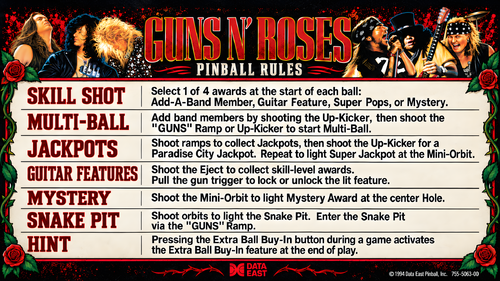
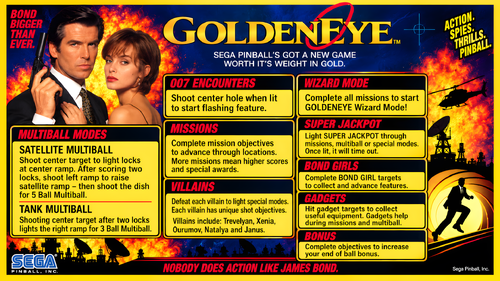
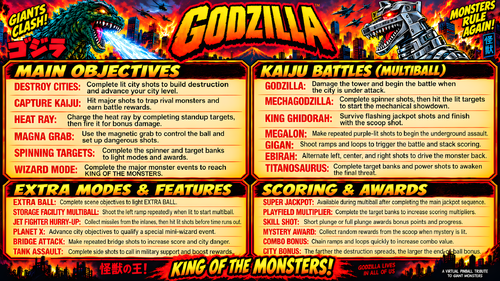
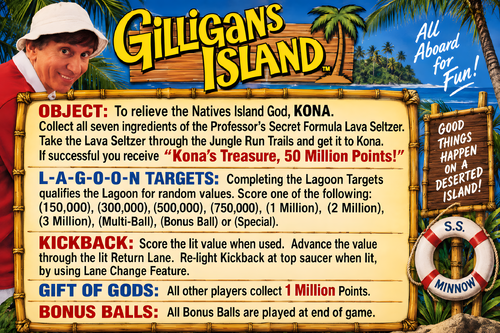
.thumb.png.97a6e70b307e8ce8d1c2f9616dd0bed5.png)


InstructionCard2.thumb.png.35487dbc647c5650e4db5e30b7165d07.png)


