No files in this category yet.
Files From Subcategories
-
Star Fox Front End AUDIO & LAUNCH .mp3's
By TallThin1
Starfox AUDIO.mp3 Starfox LAUNCH.mp3100 downloads
(0 reviews)0 comments
Submitted
-
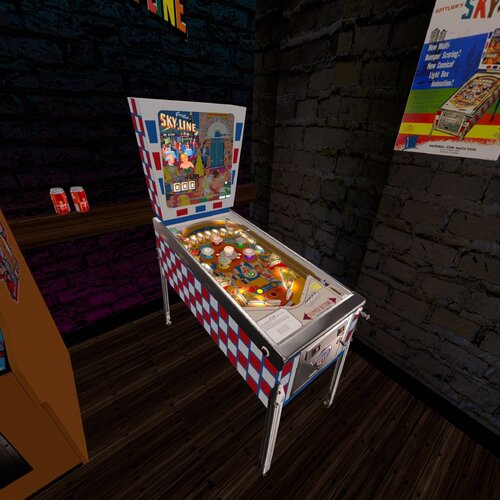
.thumb.jpg.c5cff02922d91eb01593e208485bd364.jpg)
Sky Line (Gottlieb 1965) clear wheel logo 4K
Logo taken from backglass, upscaled and restored for high resolution and cleaned up, optimized for 2K/4K frontends
Providing files optimized for 1440p cabinet mode in PinballX and maximum available resolution.
PinballX is using 70% of the respective screen width for the logo display at a 1.66 aspect ratio, so the provided optimized version is set at 1008px max width / 605px max height to avoid internal downscaling/upscaling of the frontend that might introduce unwanted artifacts, moiree or aliasing effects.
DOWNLOAD ALL LOGOS (2000+) at this link: https://mega.nz/folder/22pRyY6K#t9cVLDbWaIlyDflG_QVTjw
15 downloads
(0 reviews)0 comments
Submitted
-
.thumb.jpg.19e2ff300c0b6e467a84ef0cbe346985.jpg)
Sky Kings (Bally 1974) clear wheel logo 4K
Logo taken from backglass, upscaled and restored for high resolution and cleaned up, optimized for 2K/4K frontends
Providing files optimized for 1440p cabinet mode in PinballX and maximum available resolution.
PinballX is using 70% of the respective screen width for the logo display at a 1.66 aspect ratio, so the provided optimized version is set at 1008px max width / 605px max height to avoid internal downscaling/upscaling of the frontend that might introduce unwanted artifacts, moiree or aliasing effects.
DOWNLOAD ALL LOGOS (2000+) at this link: https://mega.nz/folder/22pRyY6K#t9cVLDbWaIlyDflG_QVTjw
11 downloads
(0 reviews)0 comments
Submitted
-
.thumb.jpg.b21f22e24be866c22c2f41c9780c4ef7.jpg)
Sittin' Pretty (Gottlieb 1958) clear wheel logo 4K
Logo taken from backglass, upscaled and restored for high resolution and cleaned up, optimized for 2K/4K frontends
Providing files optimized for 1440p cabinet mode in PinballX and maximum available resolution.
PinballX is using 70% of the respective screen width for the logo display at a 1.66 aspect ratio, so the provided optimized version is set at 1008px max width / 605px max height to avoid internal downscaling/upscaling of the frontend that might introduce unwanted artifacts, moiree or aliasing effects.
DOWNLOAD ALL LOGOS (2000+) at this link: https://mega.nz/folder/22pRyY6K#t9cVLDbWaIlyDflG_QVTjw
9 downloads
(0 reviews)0 comments
Submitted
-
.thumb.jpg.9d41fd95e608cb1ef342fd54d0611cc2.jpg)
Sinbad (Gottlieb 1978) clear wheel logo 4K
Logo taken from backglass, upscaled and restored for high resolution and cleaned up, optimized for 2K/4K frontends
Providing files optimized for 1440p cabinet mode in PinballX and maximum available resolution.
PinballX is using 70% of the respective screen width for the logo display at a 1.66 aspect ratio, so the provided optimized version is set at 1008px max width / 605px max height to avoid internal downscaling/upscaling of the frontend that might introduce unwanted artifacts, moiree or aliasing effects.
DOWNLOAD ALL LOGOS (2000+) at this link: https://mega.nz/folder/22pRyY6K#t9cVLDbWaIlyDflG_QVTjw
18 downloads
(0 reviews)0 comments
Submitted
-
.thumb.jpg.8b7e49de74e45b5963887d0ef99c0276.jpg)
Silver Cup (Genco 1933) clear wheel logo 4K
Logo taken from backglass, upscaled and restored for high resolution and cleaned up, optimized for 2K/4K frontends
Providing files optimized for 1440p cabinet mode in PinballX and maximum available resolution.
PinballX is using 70% of the respective screen width for the logo display at a 1.66 aspect ratio, so the provided optimized version is set at 1008px max width / 605px max height to avoid internal downscaling/upscaling of the frontend that might introduce unwanted artifacts, moiree or aliasing effects.
DOWNLOAD ALL LOGOS (2000+) at this link: https://mega.nz/folder/22pRyY6K#t9cVLDbWaIlyDflG_QVTjw
10 downloads
(0 reviews)0 comments
Submitted
-
.thumb.JPG.322005819bb5dabe7a637f3c36a490b0.JPG)
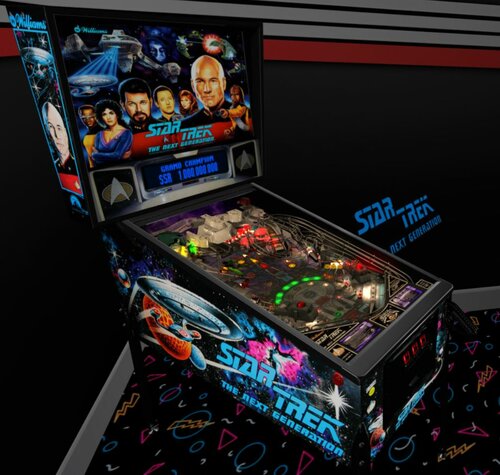
Star Trek - The Next Generation (Williams 1993) - Vpx Video Instruction (French audio)
By pat852
Bonjour à tous
Voici une nouvelle traduction audio française des instructions vidéo de KONGEDAM. Merci à LAURENT FAGET pour sa participation
La trente-et-unième publication est « Star Trek - The Next Generation (Williams 1993) ».
Celle-ci sera la dernière pour le moment.
Si vous souhaiter nous aider pour les traductions contacter moi en Message privé.
Le process est assez simple je génère un fichier texte de la traduction française « brute » de la vidéo.
Vous corrigez dans le fichier texte les anomalies de traduction de l’I.A et je renvois la traduction corrigée dans Clidéo pour génération de la vidéo traduite.
En plus cela vous permet d’avoir la vidéo traduite d’une table que vous affectionné non encore traitée.
Hello everyone
Here is a new French audio translation of the KONGEDAM video instructions. Thanks to LAURENT FAGET for his participation.
The thirty-first release is « Star Trek - The Next Generation (Williams 1993) ».
This will be the last one for now.
If you would like to help us with translations, please contact me via private message.
The process is quite simple: I generate a text file of the "raw" French translation of the video.
You correct any AI translation errors in the text file, and I send the corrected translation back to Clideo to generate the translated video.
In addition, this allows you to have a translated video of a table you like that hasn't been processed yet.
26 downloads
(0 reviews)0 comments
Submitted
-
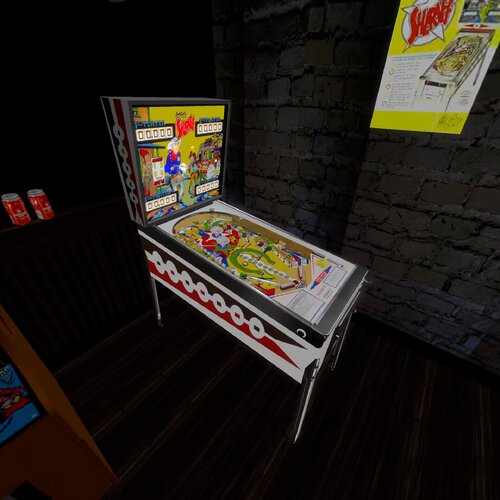
-v55_VPX8.thumb.jpg.8a6d4580e08f770d41275526f24d747a.jpg)
Shark (Taito do Brasil 1982) clear wheel logos 4K
Logo taken from backglass, upscaled and restored for high resolution and cleaned up, optimized for 2K/4K frontends
Providing files optimized for 1440p cabinet mode in PinballX and maximum available resolution.
PinballX is using 70% of the respective screen width for the logo display at a 1.66 aspect ratio, so the provided optimized version is set at 1008px max width / 605px max height to avoid internal downscaling/upscaling of the frontend that might introduce unwanted artifacts, moiree or aliasing effects.
DOWNLOAD ALL LOGOS (2000+) at this link: https://mega.nz/folder/22pRyY6K#t9cVLDbWaIlyDflG_QVTjw
31 downloads
(0 reviews)0 comments
Submitted
-
.thumb.jpg.4fec5f5a344fcb23ca63017d089c30a8.jpg)
Sheriff (Gottlieb 1971) clear wheel logo 4K
Logo taken from backglass, upscaled and restored for high resolution and cleaned up, optimized for 2K/4K frontends
Providing files optimized for 1440p cabinet mode in PinballX and maximum available resolution.
PinballX is using 70% of the respective screen width for the logo display at a 1.66 aspect ratio, so the provided optimized version is set at 1008px max width / 605px max height to avoid internal downscaling/upscaling of the frontend that might introduce unwanted artifacts, moiree or aliasing effects.
DOWNLOAD ALL LOGOS (2000+) at this link: https://mega.nz/folder/22pRyY6K#t9cVLDbWaIlyDflG_QVTjw
14 downloads
(0 reviews)0 comments
Submitted
-
-v55_VPX8.thumb.jpg.d4ba8130d282f76cd2f1e17cd7632aac.jpg)
Sherokee (Rowamet 1978) clear wheel logos 4K
Logo taken from backglass, upscaled and restored for high resolution and cleaned up, optimized for 2K/4K frontends
Providing files optimized for 1440p cabinet mode in PinballX and maximum available resolution.
PinballX is using 70% of the respective screen width for the logo display at a 1.66 aspect ratio, so the provided optimized version is set at 1008px max width / 605px max height to avoid internal downscaling/upscaling of the frontend that might introduce unwanted artifacts, moiree or aliasing effects.
DOWNLOAD ALL LOGOS (2000+) at this link: https://mega.nz/folder/22pRyY6K#t9cVLDbWaIlyDflG_QVTjw
15 downloads
(0 reviews)0 comments
Submitted
-
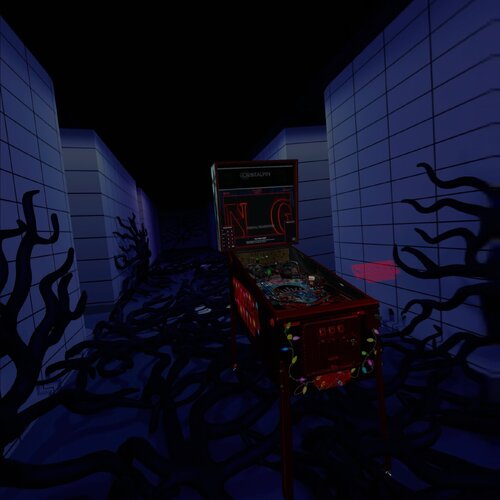
-(VR-Room)-1.0.0.thumb.jpg.486f33bf15280b4cd4a6eb457142dba1.jpg)
Ship Ahoy (Gottlieb 1976) clear wheel logo 4K
Logo taken from backglass, upscaled and restored for high resolution and cleaned up, optimized for 2K/4K frontends
Providing files optimized for 1440p cabinet mode in PinballX and maximum available resolution.
PinballX is using 70% of the respective screen width for the logo display at a 1.66 aspect ratio, so the provided optimized version is set at 1008px max width / 605px max height to avoid internal downscaling/upscaling of the frontend that might introduce unwanted artifacts, moiree or aliasing effects.
DOWNLOAD ALL LOGOS (2000+) at this link: https://mega.nz/folder/22pRyY6K#t9cVLDbWaIlyDflG_QVTjw
13 downloads
(0 reviews)0 comments
Submitted
-
.thumb.jpg.353c73be36e6593e8814329e6b2d2fa4.jpg)
Ship Mates (Gottlieb 1964) clear wheel logo 4K
Logo taken from backglass, upscaled and restored for high resolution and cleaned up, optimized for 2K/4K frontends
Providing files optimized for 1440p cabinet mode in PinballX and maximum available resolution.
PinballX is using 70% of the respective screen width for the logo display at a 1.66 aspect ratio, so the provided optimized version is set at 1008px max width / 605px max height to avoid internal downscaling/upscaling of the frontend that might introduce unwanted artifacts, moiree or aliasing effects.
DOWNLOAD ALL LOGOS (2000+) at this link: https://mega.nz/folder/22pRyY6K#t9cVLDbWaIlyDflG_QVTjw
13 downloads
(0 reviews)0 comments
Submitted
-
1.3_0a.thumb.jpg.0def1d82bd12a41d8cef9929131a4c59.jpg)
Space Gambler (Playmatic 1978) clear wheel logo 4K
Logo taken from backglass, upscaled and restored for high resolution and cleaned up, optimized for 2K/4K frontends
Providing files optimized for 1440p cabinet mode in PinballX and maximum available resolution.
PinballX is using 70% of the respective screen width for the logo display at a 1.66 aspect ratio, so the provided optimized version is set at 1008px max width / 605px max height to avoid internal downscaling/upscaling of the frontend that might introduce unwanted artifacts, moiree or aliasing effects.
DOWNLOAD ALL LOGOS (2000+) at this link: https://mega.nz/folder/22pRyY6K#t9cVLDbWaIlyDflG_QVTjw
12 downloads
(0 reviews)0 comments
Submitted
-
.thumb.jpg.331ca362ee17bc749134178729b7604d.jpg)
Space Train (MAC 1987) clear wheel logos 4K
Logo taken from backglass, upscaled and restored for high resolution and cleaned up, optimized for 2K/4K frontends
Providing files optimized for 1440p cabinet mode in PinballX and maximum available resolution.
PinballX is using 70% of the respective screen width for the logo display at a 1.66 aspect ratio, so the provided optimized version is set at 1008px max width / 605px max height to avoid internal downscaling/upscaling of the frontend that might introduce unwanted artifacts, moiree or aliasing effects.
DOWNLOAD ALL LOGOS (2000+) at this link: https://mega.nz/folder/22pRyY6K#t9cVLDbWaIlyDflG_QVTjw
16 downloads
(0 reviews)0 comments
Submitted
-
.thumb.jpg.32026694899346edeb17bd3385c45d95.jpg)
Spanish Eyes (Williams 1972) clear wheel logo 4K
Logo taken from backglass/flyer, upscaled and restored for high resolution and cleaned up, optimized for 2K/4K frontends
Providing files optimized for 1440p cabinet mode in PinballX and maximum available resolution.
PinballX is using 70% of the respective screen width for the logo display at a 1.66 aspect ratio, so the provided optimized version is set at 1008px max width / 605px max height to avoid internal downscaling/upscaling of the frontend that might introduce unwanted artifacts, moiree or aliasing effects.
DOWNLOAD ALL LOGOS (2000+) at this link: https://mega.nz/folder/22pRyY6K#t9cVLDbWaIlyDflG_QVTjw
22 downloads
(0 reviews)0 comments
Submitted
-
.thumb.jpg.d9de490753ffb7d9009e9cfd6fc92313.jpg)
Spark Plugs (Williams 1951) clear wheel logo 4K
Logo taken from backglass, upscaled and restored for high resolution and cleaned up, optimized for 2K/4K frontends
Providing files optimized for 1440p cabinet mode in PinballX and maximum available resolution.
PinballX is using 70% of the respective screen width for the logo display at a 1.66 aspect ratio, so the provided optimized version is set at 1008px max width / 605px max height to avoid internal downscaling/upscaling of the frontend that might introduce unwanted artifacts, moiree or aliasing effects.
DOWNLOAD ALL LOGOS (2000+) at this link: https://mega.nz/folder/22pRyY6K#t9cVLDbWaIlyDflG_QVTjw
15 downloads
(0 reviews)0 comments
Submitted
-
.thumb.jpg.a433eb41ef3b65e7cda3dd0b75956286.jpg)
Spin Wheel (Gottlieb 1968) clear wheel logo 4K
Logo taken from backglass, upscaled and restored for high resolution and cleaned up, optimized for 2K/4K frontends
Providing files optimized for 1440p cabinet mode in PinballX and maximum available resolution.
PinballX is using 70% of the respective screen width for the logo display at a 1.66 aspect ratio, so the provided optimized version is set at 1008px max width / 605px max height to avoid internal downscaling/upscaling of the frontend that might introduce unwanted artifacts, moiree or aliasing effects.
DOWNLOAD ALL LOGOS (2000+) at this link: https://mega.nz/folder/22pRyY6K#t9cVLDbWaIlyDflG_QVTjw
11 downloads
(0 reviews)0 comments
Submitted
-
-bg.thumb.jpg.2c37a3d7db5c9950ddd3325fee1576d0.jpg)
Street Fighter II (Gottlieb 1993) clear wheel logos 4K
Logo taken from backglass, upscaled and restored for high resolution and cleaned up, optimized for 2K/4K frontends
Providing files optimized for 1440p cabinet mode in PinballX and maximum available resolution.
PinballX is using 70% of the respective screen width for the logo display at a 1.66 aspect ratio, so the provided optimized version is set at 1008px max width / 605px max height to avoid internal downscaling/upscaling of the frontend that might introduce unwanted artifacts, moiree or aliasing effects.
DOWNLOAD ALL LOGOS (2000+) at this link: https://mega.nz/folder/22pRyY6K#t9cVLDbWaIlyDflG_QVTjw
55 downloads
(1 review)0 comments
Submitted
-
.thumb.jpg.1471cc61a70ab4c60130c2c222b48fad.jpg)
Star Fox - Battle for Lylat (Original 2026) clear wheel logo 4K
Logo taken from backglass, upscaled and restored for high resolution and cleaned up, optimized for 2K/4K frontends
Providing files optimized for 1440p cabinet mode in PinballX and maximum available resolution.
PinballX is using 70% of the respective screen width for the logo display at a 1.66 aspect ratio, so the provided optimized version is set at 1008px max width / 605px max height to avoid internal downscaling/upscaling of the frontend that might introduce unwanted artifacts, moiree or aliasing effects.
DOWNLOAD ALL LOGOS (2000+) at this link: https://mega.nz/folder/22pRyY6K#t9cVLDbWaIlyDflG_QVTjw
39 downloads
(0 reviews)0 comments
Submitted
-

Serious Sam Pinball II (Original 2019) clear wheel logos 4K
Logo taken from backglass, upscaled and restored for high resolution and cleaned up, optimized for 2K/4K frontends
Providing files optimized for 1440p cabinet mode in PinballX and maximum available resolution.
PinballX is using 70% of the respective screen width for the logo display at a 1.66 aspect ratio, so the provided optimized version is set at 1008px max width / 605px max height to avoid internal downscaling/upscaling of the frontend that might introduce unwanted artifacts, moiree or aliasing effects.
DOWNLOAD ALL LOGOS (2000+) at this link: https://mega.nz/folder/22pRyY6K#t9cVLDbWaIlyDflG_QVTjw
20 downloads
(0 reviews)0 comments
Submitted
-
Serious Sam Pinball (Original 2017) clear wheel logo 4K
Logo taken from backglass, upscaled and restored for high resolution and cleaned up, optimized for 2K/4K frontends
Providing files optimized for 1440p cabinet mode in PinballX and maximum available resolution.
PinballX is using 70% of the respective screen width for the logo display at a 1.66 aspect ratio, so the provided optimized version is set at 1008px max width / 605px max height to avoid internal downscaling/upscaling of the frontend that might introduce unwanted artifacts, moiree or aliasing effects.
DOWNLOAD ALL LOGOS (2000+) at this link: https://mega.nz/folder/22pRyY6K#t9cVLDbWaIlyDflG_QVTjw
12 downloads
(0 reviews)0 comments
Submitted
-
.thumb.jpg.4d343dbe5333f736e47f79c3c47a60f4.jpg)
Seven Up (Williams 1969) clear wheel logo 4k
Logo taken from backglass, upscaled and restored for high resolution and cleaned up, optimized for 2K/4K frontends
Providing files optimized for 1440p cabinet mode in PinballX and maximum available resolution.
PinballX is using 70% of the respective screen width for the logo display at a 1.66 aspect ratio, so the provided optimized version is set at 1008px max width / 605px max height to avoid internal downscaling/upscaling of the frontend that might introduce unwanted artifacts, moiree or aliasing effects.
DOWNLOAD ALL LOGOS (2000+) at this link: https://mega.nz/folder/22pRyY6K#t9cVLDbWaIlyDflG_QVTjw
8 downloads
(0 reviews)0 comments
Submitted
-
.thumb.jpg.78c2a0aa717e087642e5ce72e8dfce05.jpg)
Seven-Seas (Gottlieb 1960) clear wheel logo 4K
Logo taken from backglass, upscaled and restored for high resolution and cleaned up, optimized for 2K/4K frontends
Providing files optimized for 1440p cabinet mode in PinballX and maximum available resolution.
PinballX is using 70% of the respective screen width for the logo display at a 1.66 aspect ratio, so the provided optimized version is set at 1008px max width / 605px max height to avoid internal downscaling/upscaling of the frontend that might introduce unwanted artifacts, moiree or aliasing effects.
DOWNLOAD ALL LOGOS (2000+) at this link: https://mega.nz/folder/22pRyY6K#t9cVLDbWaIlyDflG_QVTjw
8 downloads
(0 reviews)0 comments
Submitted
-
.thumb.jpg.7fe9a406731f088ac685deb9d640e3c1.jpg)
Stock Car (Gottlieb 1970) clear wheel logo 4K
Logo taken from backglass, upscaled and restored for high resolution and cleaned up, optimized for 2K/4K frontends
Providing files optimized for 1440p cabinet mode in PinballX and maximum available resolution.
PinballX is using 70% of the respective screen width for the logo display at a 1.66 aspect ratio, so the provided optimized version is set at 1008px max width / 605px max height to avoid internal downscaling/upscaling of the frontend that might introduce unwanted artifacts, moiree or aliasing effects.
DOWNLOAD ALL LOGOS (2000+) at this link: https://mega.nz/folder/22pRyY6K#t9cVLDbWaIlyDflG_QVTjw
11 downloads
(0 reviews)0 comments
Submitted
-
-2.0.thumb.jpg.f2617d2e282a8ce1e21d3aa172c800b4.jpg)
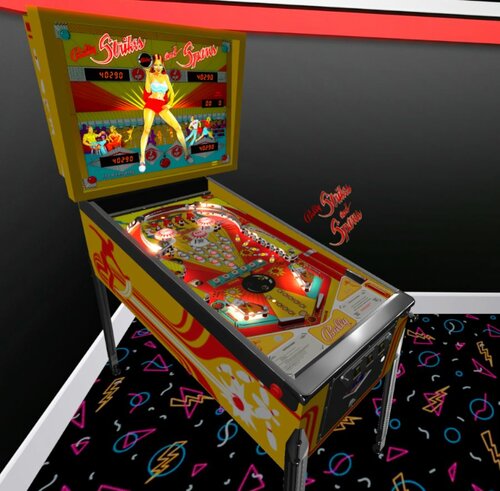
Strikes and Spares (Bally 1978) clear wheel logo 4K
Logo taken from backglass, upscaled and restored for high resolution and cleaned up, optimized for 2K/4K frontends
Providing files optimized for 1440p cabinet mode in PinballX and maximum available resolution.
PinballX is using 70% of the respective screen width for the logo display at a 1.66 aspect ratio, so the provided optimized version is set at 1008px max width / 605px max height to avoid internal downscaling/upscaling of the frontend that might introduce unwanted artifacts, moiree or aliasing effects.
DOWNLOAD ALL LOGOS (2000+) at this link: https://mega.nz/folder/22pRyY6K#t9cVLDbWaIlyDflG_QVTjw
10 downloads
(0 reviews)0 comments
Submitted
.thumb.png.ac04e4a6068190ce79a059e8504448a9.png)
![More information about "[VPURemix] The Flintstones Cartoon SE [Mod of G5K's v1.26]"](https://vpuniverse.com/screenshots/monthly_2026_01/CAB.thumb.jpg.5a44c6212978c094688bc3b71aa25ba0.jpg)

_DT.thumb.PNG.4147e760691bb9c1cc0c904920187c9b.PNG)
.thumb.png.61a9f15ce44df490c31bcd033021a692.png)
.thumb.png.a3e173f17d69fe94bca47c27225ef4bf.png)

.thumb.png.e8d923569c7ad8c0d8293085399d615a.png)
Illuminated.thumb.png.75d715670170e48968830f6d23115f86.png)
Illuminated.thumb.png.664aae020e341029e4b89a53e67488f4.png)
FullDMD.thumb.jpg.512a4da5dac469c30d30d4492c0317b4.jpg)
.thumb.jpg.a602513f0b53fe9c58c3f81d29fdb5e0.jpg)
.thumb.jpg.f166d4b0aac7996cb7c26b8e04d30d7b.jpg)
_dmd.thumb.png.df002d0c95792901ebb881b074855572.png)
.thumb.png.d149ff9925723a54025724409c89cdc0.png)
Wheel.thumb.png.3c759a45da5257e29a5a159a1bf70ed9.png)
.thumb.jpg.afbec040bacb0b32e1b036db5834e084.jpg)
.thumb.jpg.b3d8b9ce34b20092bc73e81a0f485304.jpg)
1.0.0.thumb.png.d74a1c4720c673917f3fc0fa19e510ad.png)
.thumb.jpg.bc4dbba2fc4e237a6f2c8235b4e36c48.jpg)
.thumb.jpg.7d28f432479c71519e1d4773450c8b4f.jpg)
_4k.thumb.jpg.7d5aa25e7bfc4d69e72e5b28c399da1d.jpg)
PuPPackWheel.thumb.png.eaae9c4ec1857bf51e246a141fb74ca1.png)
.thumb.png.a926f2ef37eb2169e5fd67adff46b67d.png)
t.thumb.png.c7dc295265f849da0f6f8d171f60c8f8.png)
.thumb.png.36ac0b70b581047878644237fc559459.png)

.thumb.png.35b172f2fb1a80a21ae173c315f0ae1d.png)