No files in this category yet.
Files From Subcategories
-

Pirates of the Caribbean PuP-Pack
By kcirrick
I have reconfigured some of the Screen options to make them more stable. Example: If you use a two screen version, place your DMD between the Aztec coins and it vanishes or the animations don't work correctly I've added a zip file here with some of the options modified. If you're not having any issues then you don't need to replace your PuP-Pack Options folders with this Pup-Pack_Options.zip file If you are having minor issues then this files includes all twelve options and may be your solution. Simply unzip and copy the option folder(s) of your choice into potc_600as and let it write over existing files. You don't have to download the entire pup-pack again. (You have the pup-pack zip file, but are encouraged to backup up existing files before writing over them.) Please be sure to share any issues so they can be addressed as quickly as possible.
I have not resolved the problem of some community members having an issue with animations on the Aztec coins not being transparent as so far I've been unable to duplicate it. I believe this issue sometimes happens on the two screen options. I will keep on it though even if it means completely redesigning those animations.
PuP-Pack_Options.zip
2522 downloads
-
 (0 reviews)
0 comments
Submitted
-
pl_Casino Style
By Spacegoogie
Made this playlist theme for all the card and casino style tables.
Found videos online and did some editing.
Have fun!
41 downloads
(0 reviews)0 comments
Submitted
-
Pinball FX FullDMD DMDext Frames ColorDMD for William/Bally tables
By brewedVFX
DMDext Frames for Pinball FX (2023) V1.4.1
As of FX 1.0.18 Hotfix - Coloured DMD's are broken
(Complete Rebuild in works, preview at bottom)
Below, you'll find all the details about the new features, enhancements, and instructions for setting up your system.
Version 1.4.1
External DMD for FX Features
ColorDMD for William/Bally Tables Alphanumeric Display High Quality DMD
Includes Frame Types:
SlimDMD - Ideal for DOT Matrix displays like Adams Family. Full DMD - Perfect for modern Zen tables like Wrath of the Elder Gods. Alphanumeric Display: Supports tables like Space Station, Whirlwind, and Sword of Fury.
Instructions for using the frames for Freezy DMDext
Generic FX Frames Resolutions: 1920x1080 (16:9) and 1920x1200 (16:10) Table Specific Frames Sorcerer's Lair (Table 33) - Free Table Dreamworks Tables Pack Kung-Fu Panda (Table 139) Trolls (Table 140) How to Train a Dragon (Table 141) BioLab (Table 27)
Performance Note:
Running a FULL DMD title (modern style) with Freezy DMDext has a significant performance impact.
It is advised to use Zen's internal DMD for these tables. Instructions on how to auto-switch between
them using Pinup are included in the download.
Important Note on scaletohd Setting:
Running scaletohd = true in DmdDevice.ini does not work properly, causing parts of the DMD to be hidden behind the frame.
A complete rebuild is planned to support scaletohd.
Setup Instructions:
File Placement: Place PNG files in VisualPinball\VPinMAME\DMDext\textures\frames DmdDevice.ini Configuration: Copy over the styles to your DmdDevice.ini, found in the download. (Found near top of INI) Add the Tables to your DmdDevice.ini (Add to end on INI)
Modifying Configurations:
Use a text editor like Notepad++ to modify your setup configurations.
To change from 1200 to 1080 screen setups, use Ctrl+H in your text editor.
You will need to modify the location to match your setup, using Replace, search 7920 and replace with your location
My screen location will be different to most users, so you need to change virtualdmd left = 7920 to match your setup.
Notepad++ screen
For Standard Slim, like Sorcerer's Lair :
For Williams/Bally Tables with ALTColor:
Color DMD Example
For ALT Color:
Inside VisualPinball\VPinMAME\ create a folder called altcolor
for example
C:\vPinball\VisualPinball\VPinMAME\altcolor
ALT Color Tables are as follows:
Folders are just the numbers like 108
108 - Fish Tales - Works Great (90%)
109 - Medieval Madness - Works Great (90%)
110 - Junkyard - Partially Works (Not recommended)
111 - The Getaway 2 - Works Great (Map, Ball 1 Lock, Video Mode wrong colours)
117 - Theatre of Magic - Works Great (95%)
118 - Black Rose - Bad (Missing text)
119 - Attack from Mars - Works Great (90%)
120 - Party Zone - Bad (Mostly mono colour)
121 - Champion Pub - Partially Works (Not Recommended)
122 - Safecracker - Works Great (85%)
124 - Whitewater - Works Great (Miss colour on a few frames)
125 - Roadshow - Partially Works (70%)
126 - Hurricane - Bad (Missing Text)
127 - Cirqus Voltaire - Partially Works (80%)
128 - No Good Gofers - Have no CMD for this
130 - Monsters Bash - Works Great
131 - Creature from the Black lagoon - Partially Works
132 - Tales of Arabian Nights - Partially Works
133 - Indiana Jones - Works Great
156 - Adams Family - Works Great
157 - World Cup Soccer - Works Great
162 - Twilight Zone - Partially Works
163 - Star Trek TNG - Partially Works
Alphanumeric Displays Configuration:
Supported Tables for Alphanumeric Display:
129 - Space Station (4 Alphanumeric Displays) 134 - Funhouse (2 Alphanumeric Displays) 135 - Dr. Dude (2 Alphanumeric Displays) 148 - Bride of Pinbot (2 Alphanumeric Displays) 149 - Sword of Fury (4 Alphanumeric Displays) 168 - Whirlwind (2 Alphanumeric Displays)
RudysArcade (AKA LoadedWeapon) Tutorial:
A detailed video tutorial by LoadedWeapon/Rudy is available for setup, easily adaptable to Version 1.2.
Pinup Popper
Pinball FX Launch Script:
@echo off
SET ALTPARAM=
if "[ALTMODE]"=="Arcade" (SET ALTPARAM=Arcade)
if "[ALTMODE]"=="Pro" (SET ALTPARAM=Pro)
if "[ALTMODE]"=="Classic" (SET ALTPARAM=Classic)
if "[ALTMODE]"=="Hotseat2" (SET ALTPARAM=Hotseat_2)
if "[ALTMODE]"=="Hotseat3" (SET ALTPARAM=Hotseat_3)
if "[ALTMODE]"=="Hotseat4" (SET ALTPARAM=Hotseat_4)
if "[ALTMODE]"=="Challenge_Distance" (SET ALTPARAM=Challenge_DistanceLimited)
if "[ALTMODE]"=="Challenge_Time" (SET ALTPARAM=Challenge_TimeLimited)
if "[ALTMODE]"=="Challenge_1Ball" (SET ALTPARAM=Challenge_BallLimited)
if "[ALTMODE]"=="Challenge_Flips" (SET ALTPARAM=Challenge_FlipLimited)
if "[ALTMODE]"=="Practice" (SET ALTPARAM=Practice)
SET CUSTOM1=
if "[custom1]"=="PFX" (SET CUSTOM1=Challenging)
if "[custom1]"=="FX3" (SET CUSTOM1=Normal)
REM - Add this to swap the cabinet.ini from SlimDMD to FULL DMD
cd /d "E:\SteamLibrary\steamapps\common\Pinball FX\PinballFX\Mods\Cabinet\"
if "[CUSTOM2]"=="FULLDMD" (
copy /y SettingsFULLDMD.ini Settings.ini
) else (
copy /y SettingsSlimDMD.ini Settings.ini
)
START "" "[STARTDIR]Launch\VPXSTARTER.exe" 5 5 20 "PinballFX"
cd /d "[DIREMU]"
START "" "steam.exe" -applaunch 2328760 -Table [?ROM?] -GameMode %ALTPARAM% -Physics %CUSTOM1%
Close Script:
"[STARTDIR]LAUNCH\PUPCLOSER.EXE" WINTIT "PinballFX" 4 1
1.3 Game Specific Frames
33 - Sorcerer's Lair based on @Zimond frame
DMDext Frames for FX Version 2.0 Preview
I'm excited to announce the upcoming release of DMDext Frames for FX Version 2.0!
This new version is a complete rebuild, designed to be fully compatible with all Full DMD setups.
Key Improvements:
Enhanced Compatibility: Version 1 only functioned correctly with 'DMDdevice.ini' settings of 'scaletohd = false.'
When set to 'true', parts of the DMD were hidden behind the frame, and the aspect ratio was distorted.
Even with maximum padding, some elements remained obscured.
New Configurations: The new version addresses these issues by introducing three frame configurations: Standard - Scaletohd = False HD Enabled - Scaletohd = True Alt - Alternative artwork or frame. Themes Generic Pinball FX Game Specific Frames Star Wars Theme Marvel Theme Legendary Theme
VERSION 1.4 .1 Game Specific Frames - Biolab
VERSION 1.4 Game Specific Frames - Dreamworks Table Pack
VERSION 1.3 Game Specific Frames - Sorcerer's Lair
VERSION 1.2 for Alphanumeric Display, Different Frames for different Setups (16:9, 16:10), Pinup setup for swapping between FULL DMD to Small DMD Modes
2039 downloads
-
Pirates Life FullDMD
By Fabouh
Hi ! =)
3 files: FullDMD and without DMD for Pirates Life 1920x1080 FHD.
Small novelty, I added a new file for vPinStudioapp users with a box which is not transparent, slightly opaque to show the scores
Enjoy !
646 downloads
- pirates life
- pirates
- (and 3 more)
-
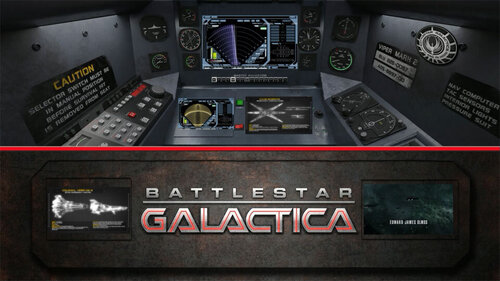
Pinball FX Battlestar Galactica fullDMD Video
By jeffh
Works on a fulldmd for this table - lower dmd position in pinball fx.
Opening theme music included from youtube in the event that someone can figure out how to have it play at a low level during gameplay.
If you use the lower fulldmd videos that were created by guet35, this frame uses the same dimensions to fit.
112 downloads
(0 reviews)0 comments
Submitted
-
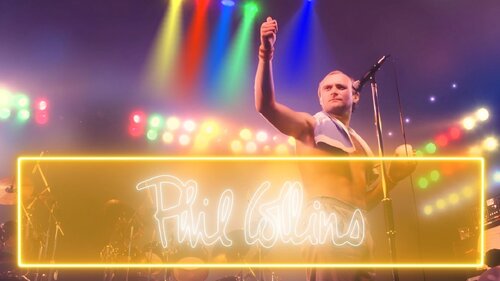
Phil Collins FullDMD
By Fabouh
Hi guy's !
3 files: FullDMD and without DMD for Phil Collins 1920x1080 FHD.
Small novelty, I added a new file for vPinStudioapp users with a box which is not transparent, slightly opaque to show the scores
Enjoy !
210 downloads
- phil collins
- fulldmd
- (and 2 more)
(0 reviews)0 comments
Submitted
-
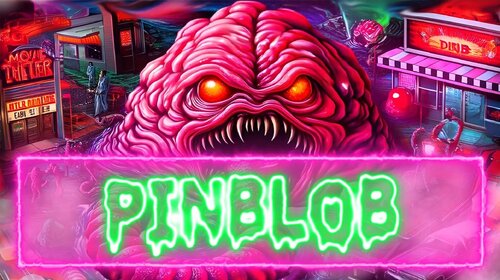
PinBlob FullDMD
By Fabouh
Hi guy's !
3 files: FullDMD and without DMD for PinBlob 1920x1080 FHD.
Small novelty, I added a new file for vPinStudioapp users with a box which is not transparent, slightly opaque to show the scores
Enjoy !
410 downloads
(2 reviews)0 comments
Submitted
-

Pup Pack It pinball madness FR
By chrispring
Pup Pack français pour la table It pinball madness.
Ce Pup Pack est complet, il n'y a pas besoin de la version originale.
Voilà tout de même le lien de la table et du Pup Pack original ( en anglais ).
Énorme merci à leurs créateurs
232 downloads
-
FullDMD.thumb.png.8abf82a5492974f55468223d42bb2e96.png)
Playboy (Stern 2002) FullDMD Video
By purcho
Full DMD video for Sterns Playboy.
Enjoy!
160 downloads
(0 reviews)0 comments
Submitted
-
-DMD-Background.thumb.jpg.18cb2b1c0028e8baa2a1acd20d2744a2.jpg)
Paranormal (Pinball FX) DMD Background
By Zimond
DMD Background Image for the table Paranormal from Zen's Pinball FX.
37 downloads
-
DMDUnderlay.thumb.jpg.e5af10518b28277e5a002265f5a3dd25.jpg)
Pasha (Pinball FX) DMD Underlay
By Zimond
DMD Background for the table Pasha by Zen's Pinball FX.
31 downloads
(0 reviews)0 comments
Submitted
-
Pinball M/Horror Themed T-Arc
By brewedVFX
Pinball M/Horror Themed T-Arc
-Recommended only if your already using T-Arc
Step 1: Media Manager
Step 2: Select Playlists (at top)
Step 3: Choose Pinball M or an Horror themed playlist
Step 4: Drop the PNG into the WheelBar
This is the first initial version, I plan to improving and clean the wheel up, also make T-Bar Version.
Works great with
122 downloads
-
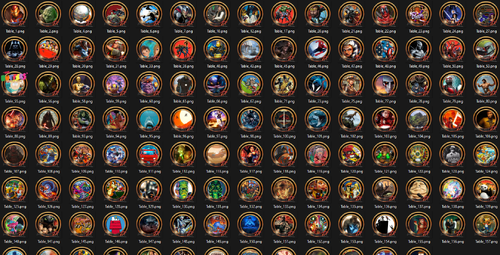
Pinball FX - Gold Wheels Pack
By hawkeyez88
Pinball FX Gold Wheels Pack. Updated to include all tables released prior to 2/20/24
706 downloads
-
-

Putin Vodka Mania PUP-pack
By GauGau
Instead of playing the music that is buit into @remdwaas1986' table "Putin Vodka Mania", the PUP-pack plays some videos that feature everyone's favorite mass-murderer and wanted war-criminal Vlad Putin.
Tracks:
There are 7 tracks in total, out of which 2 are in German (filenames starting with "DE"). All of them are not my own work, but have been taken from the internet. Delete the tracks you don't like. Add your own videos as you see fit.
Controls:
To accomplish the PUP-pack as a video jukebox I had to add some controls to the table script. During game play, you can go to another random track with the right magnasave button. Pressing the left magnasave button stops the playback. The gameplay itself doesn't have any impact on video playback.
When the pup-pack is enabled, the original music that comes with Remdaas' table is muted.
The PUP-pack controls exist in version 1.2 (or better) of the table
Instructions:
If you don't have v1.2 (or better) of the table "Putin Vodka Mania" by @remdwaas1986, download and extract it.
Download the PUP-pack and extract the folder "Putin" into your PUP-pack folder (usually something like C:\vPinball\PinUPSystem\PUPVideos).
The line
usePUP = true ' enable Pinup Player functions for this table. in the VPX script toggles the usage of the PUP-pack vs. music playback.
PUP-pack options:
The PUP-pack videos can be positioned on topper, backglass or full DMD screen, with or without an overlay. It comes with these options:
Video on backglass, no overlay Video on backglass with overlay-frame Video on fullDMD, no overlay Video on fullDMD with overlay-frame Video on topper, no overlay Video on backglass with B2S (supplied by @Justthebest , thank you) To apply any of them, execute the corresponding batch file in the PUP-folder (e.g. C:\vPinball\PinUPSystem\PUPVideos\Putin).
Enjoy
Joachim
414 downloads
(1 review)0 comments
Submitted
-
Pinball FX Centered DMD
By Skully63
Here is a Static DMD for Zen FX for those tables with no DMD art work or Animated DMD. It is perfectly centered for all FX tables/
78 downloads
-

Popper System Wheels - Lots of Colours!
By TerryRed
Add a little...or a lot of colour to Tarcisio Wheels for Pinup Popper, with new Coloured Popper System Wheels!
You now have the choice to use 8 different colours for all of the Popper System Wheels. Choose a single colour, or mix it up. The choice is now yours!
These wheels are in 1024x1024 resolution.
Included:
- Popper Systems Wheels - 8 Colours - PNG
- Playlist Wheels - 8 Colours - PSD
- Popper Table Wheel PNG
1118 downloads
-

PL_Pro Pinball
By brewedVFX
Pro Pinball Series (Playlist)
Files Included:
Playfield 1920x1080 Full DMD 1920x1080 Backglass 1920x1080 Wheel Other2 Playlist Badge
THIS IS A PINUP POPPER MEDIA PACK
To use a MediaPack on a playlist do the following:
Select a playlist (PL_Pro Pinball). Drag and Drop the Media Pack file on the Playfield box or any of the other boxes. Confirm by clicking ‘Yes’. It will basically extract the mediapack, take all the media and rename them so they match your playlist.
Other2 Playlist Badge - is a feature part of collection, it uses the other2 media placed below the clock/year.
These I will release as a full standalone pack with instructions.
Retrowave Media Packs
PL_FX3 Williams (Retrowave Theme)
PL_ALT Sounds/Pinsounds (Retrowave Theme)
PL_Arcade Games (Retrowave Theme)
PL_Most Played (Retrowave Theme)
PL_Recently Added (Retrowave Theme)
PL_Adult Tables (Retrowave Theme)
PL_Kids Tables (Retrowave Theme)
PL_Recently Played (Retrowave Theme)
PL_Random Tables (Retrowave Theme)
PL_Least Played (Retrowave Theme)
PL_Features (Retrowave Theme)
PL_FX3 Valve (Retrowave Theme)
PL_FX3 Zen Originals (Coming Soon)
PL_FX3 Universal (Coming Soon)
PL_FX3 Fox (Coming Soon)
PL_FX3 Bethesda (Coming Soon)
PL_FX3 Aliens (Coming Soon)
PL_Maunufacturers (Coming Soon)
PL_Favourite Tables (Coming Soon)
PL_PinEvent V2 (Coming Soon)
PL_PinEvent Lite (Coming Soon)
PL_VR Room (Coming Soon)
PL_Video Jukebox (Coming Soon)
PL_Jukebox (Coming Soon)
PL_A-Z (Coming Soon)
PL_Pinball FX2 (Coming Soon)
PL_Pinball FX3 (Coming Soon)
PL_Pinball FX(2023) (Coming Soon)
152 downloads
(3 reviews)0 comments
Submitted
-
Pinball FX Pinup Popper Theme Logo Video
By Diamond204
Looping video for use for your Pinup Popper theme for the relatively new Pinball FX platform.
Place as this file name here : \PinUPSystem\POPMedia\Pinball FX\SYSTEM\pup_default_BackGlass.mp4
199 downloads
(0 reviews)0 comments
Submitted
-
.thumb.png.50ccd8b3bec7ca8a7eea25da435f2393.png)
PinUP Popper - FullDMD Video - John Wick (BABAYAGA Pinball edition)
PinUP Popper - FullDMD Video - John Wick (BABAYAGA Pinball edition)
358 downloads
(0 reviews)0 comments
Submitted
-
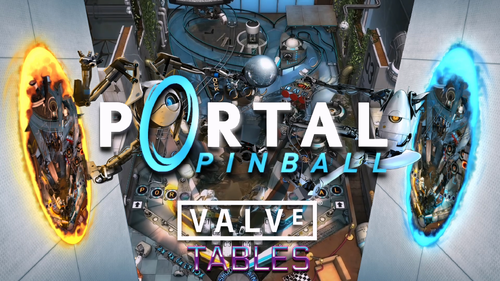
PL_FX3 Valve Tables (Retrowave Theme) with Topper
By brewedVFX
FX3 Valve (Playlist)
Files Included:
Playfield 1920x1080 Full DMD 1920x1080 Backglass 1920x1080 (With Audio) Wheel Other2 Playlist Badge Topper 1920x360
These videos are designed with a Retrowave theme, embracing the visual style reminiscent of the 1980s.
Part of a full collection, that will be available when complete.
THIS IS A PINUP POPPER MEDIA PACK
To use a MediaPack on a playlist do the following:
Select a playlist (Alt DMD). Drag and Drop the Media Pack file on the Playfield box or any of the other boxes. Confirm by clicking ‘Yes’. It will basically extract the mediapack, take all the media and rename them so they match your playlist.
Other2 Playlist Badge - is a feature part of collection, it uses the other2 media placed below the clock/year.
These I will release as a full standalone pack with instructions.
Retrowave Media Packs
PL_FX3 Williams (Retrowave Theme) PL_ALT Sounds/Pinsounds (Retrowave Theme) PL_Arcade Games (Retrowave Theme) PL_Most Played (Retrowave Theme) PL_Recently Added (Retrowave Theme) PL_Adult Tables (Retrowave Theme) PL_Kids Tables (Retrowave Theme) PL_Recently Played (Retrowave Theme) PL_Random Tables (Retrowave Theme) PL_Least Played (Retrowave Theme) PL_Features (Retrowave Theme) PL_FX3 Valve (This File) PL_FX3 Zen Originals (Coming Soon) PL_FX3 Universal (Coming Soon) PL_FX3 Fox (Coming Soon) PL_FX3 Bethesda (Coming Soon) PL_FX3 Aliens (Coming Soon) PL_Maunufacturers (Coming Soon) PL_Favourite Tables (Coming Soon) PL_PinEvent V2 (Coming Soon) PL_PinEvent Lite (Coming Soon) PL_VR Room (Coming Soon) PL_Video Jukebox (Coming Soon) PL_Jukebox (Coming Soon) PL_A-Z (Coming Soon) PL_Pinball FX2 (Coming Soon) PL_Pinball FX3 (Coming Soon) PL_Pinball FX(2023) (Coming Soon)91 downloads
(1 review)0 comments
Updated
-
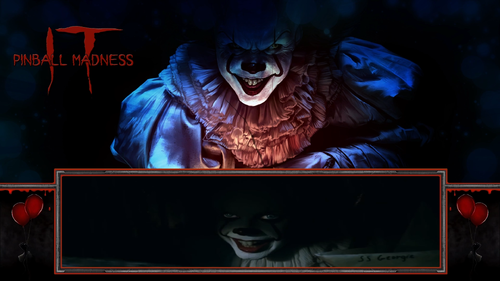
PinUP Popper - FullDMD Video - IT Pinball Madness
PinUP Popper - FullDMD Video - IT Pinball Madness
178 downloads
(0 reviews)0 comments
Submitted
-
-

.thumb.png.3f9f3a4dfbda28a294be17729b5fc521.png)
.thumb.jpg.43e8e593e06b822c89eaeeb98d31997e.jpg)
2.thumb.png.81ef2376f59b5b593bf11a00c7748a05.png)
.thumb.png.e7dc79548a983370f821704427f6da6b.png)
BG.thumb.jpg.f2a4f54dde2cdbe2faf1e56afb531dd2.jpg)
BG.thumb.jpg.ec48afe148c5178c194c4ebe183eec8e.jpg)
BG.thumb.jpg.8b11216f592066a6d57f75f8e8d108c5.jpg)
.thumb.png.7e39b856c278aa2d29655796dbfad341.png)
.thumb.png.f53cb093f5d7fff494df50b776000fbc.png)
.thumb.png.7a390501d23376646a2a0f0e33b753ba.png)

.thumb.png.7ab3abfb2b0b332e3a4f8c9aec6842af.png)

.thumb.png.881f566bf2e386f22e88d7a340c89c7a.png)
.thumb.png.5bf65b8edb243d54fcfac5c2c039a4be.png)
.thumb.png.9db5e75da7776edf4dbbfc91a7dd7397.png)
.thumb.png.fcb2cabb7aade7a67cf414e48a5abc7c.png)

.thumb.png.b1dd627e0875f024d1ead924536c0576.png)
.thumb.png.7aa4fda2cf9b6d28bd9f0742aafe87ca.png)
.thumb.png.bc38c35aac45153fca416cb56807b306.png)
(Small).thumb.png.bf9db81f76efa7c538e7d5f0cf012c2b.png)



FullDMD.thumb.jpg.1f77d9cee79b659368504e762548ead6.jpg)

.thumb.jpg.0690ad56e857dd3f59e890312fedaf7c.jpg)
.thumb.jpg.2ee1c7a4ee5b909156683151cac109d5.jpg)
.thumb.jpg.1e6543d61ddd6c62539cfa58910d4cdf.jpg)



.thumb.jpg.063ed4a20bfeafc78ad0f6483aa5b482.jpg)
Wheel.thumb.png.8c6ee8735e6f8588151f7757948df430.png)
.thumb.png.d8a09eb60093171064e33a6c7495968b.png)
.thumb.png.ba1139a3d514e38ecbab9a92a6dc04d7.png)
.thumb.jpg.52f236ea23dcee913b08d46b646dc681.jpg)
.thumb.jpg.693337290fa0ed4d90f4def7443090bd.jpg)
.thumb.jpg.6f3d49d8b28727bd92ad6c2c3ac1552a.jpg)
ComfyUI.thumb.jpg.49bfcb9ca4785d2ea15918a599cc724d.jpg)
.thumb.png.95d0789d9cff9cef5d6be97e2e2c8ba2.png)

wheel.thumb.png.14d205c9fc8ba6fb41967279ee445bb0.png)
9.thumb.png.a2b5f67fa1b913e2d6e0da6edb934d20.png)
.thumb.png.4963909f968996e30d2ff7ac67edbc74.png)

help.thumb.png.d4062b8594d8f9f46eac0a20c30f9a15.png)


