-
SYSTEM SEARCH
System Scanners Online:
Username: Guest
>> System Scan?
>> The Universe >
Incoming Message:
Due to system limitations searching with words of 3 or less characters will not return results. For instance; Doctor Who. This will not return results as the system is trying to search for both Doctor AND Who in which Who will not be found as it's a 3 character word. To find Doctor Who; you'd search for either Doctor or "Doctor Who".
Search Tips:
For specific searches; enclose your search with quotes. Example: "Doctor Who" or "Addams Family".
Search the Community
Showing results for tags 'dmdext'.
Found 5 results
-


Version 1.2
10694 downloads
Hi all ! I'm very excited and pleased to share with you the first release of a serum colorization project ! As you might know, it's a new open source format for DMD colors than will be able to run on Virtual DMD and devices. I would like to thank @zedrummer who develop the file format and the tools to use it, @ebor @peskopat @KRAKEN who are the early birds like me working on the format and spending hours debugging and improving the tools with zedrummer ! SPECIAL THANKS to @PastorLUL and @KRAKEN who worked on the last update correcting many glitches and enhancing the quality of this colorization ! To use serum files, you can have a look here : A discord channel is also here to help you get started, so do not hesitate to join us or look for help there : https://discord.gg/aK2dNaB6xR ROM version : ss_15 Language : ENGLISH Here's a preview of what you see : And a more complete in-game demonstration :- 133 comments
- 41 reviews
-
- 357
-

-
- ipdb3915
- scared stiff
- (and 10 more)
-
Version 0.1a
53 downloads
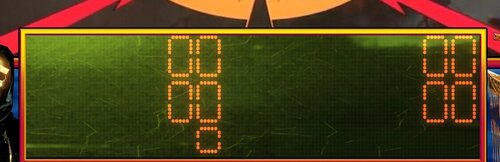
Enjoy a sampling of Glass overlay images to use with the latest DMD Extensions. If you're not a big fan of the broken, chipped and cracked versions that ship with the tool; have a look at some of these examples and feel free to use them any way you like. Nothing profound here just a little image editing and cleaning up around the edges. Requires the latest DMDExt as of writing which is Freezy's Amazing 2.2.0 I know not everyone is keen on jacking with their DMD, but I happen to love being able to make certain tables 'pop' with specific type of glass and color reflections. It adds just enough flair to make the tables unique. To use / Installation Instruction Simply extract the image files in the archive to your ..\VisualPinball\VPinMAME\DMDext\textures\glasses\ folder. They can either be manually input into the dmddevice.ini as new profiles, or they can be applied via the gui while it's running. [examples attached] Right click on a running vDMD and choose 'customize...'. You will be able to select one of these overlay glasses from the appropriate field in the UI, and apply to your table. You may also decide to edit your dmddevice.ini and include one of these glasses as part of a preset (examples within the dmddevice.ini inside your vPinMAME folder.). Or, create a brand NEW profile for use with your own creation ! :Pro-Tip: go into dmddevice.ini and copy the entire block for profile.default, paste it to the very bottom of the file and comment out every line of 'default' with a ; symbol. Save this change. Now you have a copy of your default in case you mess it up. Now, go into a table you want to modify and set it up the way you want with a glass, a frame, colors, whatever. On the bottom left you will see you can now 'save' this to a profile. Save it over default, or save it over another profile if you like. Close the table and go back into dmddevice.ini You will see your changes have been reflected in the block for profile.default. (if thats the profile you chose to save over) Now you can rename anywhere it says 'default' to some other name like 'Cool_Williams_Green_Theme' or whatever. Go down below and remove all the comments ; from your old default to make it active again. Save your dmddevice.ini You just created a new dmdext custom profile you can use on any table you want. Apologies for the poor res. on a few of the example images as I took these screen shots over a RustDesk session to my vPin Cabinet PC. These images may NOT be monetized in ANY way to include their inclusion in any retail or 'for resale' product. dmdext_style_example_Tronnish.txt-
- 8
-
-
- dmdext
- customization
- (and 1 more)
-

Version 1.0.0
49 downloads
LCARS-Frame for Star Trek Tables to use with DMDext. Put it in your Visual Pinball\VPinMAME\DMDext\textures\frames Folder and configure it. -

Version 1.0.0
61 downloads
This is a Spiderman Frame for DMDext put it in your Visual Pinball\VPinMAME\DMDext\textures\frames dir and configure it -

Version 1.10.0
706 downloads
This download links to the DMD Extensions GitHub repository. About DMD Extensions (some people keep calling it "freezy", but guys I'm just the author) is a frame grabber and DMD driver at the same time. It can also do frame coloring and has a nicely rendered virtual output for normal monitors. You probably want to use it if you: have a hardware DMD in your virtual cab, and want to use it for other games than VPX have a PinDMD3 or a PC monitor and want to colorize VPM games don't like VPM's DMD visuals and prefer something more configurable for your monitor DMD Extensions is free and open source, and you can read more about on its GitHub page. Feedback / Bug Reporting For feedback, please use our forum. If you find a bug, please report it as a GitHub issue. Here's how to do that.