
Jump to content

Big Bang Bar (Capcom 1996) VPW

  • Get Support
  • Create an account or sign in to download this
download_no_perm
100218 Views
18719 Downloads
4.9 From 107 reviews
293.15 MB File Size
bbb109 ROM Name
VPW Created by
VPW Scripting by
Capcom Manufacturer
1996 Year

3 Screenshots

Hey, pal, there’s a cover charge here!


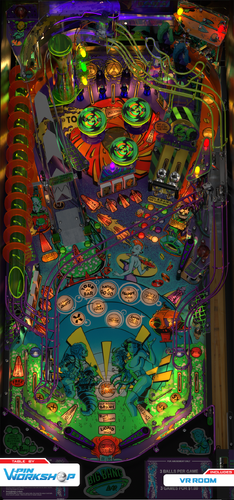
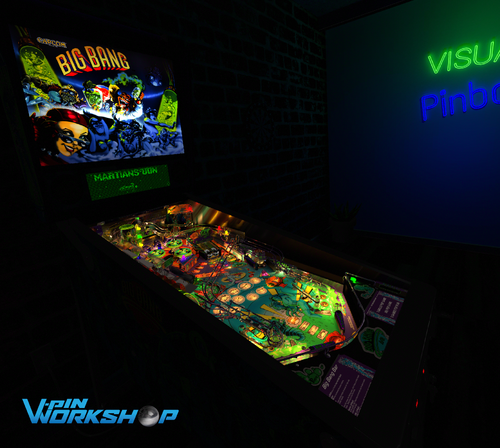
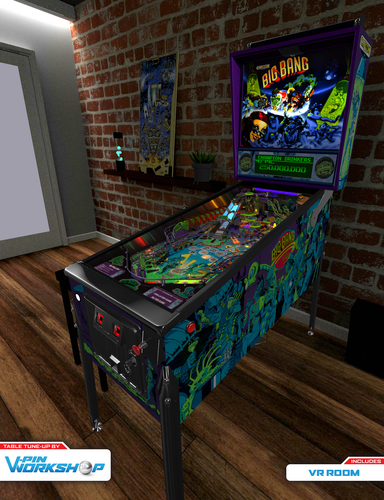
Welcome to the Big Bang Bar, the bangin’est place in the galaxy. We wondered, what table would be a good showpiece for some of the new lighting techniques that have been developed lately and BBB was a clear choice with amazing light shows. Plus, it’s just really fun. Have a drink, hit the mosh pit, and try not to get bounced!


Your VPW Big Bang Bartenders

  • Gedankekojote97: 3D rebuild and rendering with light mapper, nFozzy physics and Fleep sounds
  • Apophis: Light mapper script integration, tons of script updates, table rebuild #savetheballs
  • Rawd: New RGB VR room and VR cab setup
  • Leojreimroc: VR backglass (image by HauntFreaks)
  • ClarkKent: 2D and 3D assets, physics tweaks
  • Jsm174: VPX standalone support
  • Toxie: VPinMAME support
  • Sixtoe: Table cleanup
  • nFozzy: Improved alien animation
  • VPW Testers: bietekwiet, Primetime5k, PinStratsDan, HauntFreaks, Wylte, H3RBSKIx, RetroG33k, Lukpcn, Colvert, TastyWasps, Smaug


Special Thanks To

  • Niwak for creating the amazing blender toolkit!
  • Steely for the VR backbox hinge model and lava lamp code
  • UncleWilly, Jimmyfingers, Grizz, and Rom, the original team that made BBB in VP9 and FP
  • Ninuzzu and ClarkKent for their VPX conversion
  • The VPX and VPinMAME developers. Without them the party would have never started


Installation Notes:

The download zip file includes the VPX file and a NV ram file. Place the VPX file in your Tables folder and place the NV file in your >VPinMAME>nvram folder.


Version 2.0 Required Software:

VPX 10.8.0 RC3 or later: https://github.com/vpinball/vpinball/releases/tag/v10.8.0-1947-3b3f101
VPinMame 3.6.0-929 or later: https://github.com/vpinball/pinmame/releases/tag/v3.6.0-929-8c5f83e

Edited by VPinWorkshop
Ver 2.0 required software update

https://www.ipdb.org/machine.cgi?id=4001
https://vpuniverse.com/files/file/13633-big-bang-bar-capcom-1996-b2s-with-full-dmd/
Contact Author First.
10.8 required
Yes

What's New in Version 2.1   See changelog

Released

2.1 Update Summary:

  • Fix VR backglass drift issue. Fixed glass scratches option.


2.0 Update Summary:

  • New optimized renders with some improved models and materials
  • Lighting takes full advantage of PWM tech provided by new VPinMame
  • Optimized script to minimize stuttering
  • New dynamic shadows
  • Updated physics scripts and tricks
  • Tweak menu integration with rules card
  • Added outlane difficulty setting
  • Fixes to VR materials
     

Thanks to Apophis, Gedankekojote97, Sixtoe, ClarkKent, Niwak, and CarnyPriest for the updates. Thanks VPW testers for the round of testing. Next round is on us!

Thanks to the testers: Cliffy, Somatik, Studlygoorite, HayJay, geradg, DGrimmReaper, Rajo Joey, Robby King Pin

User Feedback

Recommended Comments


Cliffy

Posted

4 minutes ago, Magoober said:

still 4 color.

still4.PNG

what does dmddevice.log show in visualpiball folder?

Magoober

Posted

 [3] 2025/02/15 19:55:57.551  WARN | [serum] Error initializing colorizer: Unable to load DLL 'serum64.dll': The specified module could not be found. (Exception from HRESULT: 0x8007007E) System.DllNotFoundException: Unable to load DLL 'serum64.dll': The specified module could not be found. (Exception from HRESULT: 0x8007007E)
   at LibDmd.Converter.Serum.Serum.Serum_Load(String altcolorpath, String romname, Byte flags)
   at LibDmd.Converter.Serum.Serum..ctor(String altcolorPath, String romName, ScalerMode scalerMode)
   at LibDmd.Converter.Vni.ColorizationLoader.LoadSerum(String gameName, ScalerMode scalerMode)


Cliffy

Posted

16 minutes ago, Magoober said:
 [3] 2025/02/15 19:55:57.551  WARN | [serum] Error initializing colorizer: Unable to load DLL 'serum64.dll': The specified module could not be found. (Exception from HRESULT: 0x8007007E) System.DllNotFoundException: Unable to load DLL 'serum64.dll': The specified module could not be found. (Exception from HRESULT: 0x8007007E)
   at LibDmd.Converter.Serum.Serum.Serum_Load(String altcolorpath, String romname, Byte flags)
   at LibDmd.Converter.Serum.Serum..ctor(String altcolorPath, String romName, ScalerMode scalerMode)
   at LibDmd.Converter.Vni.ColorizationLoader.LoadSerum(String gameName, ScalerMode scalerMode)


looks like there is still a serum dll and it's trying to load it but since its now part of the dmddevice64.dll it can't.

This is what mine shows (expected since I dont have a real dmd)

[10] 2025/02/15 18:18:42.416  WARN |     -- Destination doesn't support RGB565 frames from converter, ignoring converter. 
[10] 2025/02/15 18:18:42.416  WARN |     -- Destination doesn't support colored 6-bit frames from converter, ignoring converter. 
[10] 2025/02/15 18:18:42.432  WARN |     -- Destination doesn't support RGB565 frames from converter, ignoring converter. 
[10] 2025/02/15 18:18:42.432  WARN |     -- Destination doesn't support colored 6-bit frames from converter, ignoring converter. 
 

Magoober

Posted

4 minutes ago, Cliffy said:

looks like there is still a serum dll and it's trying to load it but since its now part of the dmddevice64.dll it can't.

This is what mine shows (expected since I dont have a real dmd)

[10] 2025/02/15 18:18:42.416  WARN |     -- Destination doesn't support RGB565 frames from converter, ignoring converter. 
[10] 2025/02/15 18:18:42.416  WARN |     -- Destination doesn't support colored 6-bit frames from converter, ignoring converter. 
[10] 2025/02/15 18:18:42.432  WARN |     -- Destination doesn't support RGB565 frames from converter, ignoring converter. 
[10] 2025/02/15 18:18:42.432  WARN |     -- Destination doesn't support colored 6-bit frames from converter, ignoring converter. 
 

What would try to load a nonexistent dll? Is there a config file or possibly a registry entry?
 

dlls.png

trafficdawg

Posted

I am amazed! This table looks amazing and plays amazingly.  The color shift during play is frankly amazing.  Thanks for everyone who contributed to this table!


glendalemark67

Posted

Good day. I had the luxury to play the real Big Bang Bar the other day and I have one question about the virtual table. Is there an easy way to bump up the flipper strength a little bit? The real table seemed to have more powerful flippers than the virtual table. I am not fully versed in editing tables to change parameters in VisualPinball.


Regardless, this is a very fun and exciting table to play.


Thank you.

Lroy

Posted

Many thanks. Will give this table a try!

loonytu

Posted

how come no feed back on flippers only thanks

Smackx

Posted

Same... 222 and no dof

ThijsFTW

Posted (edited)

I love this table. The graphics are beautifully done by VPW and it plays great! Thank you so much for this release! 😍

I think I encounter some bugs, anyone else notice these? (Version 2.1)
- Sometimes the ball goes through the wall on the right flipper, resulting in a drain. (quite rare to happen)
- Sound sometimes stops and starts again when hitting a bumper.

I'm playing with family mode enabled because the moaning is a bit.... much...😅

Edited by ThijsFTW
thrillride11

Posted

On 1/25/2026 at 4:37 PM, loonytu said:

already did that

same here, no DOF on flipper solenoids, everthing else is fine, anyone have a solution? Already running vPinMAME 3.7

deadmanworking

Posted

@Hundrino you might want to seek out some real machines to compare, not other virtual tables. VPW physics are modeled in direct comparison to the actual machine so yes, they drain often - like the real thing. Pinball is hard, so it might throw you off if coming from the more arcadey games like Pinball FX. Recommend you watch some videos by PAPA pinball or footage from pinball championships with players like Jason Zahler or Johannes Ostermaier to see what skill set is needed to keep the balls in play ;)

VPinWorkshop

Posted

@HundrinoPretty much what @deadmanworking said.

Most virtual pinball tables are much easier than the real thing, there are many real pinball tables which are almost impossible to play without nudging (dracula, iron man and walking dead spring to mind) so make sure you're doing that.

Where possible we side by side test machines to make sure they play as similar as possible to the real machines (for example Fish Tales and Medieval Madness (to name just 2) were directly side by side tested by owners of the real machine).

Also check out the F12 menu settings in some of our games which let you move the outlanes to "easy" position for a more relaxing time.

shockviper

Posted

@Hundrino @deadmanworking@VPinWorkshop I just played a HUO (#33) yesterday, and you cannot backhand that left ramp with the left flipper, at least on the copy I played. I know on the VPW version that shot is easily made. Every real life pinball will play differently as seen in this thread, where your BBB in real life had to strong of flippers, mine didn't. And this version of BBB is incredible, kudos to the VPW team. I even wrapped my new build in BBB graphics as dedication to this masterpiece! 


Create an account or sign in to comment

You need to be a member in order to leave a comment

Create an account

Sign up for a new account in our community. It's easy!

Register a new account

Sign in

Already have an account? Sign in here.

Sign In Now
×
  • Create New...