-
SYSTEM SEARCH
System Scanners Online:
Username: Guest
>> System Scan?
>> The Universe >
Incoming Message:
Due to system limitations searching with words of 3 or less characters will not return results. For instance; Doctor Who. This will not return results as the system is trying to search for both Doctor AND Who in which Who will not be found as it's a 3 character word. To find Doctor Who; you'd search for either Doctor or "Doctor Who".
Search Tips:
For specific searches; enclose your search with quotes. Example: "Doctor Who" or "Addams Family".
Search the Community
Showing results for tags 'Petaco'.
Found 14 results
-

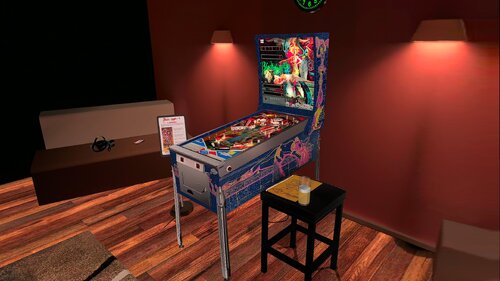
Version 3.0
437 downloads
This file is based on JP Salas table version 6.0.0 https://www.vpforums.org/index.php?app=downloads&showfile=19044 This table works in DT-FS-VR-MR This file requires B2S Added Minimal/Basti Room/PoolBar and Mixed Reality VRRoom on menu Turn on/off music ambience on F12 Menu New feature on music: Download Media80.zip and extract to your Visual Pinball music folder Download Media80 here: https://mega.nz/file/ojVABI7Q#ah8A9gxcdyc4mUAkv0yWaKpIOS4sl3ogoh7OSXSyyJw The name of the songs are: Song1 Song2 Song3 Until Song40 You can replace these MP3 files with your favorite music files until song40. I will to use these feature in some of my future conversions To change to next song press Right Magnasave To change to previous song press Left Magnasave thanks to @Romknight for the script code. Virtual Desktop Settings Chromakey for Mixed Reality: Color RGB = 255,255,255 Similarity: 2 Smoothness: 2 JPSalas 6.0.0 Updated September 2025 - Moved LUT to User Options (F12) - Added some extra options to the User Options (F12) - Updated physics to my latest rev 4.3.1. mostly bouncier rubbers and harder flippers. -
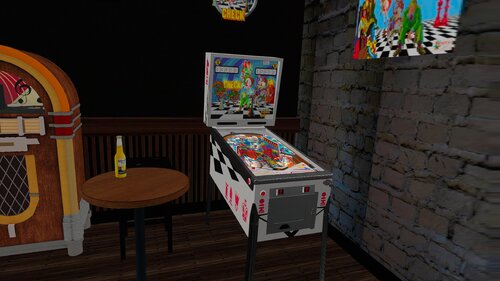
Version 2.0
415 downloads
This file is Based on JPSalas Table https://www.vpforums.org/index.php?app=downloads&showfile=18619 Check: 2 players, replay and/or extra ball Options in the script Apron card in English or Spanish, 3 or 5 balls, Special or Extra Ball As default the tables are configured like this: Check 3 balls, Spanish cards, Extra Ball There are some differences in the rules: Check & Check Mate: bumpers turn on with the central target and the upper lane Check & Check Mate: drop targets reset after each new ball. Check & Check Mate: tilt penalize just the ball Check & Check Mate: the KING is a normal drop target. Special is on the upper lane (and outlanes too like in Jake Mate) This table requires B2S to play in VR. This table Works in DT/FS/VR and MR, but specially in VR. To change VR Room (pool/minimal) or Mixed Reality, press F12 and change Room in the menu Virtual Desktop Settings Chromakey: Color RGB = 255,255,255 Similarity: 2 Smoothness: 2 You can enable Ambience ROOM at the end of the scpit. Enable it to True -
View File Black Magic 4 (Recel 1980) JP 6.0.0 DT-FS-VR-MR Ext2k Conversion This file is based on JP Salas table version 6.0.0 https://www.vpforums.org/index.php?app=downloads&showfile=19044 This table works in DT-FS-VR-MR This file requires B2S Added Minimal/Basti Room/PoolBar and Mixed Reality VRRoom on menu Turn on/off music ambience on F12 Menu New feature on music: Download Media80.zip and extract to your Visual Pinball music folder Download Media80 here: https://mega.nz/file/ojVABI7Q#ah8A9gxcdyc4mUAkv0yWaKpIOS4sl3ogoh7OSXSyyJw The name of the songs are: Song1 Song2 Song3 Until Song40 You can replace these MP3 files with your favorite music files until song40. I will to use these feature in some of my future conversions To change to next song press Right Magnasave To change to previous song press Left Magnasave thanks to @Romknight for the script code. Virtual Desktop Settings Chromakey for Mixed Reality: Color RGB = 255,255,255 Similarity: 2 Smoothness: 2 JPSalas 6.0.0 Updated September 2025 - Moved LUT to User Options (F12) - Added some extra options to the User Options (F12) - Updated physics to my latest rev 4.3.1. mostly bouncier rubbers and harder flippers. Submitter Ext2k Submitted 09/27/25 Category VPX - Pinball Tables VPX Standalone No
-
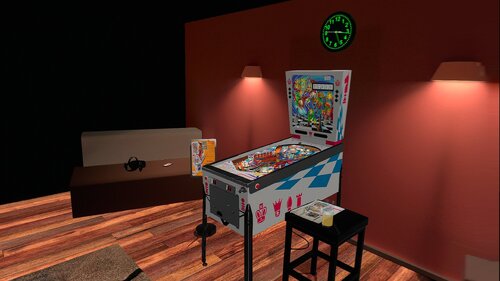
Version 2.0.1
440 downloads
This file is Based on JPSalas Table https://www.vpforums.org/index.php?app=downloads&showfile=18619 Jake Mate: 5 balls, Spanish cards Options in the script Apron card in English or Spanish, 3 or 5 balls, Special or Extra Ball As default the tables are configured like this: Jake Mate: 5 balls, Spanish cards There are some differences in the rules: Jake Mate: bumpers turn on when all the drop targets are down Jake Mate: The drop targets do not reset from ball to ball, only at the next ball after obtaining the special Jake Mate: Tilt penalize the game Jake Mate: The KING target is not a drop target, but a stand up target, and it is used to get the special This table requires B2S to play in VR. This table Works in DT/FS/VR and MR, but specially in VR. To change VR Room (pool/minimal) or Mixed Reality, press F12 and change Room in the menu Virtual Desktop Settings Chromakey: Color RGB = 255,255,255 Similarity: 2 Smoothness: 2 You can enable Ambience ROOM at the end of the scpit. Enable it to True -
v55_VPX8.thumb.png.45330bef65d8c9dc395eaf7cd858176b.png)
Version 1.0.0
38 downloads
I needed something for my 3rd screen that tied into the table since the backglass keeps score. Pedator had a cool vectorized logo made for a wheel so I just resized it and threw it on a background. He gave me permission to post in case others want to use the image too. All credit goes to him. I just used his artwork to make this. -
View File Check (Petaco 1975) JP v5.5 DT-FS-MR-VR Ext2k Conversion This file is Based on JPSalas Table https://www.vpforums.org/index.php?app=downloads&showfile=18619 Check: 2 players, replay and/or extra ball Options in the script Apron card in English or Spanish, 3 or 5 balls, Special or Extra Ball As default the tables are configured like this: Check 3 balls, Spanish cards, Extra Ball There are some differences in the rules: Check & Check Mate: bumpers turn on with the central target and the upper lane Check & Check Mate: drop targets reset after each new ball. Check & Check Mate: tilt penalize just the ball Check & Check Mate: the KING is a normal drop target. Special is on the upper lane (and outlanes too like in Jake Mate) This table requires B2S to play in VR. This table Works in DT/FS/VR and MR, but specially in VR. To change VR Room (pool/minimal) or Mixed Reality, press F12 and change Room in the menu Virtual Desktop Settings Chromakey: Color RGB = 255,255,255 Similarity: 2 Smoothness: 2 You can enable Ambience ROOM at the end of the scpit. Enable it to True Submitter Ext2k Submitted 10/25/24 Category VPX - Pinball Tables VPX Standalone No
-
View File Jake Mate (Petaco 1974) JP v5.5. DT-FS-VR-MR Ext2k Conversion This file is Based on JPSalas Table https://www.vpforums.org/index.php?app=downloads&showfile=18619 Jake Mate: 5 balls, Spanish cards Options in the script Apron card in English or Spanish, 3 or 5 balls, Special or Extra Ball As default the tables are configured like this: Jake Mate: 5 balls, Spanish cards There are some differences in the rules: Jake Mate: bumpers turn on when all the drop targets are down Jake Mate: The drop targets do not reset from ball to ball, only at the next ball after obtaining the special Jake Mate: Tilt penalize the game Jake Mate: The KING target is not a drop target, but a stand up target, and it is used to get the special This table requires B2S to play in VR. This table Works in DT/FS/VR and MR, but specially in VR. To change VR Room (pool/minimal) or Mixed Reality, press F12 and change Room in the menu Virtual Desktop Settings Chromakey: Color RGB = 255,255,255 Similarity: 2 Smoothness: 2 You can enable Ambience ROOM at the end of the scpit. Enable it to True Submitter Ext2k Submitted 10/24/24 Category VPX - Pinball Tables VPX Standalone No
-
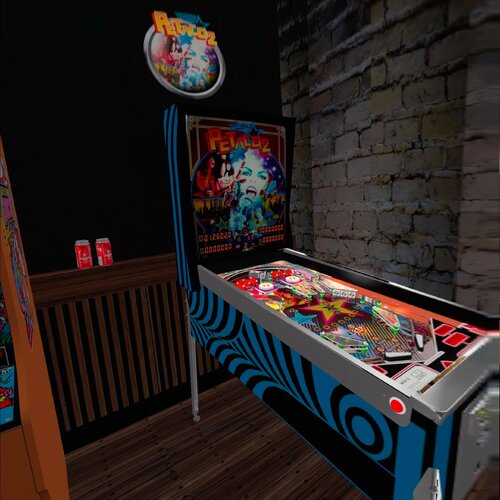
Version 1.1
377 downloads
Hi all, this table is made by Javito, I just added the VRRoom but know in mixed reality too, you can change VR Room to MR with right magnasave. Virtual Desktop Settings Chromakey: Color RGB = 255,255,255 Similarity: 2 Smoothness: 2 This table requires an update, I think is and VPT table converted to VPS, I added some missing elements and VR Room, but I love Spanish tables I'm creating VRROOMs to play it. It's possible to change LUT holding Left Magna and right flipper. You can dissable music and ambience at the end of the scpit. This is my second attempt to adapt table to MR. This table requires B2S, I used hauntfreaks b2s file (check link b2s) Enjoy! -
Version 1.2
332 downloads
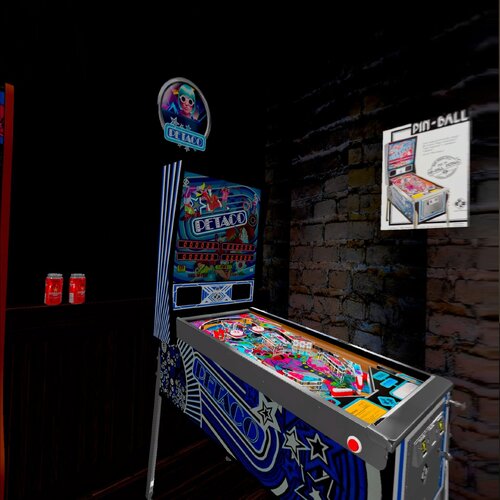
I created a VR Romm based on table from JPSalas table. Disabled Flashing Lights on this VR Version. VR Room based on TastyWasps VR Pool Hall Room Added speaker grill at B2S I Created new objets to see better the cab. VRRoom Updated. Added new Backbox like real Juegos Populares Pinball Added new Coin Door like Juegos Populares Pinball Thanks to Rascal for their support Now table contains Mixed Reality You can change VR Room to MR with right magnasave. Virtual Desktop Settings Chromakey: Color RGB = 255,255,255 Similarity: 2 Smoothness: 2 You can enable ambience ROOM at the end of the scpit. This table requires B2S included in file. Regards and Enjoy!-
- 18
-

-
- petaco
- juegos populares
- (and 5 more)
-
View File Petaco 2 (Juegos Populares 1985) VR MR Ext2k Conversion Hi all, this table is made by Javito, I just added the VRRoom but know in mixed reality too, you can change VR Room to MR with right magnasave. Virtual Desktop Settings Chromakey: Color RGB = 255,255,255 Similarity: 2 Smoothness: 2 This table requires an update, I think is and VPT table converted to VPS, I added some missing elements and VR Room, but I love Spanish tables I'm creating VRROOMs to play it. It's possible to change LUT holding Left Magna and right flipper. You can dissable music and ambience at the end of the scpit. This is my second attempt to adapt table to MR. This table requires B2S, I used hauntfreaks b2s file (check link b2s) Enjoy! Submitter Ext2k Submitted 05/14/24 Category VPX - Pinball Tables
-
.thumb.png.5b463e101bbadda8f31b2e24351e00d3.png)
Version 1.0.0
43 downloads
There was no good wheel image for Mr. Doom. I created this from a flyer scan. -
View File Petaco (Juegos Populares 1984) VR-MR Ext2k I created a VR Romm based on table from JPSalas table. Disabled Flashing Lights on this VR Version. VR Room based on TastyWasps VR Pool Hall Room Added speaker grill at B2S I Created new objets to see better the cab. VRRoom Updated. Added new Backbox like real Juegos Populares Pinball Added new Coin Door like Juegos Populares Pinball Thanks to Rascal for their support Now table contains Mixed Reality You can change VR Room to MR with right magnasave. Virtual Desktop Settings Chromakey: Color RGB = 255,255,255 Similarity: 2 Smoothness: 2 You can enable ambience ROOM at the end of the scpit. This table requires B2S included in file. Regards and Enjoy! Submitter Ext2k Submitted 11/28/23 Category VPX - Pinball Tables
-
-
- 1
-
-
- Petaco
- Juegos Populares
- (and 1 more)
-
-
- 3
-
-
- Petaco
- Jeugos Populares
- (and 1 more)