- New "Manual" tab lets you switch off single LEDs by hand. While the tab
is open, click any LED in the round LED preview to turn it off; click it
again to turn it back on, or drag to switch off several. The LED goes
dark straight away so you see the effect as you click. This tab shows the
logo on its own - no preset background, effects or motion - so you only
click the letters, not the stars or glow of a preset. The other tabs
still show the full preset with your switched-off LEDs, so you can check
the final result. The off LEDs stay dark in the exported file, so you can
open up squeezed letters exactly where you want. "Clear manual" turns
them all back on.
- Two new sliders for readability. "Pixel spacing" (Readability tab)
shrinks the lit part of each letter so tight logos separate - this one
changes the export, so it shows on the real panel. "Dot size" (next to
the preview) makes all preview dots evenly smaller with more gap, like
a real LED wall - preview only, the export stays the same.
- Undo and Redo (top bar, or Ctrl+Z / Ctrl+Y). Takes back the last
change - preset, slider or layer - and puts it back if you change your
mind. Reachable from any tab.
- 100 new presets on top of the existing ones, spread across all five
families: 20 mix, 25 scene, 15 fx, 20 ltr, 20 col. All new
combinations.
- "Reset all" is now in the top bar, so you can reach it from any tab
instead of only the Look tab.
- Two new clear buttons for when you change your mind: "Clear selection"
on the Look tab drops the chosen preset and its layers but keeps your
size and readability settings; "Clear all layers" on the Layers tab
empties Motion/Shader/BACK/FRONT only. Fixes not being able to get rid
of a scene background once you picked one.
- "Sharp" button and crisp slider. This runs after the logo is scaled
down and pushes every pixel to either fully on or off, so the edges
come out hard instead of a soft grey smear. Colours stay put.

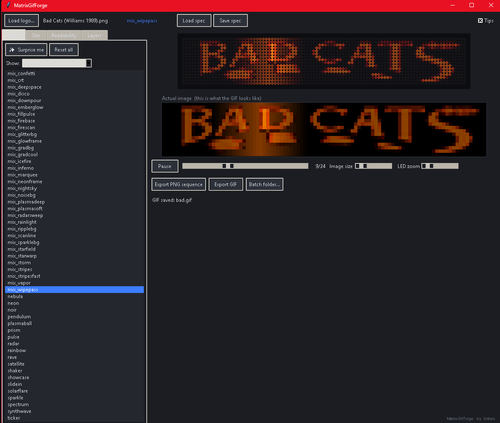
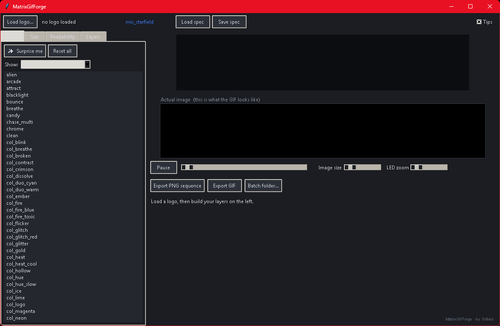


 With version 3:
User Feedback
Create an account or sign in to leave a review
You need to be a member in order to leave a review
Create an account
Sign up for a new account in our community. It's easy!
Register a new accountSign in
Already have an account? Sign in here.
Sign In NowThere are no reviews to display.