Jump to content

Bram Stoker's Dracula (Williams 1993) VPW

  • Get Support
  • Create an account or sign in to download this
download_no_perm
59148 Views
13971 Downloads
5 From 84 reviews
256.04 MB File Size
drac_l1 ROM Name
VPW Created by
Williams Manufacturer
1993 Year

3 Screenshots

Love Never Dies


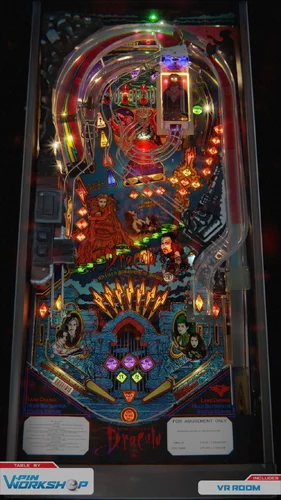
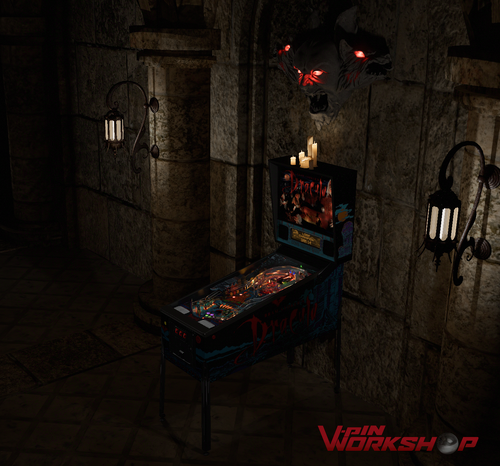
They say you are a man of good... eh... taste.... (you must be because you are here). We very proudly present this killer of a table. It was built from the ground up, with new scans of the playfield, plastics, and sculpts. The ramps are based on numerous measurements from the real table. If you are feeling brave, check out the original VR room. Includes the latest and greatest of everything VPW has to offer. Enjoy!


VPW TEAM

  • FrankEnstein - 3D modeling and rendering. Blood sucking.
  • Apophis - Scripting, physics, VR rooms and associated trickery. Blood bathing.
  • Sixtoe - Table building and research. Bloody hell.
  • Stavcas - Initial table build and coding. Blood donating.
  • Schlabber34 - 3D models of the ramps. Blood chilling.
  • Kevv - 3D scans of the sculpts, numerous measurements and photos of real machine. Bleeder.
  • DGrimmReaper - Initial VR minimal room work. Blood letting.
  • HauntFreaks - Backglass image and supporting b2s. Blood tasting.
  • Testers: BountyBob, Darth Vito, guus_8005, DaRdog, Studlygoorite, Primetime5k, mcarter78, wrd1972, Kemurro, somatic, RIK, Smaug, MetaTed, cl4ve, Colvert, redbone, Mecha_Enron


Special thanks to Landers and Dorsola for their Mist magnet script (it was used with minor modifications) and to ClarkKent for the playfield scan. Thanks to all the previous authors that worked on this title: JPSalas, ICPjuggla, Dozer316, Thalamus


Required Software (64-bit versions):


Permission from ORIGINAL Author(s)?

This is my own creation.

Allow file to be included on a VPUniverse downloader app?

Yes
https://www.ipdb.org/machine.cgi?id=3072
https://vpuniverse.com/files/file/12199-bram-stokers-dracula-williams-1993-b2s-full-dmd/
Contact Author First.
10.8 required
Yes

What's New in Version 1.0.1   See changelog

Released

Sixtoe - Tweaked left ramp to more accurately represent real machine (it's a bit quicker now, this was done a year ago and I forgot to upload it... oops)

User Feedback

Recommended Comments


Abhcoide

Posted

On 10/20/2024 at 1:21 AM, Gravy said:


Did you try editing this file to fix the sound level on the altsound, worked for me. 


I've tried that and haven't noticed much of a difference with the altsound volume.  


With altsound disabled and the rom at max volume, it's still incredibly quiet, where the solenoids overpower the sound.

Gravy

Posted

3 hours ago, Abhcoide said:


I've tried that and haven't noticed much of a difference with the altsound volume.  


With altsound disabled and the rom at max volume, it's still incredibly quiet, where the solenoids overpower the sound.


How about this 


Turnbull

Posted

Excellent Masterpice! Thanks to all.


Question: When the table was loaded, it "welcomes" me with about 30 seconds(!)  shaker motor. Is this normal? Can this strange behaviour be switched off? 


After this welcome alarm, everything works fine.


(VPX 10.8.0 Beta, DOF latest and DOF config up2date)

Gravy

Posted

10 hours ago, Turnbull said:

Excellent Masterpice! Thanks to all.


Question: When the table was loaded, it "welcomes" me with about 30 seconds(!)  shaker motor. Is this normal? Can this strange behaviour be switched off? 


After this welcome alarm, everything works fine.


(VPX 10.8.0 Beta, DOF latest and DOF config up2date)

Does it still happen if you turn off the self test in the F1 menu?

  • Content Provider
apophis

Posted

For some dumb reason the dof shaker motor is set up to turn on as the Mist Magnet motor moves (which it does at startup). Just remove the shaker from your private dof configuration for this table. We should probably remove it from the public config. 

timkingblue

Posted

On 10/22/2024 at 12:22 AM, Gravy said:

There is one other thing you can do to boost sound. Click on the DMD so that it is active (the inbuilt DMD, not the Freezy DMD). Then press tilde ~ key on your keyboard, inrease the ROM volume byt pressing right arrow key, left arrow decreases. I dont think it works with the altsound if you have disabled the ROM control though. If you increase it too much with the original ROM you will start to notice some distorted sounds.

Thanks for this tip Gravy this worked to make the ROM louder. As you predicted, it dances on the edge of distortion when the mech sounds are blasting out and its a juggling act of volume tweaks. I also tried it with the altsound and re-enabled the ROM control but it didnt change the volume of the altsound. 
Thanks again for the tip.

naeromagus

Posted

VPinWorkshop, Always releasing a Knockout, I cannot Believe My eyes this Virtual. Everything about this Screams Realism ! Thank you Creatures of the Night 

Gravy

Posted

11 hours ago, apophis said:

For some dumb reason the dof shaker motor is set up to turn on as the Mist Magnet motor moves (which it does at startup). Just remove the shaker from your private dof configuration for this table. We should probably remove it from the public config. 

Maybe the physical shaking of the real cabinet helps with the magnetic dragging of the ball (stops it from getting stuck and releasing from the magnetic attraction), or causes it to wobble a bit like a blood drunk vampire.

duck1156

Posted

ok for the third time any help woud be appreciated everything works except the flippers 


  • Content Provider
apophis

Posted

1 minute ago, duck1156 said:

ok for the third time any help woud be appreciated everything works except the flippers 


Make sure your software is updated per the description please. 

  • Content Provider
apophis

Posted

16 hours ago, Gravy said:

Maybe the physical shaking of the real cabinet helps with the magnetic dragging of the ball (stops it from getting stuck and releasing from the magnetic attraction), or causes it to wobble a bit like a blood drunk vampire.

The real machine doesn’t have a shaker. 

duck1156

Posted

3 hours ago, apophis said:

Make sure your software is updated per the description please. 


3 hours ago, apophis said:

Make sure your software is updated per the description please. 

its all up to date

thatswhy i cant figure it out


  • Content Provider
apophis

Posted

1 minute ago, duck1156 said:


its all up to date

thatswhy i cant figure it out


Run the table, press F1, click on “Info…” button bottom left, what is the version of VPinMame shown at the top of the resulting dialog box?

Gravy

Posted

3 hours ago, apophis said:

The real machine doesn’t have a shaker. 

Ah I see, the thought sounded good in my head.

Abhcoide

Posted (edited)

On 10/22/2024 at 10:48 PM, Gravy said:


How about this 


I hit f1 and disable external DMD and enable the DMD frame.  That brings up a DMD, which isn't Freezy and I presume is what you mean by the inbuilt.  I then hit ~ and hit the right arrow key - nothing seems to happen.


I am using VPinMAME-sc-3.6.0-998-a77c2d2-win-x64

Edited by Abhcoide
Cliffy

Posted

11 minutes ago, Abhcoide said:


I hit f1 and disable external DMD and enable the DMD frame.  That brings up a DMD, which isn't Freezy and I presume is what you mean by the inbuilt.  I then hit ~ and hit the right arrow key - nothing seems to happen.

You need to click on the dmd itself and then hit your tilde key. This only works if you use a US style keyboard though. the tilde is something/somewhere else on other layouts

duck1156

Posted

21 hours ago, apophis said:

Run the table, press F1, click on “Info…” button bottom left, what is the version of VPinMame shown at the top of the resulting dialog box?

20241025_162859.thumb.jpg.41dc4d77130b31c1be74af83a5df7c04.jpg

Flipperflop

Posted

Does someone know why my flippers dont work on this table?


I have everything up to date as required, but for some reason the flippers ar not working

  • Content Provider
apophis

Posted

2 hours ago, duck1156 said:

20241025_162859.thumb.jpg.41dc4d77130b31c1be74af83a5df7c04.jpg

That’s an older version of VPinMame (Jan 5, 2024). The description provides a link to the minimum required version of VPinMame (which was released in June 23, 2024). I’ll post it again here:


https://github.com/vpinball/pinmame/releases/tag/v3.6.0-998-a77c2d2
 

You should probably also confirm that you have actually updated the other software mentioned in the description. 

  • Content Provider
apophis

Posted

44 minutes ago, Flipperflop said:

Does someone know why my flippers dont work on this table?


I have everything up to date as required, but for some reason the flippers ar not working

See my last post above 

Turnbull

Posted

On 10/23/2024 at 5:22 PM, apophis said:

For some dumb reason the dof shaker motor is set up to turn on as the Mist Magnet motor moves (which it does at startup). Just remove the shaker from your private dof configuration for this table. We should probably remove it from the public config. 


Please don't! The shaker is actually a quite cool feature for the magnet ball, so it catches attention very early to this ball. you won't miss it.


The only irritation thing is the (long) shaking at the first table startup. But after one gaming session, it doesn't appear again when you start the table again. So, everything is fine. 


Flipperflop

Posted

On 10/24/2024 at 4:07 AM, Gravy said:

Maybe the physical shaking of the real cabinet helps with the magnetic dragging of the ball (stops it from getting stuck and releasing from the magnetic attraction), or causes it to wobble a bit like a blood drunk vampire.

I had the same, but thanks to @apophis it works now. I have updated the Vpinmame through the PinUP Popper Config tool (or you can do it manually. Now everything works.  I thought I was up to date, because the version I had was also 3.6. I didnt know that I also had to look for the date (mine was from 2023 but stil version 3.6)


@apophis What has Vpinmame to do with the flippers that they didnt work? I am a bit new to this all, but cant see the link with Vpinmame

  • Content Provider
apophis

Posted

@Flipperflop When you press a flipper button, it closes a (virtual) switch, and that switch signal is passed to the emulated ROM (handled by VPinMame), then the ROM responds by commanding the flipper solenoid to move. VPW uses newer more realistic methods for controlling solenoids and lights. These methods require newer versions of the emulation software.

Abhcoide

Posted

15 hours ago, Cliffy said:

You need to click on the dmd itself and then hit your tilde key. This only works if you use a US style keyboard though. the tilde is something/somewhere else on other layouts


I click on the DMD and hit ~ and it still doesn't seem to do anything.  To access ~ I have to hold down shift and #, so perhaps this is the issue as shift pushes the flippers.   The other keyboard I have has the ~ key next to the 1 key, but still requires shift to be held down.

duck1156

Posted

23 hours ago, apophis said:

That’s an older version of VPinMame (Jan 5, 2024). The description provides a link to the minimum required version of VPinMame (which was released in June 23, 2024). I’ll post it again here:


https://github.com/vpinball/pinmame/releases/tag/v3.6.0-998-a77c2d2
 

You should probably also confirm that you have actually updated the other software mentioned in the description. 

i downloaded new 3.6 and put it in pinmame and wont change


Create an account or sign in to comment

You need to be a member in order to leave a comment

Create an account

Sign up for a new account in our community. It's easy!

Register a new account

Sign in

Already have an account? Sign in here.

Sign In Now
×
  • Create New...
