-
SYSTEM SEARCH
System Scanners Online:
Username: Guest
>> System Scan?
>> The Universe >
Incoming Message:
Due to system limitations searching with words of 3 or less characters will not return results. For instance; Doctor Who. This will not return results as the system is trying to search for both Doctor AND Who in which Who will not be found as it's a 3 character word. To find Doctor Who; you'd search for either Doctor or "Doctor Who".
Search Tips:
For specific searches; enclose your search with quotes. Example: "Doctor Who" or "Addams Family".
Search the Community
Showing results for tags 'zen studios'.
Found 21 results
-
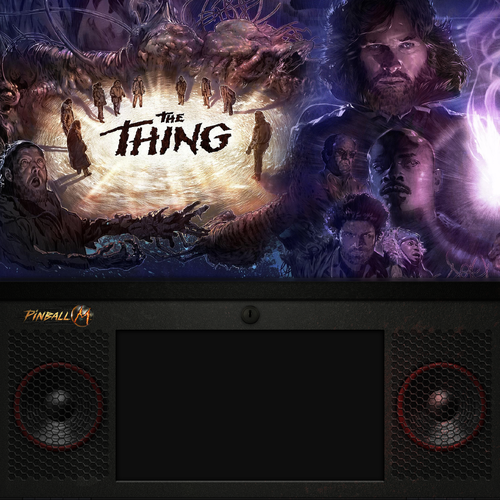
Version 1.0.0
126 downloads
Here are some backglass images for Pinball M. Specifically for 2-screen 1x1 displays, inspired by modern Stern backboxes. Nine files total at 2160x2160. -
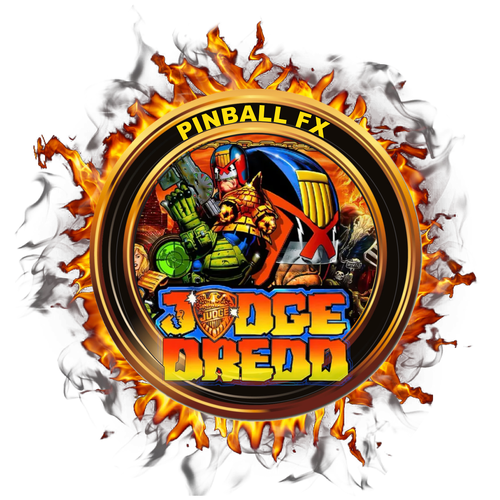
Version 1.0.0
18 downloads
Leave a "LIKE" if you do. Table 202- 1 review
-
- 3
-

-
- zen
- zen studios
- (and 2 more)
-

Version 1.0.0
48 downloads
I like flame wheels, so I thought I would create some for Pinball Midnight. Please leave a "LIKE" if you do.- 1 comment
-
- 8
-
-
- zen studios
- zen
- (and 4 more)
-
 So much great information on here, but I couldn't quite get the Pinscape accelerometers working with the Zen stuff. I finally got it working and wanted to share what's working on mine and how I did it. This is for a KL25Z/Pinscape Controller and the current Steam versions of: · Pinball FX - Steam app 2328760 · Pinball FX Midnight - Steam app 2337640; the install folder may still be named Pinball M · Pinball FX Classic - Steam app 442120; the install folder may still be named Pinball FX3 My cabinet also runs VPX and Future Pinball. This setup did not change their controls because the nudge adjustment is made in Steam and then tuned per Zen game. The short version I did not need x360ce. Steam can read the Pinscape directly as a generic controller. The reason nudge originally looked dead was Steam's joystick deadzone. My normal cabinet nudge produced readings of only about -3000 to +3000, while Steam's default deadzone was 10000. Steam was throwing away the entire accelerometer signal. The finished mapping is: · Pinscape accelerometer X/Y -> left joystick X/Y -> analog nudge · Pinscape plunger Z -> right joystick Y -> analog plunger · No Pinscape buttons are mapped through Steam, so my existing keyboard/cabinet controls stay as they were Back up first I strongly recommend making a rollback copy before changing Steam's controller setup, especially on a working cabinet. 1. Completely exit Steam. 2. Back up the entire <Steam folder>\config folder. 3. Also back up: <Steam folder>\userdata\<your Steam user ID>\config and, if it exists: <Steam folder>\steamapps\common\Steam Controller Configs\<your Steam user ID>\config If anything goes wrong, exit Steam and restore those copies. Step 1: Verify the Pinscape readings Open the Pinscape Config Tool and choose Joystick. Confirm that: · The Accelerometer X/Y display reacts when you nudge the cabinet. · The Plunger Z bar follows the physical plunger through its range. If the accelerometer and plunger already work correctly in VPX or Future Pinball, I would not change their Pinscape calibration just to fix Zen. The problem in my case was on the Steam side. Step 2: Add an axes-only Pinscape mapping to Steam Copy this entire line to the Windows clipboard: 03004c8009120000eaea000000000000,mjrnet Pinscape Controller,leftx:a0,lefty:a1,righty:a2,platform:Windows, Then go to: Steam -> Settings -> Controller -> mjrnet Pinscape Controller -> Begin Setup When Steam displays Press the A button, do not press a cabinet button and do not press Ctrl+C. Click Paste from Clipboard. Steam should create the controller definition from the copied line. The mapping contains only three axes: · leftx:a0 = accelerometer X · lefty:a1 = accelerometer Y · righty:a2 = plunger Z There are deliberately no A/B/X/Y, flipper, Start, Exit, or D-pad mappings. That is how I avoided disturbing my existing cabinet controls. Steam may save a second Pinscape line that looks like this: 0300000009120000eaea000000000000,mjrnet Pinscape Controller,leftx:a0,lefty:a1,righty:a2,platform:Windows,crc:804c, That happened on mine and is normal. Step 3: Remove Steam's global deadzone Go to: Steam -> Settings -> Controller -> mjrnet Pinscape Controller -> Details -> Calibration & Advanced Settings Set: · Left Joystick Deadzone = 0 · Right Joystick Deadzone = 0 I did not run automatic calibration. Now use Test Device Inputs / Begin Test. · Nudging the cabinet should move Left Joystick X/Y. · Pulling the plunger should move Right Joystick Y. The accelerometer can be a little twitchy around center in this raw test. That is expected. We will control the useful nudge range in the individual game's controller settings. Step 4: Enable Steam Input for the Zen game In the Steam Library: 4. Right-click Pinball FX. 5. Select Properties -> Controller. 6. Set Override for Pinball FX to Enable Steam Input. 7. Confirm that Generic Controller says Enabled, per-game override. Repeat this later for FX Midnight and FX Classic. I recommend getting one game working first. Step 5: Increase nudge sensitivity for that game Open the game's Controller Layout, then go to: Joysticks -> Left Joystick Behavior settings -> Deadzones These are the values that worked on my cabinet: · Inner deadzone: 0 · Outer/max-output point: 18 · Deadzone shape: Circle · Anti-Deadzone: 0 · Anti-Deadzone Buffer: 0 An outer value of 18 felt about right on mine. I may eventually use 20, but 18 is my current setting. This setting works a little backward from what some people might expect: · Lower outer value = stronger/more sensitive nudge · Higher outer value = weaker/less sensitive nudge Steam stored my setting internally as: "deadzone_outer_radius" "5686" You do not need to edit that file manually; I am including the value only as a reference. Step 6: Test the plunger on the right kind of table If Steam's input test shows the plunger moving smoothly and proportionally through its range, I would leave the right-stick scaling alone at first. Some Zen tables do not use a conventional mechanical shooter rod. A special or table-specific launcher can make a partial pull look like a full-power launch even though the controller axis is working properly. I first noticed this on a Tomb Raider table. Worked correctly on PinBot. Test the final plunger behavior on a table with an obvious manual shooter rod before changing the axis response. Step 7: Check everything before repeating it Before applying the per-game settings to FX Midnight and FX Classic, I checked: · Left/right and forward/back nudge directions · Nudge strength and tilt behavior · Smooth plunger travel in Steam's test · Plunger operation on a manual-plunger table · Flippers, Start, Exit, and the rest of the cabinet buttons · VPX and Future Pinball controls Once the first Zen title works, enable Steam Input and apply the same left-stick deadzone settings separately to the other two titles. What did not work for me I initially tried x360ce 4. It could list the Pinscape, but the DirectInput source stayed offline at 0,0 and it never produced a useful virtual controller. Steam's native generic-controller support worked once I fixed the deadzone. I removed x360ce from my cabinet after backing it up, but I would not recommend blindly deleting it from another cabinet. If it is already used by another emulator or game, preserve that setup. Also, ViGEmBus is a separate shared driver and does not need to be removed just because x360ce is no longer being used. Summary of my working values Device: mjrnet Pinscape Controller (KL25Z/Pinscape) Steam Input: Enabled per Zen game Axes: a0 -> Left Stick X a1 -> Left Stick Y a2 -> Right Stick Y Global Steam deadzones: Left stick = 0 Right stick = 0 Per-game left-stick settings: Inner deadzone = 0 Outer/max-output = 18 Shape = Circle Anti-deadzone = 0 Anti-deadzone buffer = 0 Hopefully this saves someone else the trial and error. The big breakthrough for me was realizing that the Pinscape accelerometer was already reaching Steam-the default 10000 deadzone was simply hiding it.
- 1 reply
-
- 2
-
-
- zen studios
- zen
- (and 4 more)
-
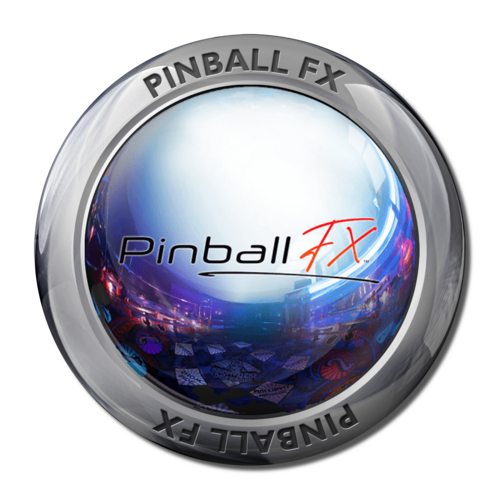
Version 1.0.0
1170 downloads
A couple wheels I designed for Pinup Pinball FX playlists. -
FullDMD.thumb.jpg.8f5c68114210f55428031adee54b043f.jpg)
Version 1.0.0
39 downloads
Butters (Zen - Pinball FX 2014) Full DMD Table Number 55, make sure to name the cabinet jpg to Table_55.jpg Personal, non-commercial use only. Please contact me if you would like to use it in another way. All Logos, Copyrights and Trademarks are property of their respective owners. PROVIDED STRICTLY FOR PERSONAL / HOME USE AND NOT FOR COMMERCIAL SALE / RE-SALE OR DISTRIBUTION!- 1 review
-
- 3
-
-
- table_55
- zen studios
- (and 1 more)
-

Version 1.0.0
58 downloads
Banzai Run from Zen Studios' Williams Volume 8. Enjoy!- 1 review
-
- 5
-
-
- 175
- zen studios
- (and 1 more)
-

Version 1.0.0
54 downloads
From Williams Vol 8, it's Earthshaker!- 1 review
-
- 5
-
-
- 753
- zen studios
- (and 1 more)
-
FullDMD.thumb.jpg.49a72199b0db06c38c667b0baf42cfaf.jpg)
Version 1.0.0
45 downloads
Trolls (Zen - Pinball FX 2021) Full DMD Table Number 140, make sure to name the cabinet jpg to Table_140.jpg Personal, non-commercial use only. Please contact me if you would like to use it in another way. All Logos, Copyrights and Trademarks are property of their respective owners. PROVIDED STRICTLY FOR PERSONAL / HOME USE AND NOT FOR COMMERCIAL SALE / RE-SALE OR DISTRIBUTION!-
- 4
-
-
- table_140
- zen studios
- (and 1 more)
-
FullDMD.thumb.jpg.133478080a979cb2ecd2469507ef2907.jpg)
Version 1.0.0
40 downloads
Kung Fu Panda (Zen - Pinball FX 2021) Full DMD Table Number 139, make sure to name the cabinet jpg to Table_139.jpg Personal, non-commercial use only. Please contact me if you would like to use it in another way. All Logos, Copyrights and Trademarks are property of their respective owners. PROVIDED STRICTLY FOR PERSONAL / HOME USE AND NOT FOR COMMERCIAL SALE / RE-SALE OR DISTRIBUTION!-
- 5
-
-
- table_139
- zen studios
- (and 1 more)
-

FullDMD.thumb.jpg.34d9d82ec48c6287b2e75bc193bb8ff6.jpg)
Version 1.0.0
45 downloads
How to Train Your Dragon (Zen - Pinball FX 2021) Full DMD Table Number 141, make sure to name the cabinet jpg to Table_141.jpg Personal, non-commercial use only. Please contact me if you would like to use it in another way. All Logos, Copyrights and Trademarks are property of their respective owners. PROVIDED STRICTLY FOR PERSONAL / HOME USE AND NOT FOR COMMERCIAL SALE / RE-SALE OR DISTRIBUTION!-
- 4
-
-
- table_141
- zen studios
- (and 1 more)
-
FullDMD.thumb.jpg.a0fa5e188bbd4ccc777caf4a29ebf341.jpg)
Version 1.0.0
51 downloads
Snoopy (Zen - Pinball FX 2021) Full DMD Table Number 146, make sure to name the cabinet jpg to Table_146.jpg Personal, non-commercial use only. Please contact me if you would like to use it in another way. All Logos, Copyrights and Trademarks are property of their respective owners. PROVIDED STRICTLY FOR PERSONAL / HOME USE AND NOT FOR COMMERCIAL SALE / RE-SALE OR DISTRIBUTION!- 2 comments
-
- 4
-
-
- table_146
- zen studios
- (and 1 more)
-
FullDMD.thumb.jpg.e0f5bcd686d8c8dc2e8e07de47a21928.jpg)
Version 1.0.0
48 downloads
Garfield (Zen - Pinball FX 2021) Full DMD Table Number 145, make sure to name the cabinet jpg to Table_145.jpg Personal, non-commercial use only. Please contact me if you would like to use it in another way. All Logos, Copyrights and Trademarks are property of their respective owners. PROVIDED STRICTLY FOR PERSONAL / HOME USE AND NOT FOR COMMERCIAL SALE / RE-SALE OR DISTRIBUTION!-
- 4
-
-
- table_145
- zen studios
- (and 1 more)
-
FullDMD.thumb.jpg.3ac166d82258f96c03f51ec6f8d91c79.jpg)
Version 1.0.0
56 downloads
South Park (Zen - Pinball FX 2014) Full DMD Table Number 4, make sure to name the cabinet jpg to Table_4.jpg Personal, non-commercial use only. Please contact me if you would like to use it in another way. All Logos, Copyrights and Trademarks are property of their respective owners. PROVIDED STRICTLY FOR PERSONAL / HOME USE AND NOT FOR COMMERCIAL SALE / RE-SALE OR DISTRIBUTION!-
- 5
-
-
- table_4
- zen studios
- (and 1 more)
-
FullDMD.thumb.jpg.8e8a065d519b22f0ae79b6887d71c720.jpg)
Version 1.0.0
64 downloads
Super League Football (Zen - Pinball FX 2024) Full DMD Table Number 36, make sure to name the cabinet jpg to Table_36.jpg Personal, non-commercial use only. Please contact me if you would like to use it in another way. All Logos, Copyrights and Trademarks are property of their respective owners. PROVIDED STRICTLY FOR PERSONAL / HOME USE AND NOT FOR COMMERCIAL SALE / RE-SALE OR DISTRIBUTION!-
- 3
-
-
- table_36
- zen studios
- (and 1 more)
-

Version 1.0.0
310 downloads
Could not find A Zen Studio Theme I liked so made my own, hope you like. I have also inculded linkings to Pinball Fx and M to help complet the Theme. Pinball FX.mp4 Zen Studios Pinball.mp4- 1 comment
-
- 9
-
-
- zen studios
- pinball fx2
- (and 2 more)
-
.thumb.png.6d2b0ca8dc9346e28c4b5f0039f8a1c3.png)
Version 1.0.0
232 downloads
The Thing for Pinball M by Zen. Using their naming it is Table 175. Also added two clear logos sourced from Zen press kit. -
.thumb.png.1030dee70bdcbe4bde75339c198dd75c.png)
Version 1.0.0
216 downloads
Chucky's Killer Pinball for Pinball M by Zen. Using their naming it is Table 171. Also added clear logo sourced from Zen press kit.- 1 comment
-
- 11
-
-
- tarsicio
- zen studios
- (and 1 more)
-

.thumb.png.7ce561bec1e2662063a07ddfc6df9f1f.png)
Version 1.0.0
172 downloads
Duke Nukem's Bigshot Pinball for Pinball M by Zen. Using their naming it is Table 176. Also added clear logo sourced from Zen press kit. -
.thumb.png.ca23eb3478e68152f0b922654f217d74.png)
Version 1.0.0
248 downloads
Dead by Daylight Pinball for Zen Pinball M. Using their naming it is table 174. Also attached a clear logo sourced from Zen press kit. -
.thumb.png.cf3f49782cce9ff5602c22471049e5af.png)
Version 1.0.0
171 downloads
Wrath of the Elder Gods: Directors Cut for Pinball M by Zen. Using their naming it is Table 147. Also added clear logo sourced from Zen press kit.



.thumb.jpeg.82e3c6d4ebbb380e456ec0cea042bf42.jpeg)