Jump to content

DeadPool Table V5.1.2 & PupPack 2.0

  • Get Support
  • Create an account or sign in to download this
download_no_perm
94727 Views
33667 Downloads
5 From 44 reviews
1.6 GB File Size
Pedro Pires (TeamTuga) Created by
Pedro Pires & Joey BeauLieu Artwork by
JPSALAS Scripting by

1 Screenshot

About This File

DeadPool 

Table Update V5.1.2


This is the Last version of JPsalas table converted to work with this pup pack.

YOU DON'T NEED TO DOWNLOAD THE PUP PACK AGAIN IF YOU ALREADY HAVE THE 2.0 VERSION


Thanks To dscgoesgc  ;)


Deadpool PupPack 


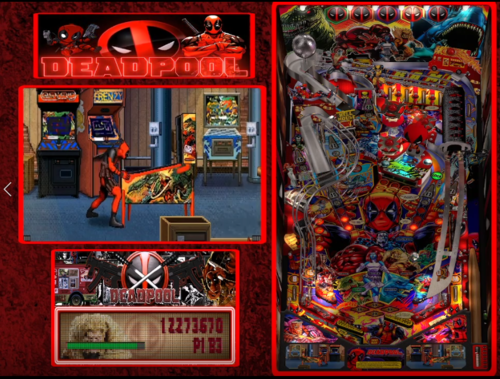
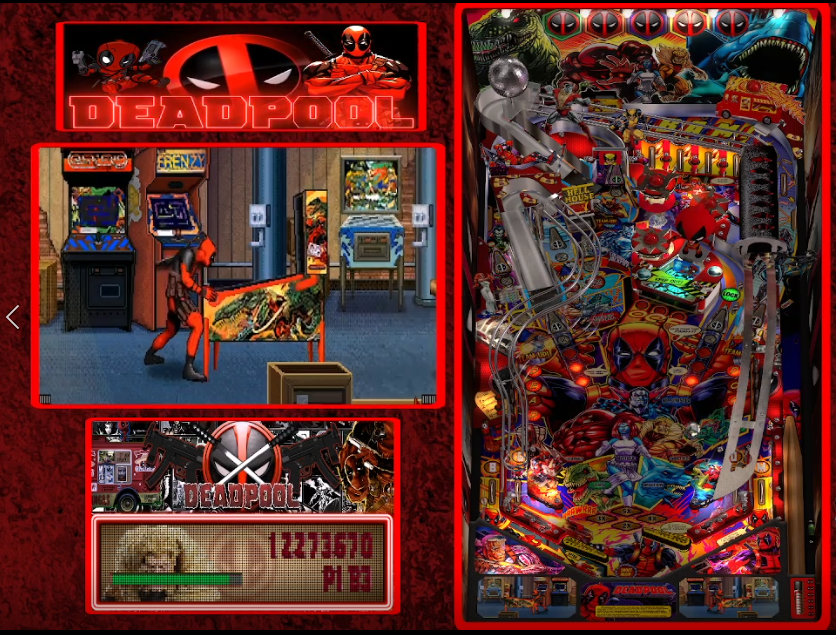
Extra Screens with call outs on Apron make all the table look really good.
You need VPX 10.8

and you should run the table in exclusive fullscreen if you gonna
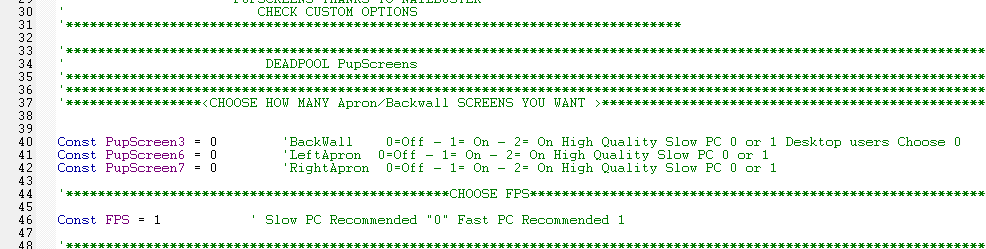
use the apron screens (options to turn ON and OFF on the top of the script) 
Slow PC recommended OFF, as default it's OFF

====Check Pictures above=====


Thanks to my TeamMate Tuga Pedro Peres


Credits inside

Enjoy
 

Screenshot 2021-08-26 203344.png


Custom Options for screens in the Table Script

As default it's OFF


Screenshot 2021-08-26 210153.png


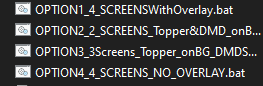
Run the Bat file you want inside the Pupack Folder
 

Screenshot 2021-08-26 210250.png

Edited by TeamTuga

What's New in Version JP's Deadpool V5.1.2   See changelog

Released

Latest TAble Update to work With the Puppack 


 JP's DeadPool V5.1.2 


Thanks to  :


dscgoesgc

User Feedback

Create an account or sign in to leave a review

You need to be a member in order to leave a review

Create an account

Sign up for a new account in our community. It's easy!

Register a new account

Sign in

Already have an account? Sign in here.

Sign In Now

manu85


Hello and congratulations on this great work! However, I have a small problem: when I launch the table, the backglass lights up at the beginning of the opening credits and then goes off a second later, and the screen remains black. I tried changing the screen settings with .bat files, but nothing changed. Could you please help me? Thank you in advance.

Windbury


This is awesome, great pup pack and great table. Also was easy to install. Definitely a 5/5

Nobbylonghandle


This is perfect! was laughing all the way through, you guys are geniuses and i love you . ( big fan of deadpool)

Thank you :)

chematatoo


Super divertida y supercurrado todo, la mesa, el paquete, estais un poco locos pero siempre es bueno estarlo🤣🤣🤣🤣

Gyula


Thanks grat.

LEXUS_RCF


Totally insane !!!

the pup is using my 4 screens like a charm !

Just a bug when i try to change scale of table in VPX .

Thanks a lot for this funny pinball...

PXL_20241224_223713963.MP.jpg

RockCity333


Loved the PuP edition.  I have the DMD separate on 3 screens setup.  Does this table have the fulldmd overlay as shown in the photos?  

WeaponZ


Great table one of my top 5 tables. Also ...Deadpool!


@TeamTuga

Will there be an update now JP have released the JP's Deadpool 5.5.0?

Numiah

· Edited by Numiah


I never tried it since I thought the playfield was too cluttered.
Oh dear, was I wrong!

This is an absolute masterpiece. Especially combined with the PUP.


Thank you soooooo much for all your efforts!

tatoo781


what a amazing table and the pup pack is too funny thanks to the team and it was very easy to install!!!!!

Doad


Running this on my ALG 4K and OMG!!!! Makes me laugh so much!! Fantastic job!!! Definitely 5 stars!!

TixRudo


This table is insane ! So beautiful, so colorful, so fun to play.

Many thanks !

davidh51


Toujours un travail de qualité 

breakfastclub


Bonjour,

Quelqu'un pourrait-il m'aider pour le Fire Button. Il fonctionne avec le "boom" mais le bouton ne s'allume jamais. Le DOF est pourtant fonctionnel pour le reste.

Merci

Shadowsclassic


WOW... just WOW! (somebody toss me a towel & a mop)🤪

rjclarkee

· Edited by rjclarkee


My fave table, thanks to JP for everything and Team 'badass' tuga for all the updates. x

lebaronrouge


puppack 2.0 no full dmd option.....really ?🙄

Response from the author:

Do it ;)

×
  • Create New...
