
Jump to content

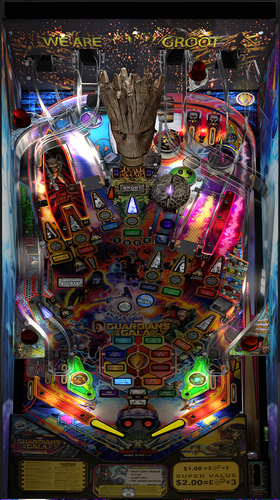
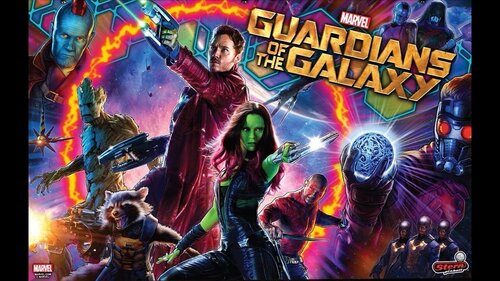
Guardians of The Galaxy

    Create an account or sign in to download this
download_no_perm
217463 Views
43198 Downloads
5 From 82 reviews
1.83 GB File Size
None ROM Name
Pincredibles Created by
Daphishbowl Scripting by
Stern Manufacturer
2017 Year

2 Screenshots

****************************************************************

Guardians of the Galaxy 2.1.0

By: Pincredibles


****************************************************************
Special thanks: 
Arngrim, MPT3k, Mr H, Nailbuster, Rik, Harlan, Orbital Group, VAAS, wAxx, Ashtone6, Al, Terry
VPW Team, namely Apophis, PinStratsDan, BountyBob, Sixtoe, Wylte, Hauntfreaks and many more...


****************************************************************

Intro:  This is my first table and I really want to thank everyone for all the help.  The table script was hand coded to match the 
    original table.  I tried to replicate every detail on the gameplay with exact scoring, bonuses, modes, pinup interactions and so forth
    I am sure there are things I missed in the 11K lines of code but I am hoping the hundreds of hours we put into the making of this
    will bring something the community will enjoy and show there are no limits to what can be done.

NOTES: 
- Make sure your PINUP is up to date: https://www.nailbuster.com/wikipinup/doku.php?id=release_notes
- VPX Version: I tested in VPX 10.6 but works in 10.7.  Some users identified some stutter in 10.7 so try 10.6 if you see this.

- Enabling Orbital Scoreboard will hide your local scores but not achievement scores.


****************************************************************
INSTALL:
1) Copy VPX to your VPX Tables directory
2) Copy GOTG_2020 insize the pup zip to your <drive>:\PinUPSystem\PUPVideos directory  
3) Run the batch file in the pup pack that matches your config.
   It should make all necessary script changes for you.
4) Update DOF (If necessary)


****************************************************************
2.1.0 PUP Pack location

https://mega.nz/file/DVoQRTrZ#FxQg78RY0W5rgEg2DHnLoUEp78fpm6Zh7lqcGxD7jQ8


****************************************************************


MPT3K Scorbit Setup and Tutorial 
****************************
Manu made a great step by step on how to setup and use Scorbit 
https://youtu.be/Sb6GF_3wDtc


Version History:

2.1.0   - See Changelog for the 2nd 2.0.0 in the dropdown.


2.0.0    Massive update to bring it up to where it should be.  Too many changes to list but here is a summary:
    -    Added missing sores, mode animations, displays and major bug fixes and core table capabilities


1.2.1 
    - Fixed cherry bomb so you can do it again after finishing.  
    - Fixed hole where ball could bounce through to shooter lane 
    - Bug fix where DOF was getting left on. 
    - Added desktop backdrop that MrFireshots created 
    - Added pup script for desktop mode 
    - Incorporated wAxx changes for the following 
    -     Physics changes to give it a more realistic feel.  
    -     Updated slingshots  
    -     Added changes needed for Desktop mode 
    -     Moved Stern button on the actual lockbar 
    -     Updated missing details on playfield (magnet position, rocket strength, flipper position, missing 3d prims and rubbers, metal holding Orb, GI and many more..) 


1.2.0 
    -    Fixed billboard/standup above scoop so it doesn’t look blurry (Also fixed blur on Groot) 
    -    Added small wall to prevent ball from getting stuck in left Outlane 
    -    Quills Quest didn’t give progress the first time you hit the scoop 
    -    DOF Enhancements - Thanks James D. 
    -    Music leveling - I didnt get it all in but thanks to Rajo for the help 
    -    Trimmed game over song to 30 seconds like original game 
    -    VR Support – Thanks Toby!!! 
    -        Locked all objects in editor so that they were not inadvertently moved. 
    -        Changed 12 primitives on layer 9 called "Post Plastic+Fluro(OnlyScrewCap)" to "PostFluroOSC(num)" as the original name was too long and was crashing the editor (thanks to DJRobX for compiling a version of VPX which let you edit out-of-range filenames). 
    -        Changed layers assets were on to free up layer 11 for VR stuff and to organise them for better visibility, dropped editor detail for some primitives. 
    -        Changed cabinet blade primitive and added new higher res blade image, added script switch to change back to old sideblades. 
    -        Added Stern Spike 2 cabinet and VR Room primitives to Layer 11, including importing images and materials. 
    -        Added "VRStuff" collection and put all of the VR objects in it. 
    -        Added VR Room switch to turn on or off the vr room primitives (Line 36) and the code to control (Lines 97-136) 
    -        Added lockdown bar "fire" button, switchable between Apron (cabinet/desktop) and lockdown bar (VR mode) (lines 97-136) 
    -        Added timer plunger code (Lines 1226-1229) so sync VR shooter rod with table plunger. 
    -        Added -15 height wall called "trigger" and assigned all playfield triggers to use it as a surface to drop them to the correct height. 
    -        Repositioned all flasher primitives to correctly sit on the plastics. 
    -        Replaced "Flasherlight" lights with secondary "FlasherFlash" flashers so they can be angled with the table slope, you shouldn't even notice. (5157 - 5375) 
    -        Made MetalPost(Point)4 (Layer 9) visible as it wasn't (hidden underneath right ramp), was a "floating" rubber. 
    -        Added deeper wood for all playfield holes. 
    -        Updated apron primitive including UVmap so that it looked OK in reverse angle. 
    -        Made apron wall visible, changed material and tidied up apron underneath. 
    -        Fixed plunger audio and positional sound. 
    -        Repositioned billboard and all assets on billboard aligned. 
    -        Changed depth bias settings for ramps, blades and flashers. 
    -        Changed Groot mouth wall (Wall017) to stop losing balls under plastics. 
    -        Change height of wall001 and wall005 ramp triggers to match ramp height, removed collidable status. 
    -        Repositioned ramp rubber bungs (Primitive2) 
    -        Added missing flathead screws to ramp entrances 
    -        Added missing mounting poles to left and right slings, added pole to right inlane guide, removed old redundant screwheads. 
    -        Adjusted spinner to stop it clipping through the plastics. 
    -        Added sleeves to hexpoles on playfield level, removed doubled up sleeves. 
    -        Cut GI so it doesn't stick out sides of cabinet 

https://www.ipdb.org/machine.cgi?id=6474
Contact Author First.
v10.6 optional
v10.7 optional

What's New in Version 2.1.1   See changelog

Released

2.1.1 Changes

  • Fixed Scorbit already paired issued when Windows has a the same System UUID as other machines that is cause by certain motherboard manufacturers not implementing some features Windows uses to generate its UUID and Windows falls back to some default.  This will generate a new UUID and save the the VPX Users folder instead of using the OS UUID.  This means that if you reinstall VPX you need to save your users directory first and copy it back after.  Otherwise you will need to repair all your tables.
  • Added override parameter (ScorbitAlternateUUID) to force generating a unique UUID that gets saved in VPX Users folder instead of using the OS UUID just.  This is just in case there are other duplicate UUIDs out there.  See Reinstall note in #1
    • Noticed some users firewalls were blocking Scorbit.  If you don't get the QRCode on the 2nd attract screen to do initial pairing please check that SToken.exe in the puppack isn't being blocked by your firewall.
  • Fixed Bug with the displayed Cherry Bomb SJP score being incorrect 

User Feedback

Recommended Comments


armyusde

Posted (edited)

2 hours ago, nateynatenate99 said:

Thank you so very much @armyusde for all your work on this. I applied this fix and was able to successfully play about 5 or so complete games. But I did get a pup crash again on my first ball of the next game. It happened after shooting the Star Lord scoop and hearing "The Hadron Enforcer" callout. I say this in case this sort of crowdsourced playtesting is useful. I was so happy to be able to play for so long and complete some games and I thought this may have truly fixed it. But it seems not quite there yet. But so much good progress, and I hope this helps, and thank you again for your efforts and for sharing your results!

Good info. I will see if I can recreate it as that callouts may have the same issues as the multiplier. I focused on the multipliers since that seems to be where all the crashes were coming from now that that is fixed, I can look at the Hadron enforcers and see if those fixes also apply there

Edited by armyusde
armyusde

Posted

3 hours ago, nateynatenate99 said:

Thank you so very much @armyusde for all your work on this. I applied this fix and was able to successfully play about 5 or so complete games. But I did get a pup crash again on my first ball of the next game. It happened after shooting the Star Lord scoop and hearing "The Hadron Enforcer" callout. I say this in case this sort of crowdsourced playtesting is useful. I was so happy to be able to play for so long and complete some games and I thought this may have truly fixed it. But it seems not quite there yet. But so much good progress, and I hope this helps, and thank you again for your efforts and for sharing your results!

Do you happen to remember the mode you were in and if the shot to the scoop completed the mode or if it stared a mode? I have usually seen the issue when animations are playing for another event and the multipliers are lit happens at the same time. It would make sense if that happened in your case and may be easily reproduced if so

nateynatenate99

Posted

2 hours ago, armyusde said:

Do you happen to remember the mode you were in and if the shot to the scoop completed the mode or if it stared a mode? I have usually seen the issue when animations are playing for another event and the multipliers are lit happens at the same time. It would make sense if that happened in your case and may be easily reproduced if so

I fear I don't remember any of those details, sadly. Really sorry!

armyusde

Posted

I fixed a couple of bugs with the orb multiball that caused it not to work properly and added some guards on all the modes. I have been able to play complete games and beat both wizard modes without any issues. The pup is a little delayed but it didn't crash. I am using VLC 2.4.8 and vpx 10.8.0 beta 6f63503 64 bit when playing. I haven't seen a crash yet after many games but some others are still reporting crashes. It may be worth a shot to see if fixes some peoples issues though since mine has been fixed. 

gotg__Crash_Fix.txt

coolball

Posted

Thanks for your fixes.


Any Idea to fix my PupPack Score and  timer letter size.

GotG Letters.jpg

armyusde

Posted

Not sure how to do that. Did that happen when you used the updated script or has it always been that way?

coolball

Posted

It was the same in the original version, too.

armyusde

Posted

Other than the files in the pup pack for the screen setup, I don’t know much about the pup pack displays. I use a cabinet with 4 screens and haven’t seen the issue with text

aquanut59

Posted (edited)

On 8/22/2022 at 4:20 AM, BrandonLaw said:

Alrighty man found it after being lazy...


Uncomment line 17068.  Boom.


I need to elaborate on this...you must head into the pup pack and set the DMD to ForceBack after doing so as it's still off if you do not hence nothing to mirror.

What's on your line 17068 because mine is uncommented? I want to make sure I get it right. My RealDMD comes on for a bit, but then goes off right when the Chris Pratt scene comes on.

Edited by aquanut59
Alldesign

Posted

On 5/31/2026 at 2:16 PM, armyusde said:

I fixed a couple of bugs with the orb multiball that caused it not to work properly and added some guards on all the modes. I have been able to play complete games and beat both wizard modes without any issues. The pup is a little delayed but it didn't crash. I am using VLC 2.4.8 and vpx 10.8.0 beta 6f63503 64 bit when playing. I haven't seen a crash yet after many games but some others are still reporting crashes. It may be worth a shot to see if fixes some peoples issues though since mine has been fixed. 

gotg__Crash_Fix.txt 747.11 kB · 15 downloads


Hi Armyusde — first off, huge thanks for the 2.1.2 crash-fix script (the busy-flags / debounce / teardown-ordering work). It clearly changes behavior: the DMD timing shifted, I can feel FIX17's jackpot debounce, and the crash now takes far longer to appear. (r2z2's earlier pupfix2 performance/error pass on Discord helped too — but between the two, it's reduced, not gone.)

Remaining issue on my cabinet: it still drops the backglass — typically around 30M points during heavy multiball with lots of rapid action. The ball stays fully playable but all scoring/DMD disappears, so it's the legacy VLC display's rendering dying, not VPX.

What the logs show:
• PinUPDisplayError.log records the crash as: Invalid pointer operation.
• PuP EventViewer confirms the pack renders on the legacy PinUPDisplay.exe v1 (VLC-based, v1.5 protocol), not X2 — and the v1 process only exits cleanly on manual quit, so it's an internal VLC exception killing the rendering while the process survives (matches the symptom).

Config: 4-screen cabinet, NVIDIA RTX 4070, PinUP Popper 2.0 beta, VPX 10.8.0.

Since two separate script fixes both reduced but didn't kill it, I suspect part of the root cause sits below the script in the old bundled VLC. Totally understand if it's not fully fixable from the script side — but if you have another idea, or the table authors consider a new version, I'd love to help test and can share full logs. Thanks again!

armyusde

Posted (edited)

On 7/8/2026 at 1:28 PM, Alldesign said:


Hi Armyusde — first off, huge thanks for the 2.1.2 crash-fix script (the busy-flags / debounce / teardown-ordering work). It clearly changes behavior: the DMD timing shifted, I can feel FIX17's jackpot debounce, and the crash now takes far longer to appear. (r2z2's earlier pupfix2 performance/error pass on Discord helped too — but between the two, it's reduced, not gone.)

Remaining issue on my cabinet: it still drops the backglass — typically around 30M points during heavy multiball with lots of rapid action. The ball stays fully playable but all scoring/DMD disappears, so it's the legacy VLC display's rendering dying, not VPX.

What the logs show:
• PinUPDisplayError.log records the crash as: Invalid pointer operation.
• PuP EventViewer confirms the pack renders on the legacy PinUPDisplay.exe v1 (VLC-based, v1.5 protocol), not X2 — and the v1 process only exits cleanly on manual quit, so it's an internal VLC exception killing the rendering while the process survives (matches the symptom).

Config: 4-screen cabinet, NVIDIA RTX 4070, PinUP Popper 2.0 beta, VPX 10.8.0.

Since two separate script fixes both reduced but didn't kill it, I suspect part of the root cause sits below the script in the old bundled VLC. Totally understand if it's not fully fixable from the script side — but if you have another idea, or the table authors consider a new version, I'd love to help test and can share full logs. Thanks again!

I agree with you that it is something with vlc. Claude keeps saying that and I have a newer version of the script that allows the game to go for about an hour before crashing. When I play multiple games, that is when the crash happens but a long ~1 hr long game has been doable. With all the testing I even made #3 on Scorbit. Only took 6 years! If you want that version, This is the current version I am running that allows a longer play through. It does show a black DMD every now and then but all the modes are playable. I made it through a complete game and then a few mode past cherry bomb so it does allow a long session without crashing. I would say after each game, exit and start a new one to get the best result.


GOTG crash reducer.txt

Edited by armyusde
ryesteve

Posted

I'd rather have tips on how to keep one game going for an hour 😄

Alldesign

Posted

On 7/11/2026 at 8:56 PM, armyusde said:

I agree with you that it is something with vlc. Claude keeps saying that and I have a newer version of the script that allows the game to go for about an hour before crashing. When I play multiple games, that is when the crash happens but a long ~1 hr long game has been doable. With all the testing I even made #3 on Scorbit. Only took 6 years! If you want that version, This is the current version I am running that allows a longer play through. It does show a black DMD every now and then but all the modes are playable. I made it through a complete game and then a few mode past cherry bomb so it does allow a long session without crashing. I would say after each game, exit and start a new one to get the best result.


GOTG crash reducer.txt 751.63 kB · 10 downloads

Wow! I made a 159 Mio. highscore and played quit long using your crash reducer fix. But then I crushed 300 Mio. and also the game again. So strange...! For sure it is a crash reducer, but not a complete fix... Next time I try disabling scorbit, who knows... But thanks for following up my last comment and trying to help! 

armyusde

Posted

Glad it helps a bit. I wouldn’t disable Scorbit as that will be the only way to see your score when it crashes. I know the issue seems to go away by disabling the nova corp light where only 4 can be triggered but that breaks the scoring to where you can’t get double score shots. I hope the original developer actually updates it at some point. I think this is one of the best recreations available


Create an account or sign in to comment

You need to be a member in order to leave a comment

Create an account

Sign up for a new account in our community. It's easy!

Register a new account

Sign in

Already have an account? Sign in here.

Sign In Now
×
  • Create New...