
Jump to content

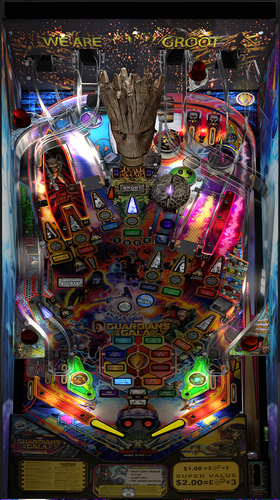
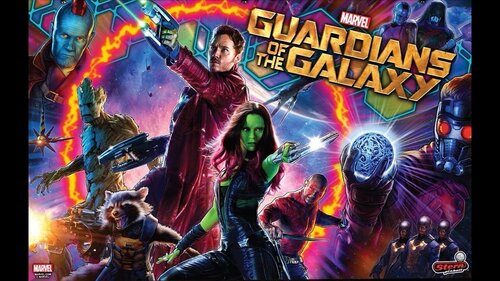
Guardians of The Galaxy

    Create an account or sign in to download this
download_no_perm
211200 Views
42005 Downloads
5 From 81 reviews
1.83 GB File Size
None ROM Name
Pincredibles Created by
Daphishbowl Scripting by
Stern Manufacturer
2017 Year

2 Screenshots

****************************************************************

Guardians of the Galaxy 2.1.0

By: Pincredibles


****************************************************************
Special thanks: 
Arngrim, MPT3k, Mr H, Nailbuster, Rik, Harlan, Orbital Group, VAAS, wAxx, Ashtone6, Al, Terry
VPW Team, namely Apophis, PinStratsDan, BountyBob, Sixtoe, Wylte, Hauntfreaks and many more...


****************************************************************

Intro:  This is my first table and I really want to thank everyone for all the help.  The table script was hand coded to match the 
    original table.  I tried to replicate every detail on the gameplay with exact scoring, bonuses, modes, pinup interactions and so forth
    I am sure there are things I missed in the 11K lines of code but I am hoping the hundreds of hours we put into the making of this
    will bring something the community will enjoy and show there are no limits to what can be done.

NOTES: 
- Make sure your PINUP is up to date: https://www.nailbuster.com/wikipinup/doku.php?id=release_notes
- VPX Version: I tested in VPX 10.6 but works in 10.7.  Some users identified some stutter in 10.7 so try 10.6 if you see this.

- Enabling Orbital Scoreboard will hide your local scores but not achievement scores.


****************************************************************
INSTALL:
1) Copy VPX to your VPX Tables directory
2) Copy GOTG_2020 insize the pup zip to your <drive>:\PinUPSystem\PUPVideos directory  
3) Run the batch file in the pup pack that matches your config.
   It should make all necessary script changes for you.
4) Update DOF (If necessary)


****************************************************************
2.1.0 PUP Pack location

https://mega.nz/file/DVoQRTrZ#FxQg78RY0W5rgEg2DHnLoUEp78fpm6Zh7lqcGxD7jQ8


****************************************************************


MPT3K Scorbit Setup and Tutorial 
****************************
Manu made a great step by step on how to setup and use Scorbit 
https://youtu.be/Sb6GF_3wDtc


Version History:

2.1.0   - See Changelog for the 2nd 2.0.0 in the dropdown.


2.0.0    Massive update to bring it up to where it should be.  Too many changes to list but here is a summary:
    -    Added missing sores, mode animations, displays and major bug fixes and core table capabilities


1.2.1 
    - Fixed cherry bomb so you can do it again after finishing.  
    - Fixed hole where ball could bounce through to shooter lane 
    - Bug fix where DOF was getting left on. 
    - Added desktop backdrop that MrFireshots created 
    - Added pup script for desktop mode 
    - Incorporated wAxx changes for the following 
    -     Physics changes to give it a more realistic feel.  
    -     Updated slingshots  
    -     Added changes needed for Desktop mode 
    -     Moved Stern button on the actual lockbar 
    -     Updated missing details on playfield (magnet position, rocket strength, flipper position, missing 3d prims and rubbers, metal holding Orb, GI and many more..) 


1.2.0 
    -    Fixed billboard/standup above scoop so it doesn’t look blurry (Also fixed blur on Groot) 
    -    Added small wall to prevent ball from getting stuck in left Outlane 
    -    Quills Quest didn’t give progress the first time you hit the scoop 
    -    DOF Enhancements - Thanks James D. 
    -    Music leveling - I didnt get it all in but thanks to Rajo for the help 
    -    Trimmed game over song to 30 seconds like original game 
    -    VR Support – Thanks Toby!!! 
    -        Locked all objects in editor so that they were not inadvertently moved. 
    -        Changed 12 primitives on layer 9 called "Post Plastic+Fluro(OnlyScrewCap)" to "PostFluroOSC(num)" as the original name was too long and was crashing the editor (thanks to DJRobX for compiling a version of VPX which let you edit out-of-range filenames). 
    -        Changed layers assets were on to free up layer 11 for VR stuff and to organise them for better visibility, dropped editor detail for some primitives. 
    -        Changed cabinet blade primitive and added new higher res blade image, added script switch to change back to old sideblades. 
    -        Added Stern Spike 2 cabinet and VR Room primitives to Layer 11, including importing images and materials. 
    -        Added "VRStuff" collection and put all of the VR objects in it. 
    -        Added VR Room switch to turn on or off the vr room primitives (Line 36) and the code to control (Lines 97-136) 
    -        Added lockdown bar "fire" button, switchable between Apron (cabinet/desktop) and lockdown bar (VR mode) (lines 97-136) 
    -        Added timer plunger code (Lines 1226-1229) so sync VR shooter rod with table plunger. 
    -        Added -15 height wall called "trigger" and assigned all playfield triggers to use it as a surface to drop them to the correct height. 
    -        Repositioned all flasher primitives to correctly sit on the plastics. 
    -        Replaced "Flasherlight" lights with secondary "FlasherFlash" flashers so they can be angled with the table slope, you shouldn't even notice. (5157 - 5375) 
    -        Made MetalPost(Point)4 (Layer 9) visible as it wasn't (hidden underneath right ramp), was a "floating" rubber. 
    -        Added deeper wood for all playfield holes. 
    -        Updated apron primitive including UVmap so that it looked OK in reverse angle. 
    -        Made apron wall visible, changed material and tidied up apron underneath. 
    -        Fixed plunger audio and positional sound. 
    -        Repositioned billboard and all assets on billboard aligned. 
    -        Changed depth bias settings for ramps, blades and flashers. 
    -        Changed Groot mouth wall (Wall017) to stop losing balls under plastics. 
    -        Change height of wall001 and wall005 ramp triggers to match ramp height, removed collidable status. 
    -        Repositioned ramp rubber bungs (Primitive2) 
    -        Added missing flathead screws to ramp entrances 
    -        Added missing mounting poles to left and right slings, added pole to right inlane guide, removed old redundant screwheads. 
    -        Adjusted spinner to stop it clipping through the plastics. 
    -        Added sleeves to hexpoles on playfield level, removed doubled up sleeves. 
    -        Cut GI so it doesn't stick out sides of cabinet 

https://www.ipdb.org/machine.cgi?id=6474
Contact Author First.
v10.6 optional
v10.7 optional

What's New in Version 2.1.0   See changelog

Released

Fix version number

User Feedback

Create an account or sign in to leave a review

You need to be a member in order to leave a review

Create an account

Sign up for a new account in our community. It's easy!

Register a new account

Sign in

Already have an account? Sign in here.

Sign In Now

tedlogan12

   29 of 29 members found this review helpful 29 / 29 members

This, along with Daphishbowl's Batman 66 Tribute, represents an entirely different way to approach the newest generations of tables, where emulation isn't possible. The amount of detailed, painstaking work on both tables is unbelievable, and the play experience is fantastic. Incredible contribution to the work of virtual pinball. Thank you to all involved.

eighties8

   5 of 5 members found this review helpful 5 / 5 members

Breathtaking realism. This is the state of the art of virtual pinball. The bar has been raised with this one so high I'm not sure how this can be topped. The visuals, lighting and overall realism and immersion are just totally convincing that this is a physical pinball playfield. I could go on, but this is just stunning work.
 

GOTG-table.jpeg

bietekwiet

   4 of 4 members found this review helpful 4 / 4 members

Update for V.2.0:

The first version was beautiful but difficult to get shot accuracy.

The new version 2.0 has much improved physics and puts the cherry (bomb) on the cake!

Beautiful work guys! Thank you!

Now excuse me while I play this s*cker!

IMG_20220820_224231.thumb.jpg.211c46d8e083518cba7daca84245fecd.jpg


PinPaladin

   2 of 2 members found this review helpful 2 / 2 members

This is amazing, so faithful to the real pin.  I confidently play the real pin after practicing this, it feels the same.  How can this be your first table?!  Wow.

Coolerking101

   2 of 2 members found this review helpful 2 / 2 members

This is my favorite v-pin table.  Absolutely brilliant.  Thanks for all the hard work!!!

PinStratsDan

   2 of 2 members found this review helpful 2 / 2 members

The team did an amazing job, and this update is going to blow people's minds.  This table looks and plays beautifully and is so much fun. It is one of my firm favourites and I look forward to playing it regularly.

Msila28

   1 of 1 member found this review helpful 1 / 1 member

Déjà que la table est magnifique mais le PuP Pack rend la table Magique !


C'est un travail d’orfèvre !!! 🥰😍


qE6DNyV9rUiru.webp


Capturedcran2025-10-08221746.thumb.png.a34ce8ffa670073fd0121e381dbbfd7e.png

TechWizard0018

   1 of 1 member found this review helpful 1 / 1 member

Amazing table. Got everything working. Got 2 questions. How do you increase the callouts/sound effects with the pup packs voices are really low. Also I'm testing the table on a single screen laptop and the pup is almost translucent in the background like in desktop mode. I see the background and not the whole video


Wigsplitter069

   1 of 1 member found this review helpful 1 / 1 member

It's amazing and it's insane how much work must have gone into this project. My only issue is that I have no idea how to select a mission.  Can somebody kindly tell me what key that is so I can map it? Alternatively, is there a way to change the key within the script to be a specified button?

DomiKamu

· Edited by DomiKamu

   1 of 1 member found this review helpful 1 / 1 member

Installation of my first PupPack (Desktop mode), looks FANTASTIC!

Totally brilliant!!! 💗 It's just a masterclass!


Thanks a million for all of your stuff (all actors) around GOTG table recreation. 😉

lebaronrouge

   1 of 1 member found this review helpful 1 / 1 member

🤪🤩😍une pure merveille popopopopo !!!!!!👌

rburel

   1 of 1 member found this review helpful 1 / 1 member

Excellente mise à jour pour une table magnifique !

Bravo pour le travail réalisé et merci pour le partage

Badazzwi

   1 of 1 member found this review helpful 1 / 1 member

Fantastic work! Thank you to everyone involved. A masterpiece that deserves many plays. 🤘

Bluebilly

   1 of 1 member found this review helpful 1 / 1 member

Woah..... Dude.... Unreal.

baldgeek

   1 of 1 member found this review helpful 1 / 1 member

After seeing how good Batman 66 was, I had to go back and see what else the talented hands of daphishbowl touched. :) This table does not disappoint. It is amazing

Stevenoj27

   1 of 1 member found this review helpful 1 / 1 member

Awesome Table.  On top of that your first VPX table.  Great Introductory offer.  I really enjoy playing it. 

PaladinArcade

   1 of 1 member found this review helpful 1 / 1 member

Excellent table , plays great. Documentation was very helpful in setting up the DMD the way I wanted for my setup. Can't wait to see what future releases Daphishbowl and Mr. H will bring.

RixWrath

   1 of 2 members found this review helpful 1 / 2 members

Does it say that there's "No Rom" because this table doesn't need a rom?

onkelz

   0 of 1 member found this review helpful 0 / 1 member

Great looking and playing pin,well done ....can i say i do have a problem with the back glass size,i use one monitor and back glass takes up half the screen ,i cant change its size,,i have looked and changed  ScreenRes.txt and nothing,what is it i am doing wrong ?

ozywan


Hello all i have a problem my pincab with 2 screen option in pup pack DMD 1 2screen no dmd and problem to affichage dmd 

Check screen...

Thx for help.


Capture d'écran 2026-05-09 185910.png

Capture d'écran 2026-05-09 185452.png

Quedreux


Alors, tout d'abord j'ai voulu mettre 1 étoile pour attirer votre attention pour mettre à jour ce puppack qui ne fonctionne pas.

Et c'est impossible pour moi de faire ça, votre travail ne m' héritent pas ça vos tables sont géniaux.

Mais je vous supplie au nom de la communauté, n'oubliez pas cette table et effectuer une mise à jour du puppack qui rend la table injouable pour beaucoup  d'entre nous.

Le problème je l'ai localiser au moment de l'ouverture du fichier MultiLit1 (shoot multiplayer are lit)

Continué à nous régaler j'espère attiré votre attention avec ce message 

aquanut59


Great table! I enjoy playing it pretty much every day. I'm having the same Real DMD issues as others, but other than that great stuff! Thank-you!

Mesner


Great work bro thanks for sharing 👍 

LordTheRon


Pffff.... wow... this is done so well! Amazing work on recreating this great table in such detail. 

probe


Magnifico trabajo, enhorabuena y gracias por compartirlo y poder disfrutarla.

×
  • Create New...
