About This File
VPX VR Injector is a tool that lets you add a complete VR Room to an existing Visual Pinball X table, even when no dedicated VR version of the table exists.
Simply select a .vpx table, choose a VR Room pack, customize the cabinet artwork if needed, and inject. The tool automatically adds the VR cabinet, backbox, DMD, room elements, materials, textures and required script changes while adapting the VR setup to the dimensions of the original playfield.
✨ Main features
🎮 One-click VR injection into existing .vpx tables
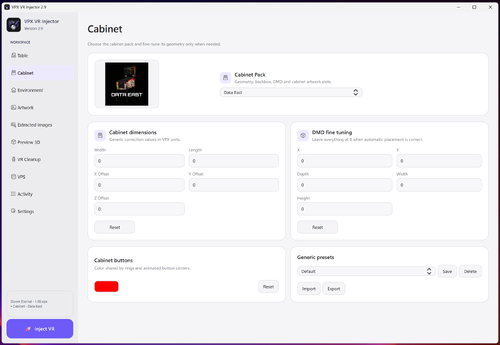
📦 Multiple Cabinet Packs for different cabinet eras and styles
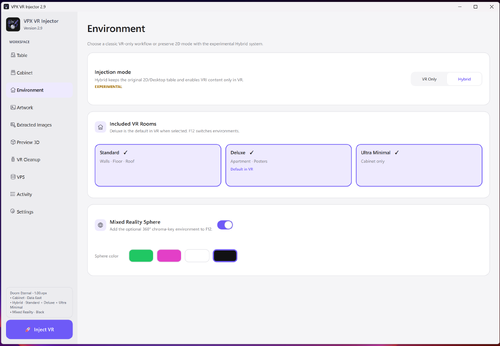
🏠 Independent Room Style selection: Standard, Deluxe or Ultra Minimal
🧪 Experimental Hybrid mode preserving the original 2D/Desktop table while adding selectable VR Rooms
🏠 Multiple Rooms in one Hybrid table: Standard, Deluxe and Ultra Minimal, switchable from F12
⚡ Automatic cabinet dimensions based on the source playfield
🎛️ Generic Width / Length / X / Y / Z adjustments
🔢 DMD Custom X / Y / Depth / Width / Height fine adjustments
💾 Reusable Generic presets, including DMD Custom values, with import/export
🎨 Custom cabinet button color with live 3D Preview
🕹️ Animated cabinet flipper buttons
🕹️ Progressive VR plunger animation
🖼️ Source-table image extraction with suggestions and previews
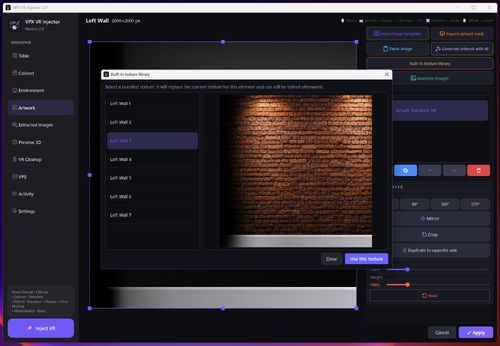
🧩 Built-in multi-layer texture editor with layer visibility toggle
🎭 Automatic *_Empty mask workflow
🗂️ Hybrid artwork management with separate Cabinet / Standard / Deluxe customization states
🧱 Built-in Texture Library for Standard Room walls, floor and roof
🖼️ Built-in poster library for Deluxe Poster 1 / Poster 2
✨ AI Artwork Assistant / Studio for Gemini and ChatGPT web workflows
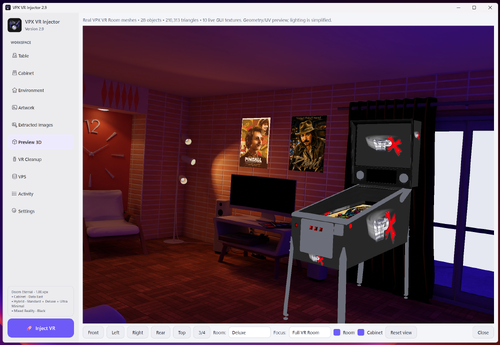
🧊 Integrated 3D Preview using real VPX meshes, UV mapping and current custom settings
🧹 Smart VR Cleanup with suggested items automatically grouped first, plus Rail/Rails, Lockbar, Lockdownbar and likely side-rail detection
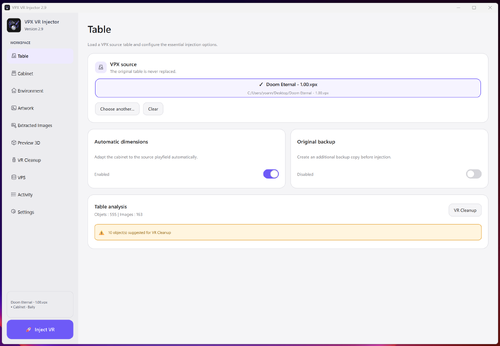
⚠️ Combined source-table warning for existing VR objects and possible cabinet conflicts, with direct access to VR Cleanup
🌐 VPS integration to detect existing dedicated VR releases before injection
🖼️ VPS VR release browser with thumbnails, release details and individual links
📦 Recommended Cabinet Pack suggestion based on matched VPS table metadata
🔢 DigitGrid / Flasher DMD detection and repositioning
🌐 Optional Mixed Reality 360° sphere
🎚️ F12 VR Room / Mixed Reality switch
🔄 Portable automatic updater
🌗 Dark / Light themes
🌐 English / French interface
🎓 Quick Tour and Complete Tutorial
⚙️ Standalone Windows executable
Full documentation, usage instructions and updates are available on the GitHub project page here : https://github.com/Nesta78/VPX-VR-INJECTOR
⚠️ Note regarding antivirus software: some antivirus programs may flag VPX VR Injector in error. These detections are related to the application's packaging and specific functions, such as the update system. No malicious code has been intentionally included in the software. A digital signature for the application is planned to help reduce these false positives.
If Windows Defender has quarantined VPX VR Injector: open Windows Security > Virus & threat protection > Protection history, select the detection corresponding to VPX VR Injector, and then choose "Restore" or "Allow on device"—but only if you downloaded the software from the official source. You can then relaunch the application.
Thank you to Sixtoe & Dardog for VR Room ressources, and all VR Discord testers 
That's a beta version (with 0 risks for your setup!) - Please report issues.
 With version 2.2:
User Feedback
Create an account or sign in to leave a review
You need to be a member in order to leave a review
Create an account
Sign up for a new account in our community. It's easy!
Register a new accountSign in
Already have an account? Sign in here.
Sign In Now