
Jump to content

MatrixMX1Forge

    Create an account or sign in to download this
download_no_perm
610 Views
73 Downloads
0 From 0 reviews
108.13 MB File Size
Solters Created by
Solters Artwork by

3 Screenshots

About This File

I've built a little tool here for Pinup Popper.

Inspired by the VPCLE Facebook group.


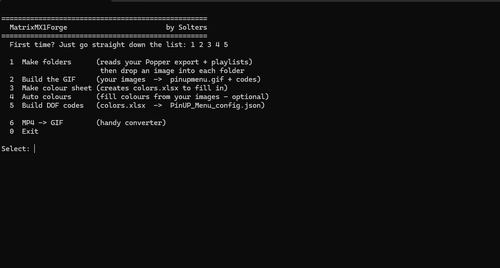
This tool lets you quickly display GIFs or PNGs in your table selection on the Matrix without having to tinker around too much or overcomplicate things. It's practically plug-and-play. Toys haven't been forgotten either. It's all there.


It  builds the complete pinupmenu.gif plus ready-to-paste Custom MX 1 codes for the DOF Config Tool from one image folder per table.

No frame counting, no ABF math.

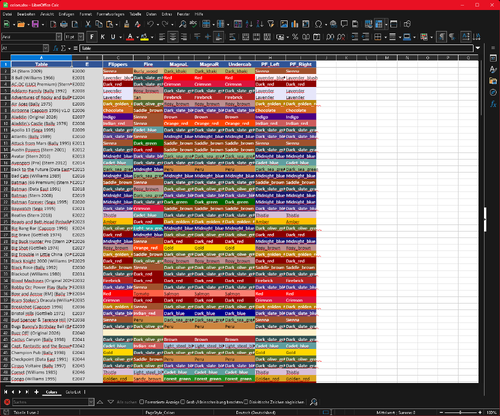
Plus: toy colours per table via Excel dropdown — or fully automatic from each table's artwork. One .exe, done.


Thanks @deadmanworking for your logo collection and all your hard work. Your logos are better than anything you'd find on Google.


   To make the GIF load faster, I recommend watching Wayofthewrench's video:


Important: You'll need the Export_Visual Pinball X.pupgames file from PinupPopper—see screenshot
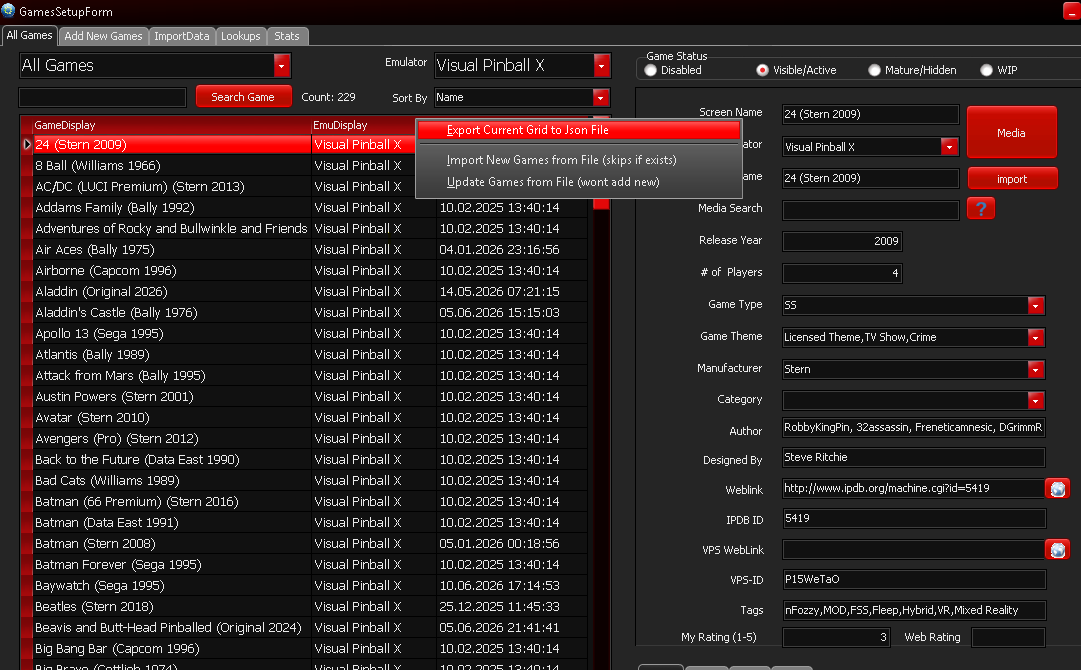


image.png

What's New in Version 2   See changelog

Released

-Auto-colour overhaul:

Auto_Color now pick colours that actually match each table's logo

colors.xlsx gains two columns: PF_2nd and PF_3rd (fixed

red/yellow segments). They are SHARED - one value lights both PF Left

and PF Right, so the two sides can never differ.

Auto colours fills PF_Left = PF_Right (dominant color #1), PF_2nd (color #2) and

PF_3rd (color #3) from the logo automatically.

Set them by hand for rows you don't auto-colour; leave PF_2nd/PF_3rd

 blank for a single-colour playfield (that segment is simply dropped).


-Overwrite prompt for generated files.


-Menu 1 now also reads PinUP Popper playlists from PUPDatabase.db (drop the

db into this folder next to your .pupgames) and gives the playlists their own frame folder,

exactly like a table.


Playlists slot into the SAME continuous E-number sequence right after

the tables (append-never-shift). If the last table is E2332 and a

playlist is added it becomes E2333; adding a table later just takes

the next free number - nothing ever shifts.


-The tool now generates a PinUP_Menu_config.json file for easy import into DOF Configtool. Please note that it may use different toys, such as RGB FireButton -> 

User Feedback

Create an account or sign in to leave a review

You need to be a member in order to leave a review

Create an account

Sign up for a new account in our community. It's easy!

Register a new account

Sign in

Already have an account? Sign in here.

Sign In Now

There are no reviews to display.

×
  • Create New...