
Jump to content

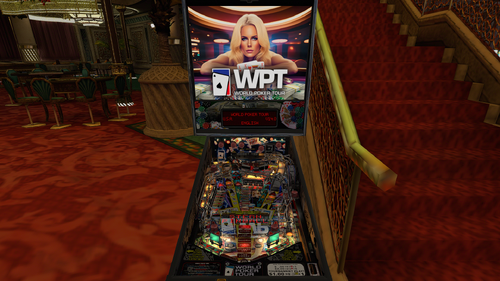
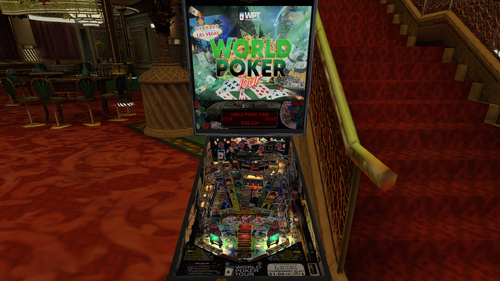
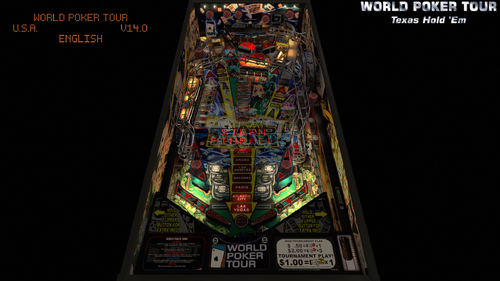
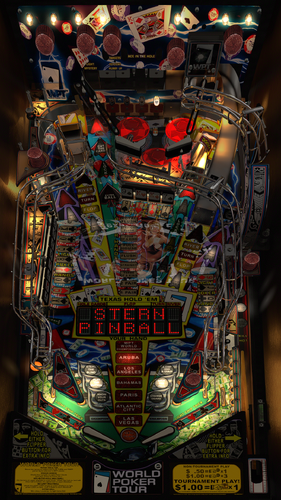
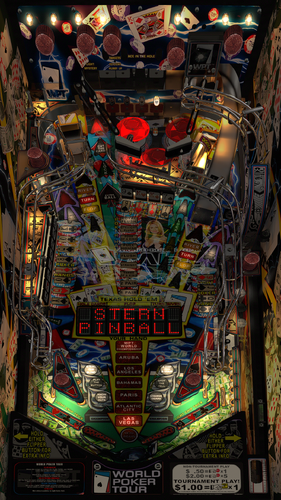
World Poker Tour (Stern 2006)

  • Get Support
  • Create an account or sign in to download this
download_no_perm
11772 Views
3462 Downloads
5 From 25 reviews
335.48 MB File Size
wpt_140a ROM Name
Stern Created by
Stern Manufacturer
2006 Year

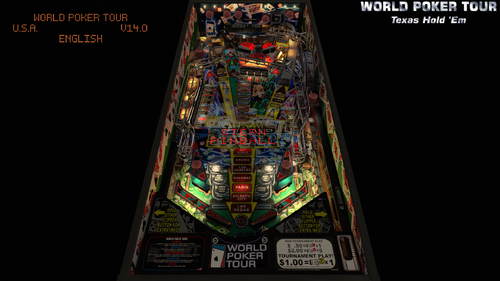
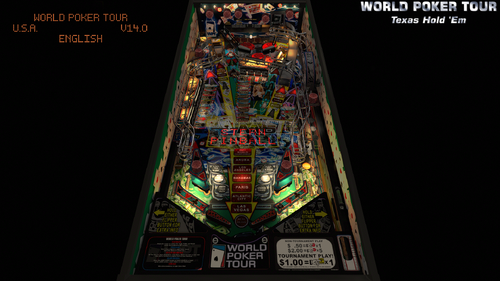
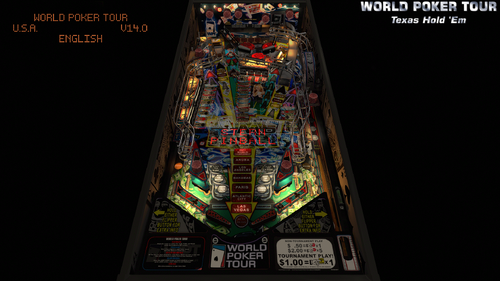
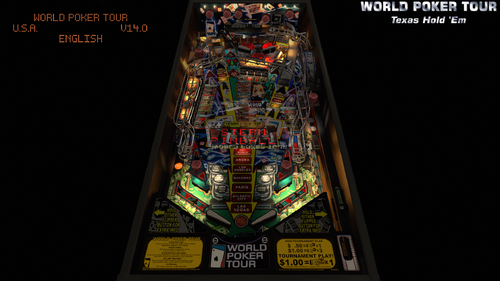
16 Screenshots

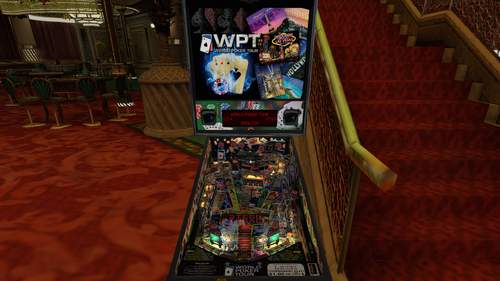
The hottest game in town! 


Time for a true players game! 
A game that I found in a unfinished and broken state. 
So I took the challenge to do an extensive rebuild to not only meet modern standards, but also a game that pushed my skillset to the limits and beyond. 
I even challenged myself to learn more about baking in Blender with great succes. 
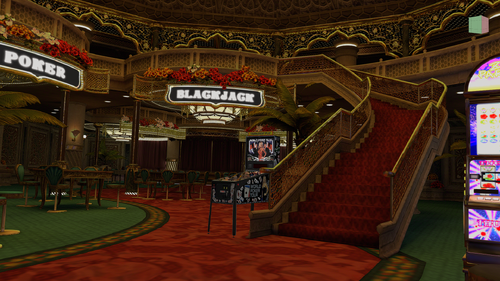
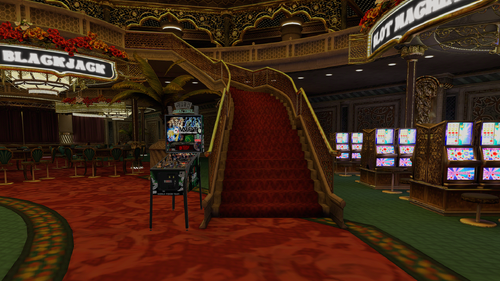
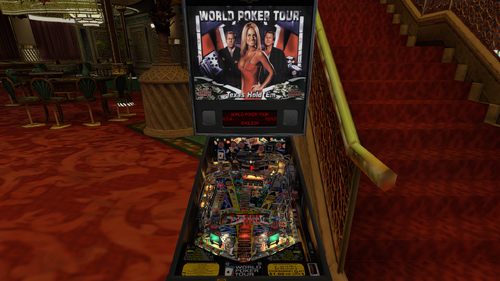
This is not a toolkitted table but the entire VR Mega room looks absolutely stunning!
This table was the toughest one I have worked on so far, almost taking 2 months to complete and with major issues during a long period of testing.
I do must apoligize to the entire VPW team for an exhausting adventure I put on them as well as me.
I do feel ready to step up to a higher level after reaching a ceiling.
There still is a sky beyond that ceiling to explore.
And even the sky is not the limit.


This table requires VP 10.8 and VPinMame 3.6.


Warning, to avoid issues with the insert lights being frozen please update to the latest b2s server version 2.1.6 or higher when available.
Even when you don't use it for a backglass, just do it!


https://github.com/vpinball/pinmame/issues/350


Update v.2.4:
This is a big visual update and also has physics updates on the target mass and Slingshot Corrections.
Also an updated code on the Fleep sound package.
I baked the playfield shadows, sidewalls and custom blades, backpanel, all plastics and all ramps.
And I have added new lightbulbs on the backpanel provided by the VLM Library.
In the end a very satisfying result and once again I raised the bar and I am a big step closer to forfilling my ambition to do a full VLM project in the future!


v.2.3:
I included an extra option for people suffering from issues with anaglyph 3d and headtracking.
A lot of options deal with reflections, like a new option to have the backglass reflect on the playfield wich will work in all formats.
When I have PWM plus refractions plus reflections enabled on the table people in VR will see black holes/blobs inside the lights.
So I added an extra ini file for VR to deal with all of this straight out of the box.
Just add it in and you are good to go!
These options will help taking those away but feel free to try them out when you like. I just disabled them inside that ini file for VR.


Support for the Legends Cabinets.
You can use the option to enable the Legends Cabinet setting to use the bigger sideblade option and a second ini file has been added to make it fit.
This ini file is only needed if you want to use this option.
I do ask in return to not see this being patched even when I release it as free to mod.
Feel free to reach out to me instead if you want extra art added (real art only available on a real table).
If somebody would ignore this I would be crushed...
 

VP9 - Original version by freneticamnesic - 2014
VPX - Original version by freneticamnesic - 2018
FSS version by Arconovum - 2018
VIP physics mod beta by bord - 2021VR-Hybrid version by RobbyKingPin, DGRimmReaper, DaRdog, LoadedWeapon, Enthusiast, guus_8005, fidiko, Gravy & Retro27 based on bord's version - 2025/2026


This mod contains the following improvements:


- nFozzy/Rothbauerw physics,Fleep sound with a lot of custom sounds from VPW's Rollercoaster Tycoon and VPW Ambient Ball Shadows
- rothbauerw Standup and Drop Target codes
- Updated target mass and Slingshot Corrections
- Flupper Domes, Flupper Bumpers with custom caps from the VLM library, Flupper flipperbats and 3D Inserts
- New Trough system that saves the balls
- More light tweaks to more modern standards based on VPW's settings
- Inlane speed limiters, code created by Wylte
- New ball image and scratches based on VPW's tables
- Updated PWM on flashers GI and Inserts and added new GI lights
- Big uprez in the playfield using AI
- Added shadows texture from FSS version made by Arconovum
- Added apron primitive from VPW's The Simpsons Party and Instruction Cards provided by Carny Priest
- Repositioned a lot of items and lowered the upper playfield and ramps
- Created new primitives for a missing plastic, a custom topper,a new backpanel, the left VUK and a new scoop for the bumper eject
- Fully rebuild and reprogrammed the scoop area for the bumper eject, the shooter lane VUK and the left VUK
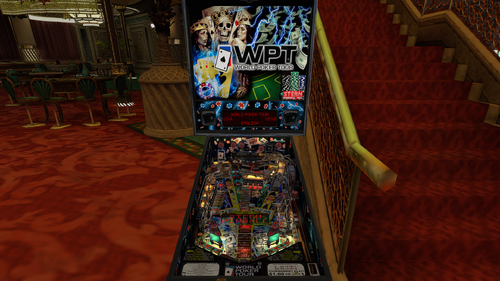
- Added a bunch of VR backglasses using some of hauntfreaks and Wildman assets
- VPW Tweak Menu added
- Baked the entire VR Mega Room, added and edited a new baked minimal room from VPW's Count-Down and a third room for Mixed Reality
- Updated VR Cabinet using assets from DaRdog and improved textures
- Shared assets for the VR Mega Room. Provided feedback and guidance to help bake it all
- Created a custom POV to fit on Legends Cabinets
- Added color corrections on the backpanel and one of the custom sideblades textures
- Tweaked the upward kicker settings on the shooter lane VUK and used AI for performance improvements on the script
- Added some missing cablights on top of the targets and lighted up the backwall cabs as well. Added playfield light reflections on the sidewalls
- Updated the texture for the bumpercaps
- Created a new backpanel lights
- Baked textures for the sidewalls, custom blades, backpanel, plastics, decals, ramps and playfield shadows
- Blended shadows with the GI
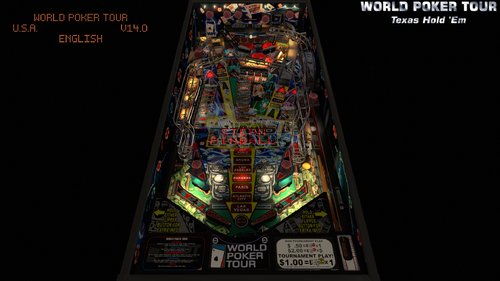
- Support for DT, FS, FSS, Legends Cabinets, MR and VR.
- Compatible with the Standalone player


Perfect pairing with the Serum ROM Colorization made by Enthusiast


Perfect pairing with the B2S made by Wildman


Or perfect pairing with the full dmd backglass made by hauntfreaks


Some assets that have been used came from other creators:


Arconovum: Shadows texture from FSS version
VPW: Apron from The Simpsons Pinball Party
VPW: Custom Fleep sounds from Rollercoaster Tycoon
Wildman: Backglass texture from the b2s file
hauntfreaks: Backglass texture from the b2s file


Who did what?


RobbyKingPin:
- nFozzy/Rothbauerw physics,Fleep sound with a lot of custom sounds from VPW's Rollercoaster Tycoon and VPW Ambient Ball Shadows (Updated v.2.4)
- Rothbauerw Standup and Drop Target codes (Updated v.2.4)
- Updated Rubber Dampeners and Slingshot Corrections (Updated v.2.4)
- Flupper Domes, Flupper Bumpers with custom caps from the VLM library, Flupper flipperbats and 3D Inserts
- New Trough system that saves the balls
- More light tweaks to more modern standards based on VPW's settings
- Inlane speed limiters, code created by Wylte
- New ball image and scratches based on VPW's tables
- Updated PWM on flashers GI and Inserts and added new GI lights
- Big uprez in the playfield using AI
- Added apron primitive from VPW's The Simpsons Party and Instruction Cards provided by Carny Priest
- Repositioned a lot of items and lowered the upper playfield and ramps
- Created new primitives for a missing plastic, a custom topper,a new backpanel, the left VUK and a new scoop for the bumper eject
- Fully rebuild and reprogrammed the scoop area for the bumper eject, the shooter lane VUK and the left VUK
- Added a bunch of VR backglasses using some of hauntfreaks and Wildman assets
- VPW Tweak Menu added
- Baked the entire VR Mega Room, added and edited a new baked minimal room from VPW's Count-Down and a third room for Mixed Reality
- Created a new backpanel lights (v.2.4)
- Baked textures for the sidewalls, custom blades, backpanel, plastics, decals, ramps and playfield shadows (v.2.4)
- Blended shadows with the GI (v.2.4)


DGrimmReaper:
- Added VR assets from 24


DaRdog:
- Shared assets for the VR Mega Room. Provided feedback and guidance to help bake it all


LoadedWeapon:
- Created a custom POV to fit on Legends Cabinets
- Added color corrections on the backpanel and one of the custom sideblades textures


Enthusiast:
- Tweaked the upward kicker settings on the shooter lane VUK and used AI for performance improvements on the script


guus_8005:
- Updated the texture for the bumpercaps


fidiko:
- Added some missing cablights on top of the targets and lighted up the backwall cabs as well. Added playfield light reflections on the sidewalls (Updated v.2,3,1)
- Made adjustments on target lights and the playfield display settings (Updated v.2.3.1)


Gravy:
- Gave support and assisted on helping sorting out issues on refraction and depth bias on the upper playfield (v.2.3.1)


Retro27 (v.2.4):
- Updated VR Cabinet using assets from DaRdog and improved textures


Special thanks to everybody involved during development and testing :guus_8005, Smaug, Tomate, Primetime5k, Studlygoorite, cl4ve, Dr.Nobody, ZANDYSARCADE, Wizball, BountyBob, bthlonewolf, m.carter78, Cliffy, Sinizin, mason, Burger, kilonova, supergibson, chokeee


Shoutout to:
- Carny Priest for the instruction cards he gave us!
- fidiko for helping me by adding the final improvements on the final day before this release!
- freneticamnesic, Arconovum & bord for their work on previous versions


If I didn't mention anybody else in this development cycle I am unaware of this and just know that I still think you are awesome and also want to say you rock!
And basically everybody from VPW I didn't mention just for having me as part of the family, you all absolutely rock!⠀

When I missed a credit please send me a message to fix the credits, don't be rude to throw in 1 star reviews for making a human mistake.

5134
https://vpuniverse.com/files/file/13756-world-poker-tour-stern-2006-alt-b2s-with-full-dmd/
Yes
10.8 required
RobbyKingPin, DGRimmReaper, DaRdog, LoadedWeapon, Enthusiast, guus_8005, fidiko, Gravy & Retro27
freneticamnesic, Arconovum, bord

What's New in Version 2.4   See changelog

Released

This is a big visual update and also has physics updates on the target mass and Slingshot Corrections.
Also an updated code on the Fleep sound package.
I baked the playfield shadows, sidewalls and custom blades, backpanel, all plastics and all ramps.
And I have added new lightbulbs on the backpanel provided by the VLM Library.
In the end a very satisfying result and once again I raised the bar and I am a big step closer to forfilling my ambition to do a full VLM project in the future!

User Feedback

Recommended Comments


MachWon

Posted


Great table RobbyKingPin, this is one of my favorite tables! but I ran into something odd with this table, if I play for awhile like 3 or 4 games in a row the ball will begin to shutter and the longer you play the more the shutting until it just is too much and you just have to quit. I have no other table that does this and I have another version of this table and you can play it all day long with no shutter ever.
My system is up to date and is over kill for VPX, my frame rate is around 260fps and monitor is at 144Hz so frame pacing is spot on. It just seems like there may be a possibility that a routine in your script that maybe is causing this? not sure it's just odd. Thanks again for all your work! 

  • Content Provider
RobbyKingPin

Posted

4 hours ago, MachWon said:


Great table RobbyKingPin, this is one of my favorite tables! but I ran into something odd with this table, if I play for awhile like 3 or 4 games in a row the ball will begin to shutter and the longer you play the more the shutting until it just is too much and you just have to quit. I have no other table that does this and I have another version of this table and you can play it all day long with no shutter ever.
My system is up to date and is over kill for VPX, my frame rate is around 260fps and monitor is at 144Hz so frame pacing is spot on. It just seems like there may be a possibility that a routine in your script that maybe is causing this? not sure it's just odd. Thanks again for all your work! 

I have heared this before. And I believe this is an emulation problem. I don't know if you remember other Stern SAM tables getting simular slowdown in the past. The Walking Dead suddenly collapsed in framerate after the ball was shot with the crossbow, until it aso became virtually unplayable. Stuff not responding to the shots we made. It was improved last year but still far from perfect. And it seems it only delays the process wich seems inevetable in the end. I can only recommend closing the table when you start noticing it. The real issue here is that we use 64 bit. It seems to be a lot more stable on 32 bit, but I will not recommend this as the prefered version either. It will play this one fine but it has memory limitations so be aware of that when you want to try to use the 32 bit to see if it's more stable or not

MachWon

Posted

Thanks Robby for your help, I did some more testing today and found it is in your version somewhere as both of these versions use the same rom and do not have any ball shutter at all:

World Poker Tour (Stern 2006)_Bigus(MOD) 4.0 and JP's World Joker Tour 5.5.0, I can play these for 15 games in a row with no issues, just 3 games in your version and the ball shutter starts. I also turn off everything  I could in your menu to bare bones and still have the same issue. I like your version the best, it plays and looks great. I'm going to figure out what's going on one way or another. Thanks Again.

  • Content Provider
RobbyKingPin

Posted

6 hours ago, MachWon said:

Thanks Robby for your help, I did some more testing today and found it is in your version somewhere as both of these versions use the same rom and do not have any ball shutter at all:

World Poker Tour (Stern 2006)_Bigus(MOD) 4.0 and JP's World Joker Tour 5.5.0, I can play these for 15 games in a row with no issues, just 3 games in your version and the ball shutter starts. I also turn off everything  I could in your menu to bare bones and still have the same issue. I like your version the best, it plays and looks great. I'm going to figure out what's going on one way or another. Thanks Again.

I bet performance can be weird sometimes. Probably mine costs the most performance out of the gate so maybe it will happen sooner on mine then compared to others. This does have a lot more bells and whistles compared to what you tried to compare. The difference in quality is not something that can be compared to any other version out there. I do believe this is not in my control since we even got AI used for performance gains  (+30 FPS as a result) So the choice is really simple, accept this performance on this table and just don't play 5 games after each other or try to reduce performance with the options provided in the menu. And just pray to the gods just like me that VPinMame gets even more stable in the future. I mean a reset after a game over is like a minor thing to do and takes very little time as well

MachWon

Posted

It's not about performance, it's about play-ability for me. Just got done playing only one game that I was doing quite well on and playing for awhile but the shutter got so bad the ball was like under a strobe light, just not playable causes a lot of lag.

Like I said above I reduced EVERYTHING in the menu to bare bones and no change at all, I'm not sure if very many people are using 144Hz monitor are experiencing this but maybe someone will chime in and I can determine if it just my system or something else.

Anyhow I'm not disappointed in the table you have done awesome work here and appreciate it! I'm just trying to figure this out. The other WPT tables I use are fine tables they are no where as good as yours but they have zero lag/shutter and hold a 144fps and play just fine.

One more thing I used F11 to monitor the frame rate, you can see it go from a steady 144fps and then slowly drop to 120 and lower, this is where the ball shutter really kicks in, just food for thought.

  • Content Provider
RobbyKingPin

Posted

I think I got around the same framerate when I disabled frame pacing. But yes your setup running 144 fps on default is quite high indeed. I got it capped at the usual 60 fps

  • Content Provider
RobbyKingPin

Posted

I will be sending out updates in the next days. Aside from the issues on the sidewalls in VR I got some issues with my menu wich cannot enable Mixed Reality and will have the shadows put in slightly higher. And Gravy has been really helpful helping me sort out some depth issues wich will take some of the black hole/blob issues away from the lights. Not 100% yet unfortunatly but still a big improvement

bietekwiet

Posted

Something seems broken in the latest update. 


I don't exclude it is my setup and not the game but none of the playfield inserts are responsive.


When I launch the game, the playfield inserts start flashing for a few seconds into the attract mode but then stop and they are not responsive during gameplay. They just aren't triggered while the game plays as normal.
I am using the latest stable 10.8 VPX and latest stable Vpinmame (above 3.6).

All was fine in the previous version/ update.

bietekwiet

Posted

SOLVED:

You have to update to the latest B2s Server (v2.13 ) on Github in order for it to work:

https://github.com/vpinball/b2s-backglass

A simple copy paste over the existing files works (backup those files first)
How to update described here:


https://github.com/vpinball/b2s-backglass/wiki/Update
 

Edit : I just realised updating to B2s Server to v.2.13 is actually stated in the table description.
I did this months ago but I had to redo it in order for it to work.


Mark70

Posted

Thanks for the update. 

Gravy

Posted

On 7/28/2025 at 7:16 AM, RobbyKingPin said:

I bet performance can be weird sometimes. Probably mine costs the most performance out of the gate so maybe it will happen sooner on mine then compared to others. This does have a lot more bells and whistles compared to what you tried to compare. The difference in quality is not something that can be compared to any other version out there. I do believe this is not in my control since we even got AI used for performance gains  (+30 FPS as a result) So the choice is really simple, accept this performance on this table and just don't play 5 games after each other or try to reduce performance with the options provided in the menu. And just pray to the gods just like me that VPinMame gets even more stable in the future. I mean a reset after a game over is like a minor thing to do and takes very little time as well


@RobbyKingPin and @MachWon There are several errors when I attempt to lock the table and it runs an audit. Some of the errors at the top specifically mention potential stuttering related to timers.

Table audit:
. Warning: Ball uses legacy 'spherical mapping', it will be rendered like a 2D object and therefore will look bad in VR, stereo or headtracking
. Warning: Part 'DT' uses a timer with a very short period of 5ms, below a 60FPS framerate. This will likely cause stutters and the table will not support 'frame pacing'.
. Warning: Part 'PinMameTimer' uses a timer with a very short period of 1ms, below a 60FPS framerate. This will likely cause stutters and the table will not support 'frame pacing'.
. Warning: Part 'RLS' uses a timer with a very short period of 10ms, below a 60FPS framerate. This will likely cause stutters and the table will not support 'frame pacing'.
. Warning: Part 'PrimT' uses a timer with a very short period of 0ms, below a 60FPS framerate. This will likely cause stutters and the table will not support 'frame pacing'.
. Warning: Part 'CorTimer' uses a timer with a very short period of 10ms, below a 60FPS framerate. This will likely cause stutters and the table will not support 'frame pacing'.
. Warning: Primitive 'PinCab_Backbox' uses translucency (lighting from below) while it is fully opaque. Translucency will be discarded.
. Warning: Primitive 'CabLightOn1' uses translucency (lighting from below) while it is fully opaque. Translucency will be discarded.
. Warning: Primitive 'CabLightOn2' uses translucency (lighting from below) while it is fully opaque. Translucency will be discarded.
. Warning: Primitive 'CabLightOn3' uses translucency (lighting from below) while it is fully opaque. Translucency will be discarded.
. Warning: Primitive 'CabLightOn4' uses translucency (lighting from below) while it is fully opaque. Translucency will be discarded.
. Warning: Primitive 'CabLightOn5' uses translucency (lighting from below) while it is fully opaque. Translucency will be discarded.
. Warning: Primitive 'CabLightOn6' uses translucency (lighting from below) while it is fully opaque. Translucency will be discarded.
. Warning: Primitive 'CabLightOn7' uses translucency (lighting from below) while it is fully opaque. Translucency will be discarded.
. Warning: Primitive 'bumperscrews1' uses translucency (lighting from below) while it is fully opaque. Translucency will be discarded.
. Warning: Primitive 'bumperscrews2' uses translucency (lighting from below) while it is fully opaque. Translucency will be discarded.
. Warning: Primitive 'bumperscrews3' uses translucency (lighting from below) while it is fully opaque. Translucency will be discarded.
. Total sound size: 25MiB
. Total image size: 211MiB in VPX file, at least 1512MiB in GPU memory when played
. Total number of faces used in primitives: 747461, needing 30MiB in GPU memory when played
 

Gravy

Posted (edited)

@RobbyKingPin Apophis gave me a tip to hopefully further banish the remaining traces of the drunken blur and creeping black ink effects on some areas of the table during certain lighting events in VR.

Try setting the Playfield reflections render probe roughness to 1 instead of 0.

During a 5 minute gameplay test this seems to have 99% fixed the issue except on one occasion when I pressed pause, I was unable to replicate the issue on subsequent pauses though.

If anyone wants to DIY this fix before the next update, just go to the editor menu Table/Render Probe Manager/Playfield Reflections/ Set the roughness slide level to "1" instead of "0".

I think there may be a FPS cost to this fix though, but I'm not sure.

Edited by Gravy
kilazz

Posted

doesnt work properly in the newest VpinballX GL64 3d mode (after several seconds screen changes into grey & white pixel mosaic)

loonytu

Posted

Runtime error
-------------
Line: 1777
Subscript out of range: 'chgLamp(...)'
 need someones help please

coolball

Posted

Thanks for this great update. I have a problem with the Card DMD on the table. I can see the WPT people picture and the cards letter are on the left and not on the middle of the DMD.


Please help


coolballWPT.thumb.jpg.632949db3e0c2ba1ae4012e019e560f7.jpg

  • Content Provider
RobbyKingPin

Posted

That's the backglass reflection. Looks normal to me when looking at your screenshot. It's optional to disable it with the options menu F12

coolball

Posted

Thanks, looks perfect now.

RabidUrko

Posted

Great update.

mandermannen

Posted

This looks amazing! But i have a lg 3d tv and the image is flooting. Any suggestions on solving this?

mandermannen

Posted

On 12/20/2025 at 9:23 PM, kilazz said:

doesnt work properly in the newest VpinballX GL64 3d mode (after several seconds screen changes into grey & white pixel mosaic)

Yes i have the exact same thing. Hope there will be a fix

  • Content Provider
RobbyKingPin

Posted

Copied from the table information

v.2.3:
I included an extra option for people suffering from issues with anaglyph 3d and headtracking. 

My guess is you guys never have bothered to read the description...

MachWon

Posted

Thanks RobbyKingPin, this is looking really good but I found the ball to be slow and hard to get up in the ramps so I changed the Playfield Friction to 0.1 and increased the flipper strength to 2200 and it plays much better to me. If anyone wants to try these changes I attached the .vpp that you can import to test this out. Thanks again for your work.


Edit: I updated this .vpp to RobbyKingPin Suggested settings.


World Poker Tour (Stern 2006) v.2.4.vpp

  • Content Provider
RobbyKingPin

Posted

This game is notorious and loved for being one of the hardest tables ever created. Fits into the same category as The Simpsons Pinball Party and Lord of The Rings. I think I have given a proper balance and even getting to one of the mini wizard modes once. But it's definiltly a players game wich requires a very high skillset to get things done. I probably never will beat it but still I love the challenge it throws.

I do believe these ramps are a bit tough but that may be because of the height. When I started on this mod it was a lot heigher and it didn't even fit inside a cab it was that heigh. I lowered every item by hand just to get it fit, but it still may be a bit off. Doing this true justice would need me to get acces to a proper scanned playfield and also acces to a real machine for measurements and then do everything from scratch. I fear that is a mission impossible.


I do must say I follow the book 100% on my physics conversions. I don't want to implement suggestions that are beyond the margins that nFozzy recommends. No AI enhancements either unless it's for performance only and also not tempering with any of the codes inside the nFozzy sections. And for upscaling images when needed AI can be a great tool as well.

The one exception that I sometimes am forced to use is overwriting physics settings on ramps, changing friction on that area when needed. This half loop on the left ramp is such an exception where it's set to 0 completely. And even with that said I am not happy that such a thing was even needed, but yeah it's the way it is...


And when improvements get done over time it needs to be implemented in the VPW Example Tables or any of their released tables, done by one of the masters who definitly knows what to do. And yes that may sound like a strong opinion but that is how I roll. The settings are like a holy grail to me

MachWon

Posted

I understand where you are coming from but changing the playfield friction and a bit more flipper strength isn't going blow out the nFozzy or anything, the ball moves sluggish compared to the original table. Maybe you have another suggestion for this? 

MachWon

Posted

Also I found the ball getting stuck at left & right side of the bottom bumper at Wall100-Wall101, you can nudge it but this will fix it. now I can play without thinking about it.


Ball Stuck at Wall100-Wall101.jpg


Create an account or sign in to comment

You need to be a member in order to leave a comment

Create an account

Sign up for a new account in our community. It's easy!

Register a new account

Sign in

Already have an account? Sign in here.

Sign In Now
×
  • Create New...