

Jump to content

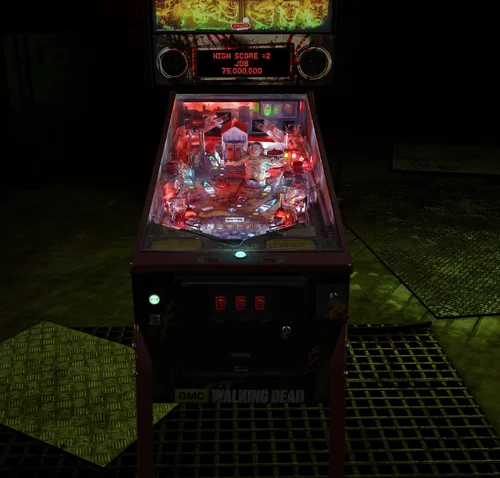
The Walking Dead LE/Premium 4K (Stern 2014)

  • Get Support
  • Create an account or sign in to download this
download_no_perm
66265 Views
14032 Downloads
5 From 121 reviews
599.79 MB File Size
twd_160h ROM Name
Flupper Created by
Stern Manufacturer
2014 Year

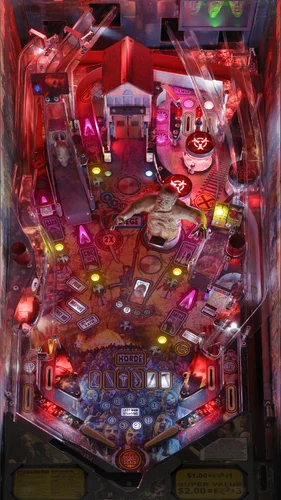
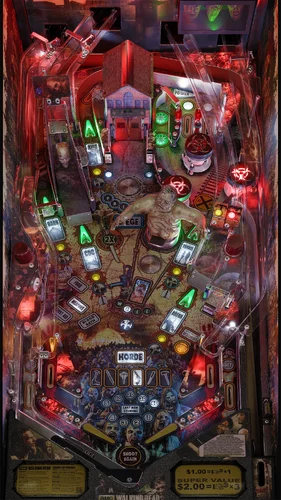
5 Screenshots

*** Use VPX 10.8 final 64-bit rev. 2051 and VPinmame 3.6 Final 64-bit rev. 1227 ***
*** use rom twd_160h: https://vpuniverse.com/files/file/25247-walking-dead-the-limited-edition-v1600/ ***
*** all user options are in the F12 menu, none in the script ***
*** supports desktop, fullscreen, FSS, VR ***


Graphics coding, blender work, lighting, textures, inserts, 3d objects, zombie models, playfield image: Flupper1
Many thanks to...:
Nfozzy, Fleep addition: Robby King Pin
Physics tuning : Rothbauerw
Plastics scans: HiRez00
Decals apron - ClarkKent
Apron cards - Carny Priest
Testing - VPW with special thanks to Iaakki for several fixes and Primetime5k for physics tuning
VR room - DaRdog
special thanks to Vbousquet for the Blender toolkit, Nfozzy for the physics scripts, Fleep for the sounds
former authors; reused bits and pieces
ICPJUGGLA, FRENETICAMNESIC, GTXJOE, RANDR, DARK, ZANY, Dozer, PinBill

Q&A:
1. The rom slows down and does not respond any more or the table crashes
Answer: use VPX 10.8 final 64-bit and Vpinmame 3.6 Final 64-bit

2. The rom is missing or not working correctly
Answer: use the rom from the hyperlink provided on top of the release notes

3. There are no options in the script
Answer: all options are in the F12 menu, during play

4. At the end of ball, the sound stutters and the lights as well
Answer: this is a known issue: this is caused by the pinmame emulation, cannot be fixed in VPX

5. The flashers are very bright
Answer: first of all, don't change the tonemapper to anything else then AgX; furthermore you can tune the flasher brightness in the F12 menu
 

Edited by Flupper


Permission from ORIGINAL Author(s)?

This is my own creation.

Allow file to be included on a VPUniverse downloader app?

Yes

VPX Standalone

Yes
https://www.ipdb.org/machine.cgi?gid=6156
Contact Author First.
10.8 required
Yes

What's New in Version 1.1.0   See changelog

Released

I uploaded the "making of"

User Feedback

Recommended Comments


outhere

Posted

30 minutes ago, Gingerdilligaf said:

This table plays fine outside of pinup popper but if i load it inside of popper the playfield shrinks to the middle of the screen. 

Are you using the same VPinballX.exe

Gingerdilligaf

Posted

On 5/30/2025 at 3:44 PM, outhere said:

Are you using the same VPinballX.exe

No I'm pointing it to an alternative exe. Latest 64bit. Tested outside of popper plays fine so it's a bit baffling

Flupper

Posted

“Latest” is final 10.8 or an alpha version of 10.8.1? If the latter, then use 10.8 final

GarthAngst2024

Posted (edited)

I am using the 1.1 day version and I am getting the following issue: After the second drains, it takes about 4 minutes to count up the bonuses before ball 3 is available. Sometimes it is after the last ball drains to tell me game over. It looks like it is going in slow motion. I am using 10.8 final and pinmame 3.6-1227. I have tried both 64-bit DX and GL version, same issue. I have an I9 with 32Gb RAM and RTX 4070. I have no problems in any table as far as lag and no lag in the game, it's just the between ball wait. Anyone else?

Hmmm, ok, I did not know this was a known problem, but from what I read, it it no longer an issue on 64-bit, but it surely seems it still is. I haven't found a recent post about it still being or not being an issue.

Edited by GarthAngst2024
Flupper

Posted

I have not seen this with the correct versions of vpx and vpinmame; please make sure during running the game that you have indeed the correct versions of vpx and vpinmame

GarthAngst2024

Posted

i will recheck when i get home, but i just updated all three (b2s server too) the other day with the FINAL versions.


Flupper

Posted (edited)

2 hours ago, GarthAngst2024 said:

i will recheck when i get home, but i just updated all three (b2s server too) the other day with the FINAL versions.


There are 2 options:
1. you installed the right versions, but somehow still the wrong versions (especially vpinmame) are running

2. you have the exact same problem as I & many others saw running with the wrong versions (rom slowdown), but you are running the right versions


Option 1, concerning the vpinmame version, can be detected by running the table, press F1 and then the info button. Do you see version 1227 and x64? (not higher, not lower)

Option 2 I have not heard about yet from anybody else; all occurrences of people having rom slowdowns are down to the wrong version of vpinmame. If you have option 2, then I don't know how to help you.

Edited by Flupper
GarthAngst2024

Posted (edited)

4 hours ago, Flupper said:

There are 2 options:
Option 1, concerning the vpinmame version, can be detected by running the table, press F1 and then the info button. Do you see version 1227 and x64? (not higher, not lower)

You have been very helpful and gone beyond what you need to do. I started up, hit F1 and info. It is showing v3.6 (x64) dated Feb 1, 2024. Going back and looking at my files, it seems I d/l only the libpinmame and not the vpinmame zip file (there were a lot on github and I got sloppy I guess). I got it now and it correctly shows what you said. I ran the table with no issue now thanks to you. I appreciate it.

Edited by GarthAngst2024
massico88

Posted

Celle-la:  OUFF !!


retiens ton souffle !!


Merci !!

diablo

Posted (edited)

its work for me with colored rom thank you so much

  but how  can i have the red lighting on table like your screenshots ? 

Sans titre1.png

Edited by diablo
robertms

Posted

1 hour ago, diablo said:

how  can i have the red lighting on table like your screenshots ? 


Download the night version.

EverlastingLoooove

Posted

I can't say anything that's not already been said, but Flupper: Thank you so very much. I have loved this pin since Stern released it, and you have now deepened my appreciation. This, I think, truly shows the brilliance of what you have accomplished.

firepowr

Posted

On 5/26/2025 at 9:41 AM, naboodiver said:

Flupper.   Thanks for helping to zero me in on the cause.    I have no idea why I did it but somewhere down the road I set "alternate launch" to x86 (32bit) for The Walking Dead tables.    Removed it and now all is good.    BTW the table plays amazing.   Thanks again.

 I'm running into the same issue with that watermark to use 64bit. Everything is working fine but I can remove that image.  What did you change to make that happen?

firepowr

Posted

10 minutes ago, firpowr said:

 I'm running into the same issue with that watermark to use 64bit. Everything is working fine but I can remove that image.  What did you change to make that happen?

 Okay. I figured it out.  If you're like me and installed everything manually such as downloading VPX and B2s from github.

If you launch the VPinballx64 then load up TWD table you'll get an active x error.  It's because you don't have Pinmame64 installed.  So go into the vpinmame directory and double click on "Setup64.exe". Select install and you'll get the 64bit files added.

Relaunch vpinballx64 then load up the TWD table, then you're off to the races. I hope this helps. I'm new to the vpinball scene still learning, and all the content creator and developers here are freakin' awesome. I don't know how you do it.  

naboodiver

Posted

On 7/17/2025 at 7:35 PM, firpowr said:

 Okay. I figured it out.  If you're like me and installed everything manually such as downloading VPX and B2s from github.

If you launch the VPinballx64 then load up TWD table you'll get an active x error.  It's because you don't have Pinmame64 installed.  So go into the vpinmame directory and double click on "Setup64.exe". Select install and you'll get the 64bit files added.

Relaunch vpinballx64 then load up the TWD table, then you're off to the races. I hope this helps. I'm new to the vpinball scene still learning, and all the content creator and developers here are freakin' awesome. I don't know how you do it.  

Firpowr,   My issue was with Pinup Popper alternate launch script.    This alternate launch script is for x(86) 32bit tables that will not run correctly in x64 (my default executable).    Inside the games manager of pinup popper there is field for alternate launch for a table.    I populated the field with my x86 launch script name and it uses the vpinball x86.exe when playing the table.     I hope that makes sense.   If not, come back at me with questions and I will be happy to help.

firepowr

Posted

On 7/20/2025 at 12:41 PM, naboodiver said:

Firpowr,   My issue was with Pinup Popper alternate launch script.    This alternate launch script is for x(86) 32bit tables that will not run correctly in x64 (my default executable).    Inside the games manager of pinup popper there is field for alternate launch for a table.    I populated the field with my x86 launch script name and it uses the vpinball x86.exe when playing the table.     I hope that makes sense.   If not, come back at me with questions and I will be happy to help.


This makes sense to me.  On my front end I noticed this option.  This is definitely good to know for tables that needs to run in certain modes.

Screamingdemon

Posted

Thanks Flupper for an incredible rework of this table . Absolutely stunning!!!


Thanks JP Salas.


Great Table and appreciate the continued updates.


Here is a link to  an alternate Cabinet POV for 43" display.


xphilou29

Posted

Completely amazing, thank you so much Flupper, you are a god!

  • Content Provider
freneticamnesic

Posted

Sick just sick

Lroy

Posted

Thank you.

CaptKraken33

Posted

This table just refuses to work. Have wiped windows completely and reinstalled everything fresh and updated to the latest (non beta) versions of everything. 


Table still slows down on the rom and eventually locks up. Have even tried the Ajit fix as well as running it in 32bit(even though not recommended) just to see and again nothing. Can't even make it through one ball without it bricking. Some help would be appreciated if anyone can.

Flupper

Posted

On 2/3/2026 at 4:49 PM, CaptKraken33 said:

This table just refuses to work. Have wiped windows completely and reinstalled everything fresh and updated to the latest (non beta) versions of everything. 


Table still slows down on the rom and eventually locks up. Have even tried the Ajit fix as well as running it in 32bit(even though not recommended) just to see and again nothing. Can't even make it through one ball without it bricking. Some help would be appreciated if anyone can.

Still sounds like you are not using the right vpinmame, use Vpinmame 3.6 Final 64-bit


Create an account or sign in to comment

You need to be a member in order to leave a comment

Create an account

Sign up for a new account in our community. It's easy!

Register a new account

Sign in

Already have an account? Sign in here.

Sign In Now
×
  • Create New...