
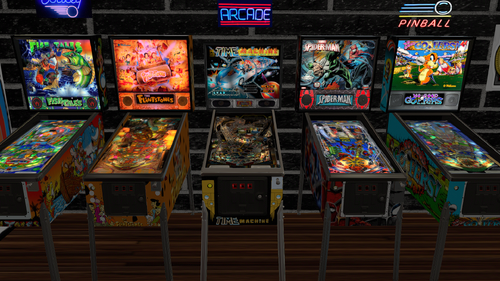
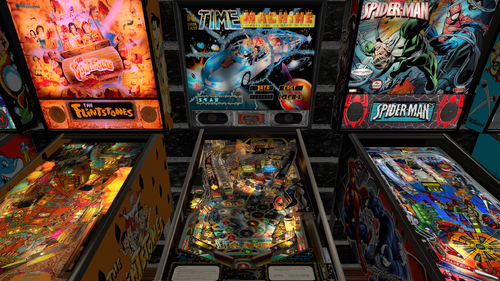
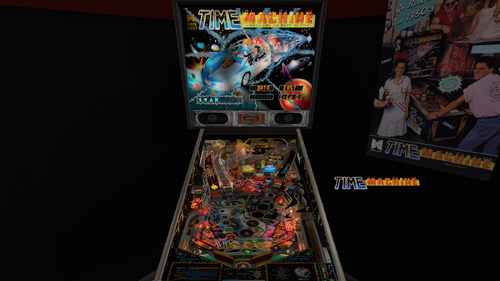
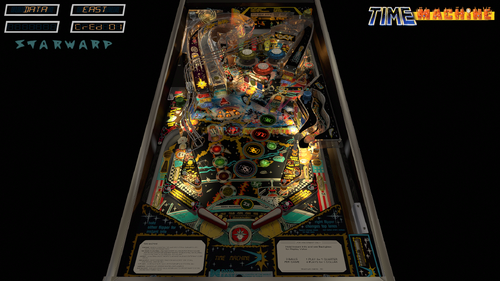
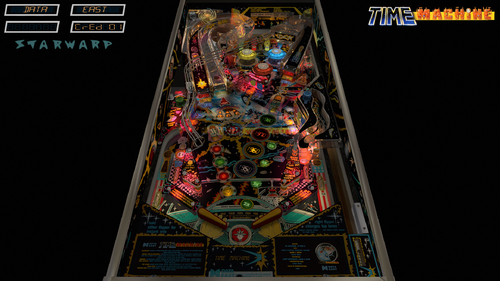
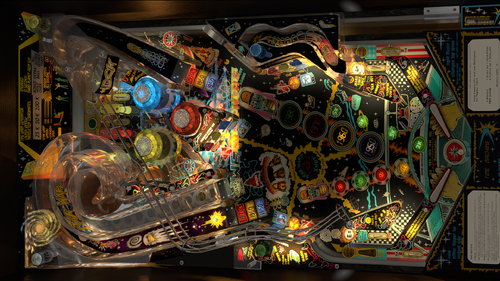
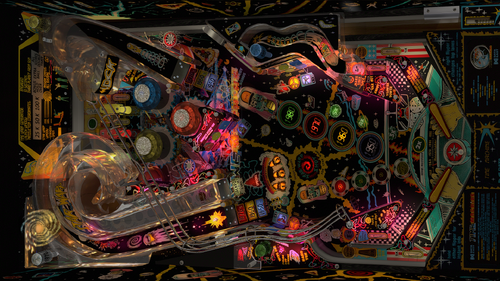
You're entering another dimension!
This was the first Data East game I ever played.
Stepping up to this felt so elite.
The sound is top notch and the flow is tough but fair.
The rules are simple but very addictive, I am having so much fun while playing it every time!
This table requires VP 10.8 and VPinMame 3.6.
Anybody having low volumes please follow the following tips provided by deadmanworking.
Cheers buddy!
Go to VPinMame program folder, start Setup.exe or Setup64.exe.
Hit "Test" and find the correct Time Machine rom in the listing (tmac_24), press "Start"
The DMD of the game should show up, and if not make sure it's enabled with the f1 key by selecting "show DMD/display window".
Select it with the mouse, hit ^ (tilde) key and you'll see a volume adjustment. Right/left to increase/decrease volume, try +3db first and after that hit ^ again.
Right click the DMD, select "Game Settings" and then "OK" (without changing anything). The adjustment won't carry over otherwise.
Stop the ROM and test the table, adjust again if necessary.
Update v.2.4:
This is a big visual update and also has physics updates on the target mass and Slingshot Corrections.
I baked the playfield shadows, sidewalls and custom blades,backpanel, all plastics and all ramps.
In the end a very satisfying result and once again I raised the bar and I am a big step closer to forfilling my ambition to do a full VLM project in the future!
Update v.2.3:
A lot of options deal with reflections, like a new option to have the backglass and topper reflect on the playfield wich will work in all formats.
When I have PWM plus refractions plus reflections enabled on the table people in VR will see black holes/blobs inside the lights.
So I added an extra ini file for VR to deal with all of this straight out of the box.
Just add it in and you are good to go!
These options will help taking those away but feel free to try them out when you like. I just disabled them inside that ini file for VR.
Support for the Legends Cabinets.
You can use the option to enable the Legends Cabinet setting to use the bigger sideblade option and a second ini file has been added to make it fit.
This ini file is only needed if you want to use this option.
I do ask in return to not see this being patched even when I release it as free to mod.
Feel free to reach out to me instead if you want extra art added (real art only available on a real table).
If somebody would ignore this I would be crushed...
Update v.2.2:
With the official releases of VP 10.8 and VPinMame 3.6 I decided to give this one more update.
I added a new apron with extra custom instruction cards.
I added many more LUT options then ever before.
I also included an extra option for people suffering from issues with anaglyph 3d and headtracking.
I only recommend using this option when really needed, because we found out it does have a performance impact.
And DGrimmReaper provided an updated backglass for VR using assets from hauntfreaks.
VP9 - Original Version by JPSalas - 2011
VPX - Original Version by JPJ, Arngrim, Team PP -2021
VR version by Sixtoe - 2021
VR-Hybrid version by RobbyKingPin, ZandysArcade, DGrimmReaper, m.carter78 & LoadedWeapon - 2025/2026
This mod contains the following improvements:
- nFozzy/rothbauerw physics, fleep sound and VPW Ambient Ball Shadows (Updated v.2.4)
- rothbauerw Standup and Drop Target codes and merged all primitives (Updated v.2.4)
- Updated target mass and Slingshot Corrections (Updated v.2.4)
- Resized flippers matching settings provided by apophis
- Flupper Domes, Flupper Bumpers with custom caps from the VLM library, Flupper Flipperbats, Flupper Flasherlamps and Flupper 3D Inserts (Updated v.2.4)
- New Trough system that saves the balls (Updated v.2.4)
- More light tweaks to more modern standards based on VPW's settings (Updated v.2.4)
- New ball image and scratches based on VPW's tables
- Updated PWM on flashers GI and Inserts and added new GI lights
- Added refraction probes on all ramps
- Removed a lot of timers and triggers to improve performance
- Big uprez in the playfield and plastics using AI
- Imported oval pill shaped insert from the Blender Toolkit library
- New backdrop for desktop and added the alphanumeric displays from JPJ's Torpedo Alley and changed the color settings to recommendations from hauntfreaks
- Physical subway tunnel underneath the StarWarp Ramp towards the VUK on the right side of the playfield
- Animated slingshots that never got placed on the original table
- New custom sideblades
- Second VR room, used assets from Senseless
- New pair of primitives to replace decals on sidewood and hide the collidable walls
- Fixed a switch issue on the left ramp. This switch collects the Energy bonus
- Added fully animated VR backglass using hauntfreaks assets
- Added more options like scratched glass, logo and poster, added more LUT options
- New apron added. Used assets from UnclePaulie's Laser War and edited the primitive, made new texture and 2 sets of instruction cards
- Added a new baked minimal room and a third room for Mixed Reality (v.2.3)
- Added new custom sideblades and instruction cards
- Baked textures for the sidewalls, custom blades, plastics, decals, ramps and playfield shadows (v.2.4)
- Blended shadows with the GI (v.2.4)
- Added VPW Tweak Menu (Updated v.2.4)
- Support for DT, FS, FSS, Legends Cabinets, MR and VR
- Compatible with the Standalone player
- 3 VR Rooms
Perfect pairing with authentic backglass made by hauntfreaks.
Or perfect pairing with the full dmd backglass made by hauntfreaks.
Some assets and codes that have been used came from other creators:
Senseless: VR Gameroom assets
JPJ: Codes and assets for the alphanumeric displays on desktop from Torpedo Alley
UnclePaulie: Apron from Laser War
VPW: VR Minimal Room from Count-Down
hauntfreaks: Backglass texture from the b2s file
Who did what?
RobbyKingPin:
- nFozzy/rothbauerw physics, fleep sound and VPW Ambient Ball Shadows (Updated v.2.4)
- rothbauerw Standup and Drop Target codes and merged all primitives (Updated v.2.4)
- Updated target mass and Slingshot Corrections (Updated v.2.4)
- Resized flippers matching settings provided by apophis
- Flupper Domes, Flupper Bumpers with custom caps from the VLM library, Flupper Flipperbats, Flupper Flasherlamps and Flupper 3D Inserts (Updated v.2.4)
- New Trough system that saves the balls (Updated v.2.4)
- More light tweaks to more modern standards based on VPW's settings (Updated v.2.4)
- New ball image and scratches based on VPW's tables
- Updated PWM on flashers GI and Inserts and added new GI lights
- Added refraction probes on all ramps
- Removed a lot of timers and triggers to improve performance
- Big uprez in the playfield and plastics using AI
- Created a new backdrop for desktop and added the alphanumeric displays from JPJ's Torpedo Alley and changed the color settings to recommendations from hauntfreaks
- Build a physical subway tunnel underneath the StarWarp Ramp towards the VUK on the right side of the playfield
- Added animated slingshots that never got placed on the original table
- Added new custom sideblades and edited the primitive
- Edited a few VR primitives, split up the rails and other metals
- Added a second VR room, used assets from Senseless
- Created a new pair of primitives to replace decals on sidewood and hide the collidable walls
- Fixed a switch issue on the left ramp. This switch collects the Energy bonus
- Added more options like scratched glass, logo and poster, added more LUT options (v.2.2)
- New apron added. Used assets from UnclePaulie's Laser War and edited the primitive, made new texture and 2 sets of instruction cards (v.2.2)
- Added a new baked minimal room and a third room for Mixed Reality (v.2.3)
- Added new custom sideblades and instruction cards
- Baked textures for the sidewalls, custom blades, plastics, decals, ramps and playfield shadows (v.2.4)
- Blended shadows with the GI (v.2.4)
- Added VPW Tweak Menu (Updated v.2.4)
ZandysArcade:
- Created a new set of textures for the oval pill shaped inserts and put a new UVMap on the primitives
DGrimmReaper:
- Added new rings and flipperbuttons and added animation codes for them
- Added fully animated VR backglass using hauntfreaks assets. (v.2.2)
m.carter78:
- Added smalll adjustments to invisible walls to prevent balls getting stuck
LoadedWeapon:
- Created a custom sideblades primitive to fit on Legends Cabinets and provided a secondary ini file for the POV to match. Adjusted a few lights on the backwall
- Big uprez on the sideblade textures (v.2.4)
Special thanks to everybody involved during development and testing: guus_8005, MikeDASpike, Smaug, Primetime5K, Dr.Nobody, Mecha_Enron, MerlinRTP, Joe Picasso, flupper1, DaRdog, cl4ve, Cliffy AKA passion4pins, DarthVito, Studlygoorite, Tomate, somatik, Colvert, Apophis, Nestorgian, cyberpez, judremy, piratepwnsninja, Sinizin
Shoutout to:
- JPSalas, JPJ, Arngrim, Team PP and Sixtoe for their work on previous versions
- Chucky, Bryan Rianfor, Neo, Ninuzzu, Andreas Juengling, Flupper, DJRobX and Brian Ryan for helping out on earlier versions
Extra shoutout to outhere for providing issues with the DOF file wich caused beacons to never turn off!
If I didn't mention anybody else in this development cycle I am unaware of this and just know that I still think you are awesome and also want to say you rock!
And basically everybody from VPW I didn't mention just for having me as part of the family, you all absolutely rock!
When I missed a credit please send me a message to fix the credits, don't be rude to throw in 1 star reviews for making a human mistake.
Edited by RobbyKingPin
Updated text to update v.2.4

Recommended Comments
Create an account or sign in to comment
You need to be a member in order to leave a comment
Create an account
Sign up for a new account in our community. It's easy!
Register a new accountSign in
Already have an account? Sign in here.
Sign In Now