Jump to content

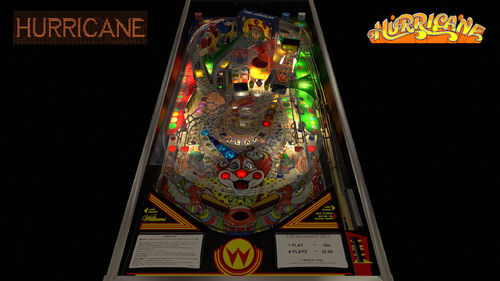
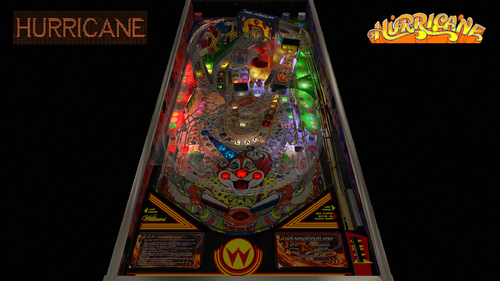
Hurricane (Williams 1991)

  • Get Support
  • Create an account or sign in to download this
download_no_perm
9812 Views
2899 Downloads
5 From 29 reviews
385.93 MB File Size
hurr_l2 ROM Name
Williams Created by
Williams Manufacturer
1991 Year

10 Screenshots

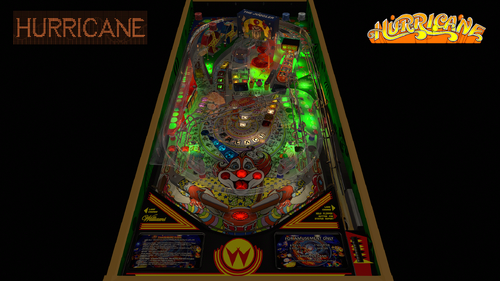
Thrills! Chills! Magic! Prizes! Ride the Hurricane!


Hurricane is the final part of the rollercoaster trilogy.
I was thinking to myself that is was a shame that the trilogy never got completed.
Bord did Comet way before I started developing tables in this wonderful community.
I updated Cyclone 2 years ago and have kept it up to date up till this point.
But Hurricane somewhat got left in the dark and although some mods were made of it, none had the nFozzy treatment before.
So when I build my new computer it started to become a thing I really wanted to do.
I quickly had a small team of familiar faces from previous projects and quickly the project became so big that it took me over 2 months to get it into the shape you see here.
Retro27 added an improved cabinet and a topper and had also improved a lot of textures and did touchups on the playfield as well.
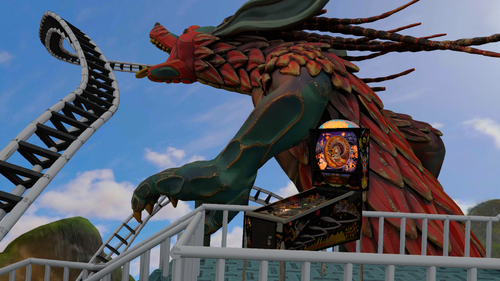
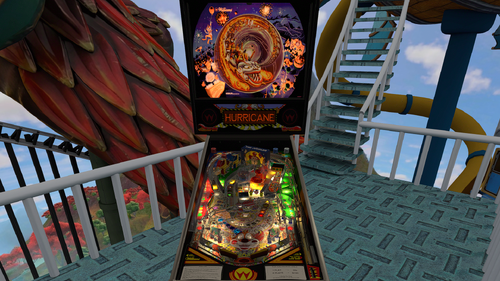
DaRdog donated a insane VR Mega room with an animated rollercoaster that is completely out of this world.
DGRimmreaper animated the entire backglass in VR using the assets from hauntfreaks and Wildman as a starting point.
But we quickly found out the setup was having a few flaws so I dove into the manual to sort out all 3 strings for the GI and all flashers as well.
Hauntfreaks then provided me an updated backglass texture
I also took the challenge to start adding baked elements into the table itself.
I started with the backglass, and with help from Mecha_Enron quickly understood how to do this.
The real tricky part is having a rotating wheel mech. 
Obviously baking lights into a rotating part can't be done without it looking off.
So I added a multiple layer setup to make it all blend in as natural as possible.
I also added baked playfield shadows to enhance the GI on the table.
Tomate added baked textures on the ramps and helped me understand how to set this up myself with all correct shaders and render settings.
I ended up doing them all over because we have 2 GI strings on the playfield
He also edited the ramp primitives too.
I also got acces to one of the Blender files from a VPW project to make me understand even more.
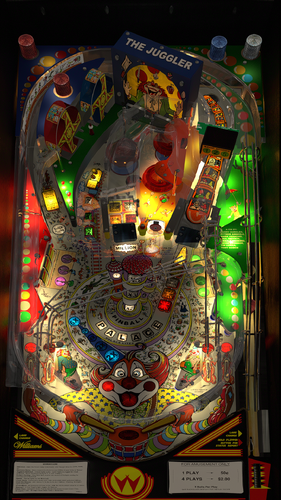
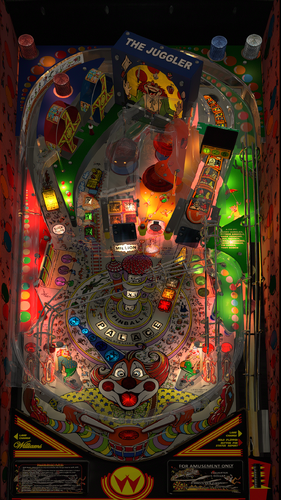
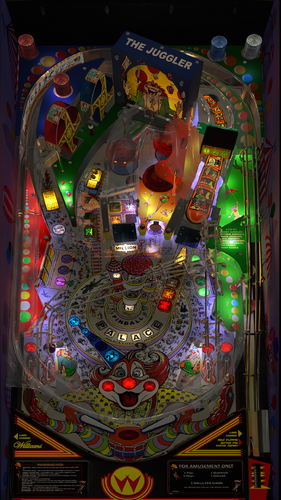
In the end I baked the backglass and topper, playfield shadows, sidewalls and custom blades, Juggler and the part above the Hurricane ramp with the scoring of 1M, 2M and 5M,all plastics and all ramps.
In the end a very satisfying result and once again I raised the bar and I am a big step closer to forfilling my ambition to do a full VLM project in the future!


This table requires VP 10.8 and VPinMame 3.6.


This table includes a lot of new options.


I included an extra option for people suffering from issues with anaglyph 3d and headtracking.


A lot of options deal with reflections, like a new option to have the backglass reflect on the playfield wich will work in all formats.
When I have PWM plus refractions plus reflections enabled on the table people in VR will see black holes/blobs inside the lights.
So I added an extra ini file for VR to deal with all of this straight out of the box.
Just add it in and you are good to go!
These options will help taking those away but feel free to try them out when you like. I just disabled them inside that ini file for VR.
I only recommend using this option when really needed, because we found out it does have a performance impact.


I added extra custom instruction cards, sideblades, metal on the cabinet, custom GI options including an RGB Rainbow.
The backglass can have a warm incendescent feel or a brighter one as option.
I added many LUT options.
Optional enviromental sounds. (only in VR)


Support for the Legends Cabinets.
You can use the option to enable the Legends Cabinet setting to use the bigger sideblade option and a second ini file has been added to make it fit.
This ini file is only needed if you want to use this option.
I do ask in return to not see this being patched even when I release it as free to mod.
Feel free to reach out to me instead if you want extra art added (real art only available on a real table).
If somebody would ignore this I would be crushed...


VP9 - Original version by TAB - 2009.
VP9 - Mod version by ICPjuggla, JimmyFingers, OldSkoolGamer and Koadic - 2013. 
VPX - Original version by Herweh - 2019.
VR Version by Retro27, UnclePaulie and Sixtoe - 2021.
VR-Hybrid version by RobbyKingPin, Retro27, DGrimmReaper, DaRdog, tomate, fidiko, hauntfreaks, supergibson and LoadedWeapon - 2025/2026.


This mod contains the following improvements:


- nFozzy/rothbauerw physics, fleep sound with a lot of custom sounds from VPW's Space Station and VPW Ambient Ball Shadows
- rothbauerw Standup and Drop Target codes
- Updated target mass and Slingshot Corrections
- Resized flippers matching settings provided by apophis
- Flupper Domes, Flupper Bumpers, Flupper Flipperbats, Flupper Flasherlamps and Flupper 3D Inserts
- New Trough system that saves the balls
- More light tweaks to more modern standards based on VPW's settings
- Fixed some missing lights
- New ball image and scratches based on VPW's tables
- Updated PWM on flashers GI and Inserts and added new GI lights
- Added refraction probes on all ramps
- Removed a lot of timers and triggers to improve performance
- Big uprez in the playfield and plastics using AI
- Added new custom sideblades and instruction cards
- Added Rainbow RGB as an option for the GI
- Created new primitives for the plastics
- Added and edited a primitive and a texture for the biff bars
- VPW Tweak Menu
- Added a new cabinet in VR
- Created new textures for the cabinet plus options
- Created a new topper primitive
- Added a key lock at the top of the back box
- Adjusted the height on a few wiregates
- Updated the playfield, inserts and some of the plastics textures
- Added fully animated VR backglass using hauntfreaks and Wildman assets
- Added new baked textures for all the ramps and edited the Hurricane ramp primitive
- Created a new texture for the backpanel and added shadows on the sidewall textures
- Baked textures for the backglass and topper, sidewalls, custom blades, plastics, decals, ramps and playfield shadows
- Blended shadows with the GI
- Support for DT, FS, FSS, Legends Cabinets, MR and VR
- Compatible with the Standalone player
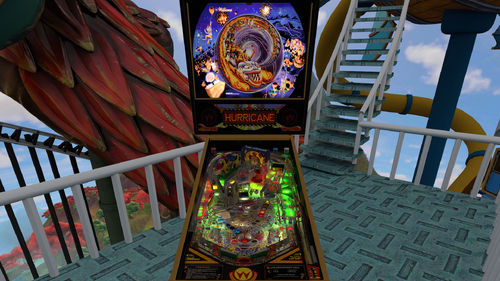
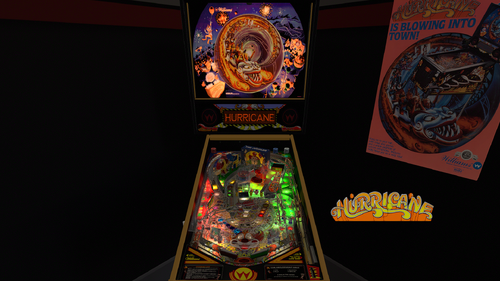
- 3 VR Rooms

Perfect pairing with the full dmd backglass made by hauntfreaks.


Who did what?


RobbyKingPin:
- nFozzy/rothbauerw physics, fleep sound with a lot of custom sounds from VPW's Space Station and VPW Ambient Ball Shadows
- rothbauerw Standup and Drop Target codes
- Updated target mass and Slingshot Corrections
- Resized flippers matching settings provided by apophis
- Flupper Domes, Flupper Bumpers, Flupper Flipperbats, Flupper Flasherlamps and Flupper 3D Inserts
- New Trough system that saves the balls
- More light tweaks to more modern standards based on VPW's settings
- Fixed some missing lights
- New ball image and scratches based on VPW's tables
- Updated PWM on flashers GI and Inserts and added new GI lights
- Added refraction probes on all ramps
- Removed a lot of timers and triggers to improve performance
- Big uprez in the playfield and plastics using AI
- Added a new baked minimal room and a third room for Mixed Reality
- Added new custom sideblades and instruction cards
- Added Rainbow RGB as an option for the GI
- Created new primitives for the plastics
- Added and edited a primitive and a texture for the biff bars
- Baked textures for the backglass and topper, sidewalls, custom blades, plastics, decals, ramps and playfield shadows
- Blended shadows with the GI
- VPW Tweak Menu


Retro27:
- Added a new cabinet in VR
- Created new textures for the cabinet plus options
- Created a new topper primitive
- Added a key lock at the top of the back box
- Adjusted the height on a few wiregates
- Updated the playfield, inserts and some of the plastics textures


DGrimmReaper:
- Added fully animated VR backglass using hauntfreaks and Wildman assets
- Fixed minor issues in VR


DaRdog:
- Baked and added a very cool Mega Room with an animated rollercoaster and donated the costs for the assets


tomate:
- Added new baked textures for all the ramps and edited the Hurricane ramp primitive


fidiko:
- Created a new texture for the backpanel and added shadows on the sidewall textures


hauntfreaks:
- Provided a new backglass to match his new b2s file


supergibson:
- Created a new ramp end section that provides a better feed to the inlanes


LoadedWeapon:
- Created a custom POV to fit on Legends Cabinets


Special thanks to everybody involved during development and testing: cl4ve, Tomate, Studlygoorite, Burger, Guus_8005, Dr.Nobody, Mecha_Enron, m.carter78, ZandysArcade, Smaug, PinStratsDan, fidiko, Primetime5k, MikeDASpike, wrd1972, hauntfreaks, supergibson, rothbauerw, bthlonewolf, apophis, Sinizin


Shoutout to:
- DaRdog for donating the assets for the VR Mega Room
- tomate for all the help with the bakes and the ramp
- TAB, ICPjuggla, JimmyFingers, OldSkoolGamer, Koadic, Herweh, UnclePaulie and Sixtoe for their work on previous versions


If I didn't mention anybody else in this development cycle I am unaware of this and just know that I still think you are awesome and also want to say you rock!
And basically everybody from VPW I didn't mention just for having me as part of the family, you all absolutely rock!


When I missed a credit please send me a message to fix the credits, don't be rude to throw in 1 star reviews for making a human mistake.

https://www.ipdb.org/machine.cgi?id=1257
https://vpuniverse.com/files/file/10985-hurricane-williams-1991-b2s-full-dmd/
Yes
10.8 required
RobbyKingPin, Retro27, DGrimmReaper, DaRdog, tomate, fidiko, hauntfreaks, supergibson and LoadedWeapon
TAB, ICPjuggla, JimmyFingers, OldSkoolGamer, Koadic, Herweh, UnclePaulie and Sixtoe

What's New in Version 2.4.1   See changelog

Released

Rebaked all baked elements and changed materials to make them pop a little bit more

User Feedback

Recommended Comments


strangeleo7

Posted

Hi my friend, excellent work!

But I'm having a problem with some of your amazing work, both in cabinet and VR.

I have a 3080 and, unfortunately, I'm experiencing some stuttering in cabinet mode when the flashers light up, and in VR, there's a tingling sensation across the entire screen and the video also cuts out. What could it be? Thanks

GHOSTfaceKILLr74

Posted

39 minutes ago, Ice said:

Hi Robby, thank you for the updates. it plays really well and the graphics are awesome.  But i can't understand why nobody writes or is bothered by not seeing the ramps anymore because they are too transparent. It's on Hurricane and on Cyclone. I tried to change transparancy, but i can't find where to change that ?? I know im not the only one who cant see them but wth?

I think the transparency of the plastic ramps look fine.

What you can do is select the ramp you think looks to transparent and change the "Depth Bias" to whatever looks good to you. 

RabidUrko

Posted

16 hours ago, Smackx said:

Right flipper DOF solenoid getting stuck in ON position and the flipper no longer has force feedback. Seems to happen further into the game like ball 3'ish.

Not experienced that here.

Smackx

Posted

@RabidUrkook thanks.  Will keep trying to narrow it down.

Smackx

Posted (edited)

@RobbyKingPin so I am getting a stuck "on" solenoid for the right flipper.


Situation 1 - Ball 1 lock and the solenoid stays on and I have to reboot game to release solenoid


Situation 2 - Any time I send the ball up to the Juggler and spin the wheel the right flipper solenoid stays on and doesnt fire until the ball is kicked back out. The left flipper solenoid fires perfectly fine while the wheel is spinning.  I can deal with this.  Situation 1 seems to be the biggest problem.


Vpinmame 3.7.0.231

VpinallX GL final 10.8.0 v2058


Edit: definitely something to do with the saucer or whatever the ball sits in during the wheel spin. DOF comes back on when ball is ejected back into the playfield. Since this never happens during a ball lock - the solenoid never releases.  Hope this helps.


I really love this table and hope this can be resolved.  Thanks buddy!

Edited by Smackx
robertms

Posted

4 hours ago, Smackx said:

@RobbyKingPin so I am getting a stuck "on" solenoid for the right flipper.


Situation 1 - Ball 1 lock and the solenoid stays on and I have to reboot game to release solenoid


Situation 2 - Any time I send the ball up to the Juggler and spin the wheel the right flipper solenoid stays on and doesnt fire until the ball is kicked back out. The left flipper solenoid fires perfectly fine while the wheel is spinning.  I can deal with this.  Situation 1 seems to be the biggest problem.


Vpinmame 3.7.0.231

VpinallX GL final 10.8.0 v2058


Edit: definitely something to do with the saucer or whatever the ball sits in during the wheel spin. DOF comes back on when ball is ejected back into the playfield. Since this never happens during a ball lock - the solenoid never releases.  Hope this helps.


I really love this table and hope this can be resolved.  Thanks buddy!


@Smackx I was having the same issue as you've described and was able to fix it by editing the DOF config file as follows:


image.thumb.png.417ad115b20d26b252ddbdff4093037c.png


As long as you use Robby's Hurricane table exclusively this should fix it for you.

Smackx

Posted

1 hour ago, robertms said:


@Smackx I was having the same issue as you've described and was able to fix it by editing the DOF config file as follows:


image.thumb.png.417ad115b20d26b252ddbdff4093037c.png


As long as you use Robby's Hurricane table exclusively this should fix it for you.


I was under the impression that was updated on the public side.  I should have checked 😞


Thank you!  Works perfectly now 👍

SixOfTwelve

Posted

9 hours ago, Ice said:

Hi Robby, thank you for the updates. it plays really well and the graphics are awesome.  But i can't understand why nobody writes or is bothered by not seeing the ramps anymore because they are too transparent. It's on Hurricane and on Cyclone. I tried to change transparancy, but i can't find where to change that ?? I know im not the only one who cant see them but wth?


Same for me. I need to tune down the day/night setting to around 4 so they're halfway visible.

AlexMM

Posted

fantastic table I really enjoy it . Tnx!!!!

I haven't tried it in VR yet, only in desktop 


Can someone explain to me what it is "settings DMDext frame " ??   I haven't modified it yet


  • Content Provider
RobbyKingPin

Posted

I created a optional frame for the external freezy dmd, I use it to lay over the original dmd on the top left on the desktop. But this frame could also be used on a 3rd screen technically. But would not fill the entire screen unless you totally distort it. I got something else to explain perhaps. Just at the last minutes I rebaked all the ramps on all 3 tables because I discovered the entire playfield got embedded on the bakes. This would be very noticable in VR and would take the entire experience down I feared, so I disabled the pf in Blender while rebaking it, and I myself don't have issues seeying the ramp either, as seen on my screenshots. The one thing that can be done at this point is pretty easy. Go to either the core layer or collidable ramps, click on the ramp primitive models and look for the setting disable spotlights. Don't go all the way up to 1 but try something higher than the 0,35 it's currently set to. Please let me know a decent number to put in so I can try it out

naeromagus

Posted

On 3/22/2026 at 3:30 AM, RobbyKingPin said:

Quote from bthlonewolf:
This looks great @Robby King Pin , really nice! I've been out of town so this slipped my mind, but I tested quickly and needed to make this change to the DOF config for W12 and W11 - I can submit for public consideration and that will allow flipper DOF to work and it shouldn't break other versions. No change required in code as you already did that. I'll do more testing over the weekend.
image.png.95165d0cf10247633b4967e7955bb706.png

Thanks that fixed it. 

Tikimaster

Posted

Thanks for your update! 😍

MichaRFM

Posted

Looks incredible  Hurricane/Cyclo/Time Machine

Thx so much to be here!!!


Greeting  From Germany

MichaRFM

SixOfTwelve

Posted

On 3/24/2026 at 7:43 PM, RobbyKingPin said:

I created a optional frame for the external freezy dmd, I use it to lay over the original dmd on the top left on the desktop. But this frame could also be used on a 3rd screen technically. But would not fill the entire screen unless you totally distort it. I got something else to explain perhaps. Just at the last minutes I rebaked all the ramps on all 3 tables because I discovered the entire playfield got embedded on the bakes. This would be very noticable in VR and would take the entire experience down I feared, so I disabled the pf in Blender while rebaking it, and I myself don't have issues seeying the ramp either, as seen on my screenshots. The one thing that can be done at this point is pretty easy. Go to either the core layer or collidable ramps, click on the ramp primitive models and look for the setting disable spotlights. Don't go all the way up to 1 but try something higher than the 0,35 it's currently set to. Please let me know a decent number to put in so I can try it out


I changed the "Disable Spotlight" value for the two big plastic ramps found under "Collidable Ramps".

Maybe it's my monitor, maybe it's these old eyes of mine, but I find that to me personally, they look best with a value of about 0.9 - much less than that, and I can't even make them out properly.

Day/Night is set to around 12 in the image. Thanks very much for posting a workaround!

transparent.jpg

  • Content Provider
RobbyKingPin

Posted

That's not bad, but then it definitly pops too much when the lights go out. I tried to find something that fits in both scenario's and came to 0,75. I also remember this setting was used during development and then toned down after the bakes embedded the playfield on the textures too. Please add this setting to RampCometPlastic1 and 2 on the core layer and RampHurricanePlastic1 and 2 on the collidable ramps layer to see what it does on your end... And yes that day/night setting can also help but this is one that I will not change on my end. The f12 menu handles personal preferences perfectly including on baked elements

MaxVelocity

Posted

Thrills... Spills... Magic... Prizes...!
 

20260328_191918.jpg

FRAQATTAQ

Posted (edited)

On 3/22/2026 at 8:30 AM, RobbyKingPin said:

Quote from bthlonewolf:
This looks great @Robby King Pin , really nice! I've been out of town so this slipped my mind, but I tested quickly and needed to make this change to the DOF config for W12 and W11 - I can submit for public consideration and that will allow flipper DOF to work and it shouldn't break other versions. No change required in code as you already did that. I'll do more testing over the weekend.
image.png.95165d0cf10247633b4967e7955bb706.png

I checked my settings they look like this and seem to be ok. Still no change. Flippers do not work. Oh, and I checked the 1.2 Version that I played so far. Same problem. No Flipper DOF. 

image.thumb.png.6c840812357a2c41d41688a9cf20bca0.png

Edited by FRAQATTAQ
Jtrosky

Posted

On 3/23/2026 at 5:29 PM, Ice said:

Hi Robby, thank you for the updates. it plays really well and the graphics are awesome.  But i can't understand why nobody writes or is bothered by not seeing the ramps anymore because they are too transparent. It's on Hurricane and on Cyclone. I tried to change transparancy, but i can't find where to change that ?? I know im not the only one who cant see them but wth?

I'm with you on the ramp visibility in the 2.4 tables (especially Cyclone).   I'm also not a fan of the very, very dark tables.  Yes, you can increase the day/night, but the brightness difference between the top/bottom (or front/back) of the table is too much - so if I increase the day/night to make the top/back look better, the bottom/front is too bright.


That being said, everyone is different.  I'm just happy to have these tables available.  I'm fine with sticking with the v2.3 tables.

Ice

Posted

On 3/27/2026 at 12:30 PM, RobbyKingPin said:

That's not bad, but then it definitly pops too much when the lights go out. I tried to find something that fits in both scenario's and came to 0,75. I also remember this setting was used during development and then toned down after the bakes embedded the playfield on the textures too. Please add this setting to RampCometPlastic1 and 2 on the core layer and RampHurricanePlastic1 and 2 on the collidable ramps layer to see what it does on your end... And yes that day/night setting can also help but this is one that I will not change on my end. The f12 menu handles personal preferences perfectly including on baked elements

Thank you Robby, 0,75 is perfect to see my ramps back again on Hurricane and Cyclone :D

  • Content Provider
RobbyKingPin

Posted

Talking about DOF here is really useless honestly. It's not part of this table, but instead downloaded elsewhere and also created by somebdy else. I see this being talked about on multiple of my tables but what can I do about problems like that? I make (mod) tables and I work and play on a desktop... There is no DOFsupport on a desktop either so I definitly cannot work on things like that.The fix mentioned earlier should do it, but I guess it would be better to start reporting it at the source to find a permanent fix

fourbanks

Posted

as always Robby, perfect :) 

Smackx

Posted (edited)

Hey Robby there is zero expectation you solve everyone's problems, including DOF.  It's kinda like when someone posts they can't see the DMD or the rom volume is to low.  It's the community that usually steps up and helps these folks out so they can fully enjoy your work. In my case without someone explaining where to update the flipper triggers in Dof Config Tools then I would have skipped right past this beauty.  


I guess the bottom line is you create these gems, community helps each other, we all enjoy ❤️


Keep kicking ass my friend 💪

Edited by Smackx
tylerbmxer

Posted

i get a script error, object required controller line 361

Cliffy

Posted

You are on a roll my friend. Yet another awesome update? Thnaks1


Create an account or sign in to comment

You need to be a member in order to leave a comment

Create an account

Sign up for a new account in our community. It's easy!

Register a new account

Sign in

Already have an account? Sign in here.

Sign In Now
×
  • Create New...