
About This File
📂 Folder where you need to install the backglass file:
C:\Program Files (x86)\Steam\steamapps\common\Pinball FX\PinballFX\Mods\Cabinet
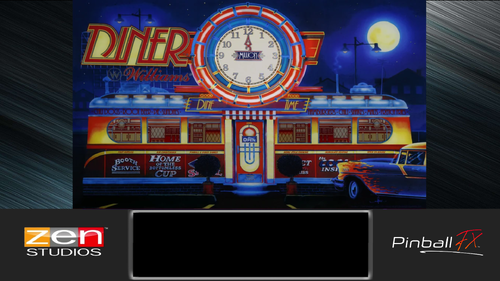
Here is the backglass for Diner (Williams – 1990) in Pinball FX!
To install it, simply copy the file and paste it into the folder indicated above.
If you installed Steam in its default directory, you should normally find the same folder path.
As usual, Zen Studios unfortunately does not provide a backglass with the table when you purchase it. So we have to create them ourselves!
Everything works perfectly on my setup. 😊
Enjoy! And don't hesitate to leave a comment to let me know if the backglass works correctly for you.
Happy gaming! 🎮
User Feedback
Create an account or sign in to leave a review
You need to be a member in order to leave a review
Create an account
Sign up for a new account in our community. It's easy!
Register a new accountSign in
Already have an account? Sign in here.
Sign In NowThere are no reviews to display.