.thumb.jpg.b4c0d656d1a2ceb2aab231d9a616663c.jpg)
.thumb.jpg.c6ebf5e49d1761589087734ee254242f.jpg)
.thumb.jpg.ef66b0261e90d94aca9c057a0690b81c.jpg)
.thumb.jpg.5876f413d418be2bb510c91e21394fa3.jpg)
.thumb.jpg.68e23b38f485284cb19596b8ee85a5a5.jpg)

About This File
Houston,
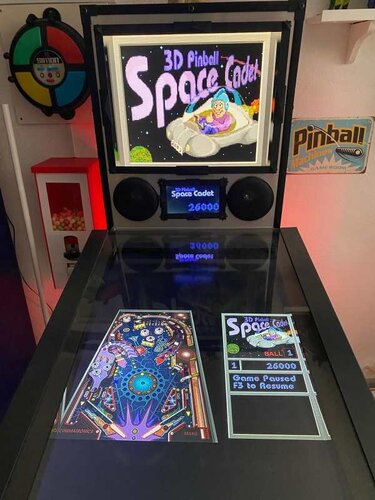
Let's Put Things On Cabinets That Were Never Meant To Be On Cabinets!
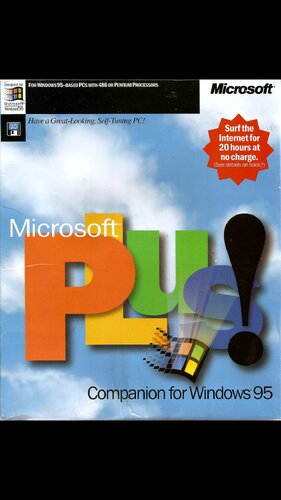
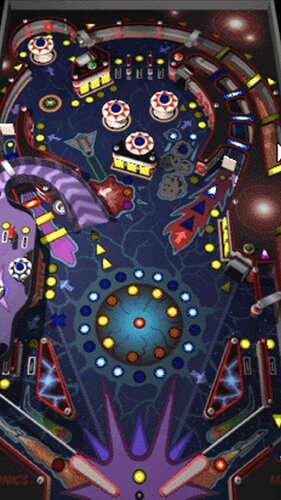
This is the big one, kids. The OG. The granddaddy of them all. It's 3D Pinball: Space Cadet, released by Microsoft in 1995 as part of their Plus! package and bundled with every Windows operating system afterwards, up to and including Windows XP in 2001.
To call this game influential would be an understatement. It was in everyone's home, and everybody and their grandmother played it. For a lot of people, this was their first taste of virtual pinball. And the best part? It still runs on modern systems, so of course I had to give this one the special full cabinet treatment.
Yeah, but… why?
We’ve got an excellent VPX recreation by the venerable JP Salas. It got a fantastic overhaul in 2025 with @funkatron101’s Galaxy Edition. There are multiple high-quality mods out there. So why go back to the clunky old Windows version and put it on a cabinet?
I can only answer that for myself: Because it’s there. Because I wanted to see if I could - which is kind of the entire point of this series.
And because when someone steps up to the cab and says, “Hey… this reminds me of that game I used to play as a kid,” I want to be able to smile, say: “You mean this one?”, fire it up, and watch the nostalgia hit.
And honestly? It deserves to be there. Out of respect.
So, today's included AutoHotKey script makes Space Cadet run on your cab: It rotates the playfield to portrait mode, lowers the resolution to 600x800, places filler images on the backglass and DMD screens, launches the game, covers up some of the Windows-specific interfaces and maps your cabinet buttons to the appropriate keys. Optionally, it offers support for analog nudge and plunger via JoyToKey, and DMDExt support for showing the score on your DMD screen.
Brace yourselves for a space freighter full of goodies:
- 4 backglass images (two in 4:3, two in 16:9, featuring both original and AI reimagined art)
- 3 company logos (you pick: Maxis, Cinematronics or Microsoft)
- 2 DMD images (one for the frontend, one as a filler image for the script)
- 3 flyer images (shots of the Microsoft Plus! packaging, courtesy of Archive.org)
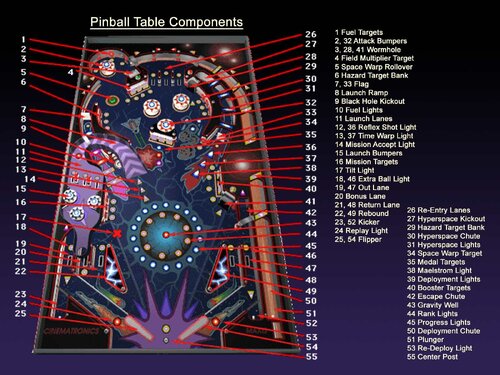
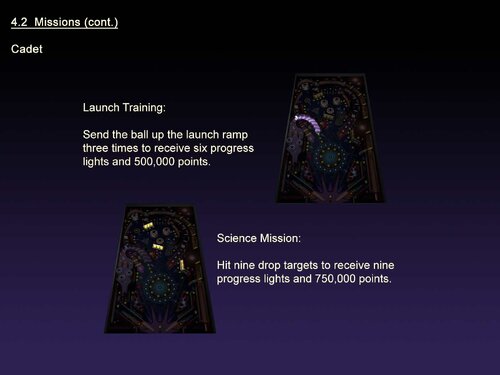
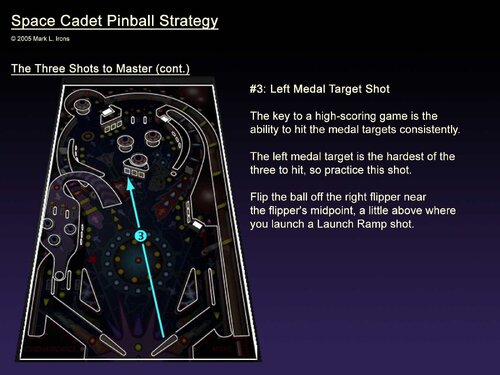
- a whopping 71 instruction cards (text taken from the offical rules document, fully illustrated in loving detail by myself, plus a few extra pages from an online strategy guide - this may well be the most comprehensive guide to the game out there, and it should be usable for the VPX version as well!)
- launch audio (the classic wormhole sound effect)
- a promo video (a short vintage Microsoft Plus! TV ad)
- table audio (recorded from the game)
- 2 table images (one for your frontent, one to hide the game's Windows UI during startup)
- a wheel image (courtesy of the Launchbox Games Database)
As always, the script will need a bit of tweaking to fit your setup, but don’t worry - it’s heavily annotated. Give it a proper read-through before heading to the comments for help.
I’m happy to assist where I can, but do try to meet me halfway first 😉
Share and enjoy!
SOME MORE NOTES:
Where to get it:
Space Cadet is no longer bundled with Windows, but it’s still easy to find online, either as part of old Windows ISOs or as a standalone download. Archive.org is probably your best starting point.
How to run it:
Amazingly, the game still runs without a hitch on modern Windows systems - or at least the later versions do. Some original Windows 95 builds floating around may not cooperate, so make sure you grab a working version and test it before wiring it up to the script.
You may need to tweak the timing of a couple of Sleep commands in the script, depending on how quickly the game launches on your system:
- The first Sleep covers the time until the game’s “3D Pinball” splash screen disappears (after which the script’s loading overlay takes over)
- The second Sleep waits for the game to fully load before sending F4 to switch to fullscreen and remove the overlay.
A word about controls:
- The Coin button acts as Pause (F3). The menu bar is hidden by the script.
- The Start button pulls double duty: It restarts the game (F2) and acts as Enter for high score entry.
The script assumes you're using the game's default controls. With a US keyboard layout, everything should work out of the box. On other layouts, the default / key for the right flipper may cause issues. If so, remap it in-game and adjust the script accordingly. (Details are in the script comments.)
What I'm not completely happy with:
The game always launches in windowed mode and needs to be switched to fullscreen (via F4) once it’s loaded. The script handles this and hides the transition behind an overlay image.
That said, the game window will sometimes briefly pop in front of the overlay before going fullscreen. Not every time though, and I haven’t figured out why. If you crack that one, let me know.
What's not working (yet):
Right now, the setup is locked to single-player.
In theory, enabling more players should be as simple as having the script send: Alt+O → P → [1–4]
Feel free to experiment, and definitely let me know if you get it working 🙂
AI use disclaimer:
The alternate backglass was created with ChatGPT, using the original screenshot as a starting point.
Fun fact: AI is terrible at left and right hands. The Cadet’s thumbs-up hand kept switching sides like it was in a mirror universe. After about 30 iterations and corrections, this was the best result I could get. Hope you like it!
Would you like to know more?™
Absolute madman Timothy Peterson has created a YouTube playlist in which he shows how to beat every single mission the game has to offer. These videos have been invaluable to me in putting together the Instruction Cards, since the official rules document that came with the game does contain a handful of errors and unclear definitions, which have been corrected for this version.
Edited by SixOfTwelve
Typos & clarifications

User Feedback
Create an account or sign in to leave a review
You need to be a member in order to leave a review
Create an account
Sign up for a new account in our community. It's easy!
Register a new accountSign in
Already have an account? Sign in here.
Sign In NowThere are no reviews to display.