
Jump to content

PinJuke - a music player for pinball cabinets

    Create an account or sign in to download this
download_no_perm
4547 Views
1018 Downloads
4.8 From 8 reviews
118.63 MB File Size
turnbull, kickback Created by

5 Screenshots

Here it is – your first music player for Cabs


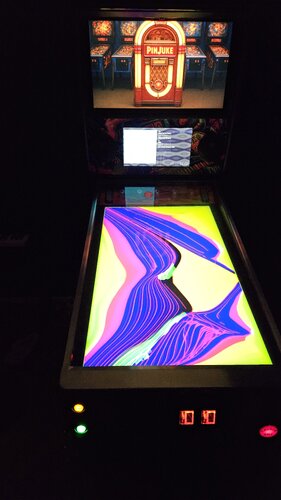
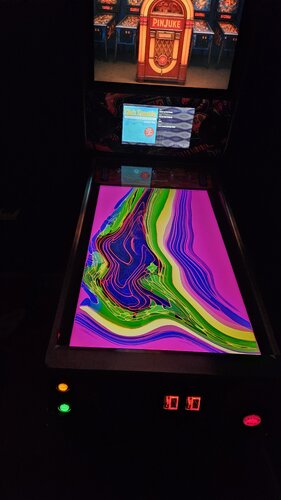
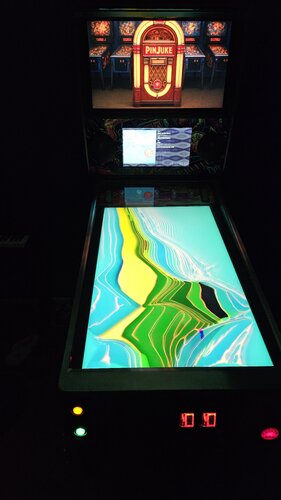
Because a pinball machine is not a jukebox, it doesn't even try to emulate one. This app is different; it gives your machine new and significant added value. Play the music of your choice with thousands of visual effects that will mesmerize you. The player is designed specifically for pinball cabs. The control is optimized for cabinet buttons and the player can be elegantly integrated into front ends such as Pinup Popper.


=> see it in action here: 


=> read the HOWTO.


PinJuke is the first real Jukebox for cabs that let you setup your playlist and styles all the way you want it.

Features:

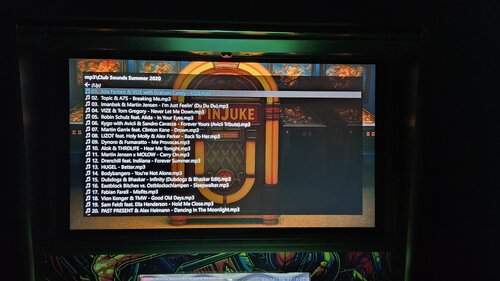
  • PinJuke works completely offline. Copy your mp3 collection to your local hard drive or connect your collection via a USB device
  • PinJuke delivers the charm of the 90s! The popular Milkdrop visualization from Winamp and other well-known mp3 players provides entertainment for the eyes. PinJuke comes with 9.860 different effects, randomly picked per track.
  • Multiple monitors are supported in selectable resolutions (backglass, playfield, DMD)
  • Operation is optimized for typical pinball buttons
  • DOF is supported
  • supported playback formats: mp3, m3u, flac, ogg and (soon)more
  • it displays embedded album covers
  • videos (mp4, mpg, mpeg) are supported (yes, your cab is a karaoke machine, too)
  • multiple libraries (=playlists) can be defined so that each person or each occasion can enjoy their perfect music. Each playlist can appear in it’s own style.
  • Pinjuke is highly configurable; all media and displays can be changed via a configurator or an INI file
  • full Popper integration: each playlist is called up as a “table”
  • runs on Win10 and Win11


Pinjuke is available as an application for Windows. The ZIP package includes numerous media files to get you started right away. All you need is your own music collection on a HDD or stick.


This project was realized by @Kickback (coding) and @Turnbull (idea, concepts). Thanks to @Smaug for his help promoting the player.


HOWTO update

Save your Configs-Folder first, to keep your setup and playlists. Then extract and replace the whole PinJuke folder and move back the "Configs"-Folder into the new PinJuke-Folder.


Feel free to create and spread your own images, wheels, media files for this player to make it look even cooler.
PinJuke Cabinets.jpg

Edited by Turnbull
link to Smaug


Use of A.I. Disclosure

A.I. Created Images

Permission from ORIGINAL Author(s)?

This is my own creation.

Allow file to be included on a VPUniverse downloader app?

Yes
Yes

What's New in Version 1.1.0   See changelog

Released

Now supports controller inputs such as VirtuaPin 


- Gamepad support for controllers such as Dudes Cab, VirtuaPin (added by Mikedmor)

- Keys and buttons assignment by easily capturing presses

- Presets for the new controller input


@thanks to John G. for support the testings

User Feedback

Create an account or sign in to leave a review

You need to be a member in order to leave a review

Create an account

Sign up for a new account in our community. It's easy!

Register a new account

Sign in

Already have an account? Sign in here.

Sign In Now

movieguy

   3 of 3 members found this review helpful 3 / 3 members

Amazing addition!  Thank you for taking the time to make this and share it.  I have been wanting to add a Jukebox to my pinball machine for quite some time, but it seemed like it would be a hassle.  I had this installed and up and running with a custom made Christmas list in less than half an hour.


I highly recommend this.

Turnbull

   3 of 3 members found this review helpful 3 / 3 members

How cool is that? VPU has just created an own category for pinjuke 🙂 So if you create your own skins, wheels or animation videos, there's a home for it.

Johngreve

   2 of 2 members found this review helpful 2 / 2 members

This is really cool! I’m just getting familiar with it and love it so far. I have to use my keyboard for input commands as I have a VirtuaPin controller but that’s ok…I see support for that is being worked on yet. Now I have to familiarize myself with creating my own playlists.The instructions are thorough and easy to follow….even for me(not the brightest bulb in the box here…lol) The playfield effects are  very trippy….

Lots to explore and play with here…thanks for creating and sharing this awesome addition for VP cabinets.Wonderful Christmas gift…thank you again!

kaiserbox756

   2 of 2 members found this review helpful 2 / 2 members

very nice


coiken

   2 of 2 members found this review helpful 2 / 2 members

This is great, was already planning for a while to get something like this running on my Pincab.
Now I don't need to puzzle this much anymore to get the party started, everything needed seems included, noice!

SixOfTwelve

· Edited by SixOfTwelve

   1 of 1 member found this review helpful 1 / 1 member

Very sweet!

To everyone who's just starting out with it: It's definitely worth the time to futz around with the settings (love the optional cassette tape videos!) to make it look the way you want it on your cab.

Thanks for including video files as a media option: Turning my cab into a karaoke machine was something I didn't know I needed!

4noxx

· Edited by 4noxx

   1 of 2 members found this review helpful 1 / 2 members

Even though it's not the first jukebox for a VPIN, Coinops Jukebox is a bit older.
https://www.youtube.com/watch?v=Zs4CFPrJFEI
https://www.youtube.com/watch?v=HiLmRNb93A0
I think it's great that there's now an alternative.

I still find Coinops Jukebox a bit more stylish, but there probably won't be any more updates for it. I hope that Pinjuke will continue to be developed. My question is whether it would be possible to access Spotify libraries/playlists.


Response from the author:

thanks for your 3*-review (did you install?). i've checked CoinOps, some years ago. It's a nice thing, but i didn't installed it because of the very limited selection of music (videos). Same problem with this recently released vpx jukebox table emulation an existing Jukeebox. I wanted something for MY music.


If you want to have PinJuke more stylish, feel free to do so. You can configure all screens freely and build up your own style. The magic of PinJuke are those hypnotising animations that go with your music. You need to install and experience it yourself (a video or images don't help much, here). I'm looking forward to people sharing their screens, videos and wheels for PinJuke.


And, yes, good news: Spotify is on the list. In fact, we already have some code contribution on our gihub. 

×
  • Create New...
