
Jump to content

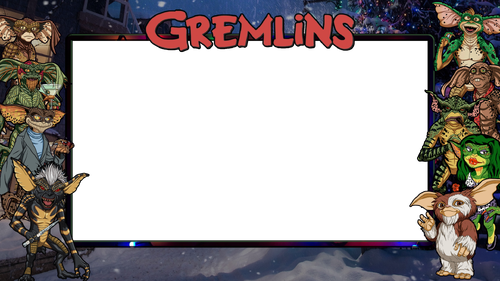
Gremlins Alternative Pup Pack Overlays 2 and 3 Screen

    Create an account or sign in to download this
download_no_perm
1170 Views
122 Downloads
5 From 1 review
4 MB File Size
Dr.Nobody Created by
Dr.Nobody Artwork by

1 Screenshot

About This File

Gremlins Alternative Pup Pack Overlays


So!


Along time ago I made these overlays with the intention of making a pup pack.

As per normal for me a heavy workload got in the way of that.


I've seen that a pup pack has now been made so thought I'd share these.


Custom Position is for 2 or 3 screen users


2,13.5,13.7,72.9,72.8 or if you want to drop as full dmd 5,13.5,13.7,72.9,72.8

User Feedback

Create an account or sign in to leave a review

You need to be a member in order to leave a review

Create an account

Sign up for a new account in our community. It's easy!

Register a new account

Sign in

Already have an account? Sign in here.

Sign In Now

Rigobert

· Edited by Rigobert


Just the missing object to play the Balbutio's table, with the kcirrick's pup-pack, in Desktop mode !

Thank you !


For noobies desktop players  like me, how to do it step by step.

First install the Balbutio's table.


If you want to use my backdrop.

Download it.

Open the table in VPX Visual Pinball X.

Go to: Table ->  Image Manager

Click on "Background" file (the third in the list), so click on "Reimport From", and select "Backdrop_Gremlins.webp.....webp" picture.

Close Image Manager by "OK" - Save the table (File -> Save).


Copy all the kcirrick's pup-pack files in :

C:\vPinball\PinUPSystem\PUPVideos\victory


Replace with same name  "backglass.png" in Backglass folder by "Overlay.png" downloaded here.


In this folder add two files you will find in :

C:\vPinball\PinUPSystem\Theme_Desktop\Desktop_PuP_Punch.zip :

- PuPInit.bat

- PuPDesktopPunch.exe


Launch "PuPDesktopPunch.exe" wait a few time.

Launch "Option 1 - Three Screen.bat"


In your Pinup folder on desktop, open "PinUP Pack Editor"

Select "victory"-  Load it.

Click on "Configure Displays/Locations"

Select "BackGlass"

In fields enter :

width : 580 - height : 330 - ScreenXpos : 0 - ScreenYpos : 0

Click on "save setting"


- In line with "Backglass2.mp4" enter "2,13.5,13.7,72.9,72.8" in "CustomPos" field.

- In line with "electric.mp4" change mode for "Music only".


The pup-pack sound was too loud for my liking.

So, to benefit from the table sound as well as the pup-pack sound,

I entered a "35" in all fields in the column : "Volume %".


After done it (or no): click on "Save Pup-Pack".

Play the table and have fun.


Gremlins_Desktop.png

Backdrop_Gremlins.webp

×
  • Create New...