







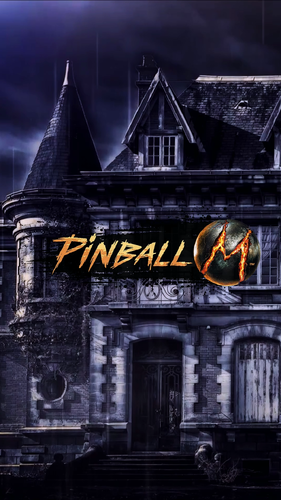
pl_PinballM.thumb.png.8fc7dfd364d0a2c256bef6dada454f54.png)







About This File
WORK IN PROGRESS
- Selection of wheels (Classic, Horror, Neon and others) For all
- Name Change M > FX Midnight for most the media
- Retrowave with Name change
- Script for Game Modes
-
Audio
- Table Audio
- Launch Audio for all
Newly Added
4k Backglass (For both Pinup and In Game)
- All Branding removed
- Pinball FX Midnight Logo only on main backglass
-
other improvements
New Front-End Media (Retrowave) with topper!
- Backglass: 1920x1080
- FullDMD: 1920x1080
- Playfield: 1920x1080
- Wheel x2
- Topper 1920x1080 or 960x540
- Audio (Main Theme Edited)
Now you can download an all in one pack or choose which files you want.
- PinUP Media for M Playlist
- Backglass: 1920x1080
- FullDMD: 1920x1080
- Playfield: 1920x1080
- Wheel
- Audio (Main Theme)
- Pupgames file to add Tables to Pinup Popper Frontend
- Cabinet Backglass PNGs for M (Removed copyright text, Includes all released tables plus Main Menu)
- DMDext Frame for external DMD and Instructions
- Complete Media for System Shock Table (PF, BG, Launch Audio, Audio, DMD, Flyer and Wheel)
- Basic Media for Texas Chainsaw Table (BG, Launch Audio, Audio, and Wheel)
Launch Audio Previews
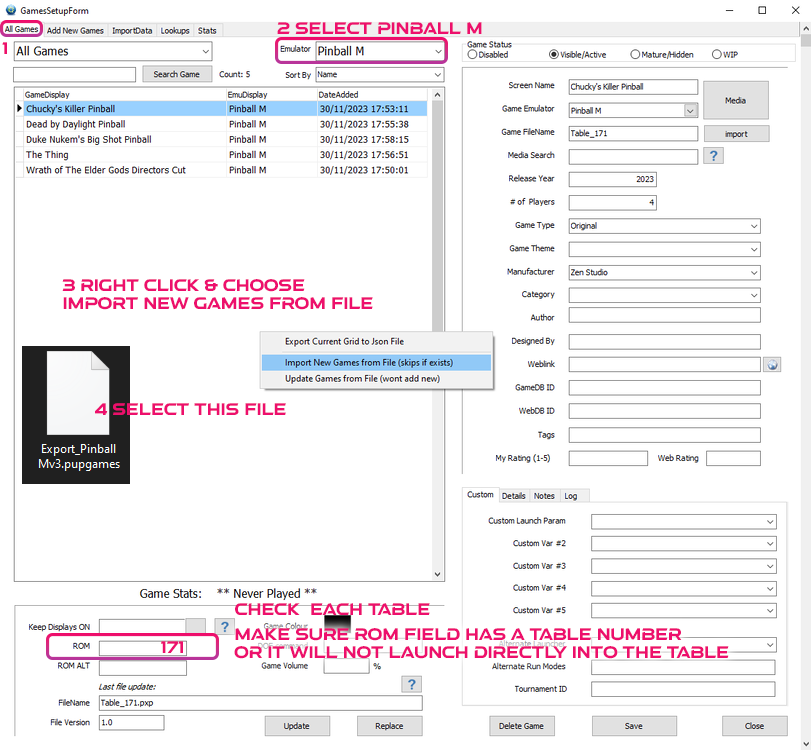

THIS IS A PINUP POPPER MEDIA PACK
To use a MediaPack on a playlist do the following:
- Select a playlist (PL_Pinball M).
- Drag and Drop the Media Pack file on the Playfield box or any of the other boxes.
- Confirm by clicking ‘Yes’.
It will basically extract the mediapack, take all the media and rename them so they match your playlist.
Other2 Playlist Badge - is a feature part of collection, it uses the other2 media placed below the clock/year.
These I will release as a full standalone pack with instructions.
Other Game Table Media Not included in this, get from link below.
Pinup Popper Launch Script:
@echo off
START "" "[STARTDIR]Launch\VPXSTARTER.exe" 5 5 20 "PinballM"
cd /d "[DIREMU]"
START "" "steam.exe" -applaunch 2337640 -Table [?ROM?]
Close Script:
"[STARTDIR]LAUNCH\PUPCLOSER.EXE" WINTIT "PinballM" 4 1
Cabinet Settings
[DotMatrixWindow]
Enabled=True
Priority=2
PositionX=7920
PositionY=0
Width=1920
Height=1200
DotMatrixSize=LARGE
MonitorNumber=0
ExternalDevice=True
Rotated=False
[BackglassWindow]
Enabled=true
Priority=1
PositionX=2560
PositionY=0
Width=1920
Height=1080
MonitorNumber=1
ExternalDevice=False
[General]
CabinetEnabled=True
===================================================
Update Coming Soon.
- 4K Playfield
- Alternative Playfield
Edited by brewedVFX
Retrowave

User Feedback
Create an account or sign in to leave a review
You need to be a member in order to leave a review
Create an account
Sign up for a new account in our community. It's easy!
Register a new accountSign in
Already have an account? Sign in here.
Sign In Now