
About This File
Meet the all-new B2S Pro Editor & Designer!
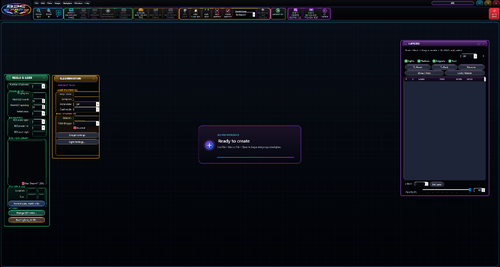
I’ve spent the last couple of months rebuilding the original B2S Designer into a better, faster, and more powerful program—and taking backglass creation light-years ahead. B2S Pro goes way beyond putting lights on a picture. You can bring your artwork to life with animated GIFs, rotating images, moving snippets, single-ball animations, and complete ball troughs with entry and exit paths. Build working mechanisms with ball physics, boundaries, bumpers, switch zones, launchers, and pivoting objects. Add realistic score reels, rotating score displays, custom speaker grills, and DMD artwork—all from a redesigned interface that puts these tools in your hands.
You also get more control over how everything comes alive, with Lamp, Solenoid, B2S, and SW triggers across the trigger menus. For the first time in my B2S Pro rebuild, you can use switches to trigger effects, opening up even more ways to connect your backglass to the action in VPX. Masks and cutouts let you work with individual pieces of your artwork, while lighting and animation tools help you build anything from a simple blinking insert to a backglass full of movement.
And you don’t have to figure it all out on your own. B2S Pro includes a detailed illustrated guide with real examples, alongside the original B2S Help. Preview your backglass and DMD on your configured cabinet screens, test your effects, and fine-tune your creation before taking it into play.
This is a major advancement in backglass creation and animation, built to give VPX and VR creators more freedom, more control, and far more possibilities. If you’ve used the old Designer, you’re going to have a lot of new toys to play with. Welcome to B2S Pro!
B2S Pro Setup & Updater installs B2S Pro Editor & Designer and the B2S Pro Server, or updates your existing installation. It guides you through choosing your Visual Pinball, Designer, and Server folders, with confirmation before replacing existing program files. Use the same setup EXE whenever you need to install or update B2S Pro.
Video Tutorials are located here https://vpuniverse.com/tutorials/category/14-b2s-pro-tutorials/
User Feedback
Create an account or sign in to leave a review
You need to be a member in order to leave a review
Create an account
Sign up for a new account in our community. It's easy!
Register a new accountSign in
Already have an account? Sign in here.
Sign In NowThere are no reviews to display.