



Jump to content

Super Mario Bros (Gottlieb 1992) - Serum Format

    Create an account or sign in to download this
download_no_perm
4722 Views
824 Downloads
5 From 16 reviews
889.66 kB File Size
smb3 ROM Name
Ebor Created by
Ebor Artwork by
Gottlieb Manufacturer
1992 Year

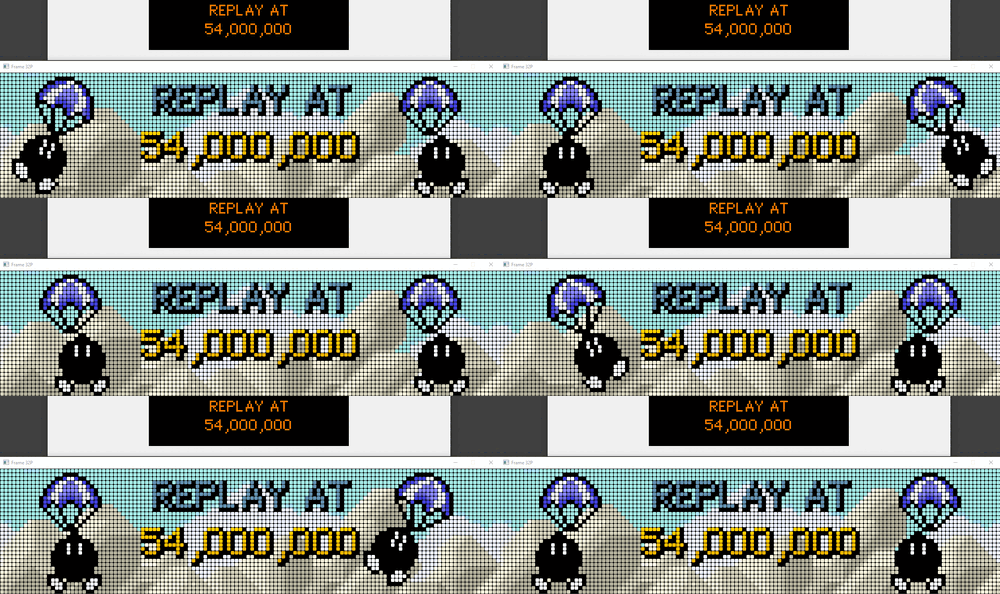
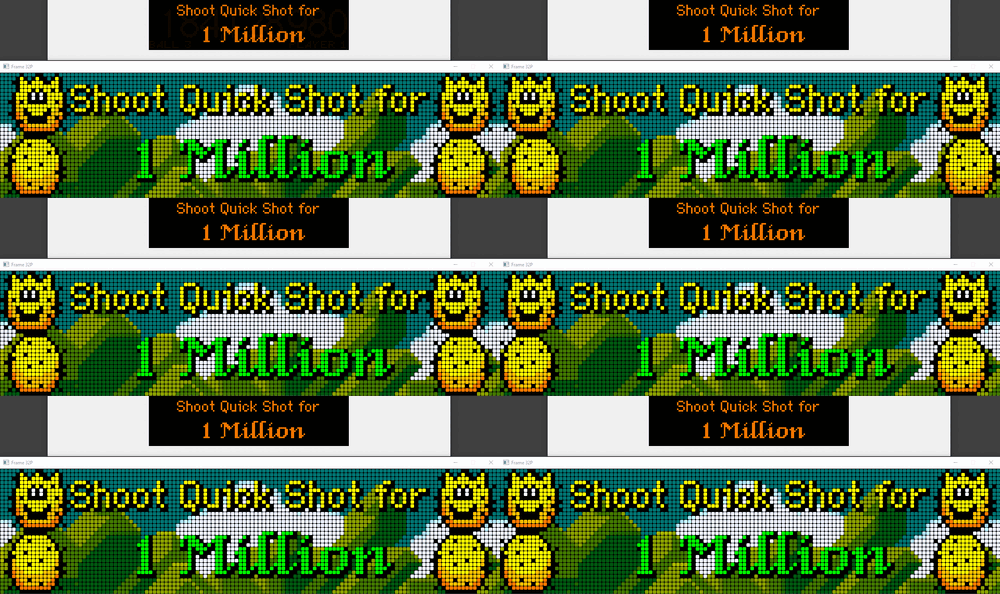
5 Screenshots

About This File

It's Mario Time !
 

Here’s my colorized version of this really cool table 😉


Purists, feel free to look away 😅. I made something that I liked above all else, and I had a lot of fun doing it.


Thanks to the Serum community on Discord, and thanks to @mk47 for the new features added to the format.


The smb3.cROMc file must be placed in the altcolor\smb3 directory. This directory should contain only this file.


The colorization works with the smb3 rom in English.


⚠️ Prerequisite: ⚠️


  • DMDExt v2.5.0 mini must be installed. This version includes the new Serum library v2.6.0, which is required to use this colorization. HERE
  • You must delete the serum.dll and serum64.dll files that may be present in the VPinMAME directory if they are older than v2.6.0.
  • Ensure using latest C++ distr. : https://aka.ms/vc14/vc_redist.x64.exe


Enjoy!



User Feedback

Recommended Comments


Rappelbox

Posted

colorization looks good! thank you @ebor for your effort on this and your other releases, much appreciated!!!

for the other 2 guys: please don't hijack this release with your personal dispute, it doesn't deserve it!

ebor

Posted

36 minutes ago, Rappelbox said:

colorization looks good! thank you @ebor for your effort on this and your other releases, much appreciated!!!

for the other 2 guys: please don't hijack this release with your personal dispute, it doesn't deserve it!

Don't worry, they know each other very well. They're just teasing each other 😉 They're two prominent administrators in the Serum community. And it's thanks to them that a solution was found 👍
Thank you for your comment 🙏

ricokiller

Posted

Hello everybody,

It works now, my trouble was C++ .

you must download the  latest version  "Ensure using latest C++ distr. : https://aka.ms/vc14/vc_redist.x64.exe".

@ricokiller from France.


ricokiller

Posted

On 6/29/2026 at 8:06 PM, Cliffy said:

From ebor's instructions above;

"You must delete the serum.dll and serum64.dll files that may be present in the VPinMAME directory if they are older than v2.6.0."


OLDER than 2.6.0 is the key. I have the 2.6.0 serum.dll and serum64.dll in my vpinmame folder and everything works beautifully.  He has the link to those also above

serum260dlls.jpg


pacboy

Posted

It works perfectly now with the C++ update. Thanks a lot, @PasteurLUL, @KRAKEN, and @naboodiver 😁.

333Rich333

Posted (edited)

I'm having an issue running this as well. My issues aren't as straightforward either.
- The "Replay" and select few other screens appear to be washed out, but not all of them.
- The score screen appears stagnant and won't update.
- Whenever a special screen appears, it won't go away, just a new one gets added on top. This is most evident when cradling the flipper and never seeing the score pop up.

I did update C++ for both 32-/64-bit, and updated 32-/64-bit DMDExt to 2.5.0 with the .msi installers. 

I like how this looks when it works, but it doesn't fully work for me yet.

EDIT: While working to get another Serum going, I found out how to update VPinmame to the 3.7 Beta, and it ended up fixing most of my issues here lol.
The "Replay" screen being pale was because of the DMD style  having its original "Dot Glow" and "Background Glow" settings active. Setting those to 0 helped tremendously.

Thank you for this wonderful colorization!

Edited by 333Rich333
cylemmulo

Posted

Yeah can't get this to go right, it just gets stuck at certain scenes and fails to show me my score ever. Only have serum 2.6, have the right dmd extensions, installed C++

333Rich333

Posted

On 7/6/2026 at 8:14 AM, cylemmulo said:

Yeah can't get this to go right, it just gets stuck at certain scenes and fails to show me my score ever. Only have serum 2.6, have the right dmd extensions, installed C++

Try doing both the 32-bit and 64-bit C++ installers. One of the prior comments had the link. 
Also, try installing the latest VPinmame update. This was the last thing I did before it started to work.

naeromagus

Posted

Nice another wonderful Release ! 

DBrown67

Posted (edited)

Can't get this working. It is my very first Serum DMD that I am trying, as I am updating my cabinet.

I'm still using VPX 10.7.2.  But I have upgraded to the latest VPinMame (I had to get new rom for this table as my current ROM was outdated)
Also updated Freezy to 2.5.0.  (When I right click on a DMD I see version 2.5.0 in the About section)


Also updated the vc_redist.86 and .64 versions.  Placed the colour rom file into VPinMame / alcolor / smb3 folder.

I also updated dmddevice.ini and made sure  colorization = true  is there.

I also added the key for .pac files, and they are working so I know this .ini file is active.


I don't have any old serum files to delete in my VPinMame folder. 

I press F1 when table is running and have the external DMD box checked, along with colorization.


All I get is a 4 color DMD. I dunno what I'm missing? It's not crashing though, which I read someone had happening.

Edited by DBrown67
Cliffy

Posted

1 hour ago, DBrown67 said:

Can't get this working. It is my very first Serum DMD that I am trying, as I am updating my cabinet.

I'm still using VPX 10.7.2.  But I have upgraded to the latest VPinMame (I had to get new rom for this table as my current ROM was outdated)
Also updated Freezy to 2.5.0.  (When I right click on a DMD I see version 2.5.0 in the About section)


Also updated the vc_redist.86 and .64 versions.  Placed the colour rom file into VPinMame / alcolor / smb3 folder.

I also updated dmddevice.ini and made sure  colorization = true  is there.

I also added the key for .pac files, and they are working so I know this .ini file is active.


I don't have any old serum files to delete in my VPinMame folder. 

I press F1 when table is running and have the external DMD box checked, along with colorization.


All I get is a 4 color DMD. I dunno what I'm missing? It's not crashing though, which I read someone had happening.

when you run FlexDMDui.exe what do you see? You really should be running vpx 10.8.0 64 bit as very little to no reason to run 32 bit anymore

flexdmd-check-freezy.jpg

DBrown67

Posted

It looks identical to yours. Right down to the version numbers. But all I get in game is a 4 colour DMD.
Do these Serum colour roms not work with VPX 10.7.2?

I am trying to upgrade step by step. I want to ensure it all works as it did perfectly before.
My ultimate aim is to go VR and I have already upgraded CPU and GPU for this. It's the software that gets me.

I don't want to make a load of changes then not no where the hell something might be going wrong.
So far it's all OK apart from serum files not working.  .pac files work with the key and other older formats.

Cliffy

Posted (edited)

3 hours ago, DBrown67 said:

Do these Serum colour roms not work with VPX 10.7.2?

yes, as far as colorized or any other type of dmd the vp version doesn't  matter. The vpinmame version matters though since in this case it's a rom based game. I'm running vpinmame -sc 3.7.0 rev 361

Check your F1 settings too


smb3-f1.jpg

Edited by Cliffy
DBrown67

Posted (edited)

Hmmmm.... I just tried Elvis and it works. But that is a .crz file which seems to have created a .cROMc file alongside it.


This one is already a .cROMc file.


When I right click my VPinMame.dll file it says it is 3.7.0.222.   


EDIT:

You guys that have this working, do you have any updated serum files in VPinMame folder that override the embedded ones in Freezy 2.5.0? I'm clutching at straws now. Its only because this smb3 colorization is very new. So Im wondering if I'm missing something. I learned that the new serum format embedded in Freezy only works on .cROMc files now (to save memory) and that older .crz will be converted. Exactly what happened with Elvis! So my system is working.... sort of.

Where you get revision 361 of 3.7.0 VPinmame? Latest I see is revision 222. Dunno if this makes the difference?


Edited by DBrown67
Cliffy

Posted

9 hours ago, DBrown67 said:

Where you get revision 361 of 3.7.0 VPinmame? Latest I see is revision 222. Dunno if this makes the difference?

222 should be fine. Look in Actions for the nightlies. I have NO serum dll's in my vpinmame folder. Critically also make sure you have no other files in the smb3 altcolor folder. The dmddevice dll's will always defer to a pal/vni set if found, over any other color format.

DBrown67

Posted (edited)

Well I upgraded the DMDs on my cabinet by adding around 17 more. They all work except for one other, which is Tron by PastorLUL.
And I don't think it's a coincidence that Tron was updated just this week and this smb3 was updated 17 days ago. These are the only 2 that don't work.
But I was able to get alternative files for both. A .pac file by ScottyC for smb3 and an older serum file for Tron, which looks lovely.


I thank everyone for their efforts in these colour files by the way. Must take ages doing everything frame by frame.

Edited by DBrown67
Ice

Posted

On 6/27/2026 at 11:16 PM, KRAKEN said:

For those of you seeing what appears to be frames not triggering or DMD stuttering/locking up, try updating to vPinMAME beta v3.7.0-222 (or more recent). 

Thank you very much! That did the trick for me :) I had a laggy animation and the videgame didnt work.


Create an account or sign in to comment

You need to be a member in order to leave a comment

Create an account

Sign up for a new account in our community. It's easy!

Register a new account

Sign in

Already have an account? Sign in here.

Sign In Now
×
  • Create New...