
.thumb.jpg.7d1de110941e8d7702a3c210a18451b1.jpg)
.thumb.jpg.e1ed8da1604de9d1bdcaf9c13f846cd8.jpg)
About This File
Because the voices told me to... here's another episode of
Let's Put Things On Cabinets That Were Never Meant To Be On Cabinets!
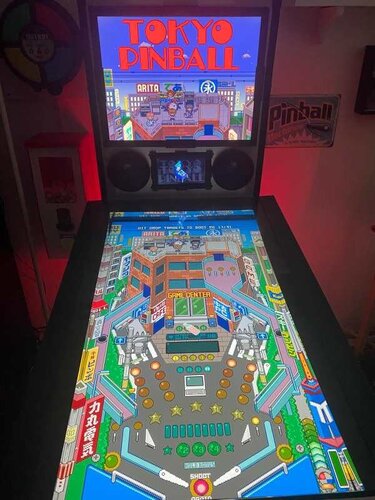
Today’s game is Tokyo Pinball, released in 2022 by Rikiya Minami aka "Ricky". The game fully leans into a classic pixel-art aesthetic, complete with delightfully grating chiptune music and a range of visual options (CRT shaders, screen curvature, and more) to make it feel like you’re playing on some janky old cab in a dingy arcade basement somewhere.
As for gameplay, the physics are arcade-y but solid, and features like "bullet time" slow motion when the ball nears the drain make it very beginner-friendly. There’s also a good set of tutorials to help you get up to speed.
I really like this one - it’s clear the creator is a huge pinball fan and genuinely wants his game to act as a kind of “gateway drug” into the hobby. He even links to resources on his website showing where people can find places to play real pinball in Japan. And I have a ton of respect for those tiny teams - sometimes just one person (or two, in the case of LittleWing) - who manage to turn their own unique vision into a fully realized game.
Actually, today is a bit of a cheat day for Let's Put Things On Cabinets That Were Never Meant To Be On Cabinets! , because Tokyo Pinball already includes video options that are very much intended for cabinet play.
That said, it’s not completely cabinet-friendly. There are a few rough edges, but that's where the included AutoHotKey script comes in. It handles the usual behind-the-scenes magic: placing filler images on the backglass and DMD screens, launching the game, and mapping your cabinet buttons to the appropriate keys.
A quick word about controls:
This is where that “not completely cabinet-friendly” I mentioned above comes into play. The game requires separate keys for flippers, nudge, and kickback, meaning you’d ideally want three buttons on each side of your cabinet. Since most setups don’t go that far, I made a judgment call after some playtesting: in this case, kickback felt more useful than nudge, so the magnasave buttons are mapped to kickback.
If you’re running an analog controller in your cabinet, you can optionally use JoyToKey to handle nudging by physically abusing the cab. And of course, if you do have extra buttons available, the script can be adjusted to map those as well.
As usual, I’ve bundled in a generous pile of goodies to pretty up your frontend:
- 2 backglass images (one in 4:3 and one in 16:9)
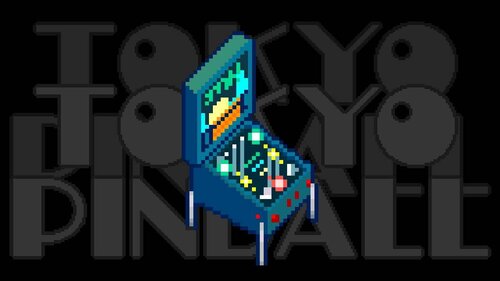
- a company logo (since the creator doesn't have one, I built one out of his itch.io profile logo)
- 2 DMD images (one for the frontend, one as a filler image for the script)
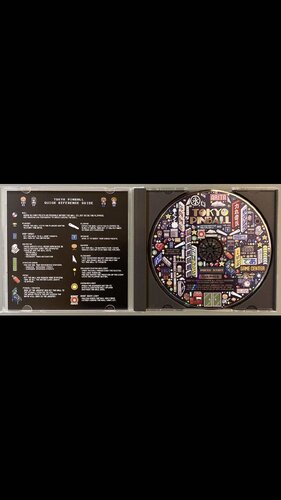
- 2 flyer images (photos of the physical game CD and its inlay)
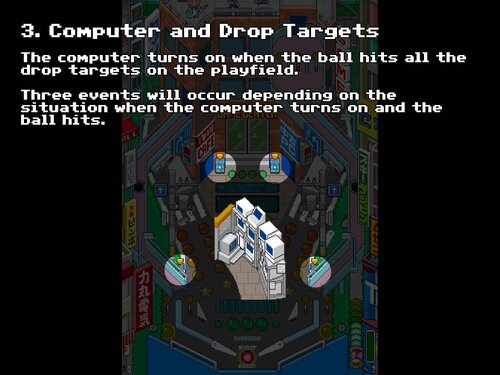
- 15 instruction cards (text from the PDF manual on Steam, images added by me)
- a promo video (trailer from the creator's YouTube channel)
- table audio (recorded from the game)
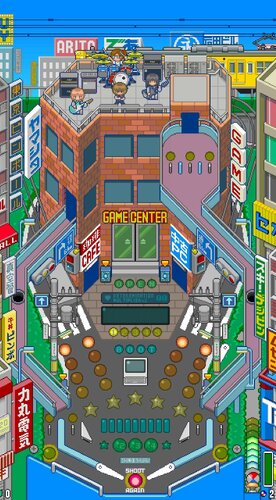
- a table image for your frontent
- a table video for your frontent
- a wheel image (from the creator's itch.io page)
As always, the script will need a bit of tweaking to fit your setup, but don’t worry - it’s heavily annotated. Give it a proper read-through before heading to the comments for help.
I’m happy to assist where I can, but do try to meet me halfway first 😉
Share and enjoy!
SOME MORE NOTES:
Where to get it:
While Tokyo Pinball is available on Steam, I highly recommend getting the version directly from Rikiya Minami's itch.io page. You might be paying a few cents more (and I do mean just a few, if any), but:
- The creator gets a better cut of the profits on itch.io
- The itch.io version of the game doesn't need Steam running in the background and so is better suited for offline cabinets
- In my case, the Steam verison would constantly end up slipping behind my PinballX frontend window when launched - something that didn't happen with the itch.io version
How to run it:
Being only four years old at the time of this posting, the game should run without any fuss. Just make sure your video settings are configured correctly:
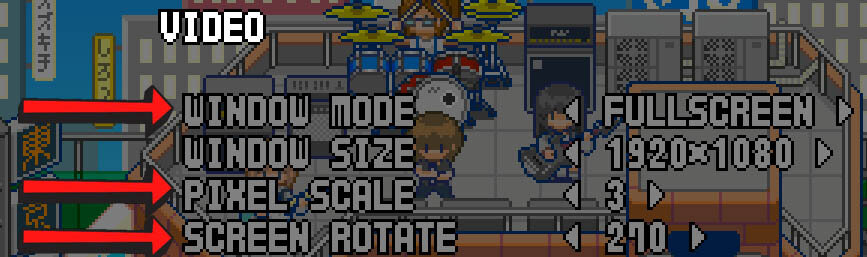
- The 270° rotation is key
- Your window size may vary depending on your resolution. Note that you're setting the resolution for your landscape mode, even though the game screen is rotated
- Set the pixel scale as high as possible to fill the screen nicely
If the "bullet time" effect mentioned above is not your thing, you can turn it off in the options. I quite like it and it's part of the game's unique charm, but the fact that the music also slows down every time it's happening can make it irritating.
On that note, turning off lowpass filter and reverb effect in the audio settings also helps take the edge off the soundtrack. Don't expect miracles, but every little bit helps.
AI use disclaimer:
No AI was used in the creation of the artwork.
Edited by SixOfTwelve
typos, formatting and clarity

User Feedback
Create an account or sign in to leave a review
You need to be a member in order to leave a review
Create an account
Sign up for a new account in our community. It's easy!
Register a new accountSign in
Already have an account? Sign in here.
Sign In NowThere are no reviews to display.