



About This File
In today's edition of
Let's Put Things On Cabinets That Were Never Meant To Be On Cabinets!
we're working our way up the catalogue of Japanese studio LittleWing with Angel Egg, released in 1996 for Windows and Macintosh.
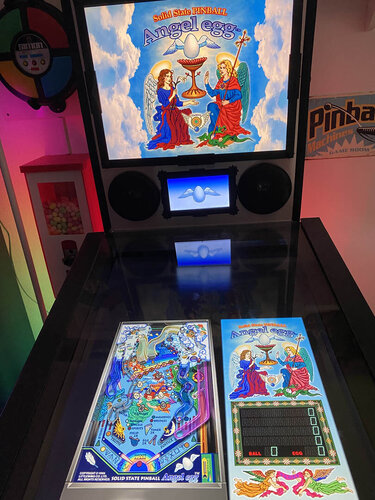
The included AutoHotKey script rotates the playfield to portrait mode, lowers the resolution to 1024x1080, fills the backglass and DMD screens with decorative images, launches the game and maps the keys to standard cabinet buttons.
I've included
- the AutoHotKey launch script, fully annotated (please go through it and adapt the variables to your system before running it!)
- a DDrawCompat INI file for the resolution - see further below under "How to run it"
- a DMD filler images for in-game purposes
- a backglass image (also usable for your frontend of choice), in both 4:3 and 16:9 formats
Also, tons of frontend media:
- 2 flyer images (images of the only packaging that I could find, courtesy of Japanese marketplace site Mercari)
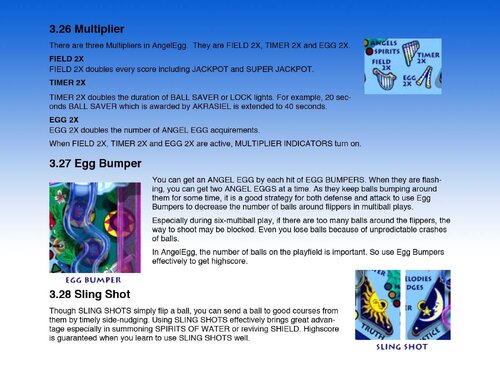
- 22 instruction cards (taken from the official PDF guide)
- table audio (recorded directly from the game)
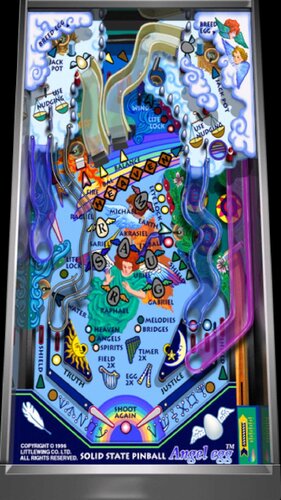
- table image (an upscale of the playfield)
- company logo (taken from Crystal Caliburn's official PDF guide)
- a wheel logo
Share and enjoy!
SOME MORE NOTES:
Where to get it:
The company's website at www.littlewingpinball.com is still up, and you can download the demo version of the game there. It needs to be be unlocked to full version with a code you could once buy at the website store, but that store has been "out of service due to a maintenance" since 2013. Never fear though, just browse any Archive that's reasonably well Organized, and put a Pin in it 😉
How to run it:
Angel Egg will crash on modern systems since it uses an obsolete DirectX version. Go to https://github.com/narzoul/DDrawCompat/releases and download the latest version (expand the "Assets" tab under the latest post and get the ZIP file). Unzip and put the ddraw.dll file into your Angel Egg game directory. This Media Pack includes a file called DDrawCompatOverlay-A_EGG.ini that needs to be dropped into the same folder, as it will tell DDrawCompat what resolution to use.
AI use disclaimer:
- The backglass image is based on an in-game screenshot, upscaled and enhanced with FreePik. I added clouds and tweaked it further in Photoshop.
- The wheel logo and the winged egg image for the DMD are also based on the AI upscale and were isolated with the help of ChatGPT.
 With version 1.0.1:
User Feedback
Create an account or sign in to leave a review
You need to be a member in order to leave a review
Create an account
Sign up for a new account in our community. It's easy!
Register a new accountSign in
Already have an account? Sign in here.
Sign In NowThere are no reviews to display.